

Operator OS 16 min read
How to Price a Service Call
A customer sees $129 on the invoice for an hour of work and assumes you kept $129. Here is the cost stack underneath a service call, and how to build your own billable rate from it.
Estimating, pricing and paperwork tools for contractors, remodelers and tradespeople — the number, then the paper that holds it. Run takeoff, loaded labor, markup and overhead from one connected file, then hand the customer a scope, a payment schedule and a change order that says what the job now costs.
Underpricing and change orders priced as favors are two common ways the trades lose money on a job. Both come down to numbers scattered across scratch sheets — a takeoff here, a markup guessed there, a "while we're here" favor that never made it onto the invoice. The tools here keep the estimate, the markup, the overhead and what a change order costs you in one place, so the price you quote actually covers the work.
New to the markup-vs-margin math? Start free with the bid-markup & job-cost calculator — no signup — then read what bid markup is and how it differs from margin.
Working a real bid? Follow a step-by-step tutorial for a remodeling bid or a landscaping estimate, or weigh a spreadsheet vs job-costing software for the stage you're at.
A defensible number is only half of it. The other half is the paperwork between you and the customer — the scope with real exclusions on it, the payment schedule tied to milestones, the change order that shows what the job now costs, and the punch list that actually closes. That is what the Trades Client Paperwork & Change-Order Template Pack is: sixteen white-label documents sequenced to a job's timeline, as fillable PDFs and editable Word files.
Try the pack's change order form first — it's free, ungated, and unlike most free downloads it carries the running contract amount.
And the crew half. The weekly safety talk is the obligation nobody argues with and almost nobody keeps up, because somebody has to write it every week. The Weekly Toolbox-Talk & Safety-Meeting Script Library is a year of them already written — 52 one-page talks with the sign-in slip on the same sheet, and six computed 52-week rotations so the order is decided before Monday. The Safety-Training & Toolbox-Talk Compliance Tracker is the workbook that keeps the record they create. When something does happen, the Workplace Incident, Near-Miss & Injury Log Workbook logs it — near misses included — assigns a fix with a due date, and calculates your TRIR and DART rates from the hours you log each month — or try the free TRIR calculator on a year you already have. Four of the talks are free and ungated — run one on Monday and see whether the crew talks.
And the trucks and machines. The daily walk-around is routine enough that it stops feeling like paperwork, and the defect on it is the part that gets lost. The Vehicle & Equipment Pre-Use Inspection Log keeps trucks, trailers, forklifts, lifts and mowers in one register, shows which scheduled inspections were missed, and holds a unit out of service until its critical defect is repaired and signed off. Start with the free daily vehicle inspection checklist — one printable page for one pickup or van, with no register behind it — or read what a DVIR is and who has to keep one.
Or the whole training record at once. The Crew Safety & Training-Compliance Kit carries both the talk library and the compliance tracker, plus the apprentice logbook and the skills matrix, and adds the workbook that joins them. It answers whether a given person is cleared to run a given station today, reading their skill level, their certification, their toolbox-talk attendance and — for apprentices — their logged hours. That join is free to try on ten rows as the Assignment Gate Starter.
And before you put anyone on the job. Subs, a key hire, or the specialist trade you have not worked with before — the Reference & Vetting Tracker puts the same six questions to every reference so three calls can actually be compared, and measures each license and certificate against the day your job finishes rather than the day you looked. Read what to ask a contractor's references, or take the free 24 reference-check questions — no signup.
And when you are the one taking bids. Three sub quotes for the same package may not be three prices for the same work — one can leave temporary power and site protection out, one can set its allowance under the spec, one can price a line you assumed was another trade's. The Contractor-Choice Decision Helper runs up to five sub bids through one scope of 46 lines before it ranks anything, then scores nine weighted criteria — you rate eight by hand, and the cost row is calculated from that leveled total instead of the headline price. Read it from both sides of the table: it is built for the person choosing a contractor, so it also shows how a buyer running this method would read your bid. The free contractor bid comparison worksheet takes two bids through 16 of those scope lines and stops before the scoring — no signup.
For the background, read what a change order is or what a materials allowance covers — two of the details that quietly decide whether a remodel makes money. Then follow writing a change order end to end, or compare paperwork templates vs a contractor app.
Recommended tools
13 templates
A connected estimating workbook and a flat-rate price book as spreadsheets, sixteen client documents as fillable PDFs and editable Word files, a reference-and-vetting tracker for checking out subs and hires before they start, and the time and task trackers for the labor hours and job to-dos behind every job.

Seven trades and contractor products in one bundle, plus a Control Panel for Excel or Google Sheets that works out what a billable crew hour costs.
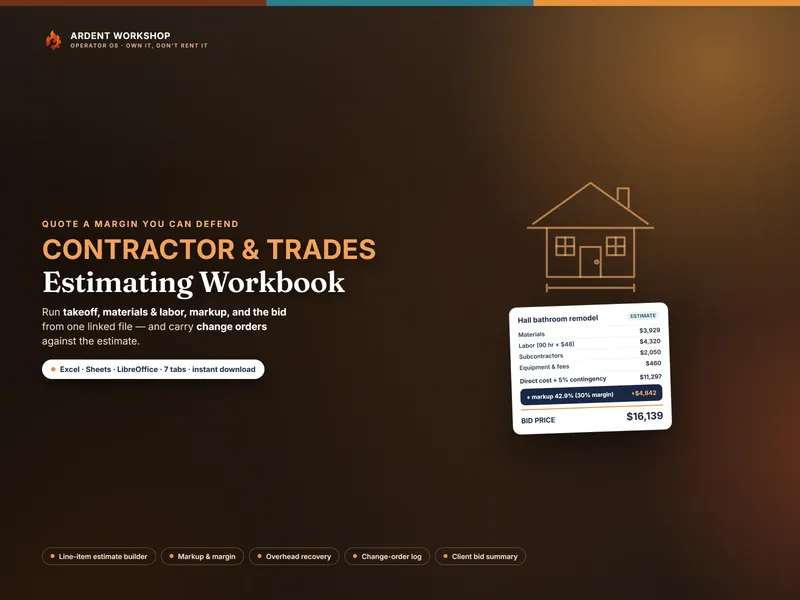
A contractor estimating workbook for Excel & Google Sheets — line-item job costing, bid markup vs margin, overhead, and change orders in one file.
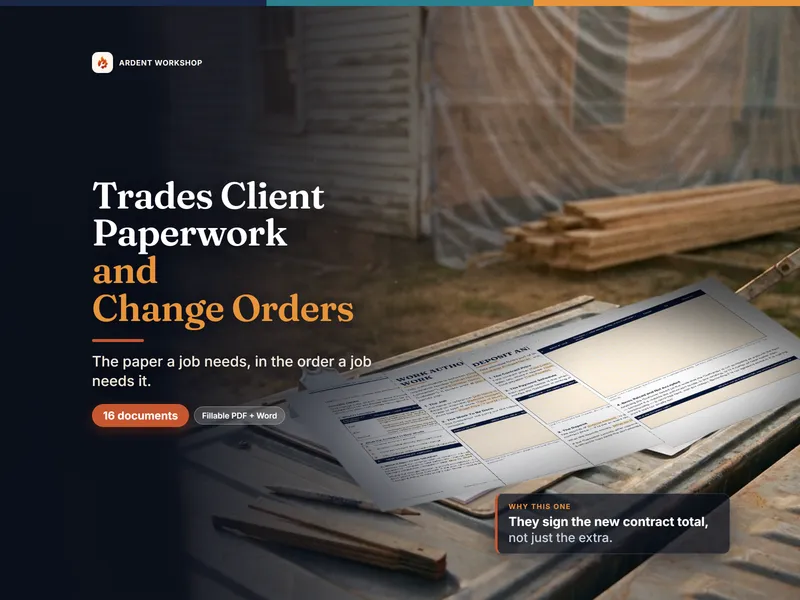
A change order that shows the new contract amount, plus 15 more contractor client forms in job order — work authorization, payment schedule, punch list.
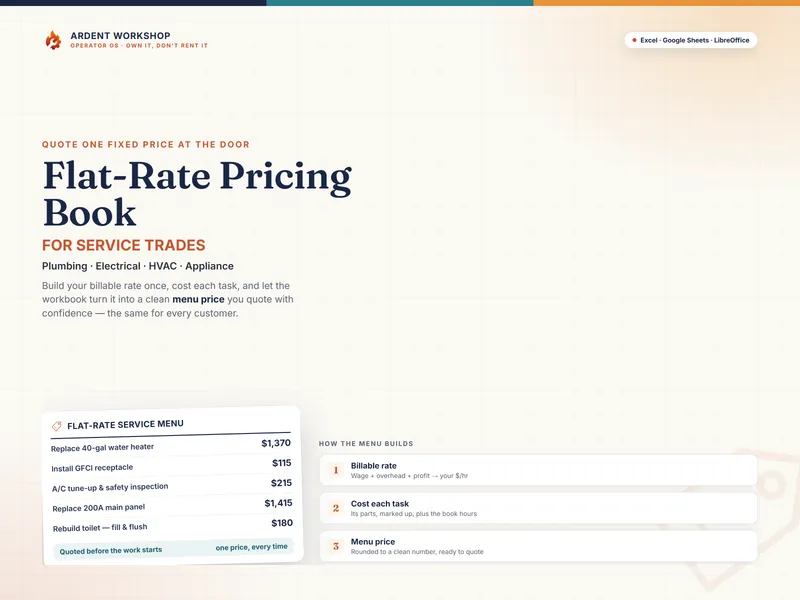
Flat-rate price book for service trades — set your billable rate, cost each task, and build a clean menu for plumbing, electrical, HVAC & appliance work.

Four crew safety and training-compliance products for Excel or Google Sheets: toolbox talks, certifications, OJT hours, ILUO matrix, who's cleared today.

52 ready-to-read toolbox talks, one page each with the sign-in slip on the same sheet, plus six computed 52-week rotations. A year of safety meetings.
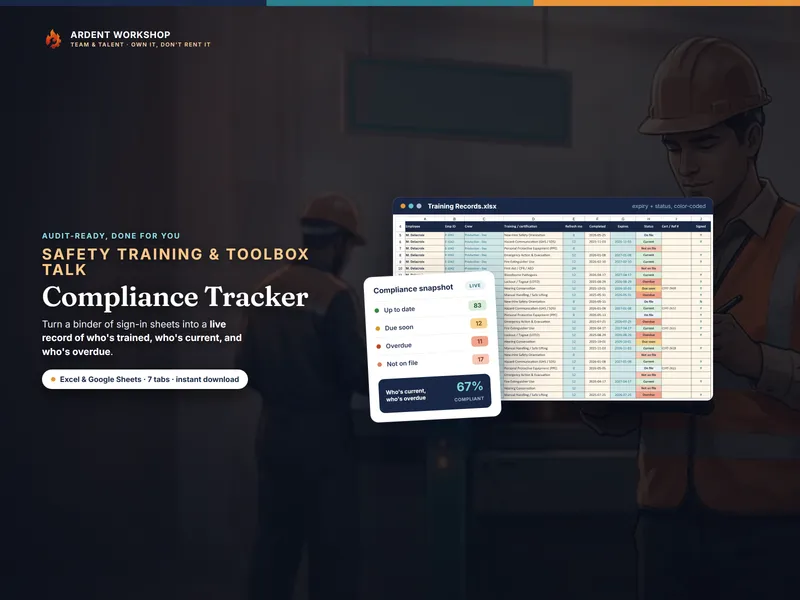
A safety-training & toolbox-talk tracker for Excel & Google Sheets — automatic refresher expiry, color-coded status, and audit-ready compliance dashboard.
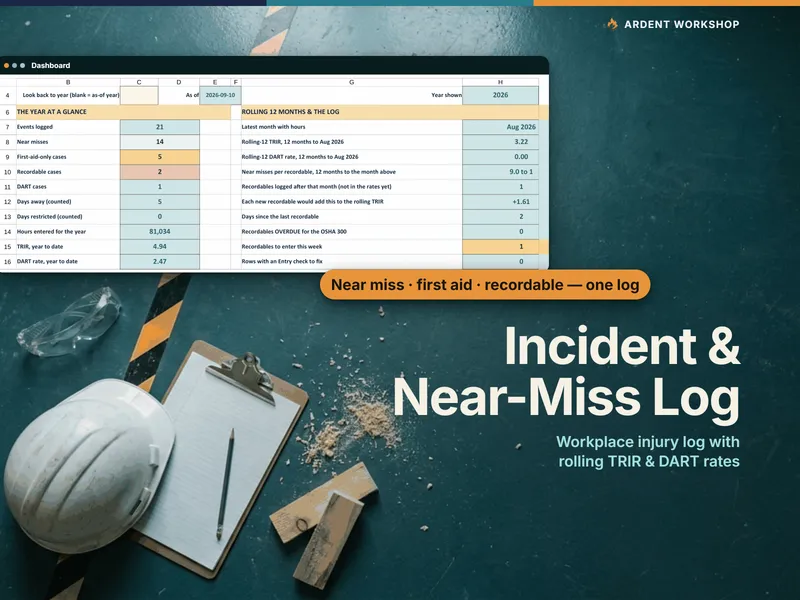
Incident and near-miss log for Excel & Google Sheets: one log for every event, rolling TRIR and DART rates, linked fixes and 300A-shaped totals.
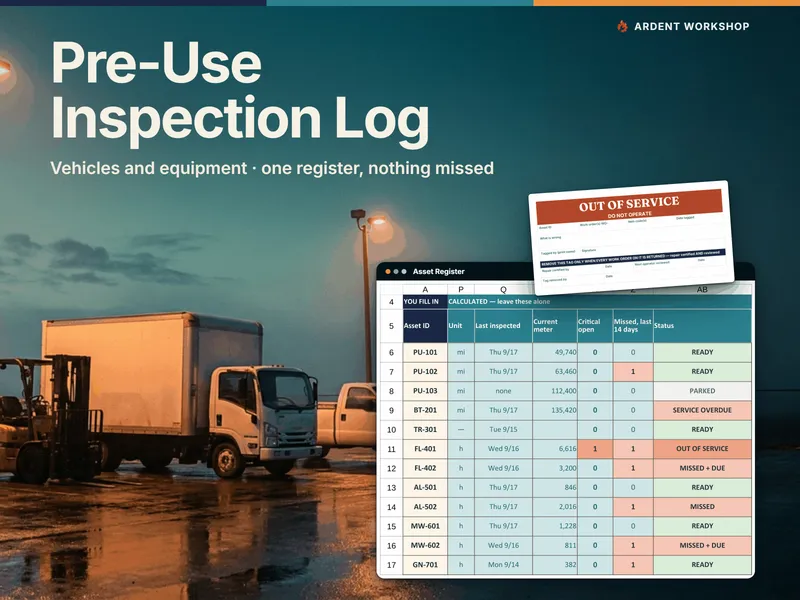
Pre-use inspection log for Excel & Google Sheets: one register for vehicles and equipment, a missed-inspection grid, critical defects held out of service.

120 reference-call questions for contractors, caregivers, landlords, hires and tenants — plus a ledger that catches insurance lapsing before your job ends.
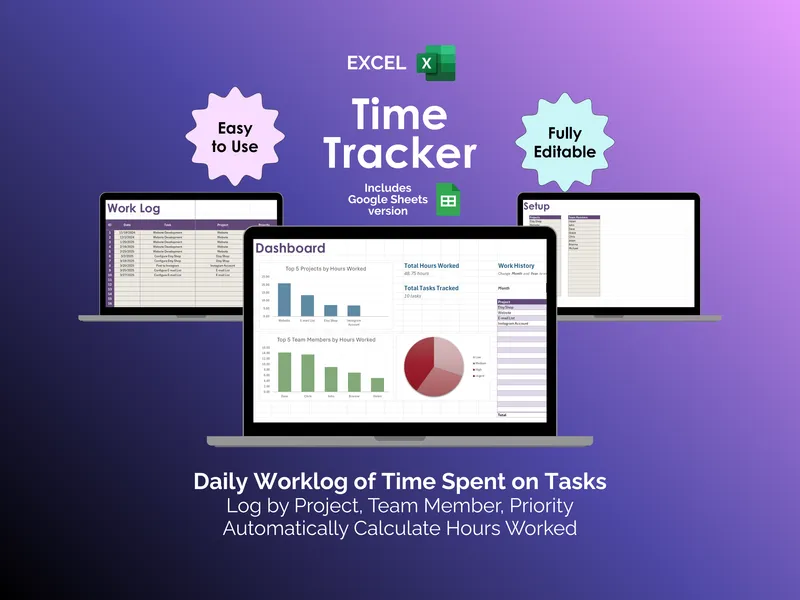
It's Friday afternoon and you owe three clients an invoice. This excel time tracker logs hours by project, team member, and priority, then totals them for you.
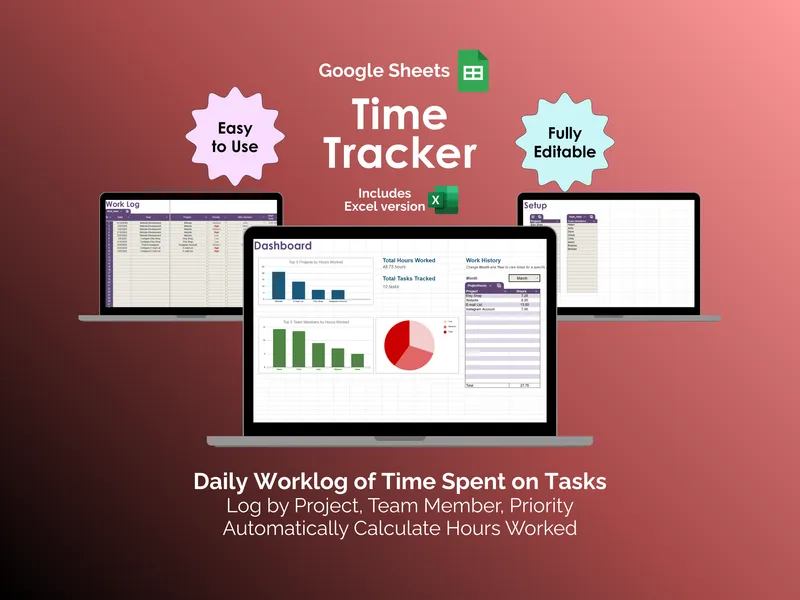
When was the last time your invoice matched what you actually worked? This google sheets time tracker logs daily hours and totals them for you.
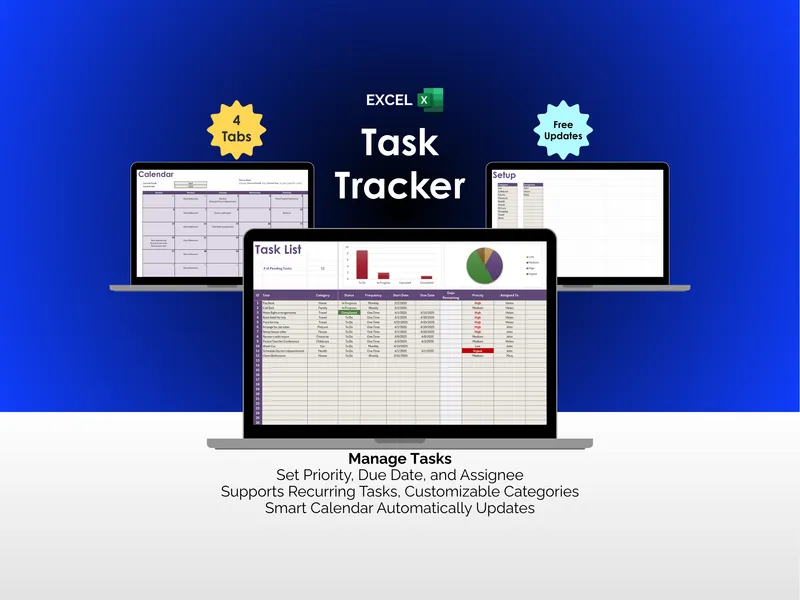
An excel task tracker isn't about prettier to-do lists. It's about seeing every deadline, priority, and recurring chore in one place before they slip.
Where we fit
Most tools force a choice between a blank spreadsheet you build from scratch and a monthly app that's overkill. Ardent Workshop is the rung in between — structure you own.
Free, but you build and maintain every formula, tab and layout yourself.
Owned, structured, connected workbooks — a one-time price, yours to keep.
Powerful, but overkill, rented and locked-in — built for someone bigger than you.
Running an operation that's genuinely outgrown the file? Ardent Seller isn't the generic SaaS app this ladder warns about — it's maker-first software built by the same workshop: your data stays yours, you can start free or pay as you go with no subscription required, and it's sized for your operation, not someone bigger. The platform to graduate to when a spreadsheet honestly can't keep up.
Reading list
What an hour of your crew and your truck actually costs, before any bid markup goes on top.
A customer sees $129 on the invoice for an hour of work and assumes you kept $129. Here is the cost stack underneath a service call, and how to build your own billable rate from it.

There is no national apprenticeship hours table. The number that binds you is set in three separate places — the federal floor, your registered program standards, and your state licensing board — and they routinely disagree.

A full year of toolbox talk topics, one per week, ordered so seasonal hazards land in their season and no hazard family repeats inside four weeks — plus how to pick the order for your trade and when to break it.