Turn a binder of sign-in sheets into a record you can defend
Every team that has to train for safety already keeps records somewhere — a binder of sign-in sheets, a folder of certificate scans, renewal dates half-remembered on a wall calendar. It all technically exists, right up until an inspector, an insurer, or an incident asks one simple question: is everyone current, and can you prove it?
The Safety-Training & Toolbox-Talk Compliance Tracker answers that question on one screen. Enter each training completion once and the workbook computes the expiry, flags what’s coming due before it lapses, logs your toolbox talks, and rolls everything up into a compliance dashboard you can hand straight to an auditor. It works in Excel, Google Sheets, and LibreOffice Calc — one file you own, with no subscription and no per-seat fee.
Why it beats a blank spreadsheet or a free template
A blank spreadsheet gives you empty cells. A free template gives you a nicer-looking empty grid. This gives you a working compliance system:
- It computes for you. Enter a completion date and it works out the exact expiry from the refresher interval — then flags the record Due soon, then Overdue, in color, before anything lapses.
- It rolls up the whole picture. Compliance by crew and by employee, refreshers due in the next 30 / 60 / 90 days, and an overall percent-compliant — all live.
- It tracks toolbox-talk cadence. It logs every talk and tells you which crews are overdue for one.
- It comes loaded with real substance. A curated catalog of 16 common workplace safety trainings with typical refresher cadences, and a 36-topic ready-to-run toolbox-talk library — so you start from a working system, not an empty grid.
What’s inside — a 7-tab workbook
- Read Me — how the tabs fit together
- Roster — your people, crews, and the role groups that decide which trainings apply
- Requirements — the training & certification catalog with refresher cadences and evidence
- Training Records — completions with automatic expiry dates and color-coded status
- Toolbox Talks — the log of every talk delivered
- Talk Topics — a ready-to-run library of 36 toolbox-talk topics
- Compliance Dashboard — the audit-ready rollup by crew and by employee
Plus four plain-English PDF guides (a Start Here guide, a requirements & refresher guide, a guide to running effective toolbox talks, and printable sign-in & acknowledgment sheets) and a one-click native Google Sheets copy — no importing, nothing to rebuild.
Who it’s for
Safety officers and EHS leads, site supervisors and foremen, small-business owners, and HR or operations managers in construction, manufacturing, warehousing — and any team where safety training has to be tracked and proven.
Own it, don’t rent it
This sits between a blank spreadsheet you’d have to build from scratch and a full EHS software subscription you don’t need yet: the structure and the expertise, in a file you keep and control. No seats, no monthly fee, no vendor holding your team’s training data.
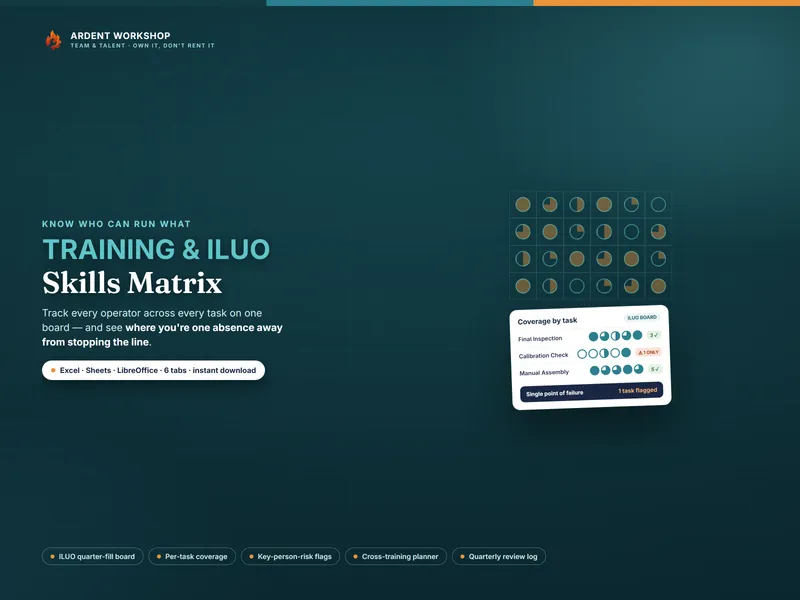
Want to track not just who’s trained but who can run each task? The Training & ILUO Skills Matrix is its natural companion.
Try it first, free: the free single-crew toolbox-talk log lets you start logging talks in minutes — then upgrade to the full tracker for certification and refresher tracking.
A note on what this is
This is a record-keeping and planning template — not safety, legal, HR, or compliance advice, and not a certification of competence or of regulatory compliance. The refresher intervals shown are common, typical cadences to start from, not legal requirements; what training is required, how often it must be refreshed, and what evidence an inspector accepts are set by the regulations that apply to your workplace. Confirm every interval against your own program, regulator, and insurer. The example roster, records, and talks are fictional.