
Markup is not margin — the mistake that underprices every job
One of the most expensive misunderstandings in the trades is treating markup and margin as the same number. They aren't.
- Markup is measured against your cost. Add 30% markup to a $10,000 job and you bid $13,000.
- Margin is measured against your price. On that $13,000 bid, your $3,000 profit is only 23% of the price — so a "30% markup" left you a 23% margin, not 30%.
If you need a 30% margin to keep the doors open and you mark up 30%, you come up short on every single job. The gap compounds quietly across a season of bids.
The formula that converts margin to markup
Decide the margin you need first — that's the percentage of revenue left after the direct cost of the work. Then convert it to the markup you have to charge:
- Markup % = margin ÷ (1 − margin). For a 30% margin: 0.30 ÷ 0.70 = 42.9%.
- Price = cost ÷ (1 − margin). A $10,000 job at a 30% margin prices at $10,000 ÷ 0.70 = $14,286.
- Or use the multiplier: 1 ÷ (1 − margin). A 30% margin is a ×1.43 multiplier on cost.
A quick reference for the margins trades actually quote:
| Gross margin you want | Markup you must charge | Cost multiplier |
|---|---|---|
| 10% | 11.1% | ×1.11 |
| 20% | 25.0% | ×1.25 |
| 25% | 33.3% | ×1.33 |
| 30% | 42.9% | ×1.43 |
| 40% | 66.7% | ×1.67 |
| 50% | 100.0% | ×2.00 |
You can run any single job through the free bid-markup & job-cost calculator to see the price and margin without doing the arithmetic by hand.
What the markup actually has to cover
Markup isn't pure profit — it's the only place two real expenses get paid for:
- Overhead. The costs that exist whether or not you're on a job: your truck, insurance, tools, phone, software, the office, the hours you spend estimating and chasing payment. Spread a year of overhead across a year of jobs and you get the share every bid must carry.
- Net profit. What's left after the direct costs and overhead are paid — the reason the business is worth running.
A common mistake is marking up only enough to cover profit and forgetting that overhead has to come out of the same number. If your overhead runs roughly 20% of revenue and you want 10% net profit, the bid has to carry a ~30% gross margin — which, per the table above, is a 42.9% markup.
How trades set a markup
- Start from overhead, not a habit. "I always add 20%" is a guess. Add up a year of overhead, divide by the revenue you can realistically bid, and you'll know the floor your margin can't go below.
- Mark up every cost line, including subs and materials. Materials, loaded labor, subcontractors, equipment and permits all carry overhead and risk — marking up only labor leaves money on the table.
- Raise it for risk and hassle. Rush jobs, difficult access, finicky clients and fixed-price unknowns justify a higher markup, not a lower one.
- Price change orders at the same markup. Scope creep is where margin leaks. A change order is a small new job — bid it, don't give it away.
Common bid-markup mistakes
- Confusing markup with margin. Covered above — the single biggest one.
- Leaving overhead out of the markup. Then "profit" is really just paying for the truck.
- Marking up labor but not materials. A $6,000 material order with no markup is a $6,000 interest-free loan to the client.
- Forgetting to re-cost. Material prices move; last season's markup doesn't describe this season's lumber.
- Giving away change orders. "While we're here" is the most expensive phrase on a job site.
Related templates and concepts
Bid markup sits on top of cost of goods sold — the direct cost of the work — and it produces the profit margin that decides whether a job paid. To see when a workbook is enough and when dedicated job-costing software earns its keep, read spreadsheet vs job-costing software, or browse every tool on the templates for contractors hub.
Templates that implement this
Tools that price the job for you
4 templates
A connected estimating workbook that turns takeoff, materials and labor into a defensible bid — plus time trackers for the labor hours that feed it.
- $14.95 Spreadsheet

Contractor & Trades Estimating Workbook — Construction Job Costing, Bid Markup & Margin, Overhead & Change Orders (Excel + Google Sheets)
A contractor estimating workbook for Excel & Google Sheets — line-item job costing, bid markup vs margin, overhead, and change orders in one file.
Operator OSView details - $4.95 Excel
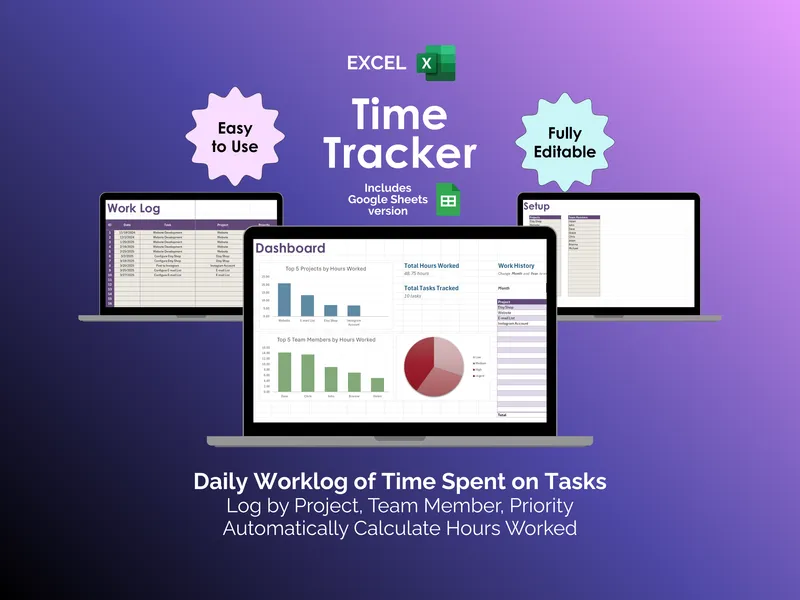
Time Tracker - Excel
It's Friday afternoon and you owe three clients an invoice. This excel time tracker logs hours by project, team member, and priority, then totals them for you.
Project ManagementView details - $4.95 Sheets
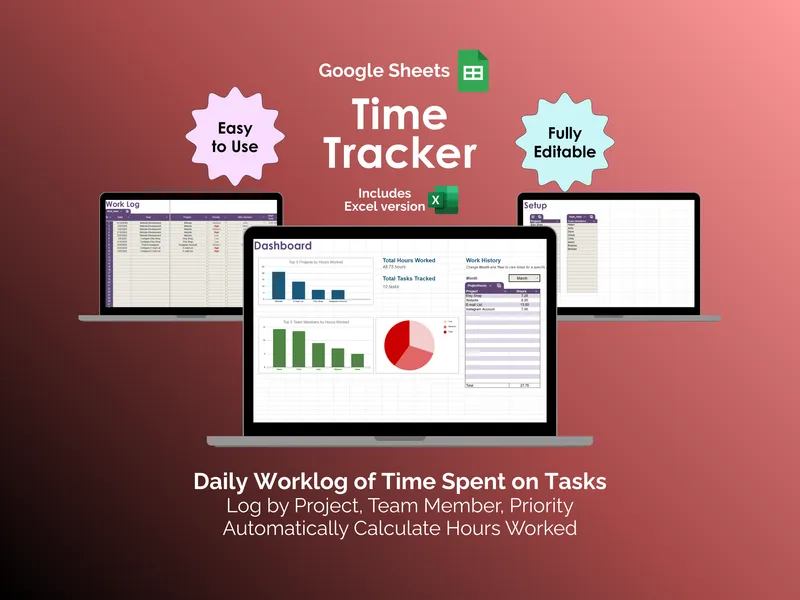
Time Tracker - Google Sheets
When was the last time your invoice matched what you actually worked? This google sheets time tracker logs daily hours and totals them for you.
Project ManagementView details - $69.00 Bundle

Trades & Service-Business Bundle — 7-Product Contractor Toolkit: Estimating, Flat-Rate Pricing, Crew Scheduling, Safety and Apprentice Records, Client Paperwork (Excel + Google Sheets)
Seven trades and contractor products in one bundle, plus a Control Panel for Excel or Google Sheets that works out what a billable crew hour costs.
Operator OSView details