What’s the gap between “trained” and “cleared to run this station tomorrow”?
A training binder can usually answer “has this person been trained.” What it rarely answers, on a Tuesday morning, is “is this specific person cleared to run this specific station today.” That answer needs four things joined at once: their skill level on the task, whether their certification is still current, whether they actually showed up to the last relevant toolbox talk, and — if they’re an apprentice — whether their logged on-the-job hours support putting them there unsupervised. Those four things are normally kept in four different places. Joining them into a single verdict is what this kit is built to do.
This kit is four finished Ardent Workshop training products for 48% off their $94.80 combined price, plus one new workbook — the Training-Compliance Panel — that answers the question none of the four can answer alone.
What’s in the kit: the four products, and the chain they form
Each of these is a complete product, sold on its own, and you get all four. Read top to bottom, they’re a chain: say it, prove you said it, log the hours, prove the qualification.
- Say it — Weekly Toolbox-Talk & Safety-Meeting Script Library. Fifty-two one-page, ready-to-read safety talks, six computed 52-week rotation schedules (a general master year plus five weighted by trade), a sign-in slip, and a plain-text set for reading straight off a phone.
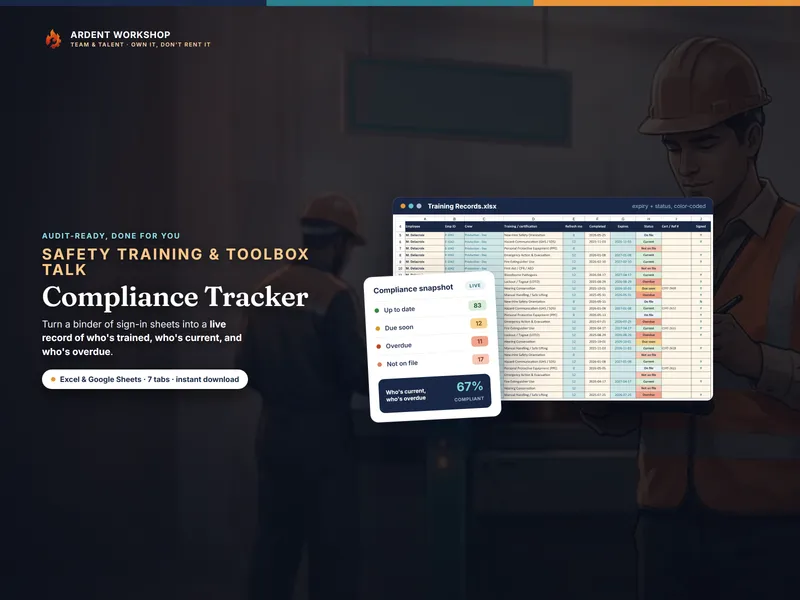
- Prove you said it — Safety-Training & Toolbox-Talk Compliance Tracker. A roster, your own catalog of what each role has to hold, a training record that computes Due soon or Overdue against it, and a toolbox-talk log with attendance beside a crew-by-crew compliance dashboard.
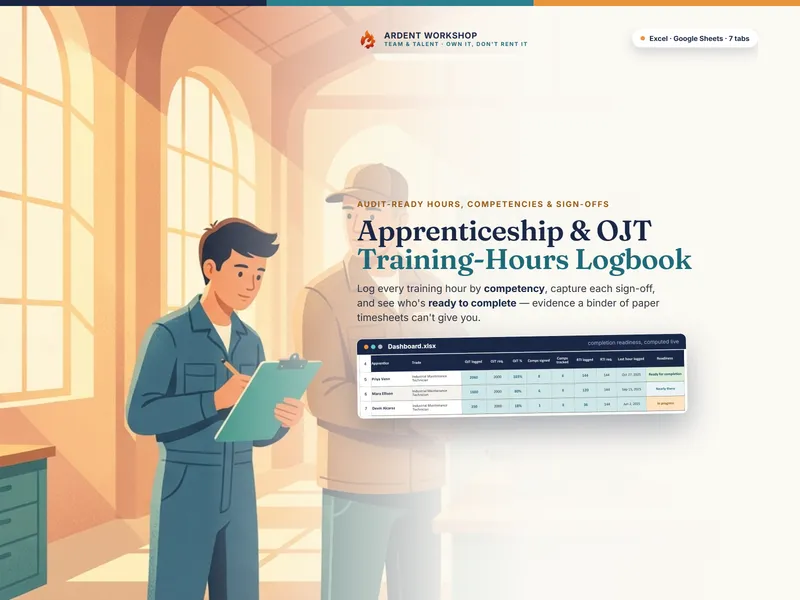
- Log the hours toward the license — Apprenticeship & OJT Training-Hours Logbook. The competency list with its required hours, a dated on-the-job-hours log with a mentor sign-off column, a classroom-instruction log, and a roll-up per competency and per apprentice.
- Prove the qualification — Training & ILUO Skills Matrix. Every person scored against every critical task on the I-L-U-O scale — In training, Limited (can do with help), Unsupervised, Operator (works alone and can train others) — rolled up into a coverage-and-risk view of which tasks are one absence away from having nobody qualified to run them.
The Training-Compliance Panel: what none of the four can compute alone
Each component above already does real work on its own numbers. The Panel’s four engine tabs exist because some answers need numbers that live in more than one file at once.
The Assignment Gate — who’s actually cleared to run the station tomorrow
Per person, per critical station: the Gate pulls in ILUO level from the skills matrix, certification currency from the compliance tracker, toolbox-talk attendance from the same file, and — where the person is an apprentice — logged OJT hours from the logbook. It joins all four into one verdict: Clear, Supervised only, Conditional, or Blocked — and it names the single input that bound the verdict, so you know exactly what’s missing rather than just that something is.
Want to try the join before you buy? The free Assignment Gate Starter is this mechanism on one tab and ten rows, pre-filled with a fictional worked example that lands on all four verdicts. No email, no signup. That starter reads the certificate as a plain Yes / No / Not required, and takes an apprentice’s hours share as a number you type against a fixed 75% floor. The Panel here reads real expiry dates across 150 rows and feeds the two runways that follow.
The Expiry Runway — what an expiry actually costs you
Knowing a certificate expires soon is the easy part — the Compliance Tracker in this kit already flags it. The Runway goes one step further: it joins each expiring certificate back to the station it qualifies and counts how many other people are still qualified to cover it, then reports which station loses its last qualified operator, and on what date — plus the date you need to have the renewal booked by to avoid it.
The Hours Runway — whether the apprentice hours land on time
Per apprentice, per competency area: the Runway takes the hours logged so far and the recent rate they’re being logged at, and projects the date the required hours are actually met against the program’s own end date — so you find out an apprentice is falling behind while there’s still time to fix it, not on the day the program ends.
The Talk Planner — what to run Monday, and why that one
The Script Library already ships six computed rotations. The Planner doesn’t build a seventh. It ranks the library’s own 11 hazard families by how long it’s been since you last delivered that topic, weighted by how many of your own critical stations actually expose your crew to that hazard — so the next talk named is the one your own floor needs, not the one next on a calendar. On the shipped worked example, Fire & Hot Work carries the longest recorded gap on the floor and still ranks eighth, because only one station actually exposes anyone to it — the Planner is reading exposure, not just age.
What else is in the panel
Five more tabs hold the system together:
- Start Here lays out the training chain the four files form, with a key marking every cell as something you type or something the panel computes.
- Setup Sequence carries all 22 setup steps across the four products and the Panel, in dependency order — the ILUO Matrix’s station list has to exist before anything else can name a station.
- Job Router points 34 real jobs at the exact file and tab.
- Number Flow maps the 12 numbers that have to be carried between files by hand, with the direction and reason for each.
- What’s Included names the four products and what each one is for.
Five guide PDFs come with it, 41 pages in all — the 16-page Start Here guide plus a printable setup checklist, a printable router and handoff reference, a component index, and a landscape wall chart of the whole system for the office wall.
Who this is for
A shop, crew, or small manufacturing floor that already runs toolbox talks and keeps some kind of training record, but has never had a single place to ask “who can I actually send to that station tomorrow” or “which certification, if it lapses next month, actually leaves a station uncovered.” If registered apprentices are part of your crew, the Logbook and Hours Runway track against the common benchmark of roughly 2,000 on-the-job-training hours a year — with your own program’s actual requirements and end date governing, not that number.
What you should know before you buy
Two of the four — the Compliance Tracker and the Apprenticeship Logbook — also ship inside the Trades & Service-Business Bundle. If you already own that bundle, you already own those two, and what’s new to you here is the Script Library, the ILUO Matrix, and this Panel.
The Panel’s own grids are built wide — 150 person-station rows, 120 certificates, 80 apprentice-area rows — so the connective layer is not what constrains you. The practical ceiling is the Training & ILUO Skills Matrix component underneath it, whose board runs 10 people by 12 tasks; that is the kit’s real capacity today.
How delivery works
You download five numbered .zip files that all extract into one shared folder — unzip them wherever you like and you get one tree, not five piles. Part 1 holds the Training-Compliance Panel and its five guides; parts 2 through 5 each hold one component product’s own archive, byte for byte what it is when bought on its own, which means each of those four holds a second .zip to open once you are inside it. The Panel ships as an .xlsx workbook and as a one-click-copy native Google Sheet — not a converted import — and the three component workbooks carry their own Sheets copies too.
Own it, don’t rent it
A training record you own opens in ten years with no login and no renewal notice — which matters here more than almost anywhere, because the day someone asks to see four years of it is not the day to discover the export never worked. This is a set of files you keep, downloaded once, with no subscription and nothing that stops working the day you stop paying attention to Ardent Workshop.
What this is, and what it is not
This kit is a recordkeeping framework. It certifies nothing, approves nothing, and is not safety, legal, or compliance advice — it does not satisfy any obligation you owe OSHA, a state licensing board, an insurer, a registered apprenticeship program, or a general contractor whose site you’re working. What those parties require of you is between you and them; these files only record what you tell them. The worked examples that ship in every tab are illustrative — every person, station, and certificate in them is invented — and the thresholds behind every verdict (the expiring-soon window, the attendance floor, the ILUO rank required to run a station alone, the minimum share of required OJT hours before an apprentice works alone, the renewal lead time) are Ardent Workshop rules of thumb for a small crew, set in a cell at the top of each tab, not industry standards or anyone’s regulation. Replace them with your own before you rely on a single verdict.