Product facts
- Best suited to: team leads and managers planning skills coverage, cross-training, and development.
- Software: Excel, Google Sheets, and LibreOffice Calc. A native Google Sheets copy is included.
- Download: a nine-tab workbook, four PDF guides, a Google Sheets access PDF, and setup and license text.
- Starting point: a fictional 12-person worked example that you replace with your team, skills, and project demand.
- Purchase: one-time digital download with no per-seat monthly fee. Scores are entered by you and should be supported by evidence of the work people can do.
Teams rarely have a skills problem. They have a visibility problem. You staff work from memory, you guess at training budgets, and you find out someone was the only person who could do a thing the week they resign. The Skills Matrix hands team leads and managers a single board where every skill, every person, and every project sits next to a number you can defend.
Score your team 0-5, and watch the gaps appear
Open the Employee Skills tab and score each person on each skill on a simple 0-to-5 scale: No skill, Beginner, Basic, Competent, Advanced, Expert. Each score turns into a color-coded heat map cell, so a row of dark cells is a deep generalist, a pale column is a thin spot, and a column with a single dark cell is a skill only one person can do. Per-person averages and a count of skills held to the required level calculate automatically.
Set the bar once on the Skills Setup tab
The Skills Setup tab is the one place you define your skills, grouped by category, and set a required level for each — the score someone must reach before the skill counts as covered. Every other tab reads from it, so you configure once and stop maintaining parallel lists. Name the categories the way your team actually talks about work.
See capability against real demand
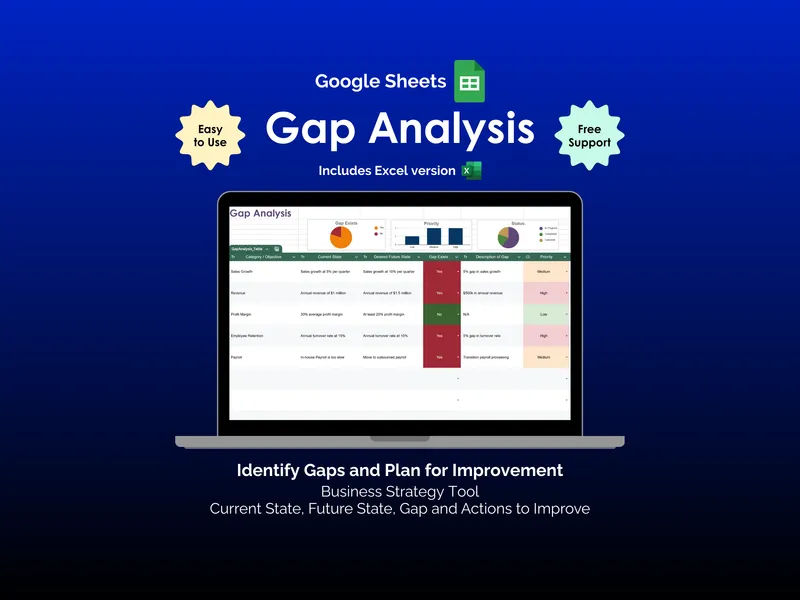
The Project Skills tab flips the same scoring onto the work itself: how much each live project needs each skill, 0 to 5. Then the Gap Analysis tab puts the two side by side and gives every skill a status — from Critical gap (a skill projects need that nobody can do) to Under-used strength (capacity no project is using). It is the difference between “what can our people do” and “what does the work in front of us actually require.”
Find the people you can’t afford to lose
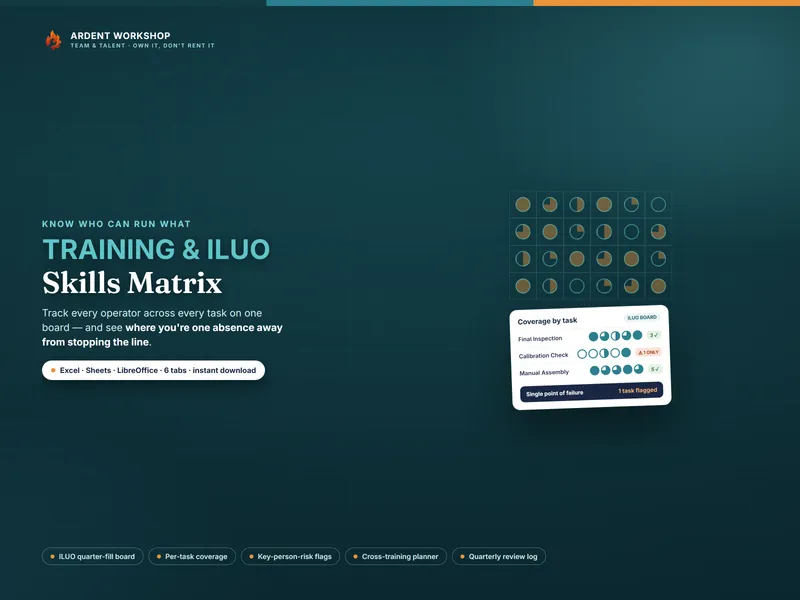
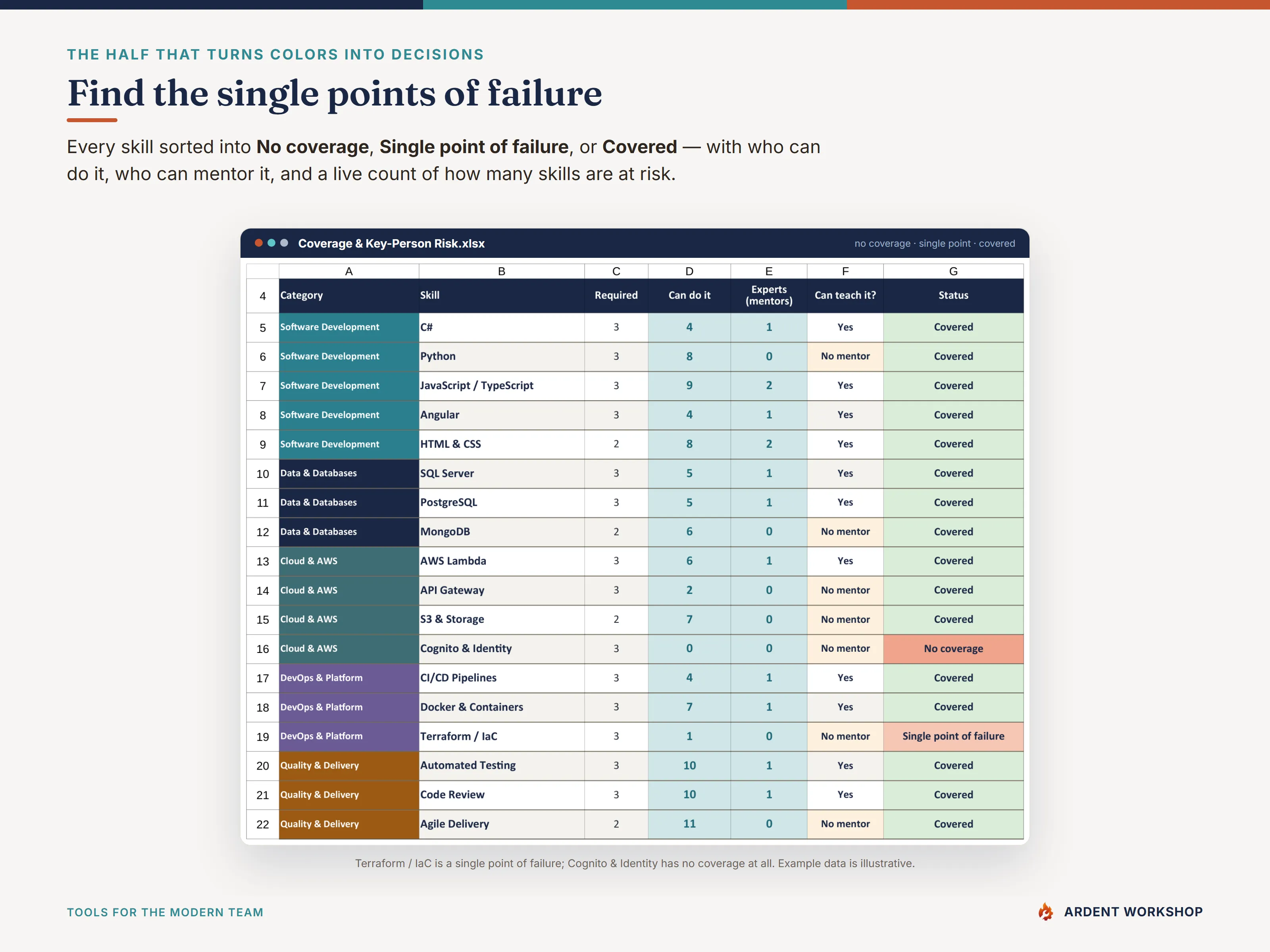
The Coverage & Key-Person Risk tab is where the board earns its keep. For every skill it counts how many people can do it to standard, how many Experts can mentor it, and whether it is a single point of failure — the skills where one resignation, one vacation, or one sick day leaves you stuck. The Dashboard rolls the whole team onto one screen: how many skills are covered, how many are single points of failure, how many nobody can yet do, and your average proficiency — the headline numbers to move over time.
Works in Excel, Google Sheets, and LibreOffice — and you own it
This is a spreadsheet, not an “Excel-only” file. You get the .xlsx and a one-click Google Sheets copy: open the included link, click Make a copy, and you have a private, fully working native Sheet in your Drive — no import, no reformatting. It also opens in LibreOffice Calc. No macros, no add-ins, no monthly fee. You own the file, edit it offline, and share it however your IT policy allows.
Alongside the workbook you get four PDF guides — a Start Here walkthrough, a Proficiency & Scoring guide, a Gap Analysis & Key-Person-Risk guide, and a printable board with a legend card for the wall — plus a realistic twelve-person worked example on every tab so you can see exactly how it works before you overwrite it with your own team.
Try it free first
Want to try before you buy? The free Skills Matrix starter gives you a pared-back board to score one group and see the heat map and single-point-of-failure flags in action. When you are ready for the full nine-tab board — required levels, gap analysis against project demand, the key-person-risk tab, a development plan, and the dashboard — the complete Skills Matrix is one owned file away.
Open the Skills Setup tab, list your skills, and start scoring this afternoon. By the end of the week you will know which skills to hire for, which to train into, and where you are one resignation away from trouble — while there is still time to do something about it.
The Skills Matrix is a record-keeping and planning template, not HR, legal, or compensation advice, and not a certification of anyone’s competence. The example team and scores are fictional and illustrative.
Example: distinguish a skills gap from a single point of failure
In the sample Coverage & Key-Person Risk view below, Terraform / IaC requires level 3 and has one person meeting that level. It is flagged Single point of failure. Cognito & Identity also requires level 3, but has nobody meeting it, so it is flagged No coverage.
Those results suggest different planning questions: who could develop into a backup for Terraform, and how will the team obtain the missing Cognito capability? Use the Development Plan to record the action, owner, and date. The example demonstrates the workbook’s categories; it does not assess your team until you enter your own scores and requirements.
Before you buy
How is coverage calculated?
You set a required proficiency level for each skill in Skills Setup and score each person from 0 to 5 in Employee Skills. Coverage counts people who meet the required level. The risk view distinguishes no coverage, one-person coverage, and skills covered by multiple people.
Is this an employee test or a certification system?
It records the scores and requirements you provide. It does not test employees or certify competence. Use the scoring guide to support consistent assessments, and review the evidence behind scores with your team.
What does the paid workbook add to the free starter?
The free Skills Matrix starter lets you try a smaller board with a heat map and single-point-of-failure flags. The full workbook adds the nine-tab workflow, including project demand, gap analysis, a dedicated risk view, a development plan, and a dashboard.
For usage permissions, including team use and completed client documents, see the Digital Product License. For setup help, contact Ardent Workshop.