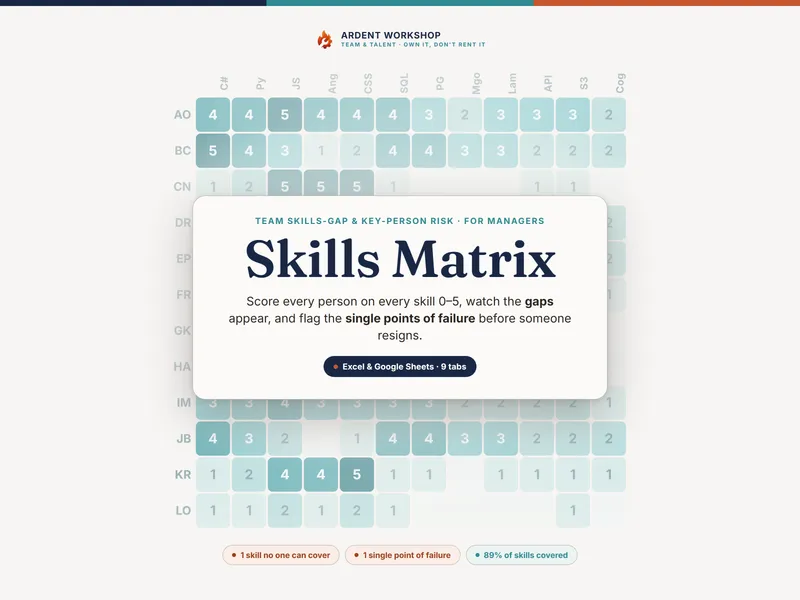
You probably know who your strong people are. The trouble is that the knowledge lives in your head, it walks out the door when they do, and you find out a station has only one qualified operator the week that operator hands in their notice. The Training & ILUO Skills Matrix turns that knowledge into a board anyone can read — and flags the gaps before they become a stoppage.
What is an ILUO matrix?
An ILUO matrix — also called a skills matrix or training matrix — puts every person down one side and every task across the top, and records how far each person has got on each task using four steps: In training, Limited, Unsupervised, Operator. Each step fills another quarter of a circle, so a wall of cells reads as a heat map: dark columns are well-covered tasks, pale columns are the gaps, and a column with a single dark cell is a single point of failure. Coverage only counts once someone reaches Unsupervised — the first step where they can work the task alone.
See who can run what, at a glance
The Training Matrix tab is the board. Put your people down the side, your tasks across the top, and pick an ILUO icon for each cell from a dropdown. Every cell colors itself by level, each person’s row counts how many tasks they can run alone, and the rows below each task count coverage and flag the single points of failure — automatically. It ships pre-loaded with a fictional ten-person production line so you can see the method working before you enter your own team.
Find the key-person risk before it finds you
The Coverage & Risk tab sorts every task into No coverage, Single point of failure, or Covered, with how many people can run it, how many can train it, and a summary that counts how many tasks are at risk. Every Single on a critical task is your next cross-training job — sort by status and criticality and you have a prioritized plan without a meeting. One person who can run a task but can’t teach it is its own risk: the bench can’t grow, only shrink. The board tracks both.
Built on your real tasks — and ready for an audit
The Stations & Tasks tab documents each task, how critical coverage is, and the evidence behind a sign-off, so an Operator rating is defensible, not just a color on a grid. The Quarterly Review Log gives you a dated, signed record of each review — the kind of evidence an audit asks to see that competence is defined, assessed, and kept current. (What your standard or auditor actually requires is theirs to set; this is the place to record and present it.)
What you get
- A 6-tab workbook (
.xlsx): Read Me, Legend & Levels, Training Matrix, Coverage & Risk, Stations & Tasks, and a Quarterly Review Log. - A one-click Google Sheets copy — open the included link and click Make a copy for a native version in your Drive: no importing, nothing to set up.
- Four PDF guides: a Start Here guide, an ILUO Levels & Assessment guide, a Coverage & Key-Person-Risk guide, and a Printable Wall Chart & Legend for the wall.
- A worked example you overwrite with your own team and tasks.
Own it, don’t rent it
A blank spreadsheet is free, but you build the whole thing yourself. A per-seat HR or LMS platform is overkill for tracking who’s signed off on what — and it locks your team’s capability data behind a monthly fee. This sits in between: a structured board you own outright, edited offline, shared however your IT policy allows. One purchase, yours forever — no seats, no subscription.
Works in Excel, Google Sheets, and LibreOffice Calc. Use the .xlsx in Excel or LibreOffice, or open the included one-click link to drop a ready-made native Google Sheets copy straight into your Drive — no importing, nothing to rebuild. Your purchase licenses the file for use within your own organization — use it across your whole team; just please don’t resell or redistribute the template itself.
New to ILUO? Try the free single-station starter board first — it shows the icon system on one task before you roll out the full board.
The example team, tasks, and assessments are fictional and illustrative. This is a record-keeping and planning template, not HR, legal, safety, or compliance advice, and not a certification of anyone’s competence. ILUO is a generic, widely-used training scale; this product is not affiliated with or endorsed by any standards body.