It started on a day you didn’t choose. Now what, and who?
A fall, a diagnosis, a hospital discharge on a Friday — and a family that has never had to coordinate anything like this now has to. Somebody needs the medication list from every bottle in the house. Somebody needs to call the doctor, and it helps to have the hospital’s own authorization form on file first. Somebody paid for the flight home and the grab bars, and nobody has written it down.
A caregiving checklist with no dates on it cannot tell you what is due this week, and it cannot tell your brother which part is his.
The Caregiver Starter Set is six finished caregiving products — plus one new workbook that turns the day it started into a dated first 90 days after the fall, diagnosis or hospital stay. Every job gets an owner and the file to open, and the workbook keeps a running tally of who has paid what.
What’s in the set: the six products
Each of these is a complete Ardent Workshop product, also sold on its own. You get all six in one purchase, for less than buying them one by one, plus the Command Center, which is not sold separately.
The record
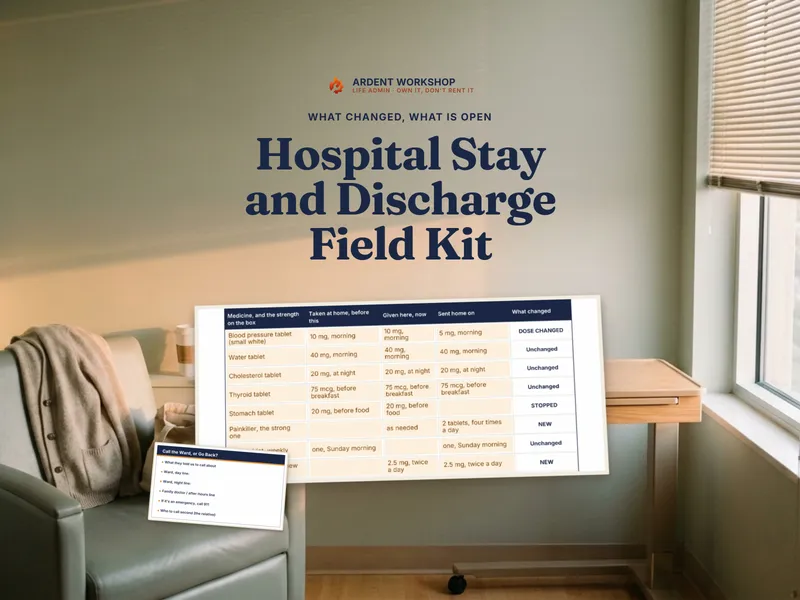
- Caregiver Binder — the day-to-day record in one workbook: medications with refill flags, appointments and visit notes, the care team, insurance, a daily care schedule, and an emergency handoff sheet an ER or a fill-in caregiver can act on.
The family
- Long-Distance Caregiving Coordination Binder — for the family that is not in the house: a care circle, a check-in log, who is responsible for what, and how long it has been since anyone visited.
Day to day
- Medication & Appointment Tracker — every medication and dose mapped across the day, refill dates tracked so a prescription does not run out, and appointments and providers beside them.
The money
- Medical-Expense Tracker — every medical bill logged off the EOB, each person tracked against the deductible and out-of-pocket maximum, plus mileage and a year-end summary.
- Medical Bill Review & Appeals Organizer — each bill matched to its EOB, an itemized-bill review, and claims, denials and appeals kept in order with their paper trail.
The house
- Aging-in-Place Home Safety & Modification Planner — walk the home room by room, score the risk, and turn what you find into a modification plan with quotes and a budget.
And the Command Center, which only comes with the set
6 products. 60 caregiving jobs. 25 situations. 10 tabs. One Day 0.
The Caregiver Command Center is a workbook — an .xlsx and a native Google Sheet, with its own one-click “Make a copy” link — that sits above the six products as the control file for the 90 days after Day 0 (the fall, diagnosis or hospital stay). It arrives filled in for a fictional sample family, the Penhales, so you can see it working before you type over it.
The Situation — type the day it started
Enter Day 0 — the fall, the diagnosis, the discharge — and six answers: who you care for, what happened, whether there was a hospital stay, where they live now, whether the lead caregiver is local, and who the lead caregiver is. 6 switches turn on only the jobs that fit, so a family coordinating from three states away sees long-distance jobs and a family with a parent in a facility does not get the room-by-room home-safety assessment.
First 90 Days — the whole stretch, dated and owned
60 jobs from Day 0 to the end of month three: get the discharge instructions in writing, get a written authorization naming the family members the doctors can talk to, build the medication list from every bottle, set up the care circle, walk the house before they come home, start logging costs, review the first bills. Each has a due date worked out from Day 0, an owner picked from your family, a Status you set as you go, a computed State — Done, Overdue, Due this week, Upcoming or Not applicable — and the file and tab in the set where you do it.
Do Next — the next ten, and whose they are
Nothing to type. Do Next takes the open jobs, puts anything overdue at the top and the rest by due date, and names the owner and the file and tab for each. Pick a name and it shows that person their next 3.
Care Circle, Shared Costs and Settle Up — the part families argue about
- Care Circle holds everyone helping, up to 8 people — what each gives (time, money or both) and an agreed share of costs; if every share is left blank, costs split equally among those giving money or both. That one list feeds every Owner and Paid-by dropdown in the workbook, and shows each person’s open jobs, overdue jobs, hours and visits.
- Shared Costs is a dated log of what family members paid out of pocket, in 8 categories — aides and respite, copays, medical bills, home safety changes, supplies, travel to visit, household bills, other.
- Settle Up works out each person’s fair share against what they paid, a running balance for everyone, and a short list of who pays whom to square it. Time is shown beside the money, never converted into dollars.
Which File and the Dashboard
- Which File answers 25 caregiving situations — the ER asks for a medication list, a bill looks wrong, a denial letter arrived, a sibling asks what has been spent — with the file and tab to open first, then next.
- The Dashboard shows days since Day 0, plan progress by stage, what is overdue, the next five to do, and where each person stands.
A limit worth knowing up front
The six products are separate files, on purpose — a medication tracker and a bill-appeals log should not be the same spreadsheet. The Command Center does not open or read them. It holds the dated plan and points you to the file and tab where each job is done; you keep the records in the product built for them.
The printable PDF guides
- The Caregiver Starter Map — how the six products fit together, and your first hour with them.
- The First 90 Days — all 60 jobs from Day 0 to month three, printed with the file and tab for each.
- Which File Do I Open? — the 25 situations, printable.
- The First Family Call Agenda — an 8-item agenda for the first call after Day 0, a care circle sheet, and a sheet that puts one owner on each first-week job before anyone hangs up.
- The System on One Page — a one-page wall chart of the five stages and the first week.
Who it’s for
- The family member who just became the coordinator — even if you live far away.
- Siblings sharing the care and the costs, who want the split written down before it becomes a fight.
- Anyone a few weeks in — enter the real Day 0 and the plan shows what is already overdue.
- Owners of one of these products who want the rest, plus the file that ties them to a single start date.
Already own the Life Admin Bundle?
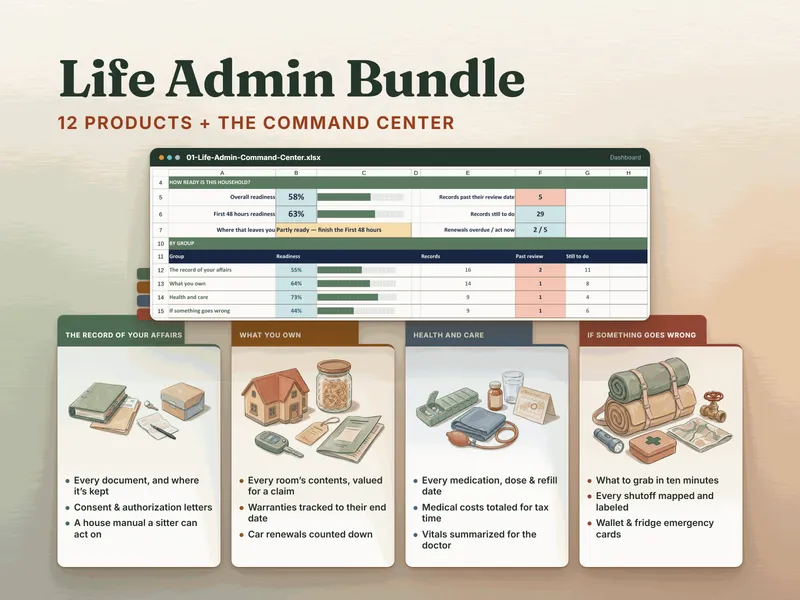
Two of these six — the Medication & Appointment Tracker and the Medical-Expense Tracker — also ship in The Life Admin Bundle, the broader household set for affairs, belongings, health and emergencies. The other four products and the Caregiver Command Center are only here. The Life Admin Bundle is the whole-household upgrade; this set is the one built for the first months of caring for someone.
Not in the set, but made for the same moment
- Elder-Care Decision Helper — compare elder-care options (assisted living, memory care, nursing homes and in-home care) on cost, care and fit with a weighted scorecard.
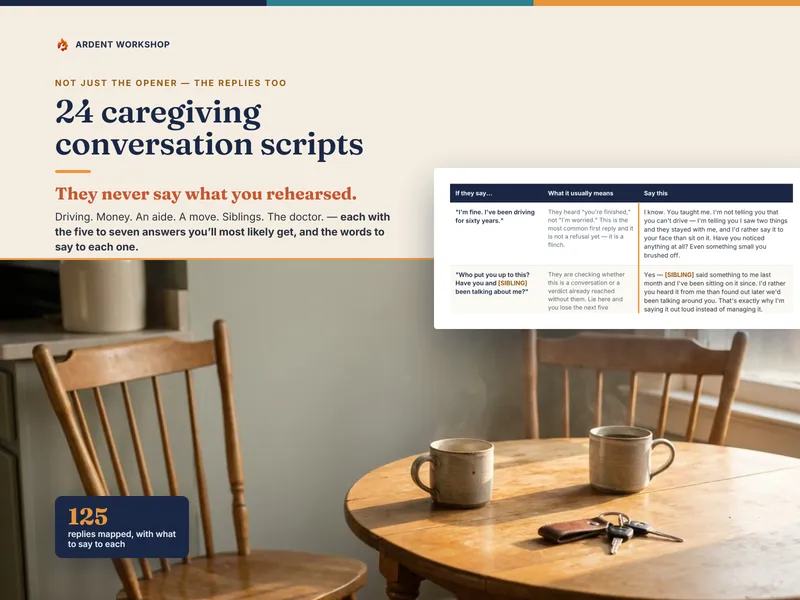
- Caregiver Conversations Scripts & Letters Swipe Bank — 24 caregiving conversation scripts: the opener, the replies you are most likely to get, and what to say to each.
Start free
The free Caregiver Quick Sheet and the free Medication & Appointment Tracker Starter are ungated — no email, no signup. When one sheet stops being enough, the full set is above.
Own it, don’t rent it
Care-coordination apps come and go, and an app can shut down and take the records with it. This is one purchase. The workbooks open in Excel, Google Sheets or LibreOffice, and the guides and printables are PDF. No account for every sibling, nothing to renew.