Choose the care, don’t just tour on emotion
Choosing care for an aging parent or loved one is one of the hardest decisions a family makes, and it almost always lands under pressure — a hospital discharge on the calendar, a worried sibling on the phone, a glossy tour fresh in your mind, and a monthly price that’s hard to hold next to everything else. The Elder-Care Decision Helper gets the decision out of your head and onto one page, so your family can score it together with a clear head instead of touring on emotion.
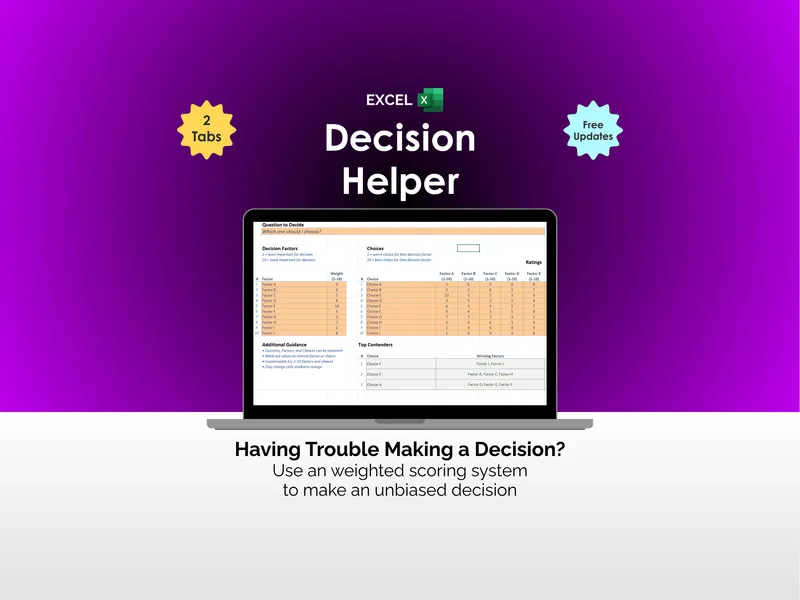
It’s a weighted decision matrix built as a workbook you own. You set a weight for each thing that matters — cost, the level of care your person needs, the caregivers and staffing, location, reputation, safety, daily life, and personal fit — then rate each option from 1 to 5. The workbook returns a single weighted score per option and ranks them, so the best overall fit for your person rises to the top instead of the place with the nicest lobby.
Why a weighted score beats a pro/con list
A pro/con list treats every point as equal. It isn’t. The level of care your person needs may matter far more than the prettiest dining room — so this tool lets you weight it that way, and the math follows. The community that impresses most on the tour and the option that’s actually right for your person are often not the same, and a beautiful lobby is very good at hiding that. Scoring the decision makes the trade-offs visible, in numbers your family sets yourselves.
See the real monthly cost, not just the headline rent
Headline rent alone is a poor way to compare cost. The built-in Cost Calculator folds the whole picture into one comparable monthly number — the base fee, the add-on for your person’s level of care, a one-time move-in or community fee spread over the months you expect them to stay, and the recurring extras, minus what long-term-care insurance, the VA, Medicaid, or other benefits will cover. The result is each option’s effective monthly cost: a far fairer basis for comparison than the brochure number. A low monthly figure often buys less care — a part-time in-home aide is cheaper than a community until needs grow, and round-the-clock in-home care usually costs more than either.
Compare, rank, and tour your options
- Compare up to four options — in-home care, assisted living, memory care, a nursing facility — side by side on the criteria you choose and weight.
- Rank them automatically by a weighted score on a clean 1–5 scale.
- Turn money into one number with the Cost Calculator, so cost is compared on equal terms.
- See the price of fit — the Results tab shows the best-fit option next to the lowest-cost one and names the gap between them as a real monthly figure.
- Tour from the scorecard — your low ratings on your high-weight criteria are exactly what to ask about and verify on the next visit.
- Decide whether to move at all — score staying home with help as one of the options.
What’s inside
A 7-tab workbook (.xlsx) plus three PDF guides:
- Decision Scorecard — set a weight per criterion, rate each option 1–5; the weighted score and ranking fill in automatically.
- Cost Calculator — each option’s money folded into one comparable effective monthly cost.
- Option Facts — every option’s details (type of care, room, distance, staff ratio, terms) side by side.
- Results & Ranking — options ranked by score, with the best-fit/lowest-cost gap named in dollars.
- How to Score — the 1–5 scale, the eight criteria, and how to set your weights.
- Notes & Decision — your tour impressions, open questions, and your family’s final decision and its reasons.
- Read Me — how the tabs fit together, and where to start.
- Three PDF guides — a Start Here guide, a Scoring & Weighting guide with a fully worked example, and a Questions & Tour checklist with a printable scorecard.
Works in Excel, Google Sheets, and LibreOffice
Use the .xlsx in Microsoft Excel or LibreOffice Calc, or open the included one-click link and choose Make a copy for a ready-made native Google Sheets version in your own Drive — no importing, nothing to set up. It comes pre-loaded with three fictional example options so you can see the method working before you enter your own.
Try it free first
Want to feel the method before you buy? The free Elder-Care Web Scorer weighs two options across the five core criteria — cost, level of care, staffing, location, and reputation — right in your browser, no sign-up. When you’re weighing more than two options, want your own criteria, or want to keep the file, the workbook is the full version.
Own it, don’t rent it
This sits between a blank spreadsheet (free, but you build everything) and a sales-driven referral service (steering you toward whoever pays them). It’s the structure you keep: a connected, owned workbook for one of the choices most worth getting right — and yours to revisit if your person’s needs change.
Who it’s for
Adult children and family caregivers comparing in-home care, assisted living, memory care, or a nursing facility for a parent or loved one. Families deciding together who want a shared, structured way to compare places that differ on far more than price. Anyone swayed by a great tour who wants to see, in their own numbers, what the most impressive community would cost in care, distance, or dollars.
A decision-making and planning template — not medical, financial, legal, or professional advice, and not a substitute for a doctor, a geriatric care manager, an elder-law attorney, or a financial advisor. A weighted score is a tool for thinking, not a verdict you have to obey: it’s there to inform your family’s decision and slow down a rushed one, never to make the call for you. The three example options and all their numbers are fictional. The decision, and the responsibility for it, stay with you and your person.