A year of medical care arrives in pieces: an explanation of benefits (EOB) from the plan, a bill from the provider weeks later, a pharmacy receipt, a lab statement for someone else in the family. The question underneath all of it is simple and almost never answered: how close are we to the deductible, what did we actually pay, and does any of it matter at tax time? This medical expense tracker for Excel and Google Sheets answers those from one log.
One row per bill, copied from the EOB
The Expenses tab has room for 400 bills. For each one you type the date of service, the person, a category and the provider, then four numbers straight off the EOB: billed, plan paid, your share, and the amount applied to the deductible, plus whether it was in-network. Record what you paid it from (HSA card, FSA card, credit card, cash), any claim you filed and what came back, and tick whether the bill, EOB and receipt are on file.
The workbook works out the rest on the same row: your cost, what was paid tax-free, what came out of pocket and has not been paid back, what is still to pay, whether it counts toward the tax line, and a plain next step such as “chase the claim” or “find the EOB”. A claim that has waited longer than the number of days you set is flagged.
Deductible and out-of-pocket max, per person and for the family
Type your plan’s four in-network limits once on Setup, from its Summary of Benefits and Coverage: individual and family deductible, individual and family out-of-pocket maximum. Plan Progress then shows, for up to 6 people and the family:
- deductible met, still to go, and a bar
- out-of-pocket met, still to go, and a bar
- where each person stands, in words
It uses the embedded rule: a person is met when their own total reaches the individual amount, or when the family’s combined total reaches the family amount, whichever comes first. It counts the in-network rows you enter from your EOBs, since out-of-network care usually has separate limits; your plan’s portal is the official record. If your plan has a single family deductible instead (no per-person amount), read the family row only — your Summary of Benefits says which kind you have.
The FSA deadline and the HSA shoebox
The HSA & FSA tab handles the two accounts that punish forgetting in opposite ways.
- FSA: your election, what has been spent or claimed, what is waiting, what is left, the last day for care and for claims, the days left, and the amount at risk after any carryover your plan allows, with a one-line verdict.
- HSA shoebox: eligible care you paid for yourself, with the receipt kept, not yet reimbursed, and dated after the HSA was opened. IRS Publication 969 (opens in new tab) sets no year-end deadline for paying yourself back from an HSA, but you need the records, so this total is money you can still reimburse later. It is split by year of care. Setup asks whether you plan to reimburse those receipts or deduct them, and the tax math follows, because one expense can be one or the other, never both.
Is it worth itemizing? The 7.5% line
Medical expenses are deductible only above 7.5% of your adjusted gross income, and only if you itemize (IRS Publication 502 (opens in new tab)). The Tax Summary adds the eligible costs you paid yourself, net of anything paid from or back by an HSA, FSA or insurance, plus medical mileage and parking and tolls. It sets that total against 7.5% of your estimated AGI, shows how far above or below the line you are, and compares an itemized total with your standard deduction. The example household sits well below the line, and knowing that early is useful too. It is an estimate to check with your tax software or preparer, not tax advice.
Each category starts with a tax-eligible default (Yes, No or Depends) drawn from Publication 502, with an override on every row. Eligibility is the IRS’s and your plan’s call; the default is a starting point.
Medical mileage at the right rate
Drives to appointments count. The Mileage tab has room for 200 trips and looks up the IRS medical mileage rate by each trip’s date from an editable rate table on Setup, so a mid-year rate change is handled; add each new rate when the IRS publishes it. Parking and tolls are added on top.
The year on one page
The Dashboard splits any year into billed, plan paid, your cost, reimbursed, out of pocket and still to pay, then lists what needs doing: claims to chase, claims to file, bills to pay and paperwork missing. It repeats the deductible table and breaks the year down by person and by category group.
A guide and three printables
- a 13-page Start Here guide: setup, reading an EOB into a row, the embedded deductible, the shoebox, FSA deadlines and the tax line, with sources
- a 7-page What Counts as a Medical Expense reference
- a 6-page printable expense and receipt log for the weeks between computer sessions
- a 5-page year-end tax worksheet, the Tax Summary on paper with the example filled in
Excel and Google Sheets, and yours to keep
The download holds the example workbook, a blank copy, and a link that makes your own native Google Sheets copy in one click, with no import. It is chart-free and unlocked, so it behaves the same in Excel 2016 or later, Google Sheets and LibreOffice Calc. There is no subscription and no account: your family’s medical records stay on your own computer or in your own Google Drive. Share the Google Sheet only with people you name, never with “anyone with the link”.
Want to try the log first? The free Medical Expense Log Starter is a one-tab log of the same bills, EOBs and receipts that works out your net cost on every row and totals it by person and by category. It opens on a fictional worked example. No email, no signup.
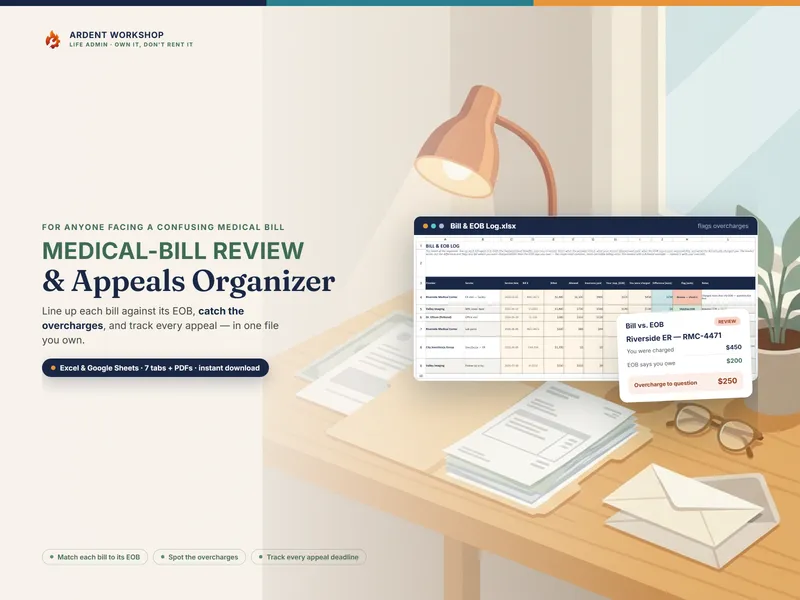
If a bill itself looks wrong, the Medical Bill Review & Appeals Organizer is the tool for checking it against the EOB and appealing. This tracker keeps the year’s money once you know what is owed.