The bank balance says $48,000. The board meeting is Thursday, the roof is leaking, and somebody asks the obvious question: can we just pay for it?
Sound familiar? Here’s the uncomfortable part. A good chunk of that $48,000 may already be promised. A county grant can only buy food. A foundation gift is waiting to become a delivery van. A bequest isn’t allowed to be touched until next fiscal year. The balance adds all of it up, and the bank has no idea which dollars came with strings.
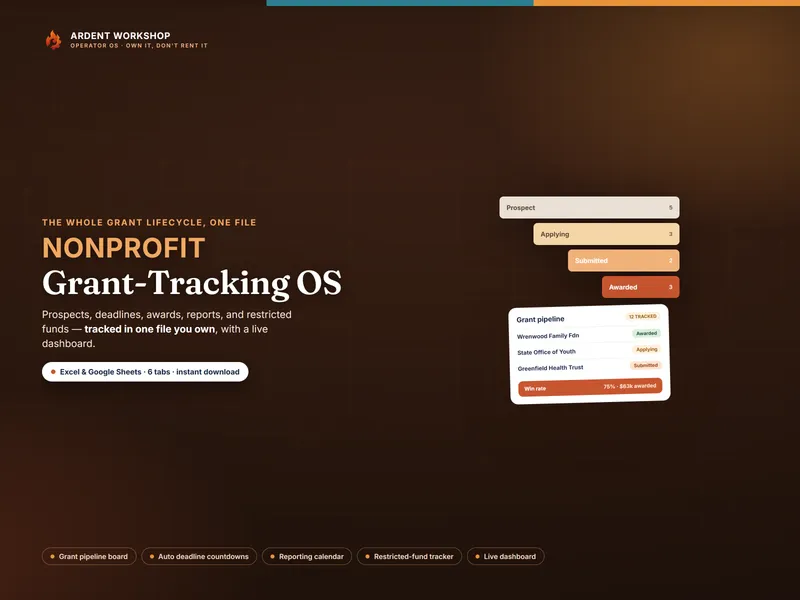
That gap, between what’s in the account and what you’re allowed to spend, is what tracking restricted funds closes. At many small nonprofits nobody owns it. It lives in the executive director’s head until the grant report is due, and then someone rebuilds six months of spending from bank statements. The Nonprofit Grant-Tracking OS keeps that running balance for you: award, spend and remaining for every fund, with a status that flags trouble early. But the method matters more than the tool. Here it is either way.
What tracking restricted funds actually means
Tracking restricted funds means keeping a running balance, fund by fund, of money a donor tied to a specific purpose or time period, separate from money the organization can spend wherever it’s needed. Your bank balance answers “how much do we have?” Your restricted-fund ledger answers the question that matters: “how much of it is ours to decide?”
Some background, briefly. Since FASB’s Accounting Standards Update 2016-14 on not-for-profit financial statements (PDF) (opens in new tab), U.S. nonprofits that prepare GAAP financial statements report two classes of net assets: with donor restrictions and without donor restrictions. These replaced the older “unrestricted / temporarily restricted / permanently restricted” split, though plenty of people still use the old words. For the full definitions, and why board-designated money doesn’t count as restricted, see what restricted fund accounting is. This post is about the day-to-day work of keeping track.
Restrictions come in two kinds, and you need to track both:
- Purpose restrictions. The money may only be spent on a named program, project or kind of cost, such as “food purchases” or “the youth mentoring program.”
- Time restrictions. The money may only be spent after a date, or within a period, such as “for fiscal year 2027” or a pledge paid over three years.
A single gift can carry both.
The restricted-fund ledger: six columns
A restricted-fund ledger needs one row per fund and six columns. Anything less and you’re back to rebuilding it at report time. Anything more and nobody keeps it up.
| Column | What goes in it | Why it’s there |
|---|---|---|
| Fund name | One short name, used everywhere | So a receipt, a bookkeeping entry and a report all point at the same fund |
| Source and restriction | Who gave it, and the restriction in their words | So nobody has to dig out the award letter to know what’s allowed |
| End date | When the money must be spent by, or when a time restriction lifts | So deadlines are visible before they pass |
| Received | The amount of the gift or award actually received | The starting balance |
| Spent | Running total of expenses charged to the fund | Updated as costs are paid, not at report time |
| Remaining | Received minus spent, calculated, never typed in | The number the whole ledger exists to produce |
The Remaining column is the one that earns its keep. Add it up across every fund and you have your total restricted balance. Subtract that from cash and you have the figure the board actually needs: money you’re free to spend.
How to track restricted funds, step by step
Tracking restricted funds is a six-step routine: record the restriction at receipt, name the fund, code each expense, release as you go, reconcile monthly, and compare spending to budget. None of it is hard. What hurts is skipping a step and finding out months later.
- Record the restriction the day the money arrives. Open a ledger row for the fund before the deposit clears, and write the restriction in the funder’s own words: what it may be spent on, by when, and what happens to anything left over. The award letter or grant agreement is the source. Your memory of the phone call isn’t.
- Give every fund one name and use it everywhere. Pick one short name per fund (“County Food 2026-27,” not “the county money” in one place and “CFG” in another). Use it in the ledger, in your bookkeeping software as a class or tag, on receipts and in the report.
- Code every expense to a fund when it is paid. Decide which fund pays for a cost at the moment you pay it, not at report time. When a cost could fairly go to more than one fund, decide by a written rule (staff time by timesheet, rent by square footage) and apply it the same way every month. Your indirect cost rate is the formal version of that rule.
- Release restrictions as they are met. When restricted money is spent on its purpose, or its time limit passes, it is released and becomes unrestricted. Money given to buy a long-lived asset, like a vehicle, is the exception: it is released when the asset is placed in service, unless the donor says otherwise. Record the release, the date and the reason. A fund that’s been properly spent but never released makes your restricted net assets on the books look bigger than they really are.
- Reconcile the ledger to the books every month. Once a month, check that each fund’s spent column matches what your bookkeeping shows charged to that fund, then subtract total remaining restricted balances from cash to find what you can actually spend. A short monthly check beats a lost weekend at year-end.
- Compare spending against each grant’s budget. Many grants come with a line-item budget, and the final report asks how you did against it. Put each award’s budget lines next to actual spending on a budget-vs-actual sheet for that grant, so a line that is running hot shows up while there is still time to move costs or ask the funder for a budget modification. When you do write that report, how to write a budget narrative covers the explaining.
A worked example: one bank balance, three restrictions
Here’s the same $48,000 from the opening, worked through with illustrative numbers. Picture a small food pantry with one checking account and three restricted funds.
| Fund | Restriction | Received | Spent | Remaining |
|---|---|---|---|---|
| County Food 2026-27 | Purpose: food purchases only, through June 30, 2027 | $15,000 | $9,200 | $5,800 |
| Delivery Van | Purpose: buy a delivery vehicle | $8,000 | $0 | $8,000 |
| Bequest 2027-28 | Time: may not be spent before next fiscal year | $5,000 | $0 | $5,000 |
| Total restricted | All three funds | $28,000 | $9,200 | $18,800 |
Now the arithmetic the board actually needs:
- Cash in the bank: $48,000
- Less remaining restricted balances: $18,800
- Unrestricted cash: $29,200
Say the pantry’s monthly operating costs run $6,000. Read off the bank balance, it has 8 months of runway. Read off unrestricted cash, it has just under 5. Those two answers lead to very different roof decisions. That second figure is the basis of an operating reserve, and it’s the number a nonprofit should be steering by.
Two more things the ledger tells you that the bank balance never would:
- The county grant is 61% spent, with $5,800 of food left to buy by June 30. Compare that 61% with how much of the grant period has gone by. Suppose this snapshot is taken nine months into the twelve-month grant: 75% of the time is gone but only 61% of the money is spent. When spending is behind pace like that, talk to the county about an extension now, not in July.
- The van fund releases when the van goes into service, not when it’s bought. Under ASU 2016-14 (PDF) (opens in new tab), money given to buy a long-lived asset is released from restriction when the asset is placed in service, unless the donor says otherwise. So the purchase shows as $8,000 spent, and the release (step 4) gets recorded the day the van goes on the road. Between those two days the ledger’s Remaining shows $0, because there’s no cash left to spend, but on the books the $8,000 still counts as net assets with donor restrictions. The release only reclassifies it to without donor restrictions. It doesn’t free up any cash.
Where restricted-fund tracking goes wrong
Restricted-fund mistakes are usually about timing, not dishonesty: something recorded too late, or never recorded at all. These are the ones that show up again and again at small organizations:
- Steering by the bank balance. A common and costly mistake. Every spending decision made off total cash quietly assumes restricted money is free.
- Recording the restriction at report time. If the restriction only gets written down when the report is due, every expense in between was coded from memory.
- Charging shared costs to whichever grant has room. It feels harmless, and it’s exactly what an auditor or a federal reviewer looks for. Use a written allocation rule and stick to it.
- Forgetting time restrictions. Purpose restrictions are obvious. A pledge for next year sitting in this year’s account isn’t, so it’s easy to spend early.
- Never releasing. Money spent properly but never released makes restricted net assets on the books look bigger than they are, which makes the organization look poorer than it is.
- Mixing up board-designated and donor-restricted money. Board reserves are a choice the board can revisit. Donor restrictions are a promise it can’t. Keep board reserves off the restricted ledger, on their own list, or the board can’t tell which money it can actually free up.
Federal grants: what the rules require you to track
If you receive federal money, directly or passed through a state or county, restricted-fund tracking stops being good practice and becomes a requirement. The federal Uniform Guidance on financial management for federal awards (2 CFR 200.302) (opens in new tab) requires a financial management system that provides for “maintaining records that sufficiently identify the amount, source, and expenditure of Federal funds for Federal awards,” and for the “comparison of expenditures with budget amounts for each Federal award.”
Those two requirements are steps 3 and 6 above. A small nonprofit that keeps the six-column ledger and follows all six steps is building those records as it goes. One that rebuilds spending from bank statements at report time is not. Your award terms and your auditor decide what’s sufficient for your organization.
Spreadsheet or fund accounting software?
For a small nonprofit with a handful of restricted funds, a well-built spreadsheet is enough to track them. What it can’t do is replace your books. The ledger shows restricted balances at a glance. The official record still lives in your accounting system, and the monthly reconcile in step 5 keeps the two in agreement.
Dedicated fund accounting software earns its subscription once you have dozens of funds, several people posting entries, or an audit that expects fund-level reports straight out of the system. Below that, you’re mostly renting complexity you don’t use. If you’re weighing the two, spreadsheet vs grant management software goes through the trade-off in detail.
Common questions about tracking restricted funds
Do restricted funds need their own bank account?
Usually not. Many small nonprofits keep restricted and unrestricted money in the same operating account and separate them in the books, which is what the ledger above does. The exception is a grant agreement that requires a separate account, so read yours.
Is money the board sets aside restricted?
No. Only a donor or grantmaker can impose a restriction. Money the board earmarks is board-designated, and the board can lift that designation, so it stays unrestricted in accounting terms.
What happens to restricted money left over at the end of a grant?
That depends on the agreement. Common outcomes are returning the unspent balance, getting a no-cost extension to spend it on the same purpose, or getting the funder’s written permission to use it differently. The worst outcome is quietly absorbing it into general operations.
Keep the promise visible
Every restricted gift is a promise: we’ll spend this on what you funded. Tracking restricted funds is just keeping that promise somewhere you can see it, instead of in one person’s memory.
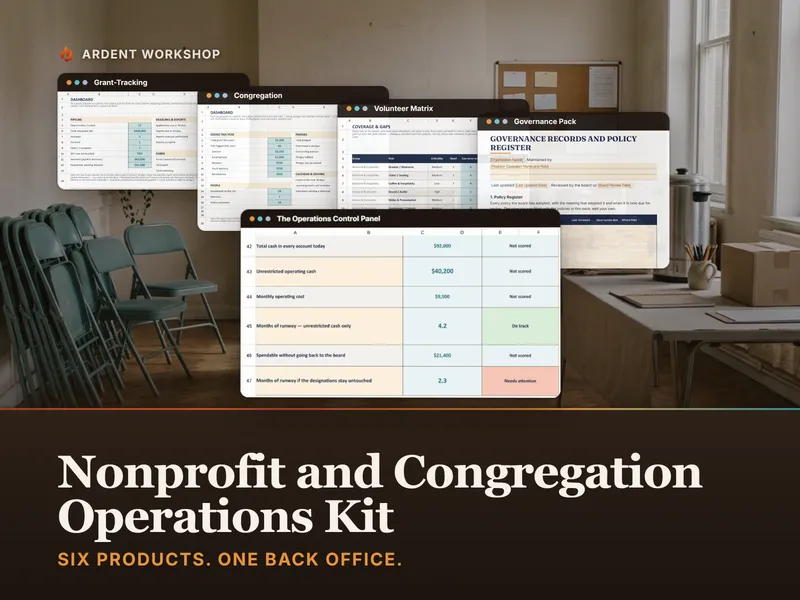
If you’d rather not build the ledger from scratch, the Nonprofit Grant-Tracking OS has a Restricted Funds tab that tracks award, spend and remaining balance for every fund, flags each one On track, Watch, Fully spent or Overspent, and sits alongside a grant pipeline and a reporting calendar. It’s one file you own, with no per-seat fees. If you also manage congregation giving or need the board’s runway figure, the Nonprofit & Congregation Operations Kit does the subtraction from the worked example for you: months of runway calculated on unrestricted cash only.
Grant reports also tend to ask for volunteer time. Here’s how to track volunteer hours in a log that’s ready for the funder.