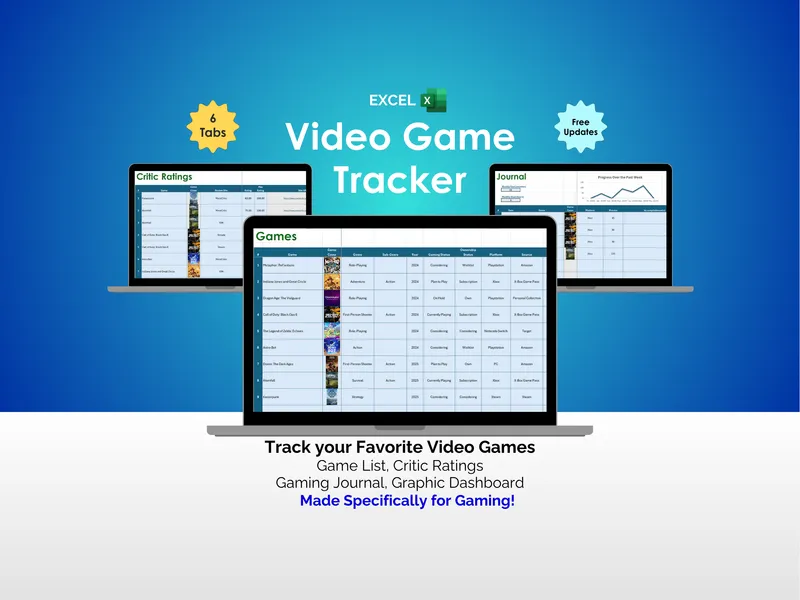
The streaming argument never resolves because the two halves of the answer are never in the same place: cost sits in a bank statement, watching sits inside the apps. Which tool you reach for depends on which half you are short of — and that is what this page is about.
| Consideration | Spreadsheet (owned) | Streaming tracker app (hosted) |
|---|---|---|
| Maintained catalog of where a title streams | No — it cannot know, and licensing moves constantly | Yes — this is what the app is for |
| Discovery and new-season notifications | No | Yes — a real advantage |
| Knows what each service costs you | Yes — you enter the plan, tier and add-ons | Usually no — it doesn't see your statement |
| Knows hours actually watched | Yes — logged per title against its service | Partly — episodes ticked off, rarely hours |
| Produces cost per hour watched | Yes — it holds both halves and divides | No — it holds only one half |
| Every billing cycle on one monthly scale | Yes — quarterly, annual and every-four-weeks converted | No |
| Twelve-month rotation plan, priced | Yes — months on vs. paying year-round | No |
| Effort to keep current | You type it — about ten minutes a month | Lower — ticking an episode is faster than a row |
| Where your viewing data sits | Your own file, on your computer or your own Drive | The company's servers, under their policy |
| Cost model | One-time purchase, keep forever | Free (often ad- or data-supported) or a subscription |
The spreadsheet column describes the full workbook. The free checker does the cost-per-hour join only.
What a streaming tracker app is genuinely good at
It would be dishonest to pretend the apps have no advantages, and the top two rows of that table are theirs outright. The catalog one is worth dwelling on, because it is the advantage no spreadsheet will ever take back: where a title streams changes constantly as licensing deals move, and keeping up with that is a full-time data operation, not a column you can maintain by hand.
If that is what you want, use one. The point of this page is not that apps are bad — it is that they are built for a different question.
What neither an app nor a subscription tracker will tell you
The two categories split the problem in half and neither closes it:
- A watchlist app knows you watched sixteen episodes. It does not know that the service carrying them costs you $17.00 a month, or that you also pay for an ad-free upgrade on top.
- A subscription tracker knows you pay $17.00 a month and that it renews on the fourth. It has no idea whether anyone opened the service since February.
Put the halves together and one number falls out: cost per hour watched. A service at $10.00 a month that the household watched 0.9 hours on is costing about $11.11 an hour. One at $83.00 a month carrying 52.6 hours of live TV and sports is costing $1.58. The cheap-looking service is the expensive one — and no tool that holds only one half of the data can tell you that. (Illustrative figures, not published rates.)
The decision has four answers, not two
Once the number exists, the choice stops being binary. Keep, when the cost per hour is inside your good-value line. Watch more, when it sits in between — there is something there and you are not getting to it. Cancel, when it is poor value and nothing is queued.
And subscription rotation — poor value now, but enough titles queued to justify coming back for a concentrated month later. That fourth answer is the one most households never reach, and it needs both halves of the data: the cost to know the service is not earning its place, and the queue to know there is something to come back for.
What a spreadsheet gives up, and what it gets back
It gives up automation. Nothing imports; you type each service's price and roughly how many hours you watched. That is about half an hour to set up and ten minutes a month to keep current, and the entry doubles as the review — you notice the service nobody has opened while you are logging it.
What it gets back is everything else. Nothing about what your household watches goes to a streaming-tracker company: the file sits on your own computer or in your own Drive, and it only ever needs a price, a renewal date and an hours figure — never a card number or a login. There is no tracker account that can shut down, change its pricing, or be acquired and take your history with it. Every threshold, column and formula is yours to change, because your idea of good value is not the same as anyone else's. And it is a one-time cost — which matters more here than in most comparisons, because there is something faintly absurd about paying a monthly subscription to an app whose purpose is helping you cancel monthly subscriptions.
Where to start
The free streaming cost-per-hour checker is a single tab for up to six services, pre-filled with a worked household so the method is legible before you change anything. It gives you keep, watch more, and cancel on cost per hour alone.
The Streaming-Service Value & Watchlist Workbook adds the fourth answer and the machinery behind it: a watchlist that turns episodes and runtime into hours per service, the queued-titles count that separates a rotate from a cancel, a renewal countdown that catches free trials before they convert, every billing cycle on one comparable monthly scale, and a twelve-month rotation planner priced against paying year-round.
For the method itself, step by step, read how to decide which streaming service to cancel and how to rotate streaming subscriptions.
Plenty of households end up running both a catalog app and a file like this, and that is a perfectly sensible answer — use the app to decide what to watch tonight, and the file to decide what to pay for next year.
Frequently asked questions
- Is a spreadsheet better than a streaming tracker app?
- For deciding what to cancel, usually yes — because the decision needs two things in one place, and most apps only hold one of them. Watchlist apps track what you watch but not what it costs; subscription apps track what it costs but have no idea whether anyone watched. A spreadsheet holds both and does the division. For discovering what to watch next, an app is better: it has a catalog and a recommendation engine, and a spreadsheet has neither.
- Do watchlist apps know what my streaming services cost?
- Generally not. A watchlist app knows which service a title is available on — that is what its catalog is for — but it does not know which of those services you actually subscribe to, what tier you are on, what add-ons you pay for, or when each one renews. Those figures live on your bank statement, and unless you type them in somewhere they never meet the hours you watched.
- Can I track streaming subscriptions without connecting my bank?
- Yes. There are no bank logins to connect and nothing to authorize — a spreadsheet works entirely from figures you type in, and it only ever needs a price, a renewal date and an hours figure, never a card number or a login. The trade-off is that you enter each service once yourself, which takes about half an hour — after which the file is the only place you have to look.
- How often do I have to update a streaming spreadsheet?
- About ten minutes a month is enough: top up what you watched from each app's continue-watching row, glance at what renews next, and act on anything whose verdict has changed. Twice a year, redo the rotation plan properly, because seasons move and a service that earned its place in March may not in September.
- What is the one thing an app does that a spreadsheet cannot?
- Two things, honestly. It tells you where a title is streaming right now, from a catalog that is maintained for you and changes constantly — a spreadsheet cannot know that. And it can notify you when something you follow arrives. Neither of those is the cancel-or-keep decision, which is why many households end up using both.