Every streaming household has the same argument, roughly twice a year. Somebody notices the total, somebody defends a service, and the conversation ends exactly where it started — because nobody can produce the one fact that would settle it.
The reason is structural, not lazy. What each service costs you sits in a bank statement, mixed in with groceries, on a dozen different billing dates. What you actually watched sits inside each app, in a viewing history you can’t export and couldn’t compare across services if you could. The two halves of the answer are never in the same place at the same time.
The Streaming-Service Value & Watchlist Workbook puts them in the same file, and turns them into one number: what each service costs per hour you actually watched.
New to this? Try the free streaming cost-per-hour checker — a single tab for up to six services — then come back here for the watchlist join, the renewal calendar and the rotation planner.
How does it work out cost per hour watched?
Three tabs do the work, and only two of them need anything typed into them.
The Services tab holds every subscription — the plan you’re on, what it charges, how often, and any add-on you pay on top. Because services bill on different clocks, it converts every plan to one comparable monthly figure: a quarterly price divided by three, an annual price divided by twelve, and an every-four-weeks price multiplied by 13/12, because four weeks is not a month and thirteen charges a year is not twelve.
The Watchlist tab is what you’re watching and where it lives. Pick the service from a dropdown that reads your own list, log roughly how many episodes you watched and how long they run, and the hours are worked out for you. Films are one episode at their runtime. Live TV and sports have no episode catalog, so they’re logged as sittings instead.
The Value tab joins the two. For each service it sums the hours logged inside a look-back window you choose, converts them to hours per month, and divides the monthly cost by them. That’s the cost per hour watched — and nothing on the tab is typed in except four thresholds at the top.
Should I cancel it, or rotate it?
That’s the question the workbook actually answers, and it deliberately gives you four options rather than two.
- Keep — the cost per hour is inside your good-value threshold. Stop thinking about it.
- Watch more — it’s between your thresholds. There’s something there; you’re just not getting to it.
- Rotate — poor value right now, but enough queued titles to justify coming back for a concentrated month later.
- Cancel — poor value and nothing queued waiting. This is the money the file exists to find.
The difference between the last two is the queue. Two services can have identical, terrible cost per hour and deserve opposite treatment: the one with four things waiting is a month you’ll enjoy later; the one with an empty queue is finished.
What does rotating actually save?
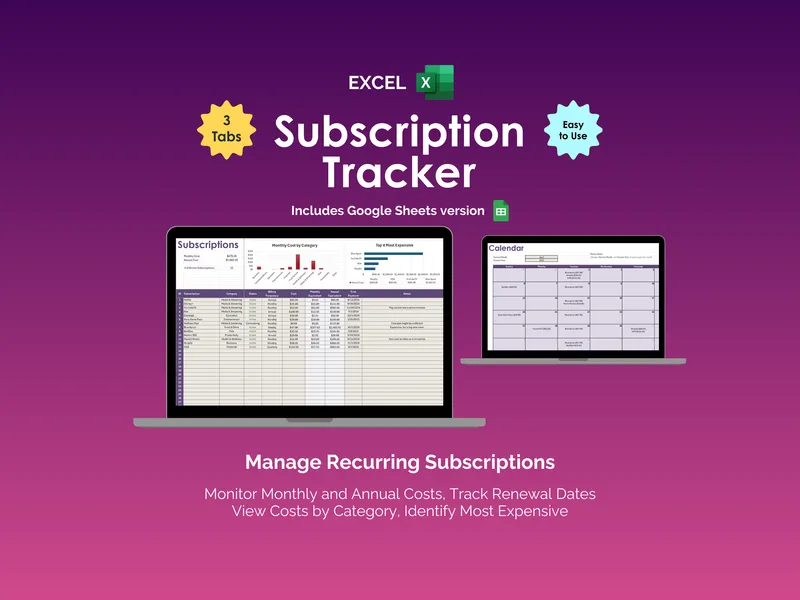
The Rotation Planner is a twelve-month grid. Mark each month you plan to be subscribed and each month you plan not to be, and it prices that year against paying for everything all year — per service and in total, with the per-month bill along the bottom so you can stagger services instead of stacking them.
It is also honest about its own limits, which is the part most spreadsheets skip. A service you’ve already canceled has no year-round baseline to save against, so the planner prices what bringing it back would cost and books no saving — you aren’t saving money you’d already stopped spending. And a plan billed annually is paid up front, so flipping one of its months off returns “Decide at renewal” instead of a saving you can’t take this year.
How is this different from a subscription tracker?
A subscription tracker knows what you pay and has no idea whether anyone watched. A watchlist app knows what you watched and has no idea what it costs. Neither can answer the question, because the question lives in the join — and the join is the product.
Own it, don’t rent it
There is something absurd about paying a monthly subscription to an app that helps you cancel monthly subscriptions. This is a spreadsheet. You buy it once, it opens in Excel, Google Sheets or LibreOffice, and it keeps working whether or not anybody’s servers do. Nothing about what your household watches leaves your own computer or your own Drive, and every threshold, column and formula is yours to change.
What’s in the download
A six-tab workbook, a one-click Google Sheets copy, a Start Here guide, a guide to the cost-per-hour method and the rotation year, and printable sheets for anyone who’d rather start on paper. It arrives pre-loaded with a complete worked household — nine services and thirty-six titles — so the method is legible the moment you open it, and you can replace it a row at a time.
A personal tracker, not financial advice. The example household, prices and titles are illustrative — the prices are illustrative examples, not published rates, so replace them with what your own statement says. Not affiliated with or endorsed by any streaming service. Keep no logins or card numbers in the file; it doesn’t need them.