

Life Admin 9 min read
Family Emergency Binder
A family emergency binder keeps every critical document, account, and contact in one place. Here's what to include and how to build one this weekend.
A curated set of 6 records tools for families who employ someone in the home. Keep what each caregiver worked and what you owe for the week, the pages the caregiver actually needs on the counter, and the records a payroll service or tax preparer will ask for at year-end.
If you hire someone to care for your children in your home and you can control not only what work is done but how it is done, IRS Publication 926 generally treats you as a household employer. That can make a nanny, a housekeeper or an in-home aide your employee, and it makes record-keeping part of the arrangement. Read what a household employer is and what the nanny tax is first. These tools organize and record; they don’t run payroll, file anything or give tax, legal or medical advice.
Start here. The Nanny Binder & Household-Employer Records Kit is one Excel and Google Sheets workbook, twelve printable caregiver-binder pages and a Household-Employer Guide PDF. It turns each employee’s logged days into what you owe for the workweek: guaranteed hours topped up when the family cancels, a week with no days logged flagged for an employee with guaranteed hours instead of silently paid $0, and overtime past 40 hours for live-out employees at a weighted regular rate. Paid leave and dated mileage and receipts stay out of wages. Everything rolls up quarter by quarter against the thresholds you enter, into a year-end packet whose keep-until years follow the Pub 926 and Form I-9 rules. A printable binder alone computes none of that.
The caregiver half holds per-child profiles, house rules and pets, allergies and medications with a medical-consent expiry flag, emergency contacts, and pickup permissions that flag “Do not release” when one lapses. Print those pages for the caregiver rather than sharing the workbook, because sharing a workbook shares every tab, and keep Social Security numbers out of the workbook altogether. Try the free Nanny Daily Log & Emergency Info Sheet first: a printable two-pager with the daily log and the emergency-contacts page, no signup.
Own it, don’t rent it. A blank spreadsheet leaves you inventing the rules. A payroll service runs payroll and files taxes for a recurring fee. This kit sits between them: a workbook you buy once and keep, with the records those services and preparers ask for. If you want someone to run payroll, see a spreadsheet vs. a nanny payroll service for what each does and doesn’t.
For the method, read what to put in a nanny binder and how to organize records when you employ a nanny.
Before you hire. The Reference & Vetting Tracker puts the same questions to every reference so the answers can be compared. It records what you find; it does not screen anyone. The Everyday Household Legal & Authorization Template Pack covers permission paperwork, and what a caregiver authorization is explains when a family uses one.
Other people in your home. If the person you employ looks after a parent rather than a child, the Caregiver Binder holds the care details, and the caregiver hub goes wider. For a new baby, the New Baby & New-Parent Records Binder keeps the family’s own records beside the caregiver’s.
Recommended templates
6 templates
A nanny binder with weekly pay and a year-end packet, a care binder, a tracker for checking references before you hire, an authorization template pack, a new-parent records binder, and the Life Admin bundle, mostly in Excel and Google Sheets.
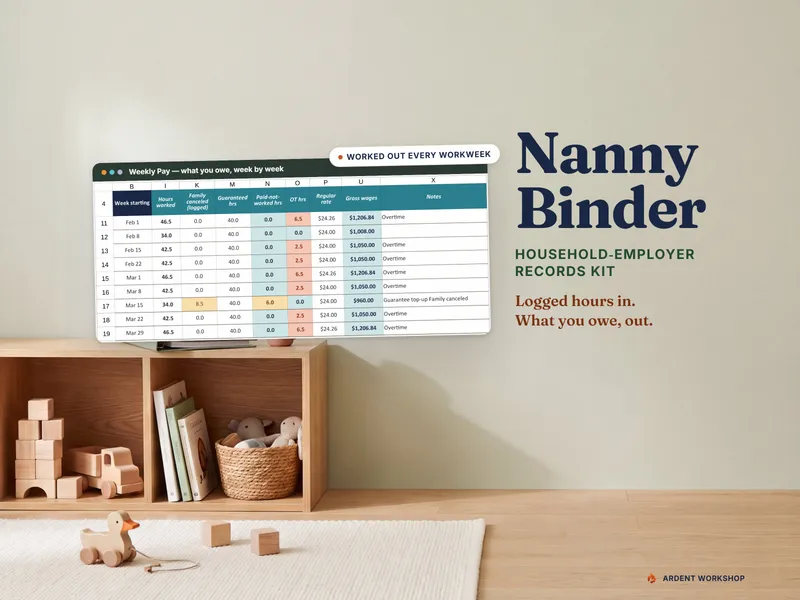
A nanny binder for Excel & Google Sheets that works out the wages you owe each week — guaranteed hours, overtime, PTO — and keeps the year's pay records.

Caregiver binder for an aging parent: medications flagged Order now or Due soon by refill date, appointments, care team and documents — plus a self-writing emergency handoff sheet.

120 reference-call questions for contractors, caregivers, landlords, hires and tenants — plus a ledger that catches insurance lapsing before your job ends.

The 13 agreements a household needs across a decade — caregiver and travel consent, bill of sale, personal loan, room rental. Fillable PDF + Word.
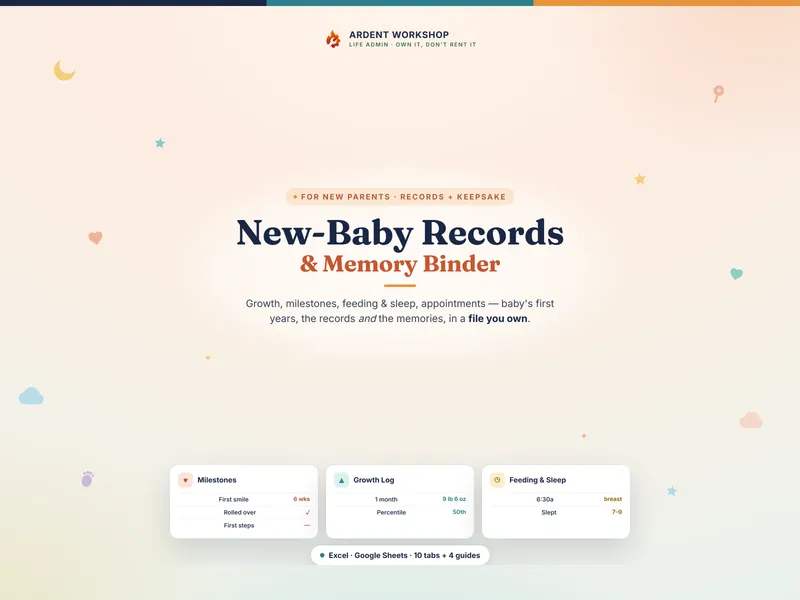
A keepsake records binder for baby's first years — growth, milestones, feeding, sleep, and key documents in one file you own (Excel + Google Sheets).
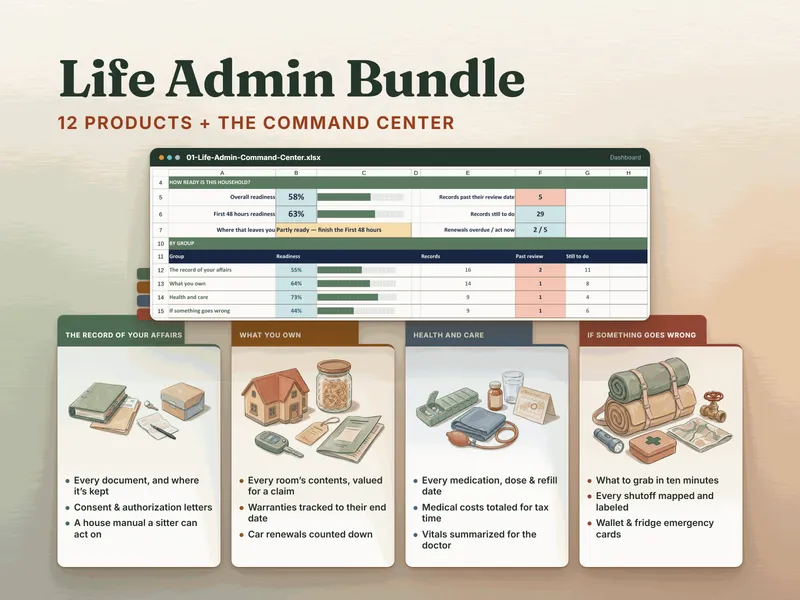
Twelve Life Admin products in one bundle, plus a Command Center that scores how ready your household records are and names the next ten to fill in.
Where we fit
Compare the setup effort, collaboration, and automation you need. Ardent Workshop sells ready-made templates; a custom spreadsheet or software platform may fit better depending on the job.
Build the structure around your own process, with time set aside for formulas, layout, and maintenance.
Owned, structured, connected workbooks — a one-time price, yours to keep.
Consider a platform when you need shared workflows, automation, or integrations. Check the specific plan, permissions, and export options.
Reading list
Getting the family's emergency information into one place.