You did the hard part. You hired good people, you paid for the course, you blocked off the afternoon, and you watched your team get better at the thing you needed them to be good at. On paper, your crew is trained, certified, and ready. It feels handled.
Here’s the hard truth: if you can’t produce the record, the training didn’t happen. Not in the eyes of an auditor, not for your insurer, and not in a courtroom after an incident. “I know they were trained” is not a defense — it’s the thing people say right before they get fined. And the quieter problem, the one that catches even organized managers, is that certifications don’t stay valid. They expire on a schedule nobody is watching.
Learning how to track employee training and certifications isn’t about bureaucracy for its own sake. It’s about making sure the work you already did actually counts — and that a lapsed forklift card or an expired first-aid cert doesn’t turn into a shutdown, a denied claim, or a lost contract. Let’s talk about what a real training record is, why the good ones flag themselves, and how to build a system that a small team can actually keep up.
The short version: keep one record for every person that captures who was trained, on what, when they completed and were evaluated, who evaluated them, where the proof lives, and when it expires — then compute a Valid / Expiring Soon / Overdue status so each row flags its own renewal before it lapses. Everything below is how to set that up, and why each piece earns its place.
The training happened. The record didn’t.
Most training gaps aren’t gaps in training — they’re gaps in proof. The session ran. People showed up. But the only evidence lives in a manager’s memory, a photo of a sign-in sheet on someone’s phone, or a folder on a laptop that left with the person who owned it.
That’s a problem, because training records exist to answer a specific question from a specific audience:
- A regulator asks: Can you prove this operator was trained and evaluated before they touched that machine?
- An insurer asks: Was your team current on required safety training when the claim occurred?
- A big customer doing vendor due diligence asks: Show me your training and compliance records for the people on our account.
- A courtroom, after something goes wrong, asks: What did you know, what did you require, and can you document it?
“Trust me, they knew what they were doing” fails all four. A dated, specific, retrievable record passes all four. The difference between those two outcomes is not how well you trained anyone — it’s whether you wrote it down in a form that survives.
What actually counts as a training record
A training record is a dated, attributable proof that a specific person completed a specific training, delivered or evaluated by a specific qualified person. Vague notes (“did safety training in the spring”) don’t clear that bar. Regulators are surprisingly precise about the fields.
Take forklifts. Under OSHA’s powered industrial truck standard (1910.178(l)) (opens in new tab), the employer must certify each operator’s training, and that certification has to include the operator’s name, the date of the training, the date of the evaluation, and the identity of the person who did the training or evaluation — with a fresh performance evaluation at least once every three years. Bloodborne pathogens training is just as specific: OSHA’s standard (1910.1030) (opens in new tab) requires the record to include the training date, a summary of the contents, the trainer’s name and qualifications, and the names and job titles of everyone who attended — and it has to be kept for three years and handed over on request.
Notice the pattern. Every one of those rules is asking for the same handful of fields. That’s your template. Every training record — regulated or not — should capture:
- Who — the employee’s name and role.
- What — the specific training or certification, including the standard, version, or level where it matters.
- When — the date completed, plus the date evaluated if the two differ.
- Who delivered or evaluated it — the trainer or assessor’s name and qualification.
- When it expires — the renewal date, or an explicit “does not expire.”
- Proof — where the certificate, sign-off, or scan actually lives.
If a record is missing the expiry date, it’s not just incomplete — it’s the field that causes the next problem.
The silent killer: certifications don’t fail loudly
A missing record is an obvious problem. An expired one is a sneaky problem, because nothing announces it. A certification is valid right up until midnight on its renewal date, and then it simply isn’t — no email, no red flashing light, no one at the door. The person is still doing the job, still confident, still “trained.” The paper just went stale while everyone was busy.
This is why certifications lapse in clusters right when you can least afford it: the busy season hits, the renewals were due in the same quiet month, and nobody was looking at the calendar. The record doesn’t move on its own, so its status has to.
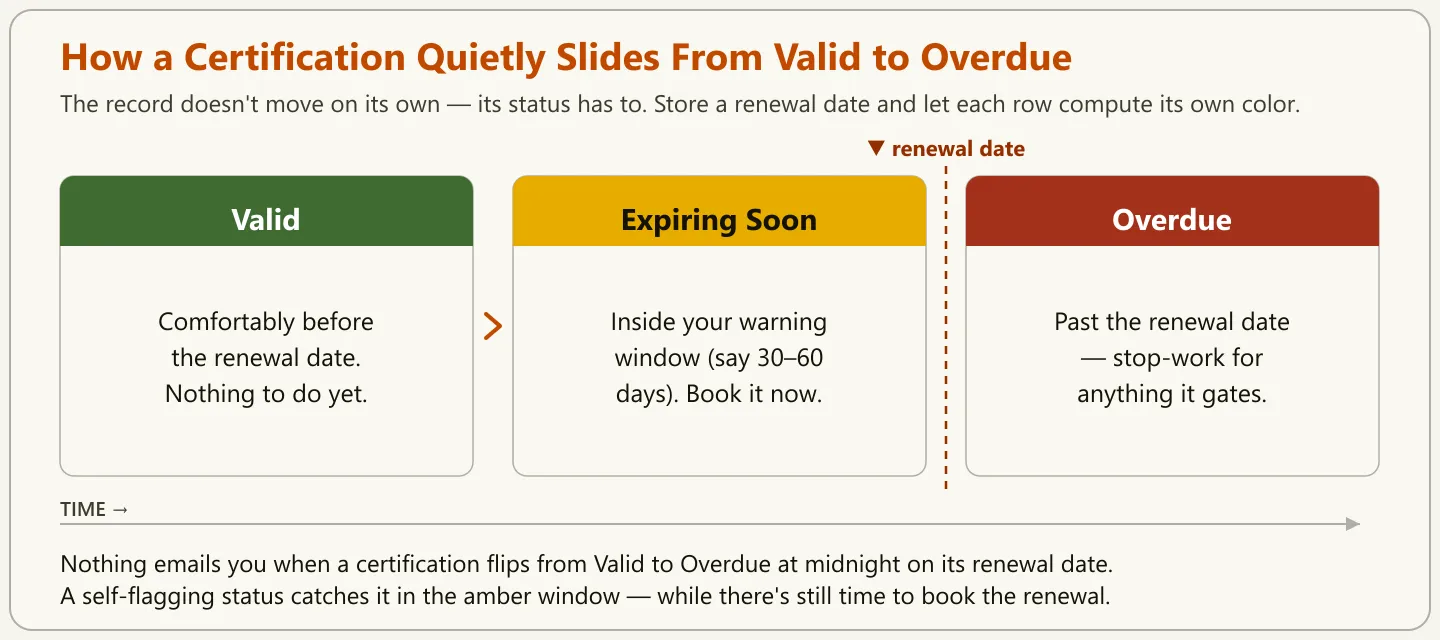
The fix is to stop storing a certification as a static fact (“Jordan is forklift-certified”) and start storing it as a date-driven status. Give the record a renewal date, then let the file compute where it sits today:
- Valid — comfortably before the renewal date. Green. Nothing to do.
- Expiring Soon — inside your warning window, say the next 30 or 60 days. Amber. Book the renewal now.
- Overdue — past the renewal date. Red. Stop-work territory for anything the certification legally gates.
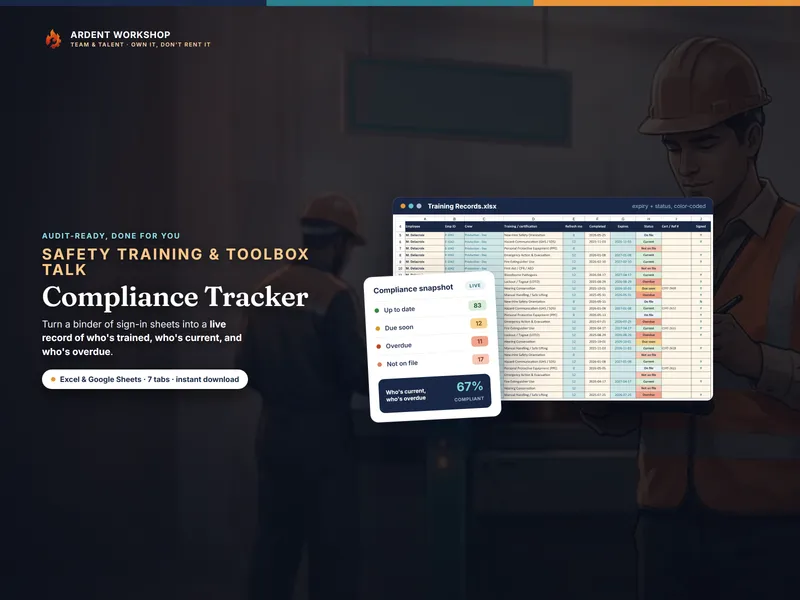
When the status calculates itself, the record turns amber before it turns red, and the renewal gets booked while there’s still time. That single design choice — a computed status instead of a remembered one — is the whole difference between a tracker that protects you and a spreadsheet that just records the damage after the fact. Purpose-built compliance trackers like the Safety-Training & Toolbox-Talk Compliance Tracker are built around exactly this: you enter the renewal date once, and every row flags its own color as the calendar moves.
What it actually costs when the record isn’t there
It’s tempting to file “training records” under nice-to-have paperwork. Here’s what’s actually on the table when the record is missing or expired:
- Fines and citations. Because standards like the two cited above require the record itself — not just the training — failing to produce it can be cited on its own, separate from whatever incident triggered the inspection. Being trained in practice and being able to show it are two different things, and an inspector checks the second one.
- Denied insurance claims. If an incident involves someone whose required certification had lapsed, expect that lapse to become the insurer’s first question — and potentially their reason to deny.
- Lost contracts. Larger clients often audit vendor training and compliance before they sign — vendor due-diligence checklists routinely ask for it. A shrug where a spreadsheet should be can quietly cost you the account.
- Redone training and lost time. Can’t prove it happened? You get to pay for it again — the course fee, plus the hours off the floor, plus the scheduling headache.
- Key-person risk. When the only person certified to run a machine, sign off a batch, or handle a hazard lets their cert lapse, you don’t just have a paperwork problem — you have a coverage hole. This is the same key-person risk that the bus factor describes: one lapse and a whole function is exposed.
None of these show up on a normal Tuesday. They show up on the worst possible day, all at once — which is precisely why the record has to be built on a calm day, in advance.
How to track employee training without a full-time compliance officer
You don’t need an enterprise learning platform or a dedicated compliance hire. A small team can run a genuinely audit-ready system with five moves.
1. Build one master list of who needs what
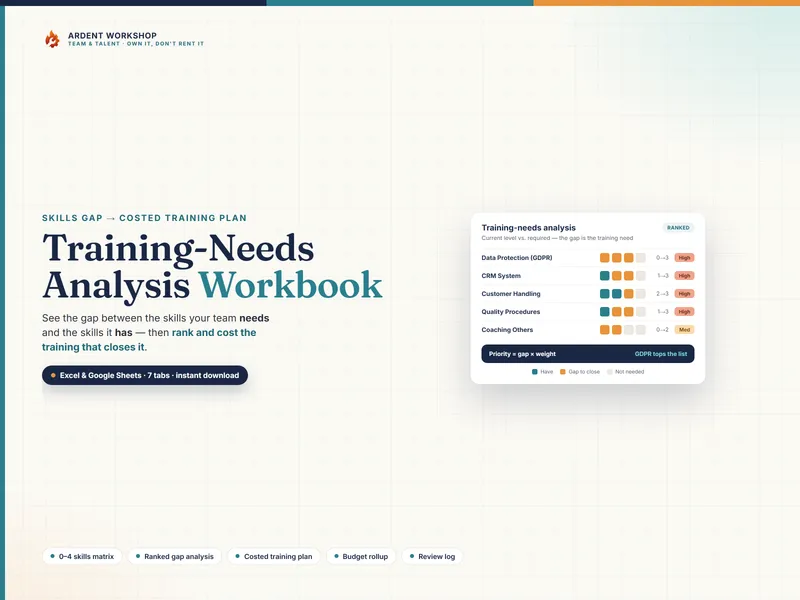
Start with a requirements grid: every role down one side, every required training or certification across the top. Fill in which roles need which. This is the document that defines what “fully trained” even means for your operation — and it’s the thing most teams have never actually written down. Not sure which certifications each role should hold? Working out where the gaps sit is a team skills-gap audit. (If you’d rather start from a structured template than a blank grid, a Training-Needs Analysis (TNA) Workbook turns the same list into a costed plan of what to train and when.)
2. Capture the core fields every single time
For each completed training, record who, what, when, and who delivered it — the same fields OSHA asks for, applied to all your training, regulated or not — and note where the proof itself lives (the certificate, scan, or signed sheet). That last field is the one your whole thesis rests on: a record you can’t trace back to actual evidence isn’t proof. Do it at the moment training happens, not “later,” because later is where records go to die. A photo of a sign-in sheet is a start; a typed row you can search and sort, pointing to a stored file, is the goal.
3. Add an expiry date and a self-flagging status
For every certification, enter the renewal date and let the file compute the Valid / Expiring Soon / Overdue status described above. This is the step that converts a passive log into an early-warning system. If a training genuinely never expires, mark it so — an explicit “does not expire” is a real answer; a blank cell is a landmine.
4. Review the grid on a fixed cadence
Put a recurring 15-minute review on the calendar — monthly for fast-moving or high-risk teams, quarterly for slower ones. The entire job is to scan for amber and red and book renewals before they turn. Fifteen minutes on a quiet day beats a shutdown on a busy one.
5. Make it survive turnover
The tracker has to live in one owned file that belongs to the business, not in the head or personal drive of whoever set it up. The whole point is a record that outlasts people — including the person maintaining it. Seasonal and temporary staff make this sharper, not softer: if you cycle in help each peak, you need a fast, repeatable way to train and document seasonal employees so their records exist the moment they start, not weeks later.
Beyond expiry tracking, a coverage view is worth adding once your team grows: a Training & ILUO Skills Matrix shows at a glance who can do what and where you’re one absence away from a gap — the same records, read as capability instead of compliance.
Sticky notes vs. a subscription vs. a file you own
Every team lands on one of three approaches. The honest trade-offs:
| Approach | What it costs | Where it breaks |
|---|---|---|
| Memory, sticky notes, a shared-drive folder | “Free” | No expiry alerts, so lapses go unnoticed; nothing survives the person who kept it; nothing to hand an auditor |
| Generic HR or LMS subscription | Monthly, usually per employee | Overkill for a small team, rented forever, and getting your own data back out is its own project |
| A connected workbook you own | One-time | You maintain it yourself — but it flags its own expiries, travels with the business, and you keep it for good |
This is the real decision, and it’s the one worth being honest about. The “free” option isn’t free; it’s a bill you pay later, with interest, on the worst day. A monthly platform solves the tracking but hands you a rental you’ll re-justify every year. A workbook you own sits in the middle on purpose: more structure than a blank spreadsheet, none of the lock-in of a subscription, and — critically — a record that belongs to you. Own the thing your compliance depends on. Don’t rent it.
The bottom line
Your team really is trained. The gap isn’t skill — it’s proof, and proof that quietly ages out. Fixing it doesn’t take a compliance department. It takes one master list, the core fields captured every time — including where the proof lives — a renewal date that flags itself, and a fifteen-minute review you actually keep.
Do that, and the question “can you prove it?” stops being the moment your stomach drops and becomes the moment you open one file and point. If you’d rather not start from a blank sheet, a purpose-built compliance tracker gives you the self-flagging version on day one — but the system matters more than the tool. That’s the entire goal: not more paperwork, but a record that turns red before your business does.