What a training-needs analysis actually does
Every manager has a rough sense of who on their team is weak where. A training-needs analysis — also called a training needs assessment — turns that sense into something you can act on and defend: a ranked, costed list of exactly which training closes which gap, in what order, for how much. It’s the step between a skills matrix (who can do what) and a training budget (what you’ll spend to fix it).
This workbook makes the method plain. You rate current skill on a simple 0–4 scale, you set the level each role requires, and the workbook does the arithmetic — the gap, a priority score that weights each gap by how critical the skill is, a ranked list of what to train first, and a costed plan with a budget rollup. No black box: every number traces back to a rating you can see and change.
Rate the team, and the gaps light up
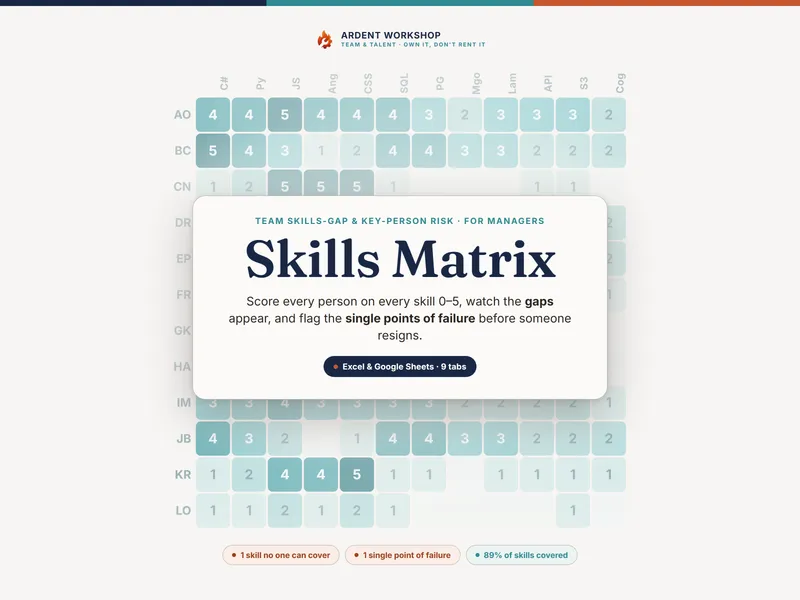
The Skills Matrix is a real heat map. Put your people down the side and your skills across the top, score each cell 0–4, and the cells color themselves — red where the gap is widest, teal where you’re covered. Each person’s gap count and every skill’s team average calculate as you type, so the picture appears without a single manual sum.
Skills gap analysis, ranked by priority — not by size
The Gap Analysis tab ranks every skill for you. It counts how many people are below target, adds up the total shortfall, and multiplies by the skill’s weight (High × 3, Medium × 2, Low × 1). That single priority score is what the ranking sorts on, so a small gap on a critical, high-risk skill outranks a two-step gap on a nice-to-have. Read down the rank column and you know what to train first — no meeting required.
Turn the gaps into a costed plan
The Training Plan is the deliverable you take to a budget conversation. One row per training need — the method, an estimated cost, an owner, and a target quarter. The gap, the score, and the priority band calculate for you; you fill in the cost and the dates. A budget rollup at the bottom totals the spend, counts the high-priority actions, and spreads the work across four quarters so you can level the load and make the case for what has to happen first.
Works in Excel, Google Sheets, and LibreOffice
You get one .xlsx that opens natively in Microsoft Excel and LibreOffice Calc, plus a one-click Google Sheets copy: open the included link, choose Make a copy, and the whole workbook lands in your Drive — every dropdown, formula, and color already set up and tested. No importing, nothing to rebuild. It’s pre-loaded with a worked example (a fictional 8-person team) so you can see the method working before you enter a single real assessment.
Own it, don’t rent it
This sits between a blank spreadsheet — free, but you build every formula yourself — and a per-seat learning platform that’s overkill for most teams and a recurring bill forever. It’s the structure you keep: a connected, owned workbook you update, share, and keep on your own terms. Buy it once; it’s yours.
It pairs naturally with the Training & ILUO Skills Matrix and the Skills Matrix — a TNA reads best straight off a skills board.
Prefer a taste first? The free one-team TNA starter gives you the gap method on a single team, no signup — a real slice of the full workbook.
Who it’s for
HR and people-ops managers running a skills audit; team leads planning their own people’s development; L&D owners turning a skills matrix into a costed learning plan; founders and operators spotting compliance and capability gaps early; and anyone building next year’s training budget against real, ranked needs.
A note on what this is
A planning and record-keeping template — not HR, legal, safety, or compliance advice, and not a certification of anyone’s competence. A gap is a training opportunity, not a verdict on a person. The example team, ratings, and costs are fictional and illustrative, and the costs are placeholders — use your own quotes. Keep your team’s data confidential to those who need it, the way your own privacy policy and local law require.