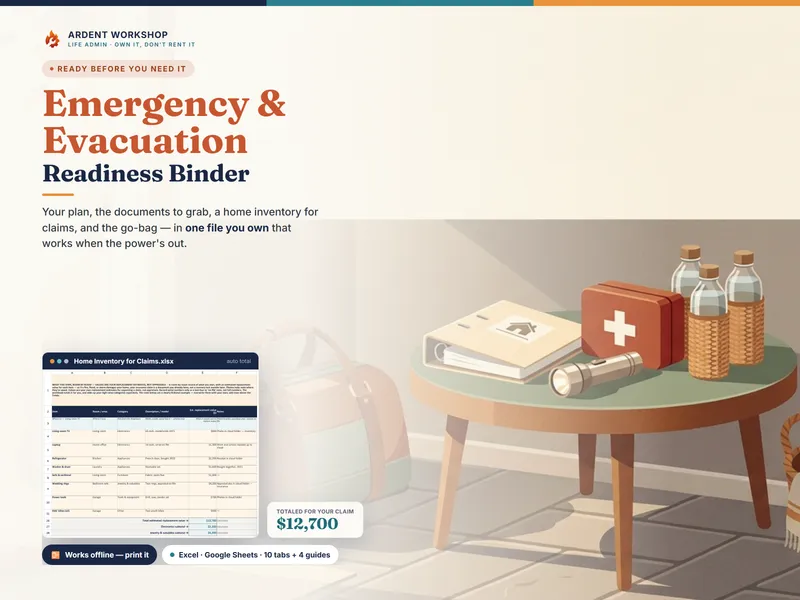
A home inventory is only worth what it proves on the day you file a claim. This home inventory spreadsheet for Excel is a file you keep on your own computer: it lists what you own room by room, records the proof behind each item, and checks the whole thing against your own policy to show where you are short.
Built for desktop Excel, and for working offline
The download carries two workbooks. 01-Home-Inventory.xlsx is the worked example, 46 example items for a fictional household, so you can see every tab calculating before you commit. 02-Home-Inventory-Blank.xlsx is the same 7-tab workbook with the sample rows gone, ready for your own home from the first cell.
Both run in desktop Excel 2016 or later and Excel for Mac, and open in LibreOffice Calc too. The formulas avoid Excel 365-only functions, so nothing needs an upgrade, an add-in or a sign-in. The file works offline, and nothing about it depends on an app staying in business. Keep a second copy somewhere other than the house it describes, so the record survives a fire or flood that takes the house.
One row per item, walked room by room
The Inventory tab takes up to 250 items. Walk the house one room at a time and give each row its room, item, category, quantity, brand, model, serial number, purchase date, price paid and replacement cost, which is what it would cost to buy new today. Separate Receipt?, Photo? and Appraisal? fields record the evidence, with where it is kept and a link to the photo or receipt. Keep those photo folders private: a file listing your valuables should never be shared with an “anyone with the link” setting.
The workbook turns that evidence into a proof score from 0 to 100 per item. Missing proof says what to add, Undocumented value puts the gap in dollars, and the fix-first rank orders every item by it. The Dashboard shows the Top 10 fix-first items, so an evening with a phone camera goes where it protects the most money.
Your limit, your special limits, your numbers
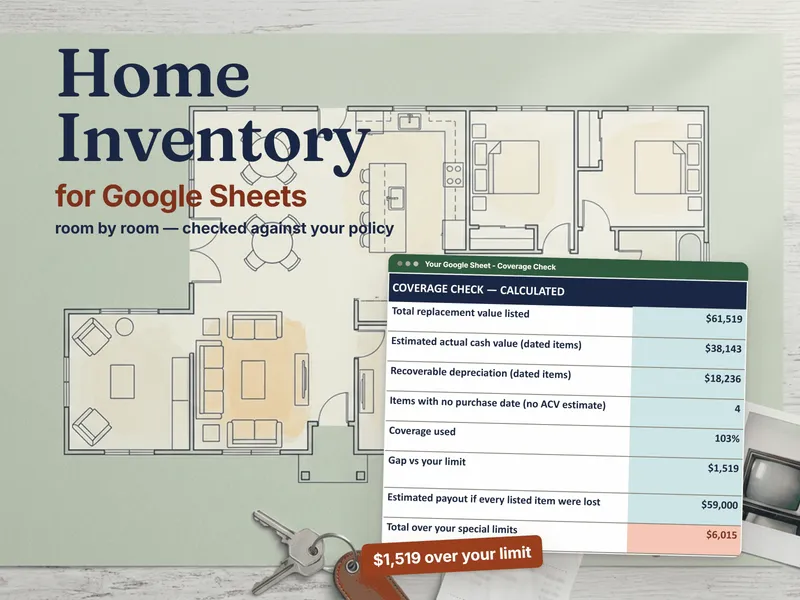
On Policy & Coverage you type the personal property limit, the deductible and the settlement basis (replacement cost or actual cash value) from your declarations page. The workbook totals everything you listed and shows coverage used, the gap versus your limit and an UNDERINSURED verdict when the list runs past it. The example lists $61,519 of belongings against a $60,000 limit: 103% used, a $1,519 gap.
Many policies also cap categories such as jewelry, silverware or business property unless those items are scheduled. The caps vary by policy, and some apply only to certain causes of loss such as theft, so you enter your own, and each category is totaled against its cap with the amount over and what to ask your agent. In the example, the jewelry runs $5,615 over its example $1,500 sub-limit.
Estimated actual cash value from your own assumptions
Each item also gets an illustrative estimated actual cash value: a straight-line estimate from the useful life and floor per category on the Lists tab. Lists comes with example useful lives and floors, not an insurer’s table, so change them to yours. Set beside replacement value, the estimate shows the depreciation a replacement-cost policy may pay back once you replace an item. It is not what an insurer will pay.
A claim schedule that prints clean
After a loss, mark each lost or damaged item “Yes” on Inventory. The Claim Worksheet lists them as an adjuster schedule with room, category, quantity, brand and model, serial number, purchase date, age, replacement value, estimated actual cash value, depreciation and proof on hand, for up to 250 claim lines. The estimate block above it applies the special limits you entered and your deductible, and caps the result at your personal property limit; check whether each special limit applies to this cause of loss.
In Excel, the Claim Worksheet’s print area is set to end at the last listed line, so printing it or saving it as a PDF for the adjuster gives you the schedule without pages of empty rows. The Claim-Day Guide covers what to do first after a loss, in order.
Kept current, one room at a time
The Rooms tab lists 15 rooms with each room’s items, value, proof coverage and the date you last walked it, flagged Verified, Re-verify or Never verified from the interval you choose. Rename, add or remove rooms on the Rooms tab and categories on Lists; renaming does not change rows that already use the old name, and the List check column on Inventory flags every row still using it. Print the Room-by-Room Walkthrough Checklist for the walk: 15 rooms with the commonly forgotten items in each.
Prefer Google Sheets?
The same download includes a one-click link that makes your own native Google Sheets copy, so you can switch later without buying again. The Google Sheets listing is the same product: Home Inventory for Google Sheets.
Want to start with a plain list first? The free Home Inventory Starter is a room-by-room list with replacement totals for each room and the whole home, opening on the same fictional example household. No email, no signup.