Every home runs on a hundred small facts — which day the trash goes out, where the water shutoff is, who to call when the furnace quits, when the gutters were last cleaned, where the insurance policy lives. In most households, all of it sits in one person’s head. The Household Operations Manual gets it out of your head and into one calm, findable file — so the home can run whether or not you’re standing over it. It also does some of the keeping for you: it works out when each maintenance task is next due, shows what needs attention on a Coming up panel the moment you open it, and fills in a printable house-sitter packet from the pages you’ve already written.
It’s a spreadsheet workbook (Excel, Google Sheets, and LibreOffice), plus an editable Microsoft Word edition, three PDF guides, and printable binder pages — an owned home reference, not a rented app holding your home’s details on someone else’s server.
What is a household operations manual?
A household operations manual is a single, organized reference for how your home works: the utilities and accounts (where they live, not the logins), where the systems and shutoffs are, the maintenance schedule, the emergency contacts, and the “if I’m away” instructions a house-sitter or family member needs. This one is a 12-tab workbook (a Read Me plus eleven working tabs) you fill in once, review twice a year, and keep — evergreen, with no dates baked into the structure.
Run the whole home from eleven working tabs
- Start Here Checklist — every area of the binder with a status you set. The done-count only counts applicable rows (mark one N/A and it drops out), grows when you add rows, and each area carries a last-reviewed date, a review-by date six months later, and a Review due flag.
- Home Summary — the single most useful page: the address, how to get in (who to ask or who holds the spare key, never a code), the shutoff and breaker locations at a glance, trash day, and who to call first. It also carries a Coming up panel: how many maintenance tasks are overdue, how many are due in the next 30 days, how many binder areas are due for review, and the next five tasks by due date.
- Home Systems & Shutoffs — where the water, gas, and electrical shutoffs are, plus the water heater, furnace, thermostat, and sump pump — and plain steps anyone could follow.
- Utilities & Services — electric, gas, water, trash, internet, and the rest: the provider, an account reference (last 4 only), where the login lives, and the number to call.
- Maintenance Schedule — the recurring tasks that keep a home from breaking. Pick how often each is due and enter when it was last done; Next due is calculated for you, and a Status reads Overdue, Due in 30 days, OK, or Not started, worked out from today’s date every time you open the file. Tasks marked “as needed” have no due date.
- Emergency Contacts — the gas-leak line, the power-outage number, a trusted neighbor, the non-emergency police number, poison control, and the insurance claims line, with a note on when to call each.
- If I’m Away — the handoff instructions: the daily must-dos, the pets and plants, trash day, the mail, the alarm, and what to do if something goes wrong.
- House-Sitter Packet — one printable handoff tab that assembles itself from the rest of the workbook: Who to call first from the Home Summary, your If I’m Away instructions, the first four shutoffs and systems, and every filled emergency contact. Fill in the other tabs and print this one.
- Home Inventory — the appliances and big-ticket items, with make, model, and where the manual and warranty live — so a repair call or a claim isn’t a scavenger hunt.
- Trusted Vendors — the plumber, electrician, HVAC tech, and handyman you’d actually call, already in one place.
- Important Documents — where the deed, the insurance policy, the tax records, and the warranties are kept — recorded as locations, not copied in.
- Plus a Read Me that explains how the workbook fits together.
The dates work themselves out
Most home-maintenance lists are typed text that goes out of date the moment you stop editing them. Here, the Maintenance Schedule does the arithmetic: the next-due date comes from the last-done date and how often the task repeats, and the status comes from today’s date. The Coming up panel on the Home Summary then rolls it up, so opening the file tells you what needs attention. It shows you the status when you open it — it doesn’t send reminders, so open it on a rhythm that suits you.
The one rule that keeps it safe to share
A home reference gets left on a counter, photographed for a partner, and handed to a sitter — so this binder is built on a single rule: record where things are and how the home runs, never the passwords, the alarm or gate codes, or the full account numbers. Keep real logins in a password manager, keep originals in a locked box, and record only their location. The House-Sitter Packet prints the alarm and Wi-Fi rows as you wrote them, so as long as you follow the rule it never prints a code or password — give a sitter the alarm code and Wi-Fi password separately. That’s what makes it safe to hand to whoever is holding down the house.
Also a native Google Sheet — one click, no import
Prefer Google Sheets? You don’t import anything. The bundle includes a clickable “Make a copy” link — click it and the whole binder lands in your Google Drive as a native Sheet. The .xlsx also opens natively in Excel and LibreOffice.
Prefer Microsoft Word? That’s in the bundle too
Don’t use spreadsheets, or simply like working in Word? The same binder comes as an editable Microsoft Word (.docx) edition — ready to type into, with nothing from Google and no spreadsheet needed. The calculated pieces (due dates, status, review flags, the Coming up panel, the self-filling packet) are spreadsheet features, so in Word you work them out by hand — the Word file’s first page shows how.
Own it, don’t rent it
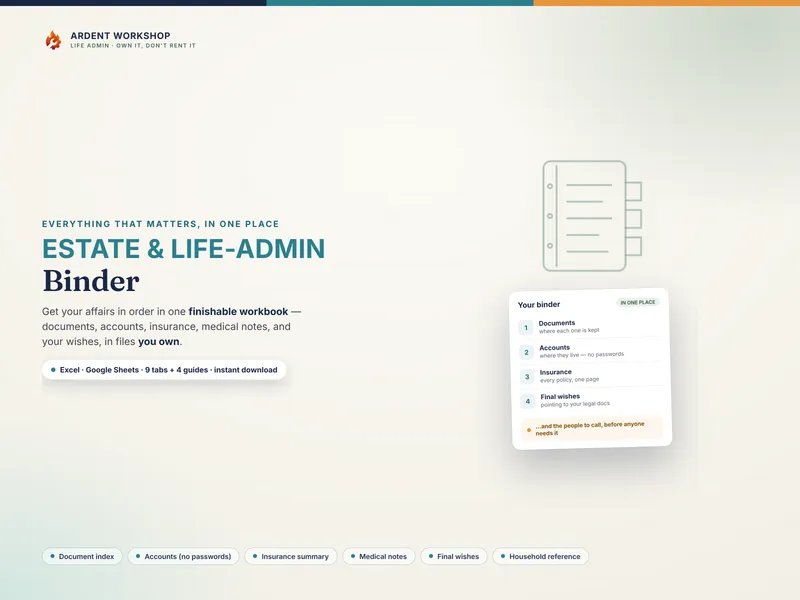
This is the quiet advantage of a workbook over a subscription “home management” app: the file is yours. How your home runs doesn’t live on a company’s server, can’t be locked behind a lapsed payment, and won’t vanish if the app shuts down. You decide where it’s stored and who in the household can see it. Pair it with the Estate / Life-Admin Binder for the whole household picture.
Try it first, free: the free “If I’m Away” house-sitter sheet is a one-page printable with the daily must-dos, where the shutoffs are, and who to call — a taste of the full binder.
A home reference you keep — not professional advice
This workbook helps you organize how your home runs and where everything is kept. It is not security, legal, financial, or insurance advice, and not a substitute for a licensed plumber, electrician, or your insurer. The shutoff steps and maintenance tasks are common-sense starting points; for gas, electrical, or structural work, call a professional, and in a real emergency call 911. The example data (the fictional Marsh household) is clearly illustrative — you overwrite it with your own.
Instant digital download. Nothing ships. The moment you buy, you get a zip with the 12-tab workbook, an editable Word edition, the one-click Google Sheets copy, three PDF guides, and a 7-page Printable Binder Pages PDF — yours to keep.