You cannot remember how you decided
Think of a decision you made two years ago that turned out well, and say why you made it. Now think of one that turned out badly. The first explanation arrives quickly and sounds like reasoning. The second arrives slowly and sounds like an excuse.
Both are reconstructions. Once you know how something turned out you cannot un-know it, and the version of your reasoning that comes back to you has been quietly edited to fit the ending. That is why you can make thirty significant decisions over a decade and finish it with a confident sense of being a good decider — and no evidence whatsoever.
This workbook is the fix. You write down the decision, the options you turned down, your reasoning, one prediction, and how sure you are — before you act. Months later the file tells you to come back, and marks you against what you actually wrote.
What makes this more than a notebook
Three of the seven tabs do something a blank page and a journaling app cannot.
It scores your process before the world has voted
The Process Score tab asks ten debiasing questions about how you made the call — did you check the base rate, run a pre-mortem, name the evidence that would change your mind, get one outside view, price the downside, classify the call as a one-way door, costly to undo, or a two-way door. You answer them on the day you decide, not at the review, because scoring your process after the result lets hindsight rewrite it. The score and the band compute themselves.
A low score isn’t a verdict on the choice; it’s a list of what you skipped. And across twenty decisions the same two or three go missing almost every time. That pattern is the finding.
It measures your calibration
Take every prediction you rated 80% likely. If your 80 means 80, about eight in ten came true. If only four did, you aren’t unlucky — you’re systematically overconfident at 80, by a number of points you can read off the tab.
You cannot get that from reflection. It needs a written confidence number attached to a prediction specific enough to be marked right or wrong, recorded before the outcome, bucketed across every decision you’ve logged. That is exactly what the Decision Log collects, and the Calibration tab reports the gap band by band — plus a min-sample rule, so no band shows you a number until it has at least three scored predictions behind it.
It separates the decision from the result
You control the process. The world controls the result. The Outcome Reviews tab combines your process score with how it actually turned out and computes the quadrant:
- Earned — sound process, good outcome. Note what you did; it’s a repeatable method, not a streak.
- Bad luck — sound process, bad outcome. Abandoning a good method after one bad break is among the most expensive mistakes available, and it feels exactly like wisdom at the time.
- Got lucky — weak process, good outcome. The dangerous one, because nothing punishes you and you’ll run the same habit again at higher stakes.
- Avoidable — weak process, bad outcome. The honest loss.
The Dashboard then does the thing that makes the whole file worth keeping: it shows the average process score behind your Earned decisions against the average behind your Avoidable ones. When that gap is wide, your outcomes are following your process rather than your luck — which is the only real evidence that the process is worth protecting.
It also splits the record two ways most journals never touch. By category — how often you are right about money versus work versus family, set against how confident you were in each, with the same three-prediction minimum the Calibration tab uses. And by how reversible the call was — one-way door, costly to undo, or two-way — so you can see whether you actually spend more care on the decisions you cannot take back.
The habit runs itself
Pick a review horizon in months and the workbook computes the date, then watches it against today. A status column tells you what’s Due now, what’s Overdue, what’s Reviewed, and what to leave alone. Sort the Decision Log by it twice a year, work through the ones that have come round, and read the Dashboard while the entries are fresh.
What you get
Seven connected tabs, plus 38 pages of guides:
- The Decision Log, Process Score, Outcome Reviews, Calibration, and Dashboard tabs, all cross-referencing one Decision ID
- Decision Traps — 18 named ways a decision goes wrong before the result is in, each with the tell that gives it away in the moment, the counter-move, and the question to write in your journal
- A Start Here guide teaching the method in six sections
- Decision Traps & the Ten Checks and the Calibration & Review Guide
- A Printable Decision Journal — a one-page entry sheet with the ten checks, a matching outcome-review sheet, four-to-a-page pocket cards, and a paper calibration tally for anyone keeping the journal entirely off-screen
It ships pre-filled with 21 worked decisions, 17 of them reviewed, so the whole engine is running the moment you open it. Read them, then clear the cells and use the blank rows underneath.
Own it, don’t rent it
A journaling app puts the most candid record you keep behind someone else’s login and a monthly fee. A blank spreadsheet is free — and then you build the confidence bands, the cross-tab lookups, the quadrant logic and the review-date engine yourself.
This is the middle ground: a structured file you own outright, back up, and still have in ten years — which is the timescale on which a decision journal actually pays. It works in Excel, Google Sheets, and LibreOffice Calc. Keep it in Excel or LibreOffice and nothing about your decisions leaves your own machine; the Google Sheets copy needs a Google sign-in and lives in your own Drive.
Before you buy
This is a journaling and record-keeping template, not financial, legal, medical, or career advice, and nothing in it recommends a course of action. It cannot tell you what to decide — only help you record how you decided and learn from what followed. Every example decision, person, place, and figure in the file is fictional.
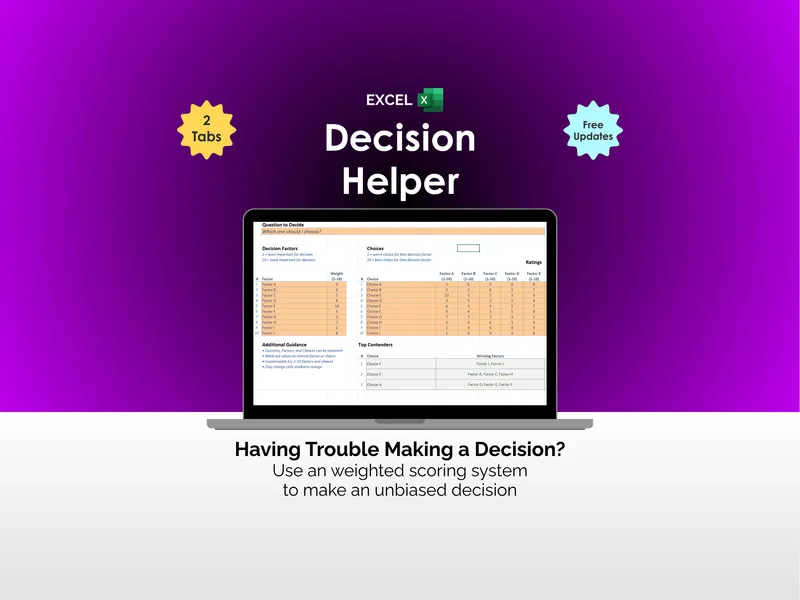
If what you need is help weighing the options in front of you right now rather than learning from the ones behind you, start with the Decision Helper — this journal is the other half of the loop.