The exercise, in one sentence
It is two years from now, this decision went badly, and you are writing the story of how — in the past tense. The tense is not a stylistic preference. It is the entire mechanism.
Asked what might go wrong, you produce a defense of the plan with some caveats attached, because you are still arguing for it. Told that it has already gone wrong, you are no longer defending anything — you are explaining. Explaining is a different job from defending, and in practice it surfaces things people already half-suspected and had not said out loud. The technique was named and popularized by the psychologist Gary Klein in Performing a Project Premortem (Harvard Business Review, September 2007).
How to run one
- Set the failure at mild. Not a catastrophe — just bad enough that you wish you had chosen otherwise. Catastrophes produce implausible stories that are easy to dismiss; mild failures produce the realistic ones.
- Write a paragraph, not a list. The narrative is what forces the specifics. A list reverts to categories within two items.
- Do it separately if there are two of you, then read them to each other. The overlap is where the real risk is; the non-overlap is often more interesting, because it is the thing one of you has been quietly worried about.
- Underline every specific event, and beside each write the earliest sign you would have seen and the cheapest thing you could do now to make it less likely.
What comes out of it
The output is not a mood. It is a list of early warning signs and precautions, and the precautions are almost always concrete enough to price: an independent costing, a pre-application check, a conversation you have been putting off, a survey paragraph read properly.
That is what makes a pre-mortem more than a worry session. The precautions become items on a diligence list, each with a cost, an elapsed time, and an honest estimate of how often it would change your answer — which turns "I should probably look into that" into a decision about whether it is worth the money.
What it is not
A pre-mortem is not a risk register, and the difference is the level of detail. "Cost overrun" is a category and nobody can act on it. "The first variation was priced after the work had started rather than before" is a particular, and the precaution follows immediately: agree the mechanism for pricing changes before anyone starts.
It is also not a reason to abandon the plan. More often than not a pre-mortem produces a plan with a few cheap guards bolted on rather than a change of mind. Occasionally one surfaces something that genuinely reframes the decision, and that is worth the half hour on its own.
Where to start
Start free: the Frame the Decision mini-guide is eight pages covering the moves that come before a pre-mortem — framing the question, generating the option nobody listed, and telling a one-way door from a two-way door. No email required.
A worked pre-mortem — eight specific failures written the way the exercise asks for them, each with its earliest sign and a counter-measure, five of them with a precaution already priced on the diligence ledger — runs through How to Make a Big Decision, alongside the diligence budget those precautions get bought against.
Templates that implement this
Tools that make the failure modes concrete
8 templates
The playbook that teaches the pre-mortem and works one through end to end, plus the scorers and checklists it feeds.
- $14.95 PDF
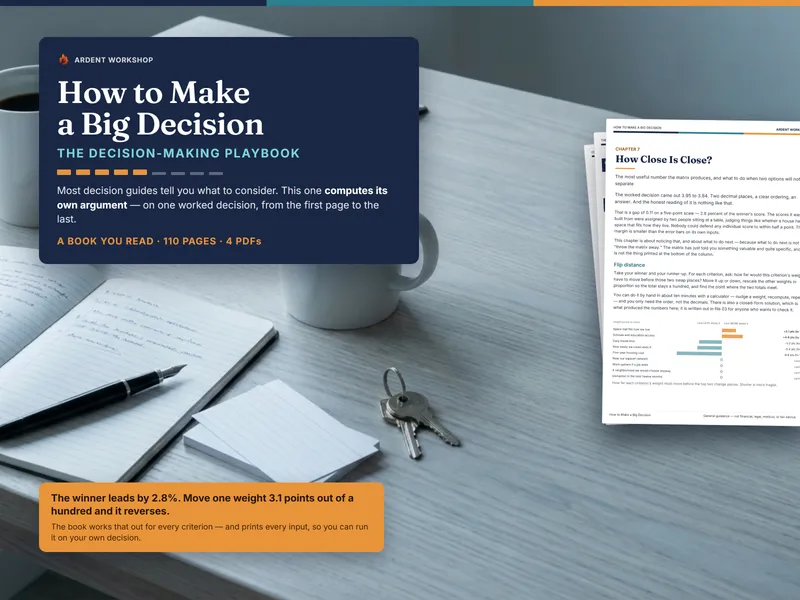
How to Make a Big Decision - The Decision-Making Playbook
How to make a big decision: weighted scoring done honestly, flip distance, the four ways you rig your own matrix, and what checking is really worth.
Big DecisionsView details - $11.95 Spreadsheet

Decision Journal & Outcome Tracker — Predict, Review, and Measure Your Calibration (Excel + Google Sheets)
A decision journal spreadsheet that scores your process the day you decide, then measures how overconfident you actually are once the results are in.
Big DecisionsView details - $2.95 Excel
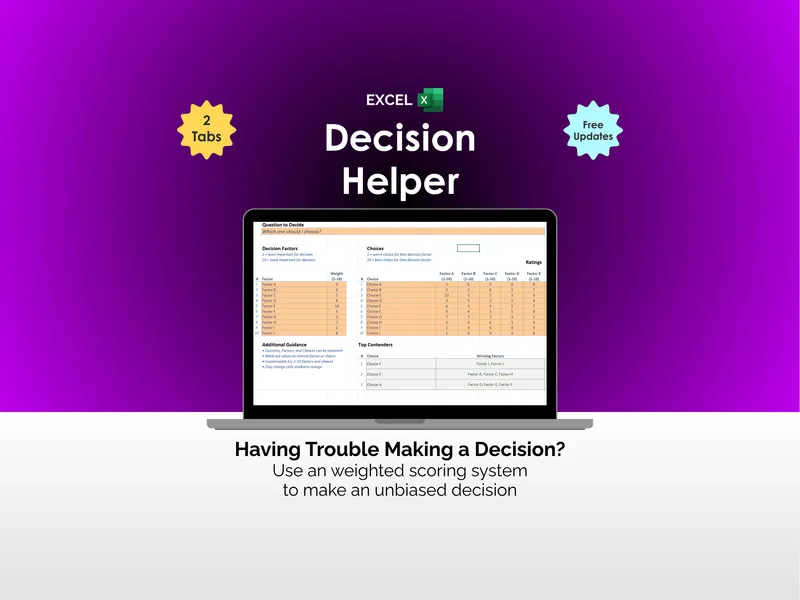
Decision Helper - Excel
Stuck on a big choice with five tabs open and zero clarity? This excel decision helper is a weighted decision matrix template that ranks options for you.
Big DecisionsView details - $14.95 Spreadsheet

Contract & Deposit Red-Flags Review Checklist — 180 Clause Checks Across Six Contract Types, Scored, With a Deposit & Cancellation Tracker (Excel & Google Sheets)
180 curated contract red flags across venue, lease, contractor, home, vehicle and membership agreements — scored, with a deposit and cancellation tracker.
Big DecisionsView details - $14.95 Spreadsheet

Buy-vs-Rent (Home) Decision Helper - Break-Even Year, Readiness Gates & Weighted Scoring (Excel + Google Sheets)
Settle whether to buy or keep renting. Computes your break-even year, runs six readiness checks, and weights 16 criteria to your household.
Big DecisionsView details - $18.95 Spreadsheet

Franchise Decision Helper — Weighted Decision Matrix to Compare Franchise & Business Opportunities (Excel & Google Sheets)
Compare franchise & business opportunities with a weighted decision matrix — score investment, ROI, support, brand & lock-in, and rank them by overall fit.
Big DecisionsView details - $18.95 Spreadsheet

Business-Entity Decision Helper — Compare LLC, S-Corp, Sole Proprietorship & C-Corp (Excel & Google Sheets)
Compare LLC, S-Corp, sole proprietorship & C-Corp with a weighted scorecard and a self-employment-tax estimator — find your best-fit structure.
Big DecisionsView details - $14.95 Spreadsheet

Career-Pivot Decision Helper — Weighted Scorecard for Job vs Self-Employment, with the Tax & Benefits Math Done (Excel & Google Sheets)
Score staying in your job against going self-employed — with the self-employment tax, the benefits you lose and the unpaid hours worked out, not guessed.
Big DecisionsView details