Fourteen Ardent Workshop maker products in one purchase — everything a handmade business needs to start, run, price, sell and stay legally tidy. Nine spreadsheets, five template and document sets, and one control panel that ties them together.
But fourteen downloads in a folder is not a system. It is fourteen downloads in a folder. So this bundle also carries the layer that makes them one thing — and that layer exists nowhere else.
What’s included in the Maker’s Complete Business System?
All fourteen, grouped by the six jobs a handmade shop actually has.
Start it. The Maker’s First 90 Days — a 13-week launch program with an ebook, a live-calculator workbook, printable worksheets and a wall planner.
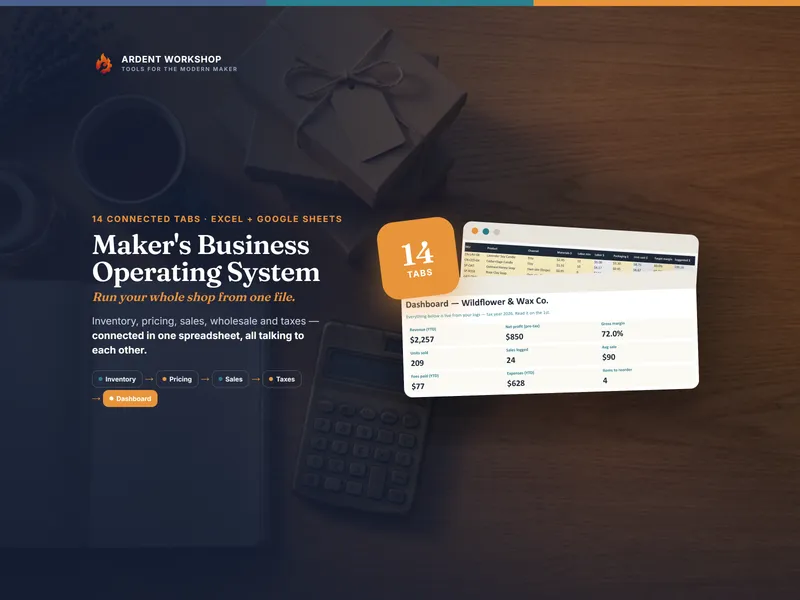
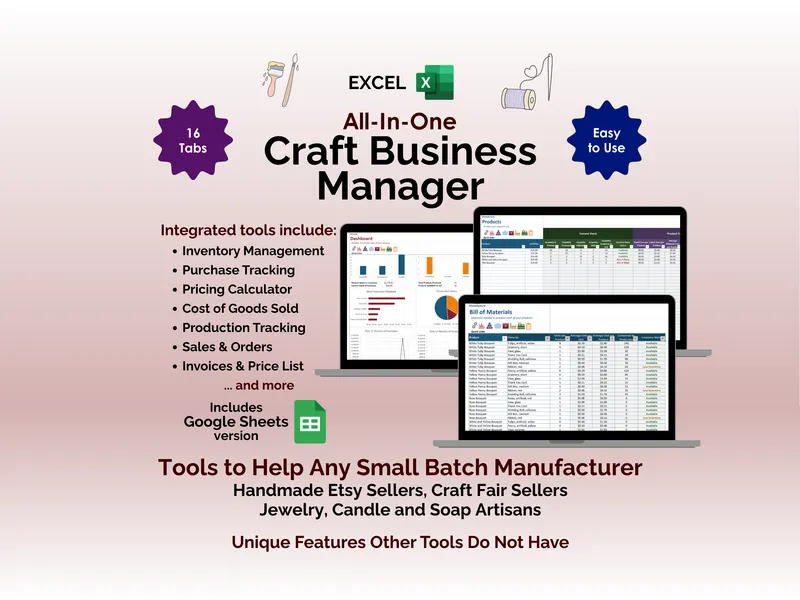
Run it. The Maker’s Business Operating System (14 connected tabs: materials, products, production, customers, sales, wholesale, expenses, mileage, monthly P&L, Schedule C lines, live dashboard). The Craft Business Manager (17 tabs, with a bill of materials, production runs that draw their materials down, invoices, a price list and lot traceability). The Custom-Order Workflow Kit — a 6-tab order tracker plus five fillable forms.
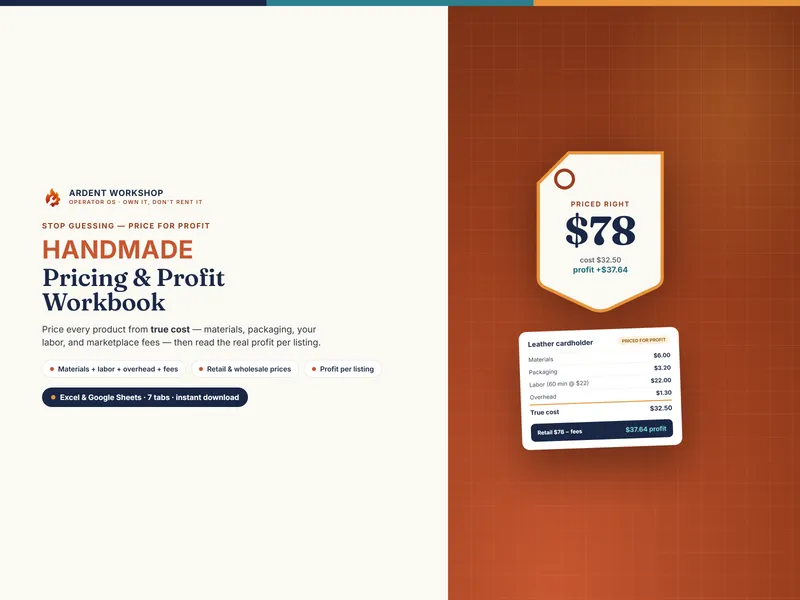
Price it. The Handmade-Seller Pricing & Profit Workbook — price from true cost, at a wage you set, to a fee-aware retail and wholesale price. And the SKU Generator, so the same product is called the same thing in every file.
Sell it. The Product-Description & Brand-Voice Copy Bank — 200 fill-in-the-blank descriptions in three voices. The 365-Day Social Caption Calendar — a full year of evergreen captions. The Email Template Library — 100 ready-to-send emails. The Maker’s Newsletter Year — 52 newsletters plus a welcome sequence. The Care Cards & Packaging Inserts Pack — 38 print-ready inserts.
Handle it. The Customer-Service Response Library — 90 replies for the hardest messages a shop gets. The Shop Policies & FAQ Pack — eight editable policies, a 50-plus FAQ bank, about-blurbs and announcements.
Cover it. The Craft Business Legal Pack — ten plain-English templates in PDF and editable Word, including wholesale, consignment and custom-order contracts.
What do you get that you can’t buy separately?
The System Control Panel is a seven-tab workbook for Excel and Google Sheets, built only for people who own all fourteen:
- Setup Tracker — every one of the 56 setup steps in the set, in an order that never asks you for a number you haven’t worked out yet. Mark them off and it counts what’s live, then names your next step and the file to do it in.
- Job Router — pick a job from a dropdown (“price a new product”, “answer a message about a lost package”, “put stock in a shop on consignment”) and it names the product, the file and the exact tab. Fifty-five jobs, every file and tab name the real one.
- Number Flow — spreadsheets you own don’t link themselves, so a short list of numbers has to be carried across by hand. Here are all 22 of them, with the direction, the reason it matters, and a box to tick when it’s done.
- Shop Snapshot — the engine. See below.
- Year Plan and What’s Included — a twelve-month operating rhythm, and every product with its standalone price and how far you’ve set it up.
Alongside it: the Operating Map guide, a printable setup sequence, the job router and number-flow map on paper, a component index covering every file and tab in the set, and a one-page wall chart.
What is an hour of your work actually paying you?
Every file in the set answers a question about one thing — one product’s price, one order’s balance, one month’s revenue. None of them answers the question the whole shop turns on.
Copy eight numbers into the Shop Snapshot — six off three of the files, two off your own records — and it works out what no single file can see: your blended shop hourly rate across every hour you really worked (not just the time to make one thing), how that compares with the wage you priced at, your true margin per order, the orders you need just to cover overhead, the orders you’d need to also pay yourself properly — and the share of that wage you actually took.
The tab ships filled with a worked example so you can see it running before you type anything. Every figure in it is illustrative.
What makes it a system rather than a folder?
Each of the fourteen is complete on its own and ships with its own guide. What none of them can tell you — because none of them can see the others — is how they fit together: which file does which job, what order to set them up in, and which numbers have to agree between them. That layer only exists here, and it is what the Control Panel and the Operating Map are.
Own it, don’t rent it
A blank spreadsheet is free and endless. Rented software is a monthly bill and someone else’s database. This sits in between: structure you keep, in files that still open in ten years, for one payment.
And when a file-based system is finally outgrown — when the same product exists in four files and you are the integration between them — the Operating Map says so plainly, and points at Ardent Seller (opens in new tab), where your products become a real catalog with tracked costs and your true cost and profit are computed for you across every channel. There’s a free plan to start.
How it’s delivered
Instant download. The Control Panel is a spreadsheet — Excel, Google Sheets or LibreOffice — and ships with a one-click “Make a copy” link to a ready-made native Google Sheet, already tested, no importing. Most of the fourteen component products ship the same way.
A note on what this is
An operating framework, not financial, accounting, tax or legal advice. The Shop Snapshot’s worked example is illustrative — every figure in it is made up — and every benchmark percentage behind its verdicts is an Ardent Workshop rule of thumb for a handmade shop, not an industry standard. The legal templates are plain-English starting points, not documents drafted for your jurisdiction or your situation. The files don’t link to each other automatically; a short list of numbers is carried across by hand, which is exactly what the Number Flow tab is for.