The short answer: put the yearly-or-shorter jobs on a printed calendar you own, and use an app only for the long intervals and the handful of tasks that need a same-day nudge. The calendar wins because it is seen without being opened; the app wins on a task due in three and a half years. Whichever you pick, keep the record of what you actually did in a file you own rather than on someone else's server.
The framing that matters here is "own it, don't rent it." A maintenance app can be genuinely useful, and the good ones are well made. But the two things at the center of home maintenance — the schedule and the record of what you actually did — are things you will want in five years, when a water heater is on its tenth, a warranty claim needs a service date, or a buyer's inspector asks when the roof was last looked at. Those are exactly the assets you want to own rather than lease.
The positioning: a mental list → an owned calendar → a maintenance platform
Plenty of homes start with the schedule scattered: a vague sense that the gutters are due, a browser tab with somebody's seasonal checklist, and a filter nobody has looked at since spring. The two ways out sit at opposite ends. A printed calendar you own is the structured middle ground — the real schedule, on a sheet, with tick boxes and no account. A maintenance platform is the heavier, usually-rented option: more polish and real push reminders, but on someone else's server and frequently behind a recurring bill.
Printed calendar vs maintenance app, side by side
| Consideration | Printable calendar (owned) | Maintenance app (hosted) |
|---|---|---|
| You own it | Yes — a PDF on your drive and a sheet on the wall | Usually no — access often depends on an active account |
| Cost | One-time; reprint as often as you like | Often a recurring fee (some are free or freemium) |
| How it reaches you | Passively — it is on the wall where you already stand | Actively — a push notification you can dismiss |
| Who in the house can use it | Anyone who can read it — no invitation needed | Whoever has the login — some include household sharing, some charge per seat |
| Tasks on a 3-to-5-year cycle | Kept off the wall, on last-done / next-due record cards | Handled well — long intervals are what software is good at |
| If the service ends or you stop paying | You still have the calendar and the history | Access and history can be lost |
| Where the record lives | Your drive, or a card in a drawer | Usually the company's servers |
| Works with a dead battery or no signal | Yes | Not on a dead phone; offline behavior varies by app |
What an app is genuinely better at
Two things, and they are worth naming plainly. First, the nudge: software can put a task in front of you on the day, which paper cannot. If your specific failure is "I look at the calendar and then forget by the weekend," a phone reminder is the right tool. Second, long intervals: a task due in three and a half years is trivial for a database and awkward for a wall. Some apps also pull in equipment manuals or connect you to local trades, which no printable can do.
If those are your needs, use an app — just do not let it be the only copy of a record you will want later.
What a printed calendar is better at
Being seen without being opened. That is the whole argument, and it is a bigger one than it sounds, because preventive home maintenance tends to fail from invisibility rather than from ignorance. A sheet taped inside the utility-room door is read by everyone who walks past it. It needs no battery, no signal, no login and no live subscription. It cannot be locked behind an account nobody else has, and it does not disappear when a company changes direction.
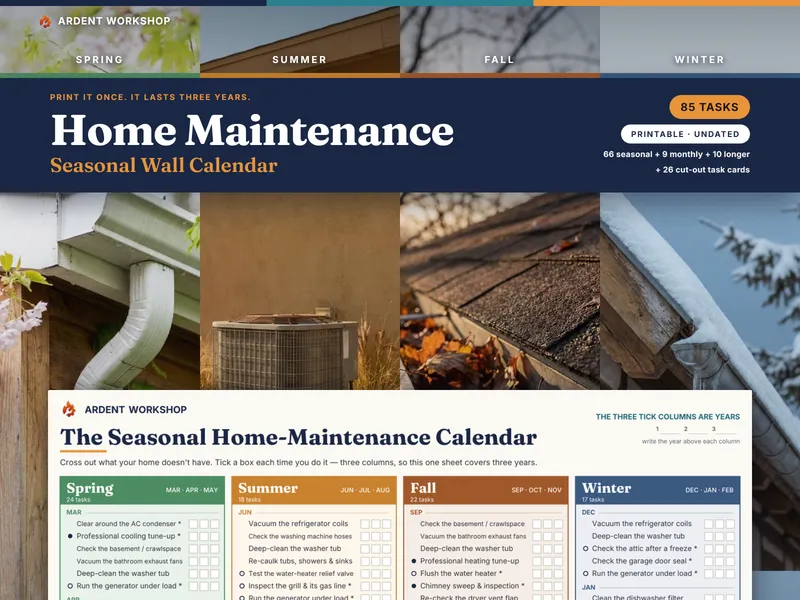
It is also better at editing. Crossing out the jobs your house does not have takes a pen and ten minutes, and leaves a list you can actually finish; doing the same in an app means finding the right settings screen, which is more friction than a pen however good the app. And there is a lot to cross out — 39 of the 85 jobs in our own library exist only if a home has the thing they are about — things like central air, an attic, a garage, a deck, a tank water heater, a septic tank, a well, irrigation, a fireplace, a sump pump and hard freezes.
The split that actually works
In practice the good pattern is not "one or the other," it is a split by interval:
- Yearly or shorter — on the wall, grouped by season and named by month, with a tick box. These are the jobs you want to see without deciding to.
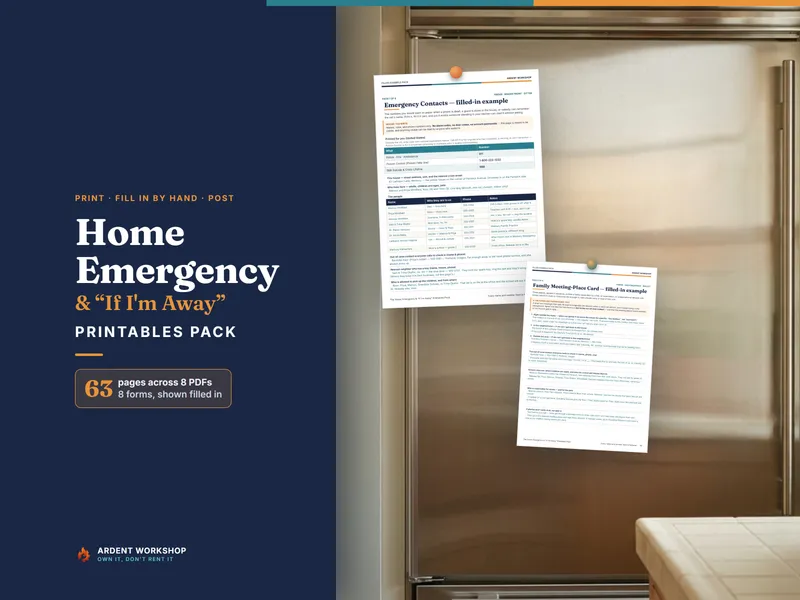
- This month — on a card, on the fridge, with room to write what you found. "Cleaned" tells you nothing next year; "cleaned — back gutter sagging at the corner" is the note that catches a real problem the second time you write it.
- Every few years — on a last-done / next-due card in a drawer, or in a workbook that computes the due date. This is the tier where software genuinely helps, and where a written date beats memory either way.
Where to start
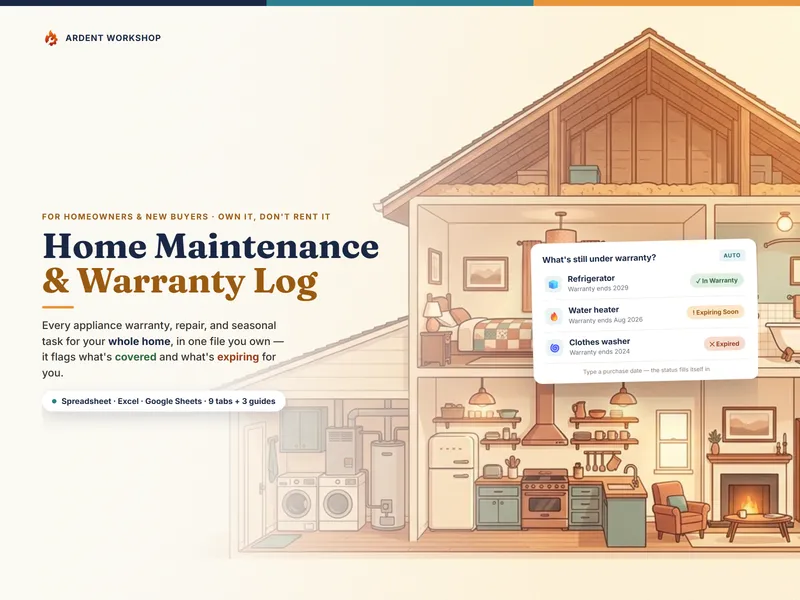
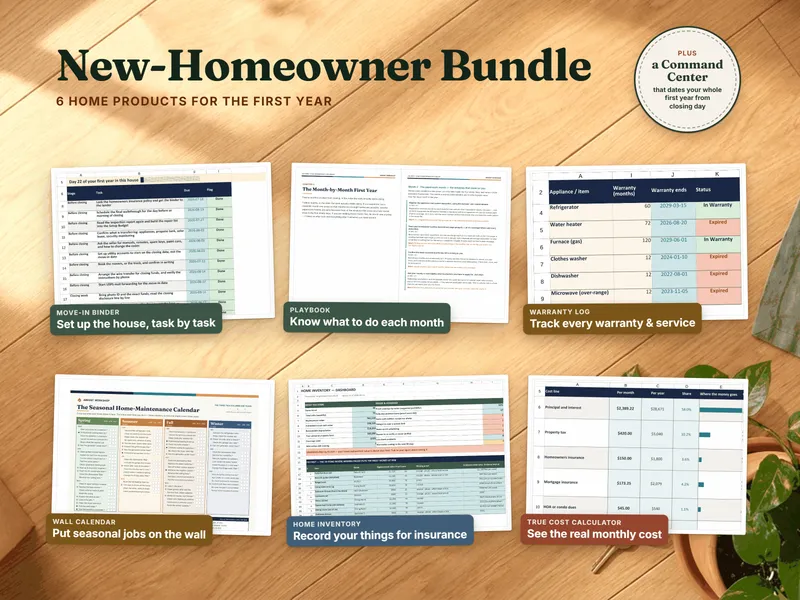
Try the free Seasonal Home-Maintenance Checklist — the 40 monthly and seasonal jobs almost every home has, on one printable page, no signup. If it earns its place on the wall, the Home Maintenance Seasonal Wall Calendar & Task Cards adds the other 45 tasks — the 39 that depend on what your home actually has, plus the six long-cycle jobs with no month — three years of tick columns on one sheet, twelve monthly cards and fourteen last-done / next-due record cards. If you want the history computed rather than handwritten, the Home Maintenance & Warranty Log is the workbook half. And the step-by-step guide to building a seasonal checklist walks the whole schedule if you would rather build your own.
This is a general maintenance rhythm for an ordinary home — not a professional home inspection, and not a substitute for the manuals that came with your equipment. Not affiliated with or endorsed by any home-maintenance app or service.
Frequently asked questions
- Is a printable home-maintenance calendar or a maintenance app better?
- It depends on which failure you are trying to avoid. A maintenance app is better at nagging: it can push a notification the day a task is due, and some can log what you did. A printed calendar is better at being seen: it hangs where you already stand, it needs no battery, login or subscription, and everyone in the household can read it without being invited to an account. Our working assumption — and the reason we make the calendar — is that most home-maintenance tasks are skipped not because nobody was reminded but because the whole schedule is invisible. A sheet on a utility-room wall fixes exactly that, and it is still there in year three.
- Do maintenance reminder apps actually get used?
- The honest answer is that we do not know, and neither does anyone quoting a statistic at you. What is easy to observe is the failure mode: a recurring notification for a task you cannot do right now gets swiped away, and a task swiped away enough times stops registering at all. A wall calendar has the opposite failure mode — it is passive, so it never nags, but you also cannot dismiss it. Whichever you pick, the useful test is the same: in six months, will you still be looking at it?
- What happens to my maintenance history if the app shuts down or I stop paying?
- That is the core risk of renting the schedule. A hosted app holds your task history on the company's servers; if one shuts down, changes terms, raises its price, or you stop paying, the record can go with it — and a maintenance history is exactly the thing a warranty claim or a buyer's inspector asks about years later. A printed sheet and a set of last-done cards are yours: no account, no export, no migration. If you want that history computed rather than handwritten, the Home Maintenance & Warranty Log is a workbook you own outright.
- Can a printable calendar handle tasks that are due every 3 years?
- Not on the wall, and it should not try. A three-to-five-year task printed on an annual calendar is noise eleven months out of twelve. The workable pattern is to split them: the yearly-or-shorter jobs go on the wall where you see them, and the long cycles — the water heater anode, pumping a septic tank, sealing a deck, replacing detectors that have expired — go on last-done / next-due record cards in a drawer, where a written date is doing the remembering rather than your memory.
- Can I use both a printed calendar and an app?
- There is no reason not to, and it is a sensible split. The calendar carries the rhythm — what is due this month, on the wall — and an app or a phone reminder covers the handful of jobs that genuinely need a same-day nudge, like a filter you keep forgetting. The thing worth keeping off the rented side is the record: what was done, when, and what you found. That belongs in a file or on a card you own.