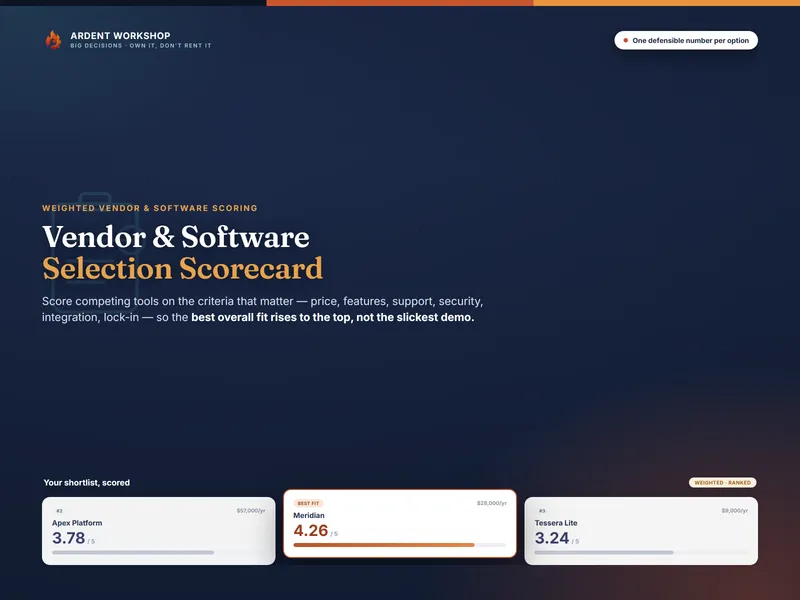
It is the third demo of the week. The sales engineer has a dashboard that animates when you hover over it, an answer for every question, and a customer logo you recognize. Somebody senior says “honestly, this is the one” before the call has ended. Two weeks later the contract arrives, and nobody can say what the team decided to care about before the dashboards started moving.
That is the real problem with choosing software: not too little information, but deciding after the persuasion instead of before it. A vendor selection scorecard fixes the order. You write down what matters and how much, then let every demo answer to it. The Vendor & Software Selection Scorecard builds the weighting, cost-of-ownership and decision-record parts as a workbook — but the method is the point, and it is all below.
What is a vendor selection scorecard?
A vendor selection scorecard is a weighted decision matrix for buying software or choosing a vendor: you screen out options that fail a hard requirement, weight each criterion by how much it matters, rate every option 1–5, and rank the options on one weighted score alongside an all-in annual cost. The highest score is the strongest overall fit for the priorities your team set, which is often not the option that demoed best.
It is a specific use of weighted decision scoring, tuned for buying, with a written decision record behind it so the reasons outlast the meeting.
Think of it less as a calculator and more as a pre-commitment. The weights are a promise your team makes to itself while it is still clear-headed, before a good salesperson gets a turn. The arithmetic is trivial. The value is that it is written down first.
The five parts of a vendor selection scorecard
A complete vendor scorecard process has five parts. Leave one out and the scorecard can still produce a number, but the number stops meaning much.
| Part | What it does | Without it |
|---|---|---|
| Knockout criteria | Pass/fail requirements checked before any scoring | A tool that cannot meet a hard requirement wins on points |
| Weighted criteria | The things that matter, each with a share of 100 points | Every criterion counts the same, so a minor feature ties with security |
| Rating scale | A 1–5 scale with a written meaning for each score | One person’s 4 is another’s 2 |
| All-in annual cost | Each option’s total cost of ownership as one yearly figure | You compare sticker prices and miss implementation and integration |
| Decision record | The final choice, the reasons, and the open questions | Nobody can explain the pick at renewal time |
The knockouts and the cost line are what separate a vendor scorecard from a generic decision matrix. A plain decision matrix versus a pros-and-cons list is a comparison worth knowing; a vendor scorecard is the version built to survive a contract.
The eight vendor selection criteria and how to weight them
Eight criteria cover most software and vendor decisions. The default weights below are a sensible starting point that adds up to 100. Change every one of them to match what your team actually cares about.
| Criterion | Default weight | What it covers |
|---|---|---|
| Features & Fit | 22 | Does it do your must-haves out of the box, not just in the demo? |
| Cost & Value | 20 | The all-in annual cost, and whether the capability justifies it |
| Support & Service | 14 | Onboarding, response times, written SLAs, a named contact |
| Security & Compliance | 14 | Independent audits, access controls, data terms, certifications |
| Integration & Compatibility | 12 | Connectors, API, single sign-on, data import and export |
| Ease of Use & Adoption | 8 | Learning curve and whether the team will actually use it |
| Vendor Viability & Reputation | 6 | Company stability, references, roadmap |
| Flexibility & Lock-in | 4 | Contract terms, data portability, the cost of leaving |
Three rules for setting the weights:
- Weight from your written requirements, not from memory of the demos. If the weights are set after the product tours, they get quietly bent to justify the favorite.
- Weights must be agreed by the people who will live with the tool. The person running the spreadsheet does not get to set them alone; that is just one opinion with a formula attached.
- If a criterion is truly non-negotiable, it is a knockout, not a heavy weight. Giving security a weight of 40 still lets a tool with no audit win if it is brilliant everywhere else. If that would be unacceptable, make it pass/fail.
How to rate a vendor on a 1–5 scale
Each rating answers one question: how well does this option do on this criterion, for us? The scale only works if every score has a written meaning that everyone uses.
| Score | Level | What it means |
|---|---|---|
| 1 | Poor | A real concern, possibly a dealbreaker |
| 2 | Below average | Weak for what the team needs; behind a competitor here |
| 3 | Acceptable | About what you would expect; nothing that sets it apart |
| 4 | Good | A clear plus; genuinely strong here |
| 5 | Excellent | Hard to beat; as good as you could reasonably hope for |
Rate the product, not the pitch. A 5 on Support should come from the SLA in the contract and a reference call, not from how responsive the sales engineer was. The sales engineer is not the person you will reach at month-end when something breaks.
How to run a vendor selection scorecard, step by step
- Write the knockouts. List the requirements no option can fail — the integration you cannot work without, the certification your industry demands, the data-residency rule. Any option that fails one is out before scoring starts.
- Set the weights before the demos. Split 100 points across your criteria with the people who will live with the decision, and write them down. Do this before anyone has seen a product tour.
- Fold the money into one annual number. For each option, add the subscription, one-time implementation spread over the years you expect to keep it, training, integration work and the support plan. That effective annual cost is what you rate under Cost & Value. (The total cost of ownership page covers the idea in general.)
- Rate one criterion across every option at a time. Score all the options on Security, then all of them on Support, and so on, so a 4 means the same thing in every column. Leave a rating blank if you do not know it yet, write down the question that would settle it, and settle every blank before you trust the ranking.
- Read the ranking and the margins. Multiply each rating by its weight, add them up, and divide by the total weight. Then look at the gap between first and second, not just who is first.
- Test the winner and record the decision. Change the two heaviest weights and see whether the ranking flips. Pilot the top option with real users and real data, then write down the choice and the reasons.
Step 6 is the easiest one to skip, and it is the one that tells you whether the scorecard decided anything. The next two sections show why.
Worked example: scoring three help-desk tools
Picture a 25-person support team replacing — or renewing — its help-desk software. Four options make the long list:
- Tool A, the demo star: polished, feature-rich, expensive.
- Tool B, the incumbent the team already uses.
- Tool C, the budget pick.
- Tool D, a newer tool with a good reputation.
The team has one knockout: single sign-on through the company’s identity provider, which its security policy requires. Tool D does not offer it on any plan, so Tool D is out before a single rating is written. (Because single sign-on is now a pass/fail gate, it is not scored again under Integration.) That is the knockout doing its job: nobody spends an afternoon scoring an option that could never be bought.
The all-in annual cost
| Cost line | Tool A | Tool B | Tool C |
|---|---|---|---|
| Subscription (25 seats) | $28,800 | $18,000 | $7,500 |
| Implementation ÷ 3 years | $5,000 | $0 | $2,000 |
| Training | $2,000 | $0 | $1,500 |
| Integration work | $3,200 | $1,000 | $2,000 |
| Support plan | $0 | $2,000 | $0 |
| Effective annual cost | $39,000 | $21,000 | $13,000 |
Tool C’s subscription is a quarter of Tool A’s. Its all-in cost is a third. The gap narrows once you count the work it takes to get a cheap tool running, and that is why Cost & Value is rated on this row rather than on the sticker price.
The scored matrix
| Criterion | Weight | Tool A | Tool B | Tool C |
|---|---|---|---|---|
| Features & Fit | 22 | 5 | 3 | 3 |
| Cost & Value | 20 | 2 | 4 | 5 |
| Support & Service | 14 | 3 | 4 | 2 |
| Security & Compliance | 14 | 5 | 4 | 3 |
| Integration & Compatibility | 12 | 4 | 5 | 3 |
| Ease of Use & Adoption | 8 | 2 | 5 | 4 |
| Vendor Viability & Reputation | 6 | 5 | 4 | 3 |
| Flexibility & Lock-in | 4 | 2 | 3 | 5 |
| Weighted score | 100 | 3.64 | 3.94 | 3.42 |
The math for Tool B: (3×22) + (4×20) + (4×14) + (4×14) + (5×12) + (5×8) + (4×6) + (3×4) = 394, divided by the total weight of 100 = 3.94.
On these weights the incumbent wins. Tool A is the best product on paper — top marks on features, security and viability — and it still finishes second, because it costs $18,000 a year more than Tool B and its weak ease-of-use rating counts against it. Tool C is the cheapest, and the scorecard shows exactly what the savings buy: thinner support and a weaker feature fit.
The gap between first and second is 0.30. That is a real margin, not a tie, but it is not a landslide either. Which is why the next step matters.
Does the winner survive a change in weights?
A sensitivity check is changing your heaviest weights to see whether the ranking flips. If it does not flip, the decision is robust. If it does, you have found the one question the decision really depends on, and that question is worth more than the whole matrix.
In the example, suppose the team argues that features matter much more than it first admitted. Move 10 points from Cost & Value to Features & Fit (Features 32, Cost 10) and re-score:
| Tool | Default weights | Features 32, Cost 10 |
|---|---|---|
| Tool A | 3.64 | 3.94 |
| Tool B | 3.94 | 3.84 |
| Tool C | 3.42 | 3.22 |
The lead changes hands, but only into a tie. Tool A overtakes the incumbent once about 8 of those 10 points have moved, and even at Features 32, Cost 10 it leads by only 0.10 — right at the tie line set in the questions below. So the scorecard has not picked a winner. It has shown that the real decision was never “A or B”. It is “are Tool A’s extra features worth $18,000 a year to us?” That is a question the team can answer — by listing which of A’s features they would use in the first six months, and pricing what those features would save.
This is the most useful thing a vendor scorecard does, and it only happens if you run the check. A ranking that holds steady when you move the weights is a decision. A ranking that flips is a pointer to the conversation you still need to have.
Five mistakes that make a vendor scorecard lie
- Setting the weights after the demos. Once the team has a favorite, weights drift until the favorite wins. The scorecard then confirms a decision instead of testing it.
- Rating the salesperson. A responsive pre-sales team is not evidence of post-sales support. Rate support from the written SLA and a reference customer’s experience.
- Comparing sticker prices. Implementation, training and integration work can change the cost ranking entirely. Rate cost on the all-in annual figure.
- Treating a hard requirement as a heavy weight. If failing it would end the conversation, it is a knockout. A weight lets a brilliant tool buy its way past it.
- Reading the winner and not the margin. A first place by 0.05 is a coin toss with extra steps. Treat close scores as a tie and break them with a pilot or a reference call.
The scorecard does not remove judgment. It moves the judgment to the place it belongs: setting the weights, before anyone is selling to you. If the people who will use the tool disagree about those weights, a stakeholder map built on the power-interest grid is a good way to sort out whose priorities have to be met and whose just have to be heard.
Common Questions About Vendor Selection Scorecards
What criteria should a vendor selection scorecard include?
Eight criteria cover most software and vendor decisions: cost and value, features and fit, support and service, security and compliance, integration and compatibility, ease of use and adoption, vendor viability and reputation, and flexibility and lock-in. Rename or add criteria to match your situation, but keep the list short enough that every one of them earns a real weight.
How do you weight criteria in a vendor scorecard?
Give each criterion a share of 100 points, set from your written requirements before anyone sees a demo. In this guide’s default weights, features and cost carry the most and lock-in and vendor viability the least. The weights must be agreed by the people who will live with the decision, not chosen by whoever runs the spreadsheet.
What is the difference between a knockout criterion and a weighted criterion?
A knockout criterion is pass/fail: an option that fails it is out, whatever else it scores. A weighted criterion is a matter of degree: a weak score costs points but can be outweighed by strength elsewhere. Single sign-on your security policy requires is a knockout; how pleasant the interface feels is weighted.
How close is too close to call?
As a working convention, treat two weighted scores within about 0.1 of each other on a 1–5 scale as a tie. The ratings behind them are judgment calls, so a gap that small says more about the calls than about the tools. Break the tie with a pilot, a reference call, or the price, not with the third decimal place.
Should you score the tool you already use?
Yes. Put your incumbent on the scorecard as one of the options. It is the only option you can rate from real experience rather than a demo, and it turns a vague question — renew or switch? — into the same weighted comparison as everything else.
Score it before the next demo
You can run everything above on a blank spreadsheet. What takes the time is the structure: the cost-of-ownership roll-up, the criteria definitions, the ranking, and a place to record why you chose what you chose so the reasons are still there at renewal.
The Vendor & Software Selection Scorecard has all of that, ready to fill in. Do the knockout screening yourself first; the workbook then compares up to four surviving options on the eight criteria above, adds a Cost of Ownership tab that produces the effective annual cost, and shows the best-fit option next to the cheapest with the gap between them in dollars. It works in Excel and Google Sheets, and it is a file you own rather than another subscription to evaluate. If you only have two options and the five core criteria, the free Vendor Selection Web Scorer runs the same weighted scoring in your browser.
Whichever you use, set the weights this week, before the next sales call is on the calendar.