The Eisenhower matrix is a two-by-two grid that sorts tasks by two questions — is it important, and is it urgent? — into four boxes: Do, Schedule, Delegate and Drop. Many explanations stop at a personal to-do list. A manager’s version has a complication the textbook grid ignores: every task you put in Delegate lands on somebody else’s week.
This post is a full Eisenhower matrix example for managers. It follows one hypothetical team lead through one week: 17 tasks, a four-person team, and the two capacity checks that decide whether the grid helps or just moves the overload around.
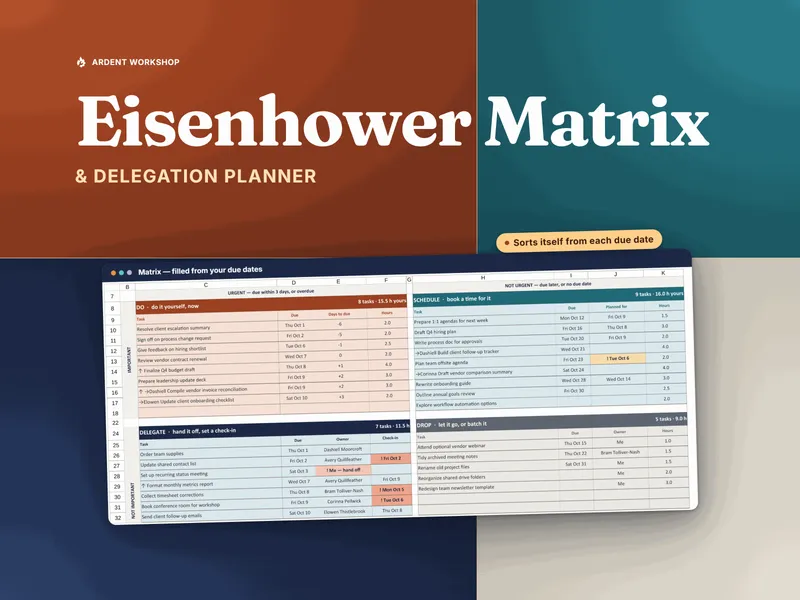
The hard part is never drawing the four boxes. It is keeping them current as deadlines close in and knowing who on your team can actually absorb a hand-off. That bookkeeping is what the Eisenhower Matrix & Delegation Planner does: it works urgency out from each due date, logs every hand-off per person against what they can take, and flags overdue check-ins. The method below works with a pen, though, so here it is either way.
What is an Eisenhower matrix for managers?
An Eisenhower matrix for managers is the standard importance-and-urgency grid with one redefinition: important means “needs me specifically.” It does not mean “matters to the business.” Almost everything on a manager’s list matters to the business. The question the grid needs answered is whether the task needs your authority, your judgment, or a relationship only you hold.
That one change is what makes the Delegate box honest. A weekly metrics report can matter a great deal and still not need you.
The name traces to a line Eisenhower used in a 1954 speech. Addressing the Second Assembly of the World Council of Churches in Evanston, Illinois (opens in new tab), President Eisenhower quoted a former college president: “I have two kinds of problems, the urgent and the important. The urgent are not important, and the important are never urgent.” The line was borrowed, and the four-box grid came later, but the name stuck.
| Quadrant | Important (needs you)? | Urgent (due soon)? | What a manager does |
|---|---|---|---|
| Do | Yes | Yes | Do it yourself, this week |
| Schedule | Yes | No | Book time for it before it turns urgent |
| Delegate | No | Yes | Hand it to a named person with a check-in date |
| Drop | No | No | Let it go, and say so |
For the plain definition and the personal-list version, see the Eisenhower matrix explainer. The rest of this post is the team version, worked through.
The Eisenhower matrix method for managers, in eight steps
- Set an urgency window: pick a number of days once, and call a task urgent when its due date falls inside it.
- Mark importance as “needs me”: ask whether the task needs you specifically, not whether it matters to the business.
- Sort into the four boxes: use those two answers alone.
- Check your own capacity: add your Do-box hours to your booked Schedule hours and compare the total with the hours you actually have for task work. If it does not fit, push a booking back, challenge a Do item, or shrink one.
- Check the receiver’s capacity: add the task’s hours to what that person already holds and compare with what they can take. If it pushes them over, pick someone with room.
- Hand off with an owner, a due date and a check-in: write all three down for every delegated task.
- Drop out loud: tell whoever asked that it is not happening this week, so the decision is visible instead of silent.
- Re-sort midweek: re-run the sort and look at what moved into Do because its deadline arrived.
The example below walks through each step with one team lead’s week.
The example: one team lead’s Monday morning
Picture an operations team lead — call her Priya — opening her laptop at 8:40 on a Monday. She manages four people:
- Marcus, full-time, 24 hours a week available for task work
- Jordan, full-time, 24 hours
- Alex, full-time, 24 hours
- Sam, part-time, 16 hours
Priya’s own week is 40 hours, and 26 of them are already spoken for by meetings, one-on-ones and the floor. That leaves her 14 hours of task time. She sets her urgency window at 3 days: anything due by Thursday is urgent. Two to five days is a reasonable range; pick roughly the lead time your team needs to turn a task around. The Eisenhower matrix explainer covers the general rule for measuring urgency from due dates.
Here is her open list, with importance judged by the “needs me” test.
| # | Task | Needs Priya? | Due in | Hours | Quadrant |
|---|---|---|---|---|---|
| 1 | Finalize Q4 budget submission | Yes | 2 days | 4 | Do |
| 2 | Prepare and hold a performance conversation | Yes | 1 day | 2 | Do |
| 3 | Approve vendor renewal contract | Yes | 3 days | 1 | Do |
| 4 | Final-round interview | Yes | 1 day | 2 | Do |
| 5 | Reply to an escalated customer complaint | Yes | Today | 1.5 | Do |
| 6 | Write Q1 hiring plan | Yes | 21 days | 6 | Schedule |
| 7 | Development conversations with all four reports | Yes | 14 days | 4 | Schedule |
| 8 | Cross-training plan for a one-person process | Yes | 21 days | 3 | Schedule |
| 9 | Submit team self-assessments to HR | Yes | 7 days | 3 | Schedule |
| 10 | Compile weekly ops metrics report | No | 2 days | 2 | Delegate |
| 11 | Build holiday-week shift schedule | No | 3 days | 3 | Delegate |
| 12 | Order replacement equipment | No | 1 day | 1 | Delegate |
| 13 | Draft Friday team-meeting agenda | No | 3 days | 1 | Delegate |
| 14 | Answer a vendor’s invoice query | No | 2 days | 1 | Delegate |
| 15 | Reformat the old process wiki | No | None | 4 | Drop |
| 16 | Rename shared-drive folders | No | None | 2 | Drop |
| 17 | Review a colleague’s slide deck, a favor asked in passing | No | None | 1 | Drop |
Notice what the “needs me” test did to items 10 and 11. The metrics report and the holiday schedule both matter, and on a bad week Priya would have done them herself because she is fastest at them. Neither needs her.
The four boxes, filled in
Sorted, the list becomes four short piles:
- Do — 5 tasks, 10.5 hours. Budget, performance conversation, vendor contract, interview, customer complaint.
- Schedule — 4 tasks, 16 hours. Hiring plan, development conversations, cross-training plan, HR self-assessments. Priya intends to book 6 hours of these this week: the cross-training plan and the HR submission, which is the one closest to turning urgent.
- Delegate — 5 tasks, 8 hours. Metrics report, shift schedule, equipment order, meeting agenda, invoice query.
- Drop — 3 tasks, 7 hours. The wiki, the folders, the favor review.
This is where most Eisenhower matrix examples end. For a manager, it is where the useful part starts, because two questions are still unanswered: does Priya’s own week fit, and does her team’s?
Check 1: does your own week fit?
Your Do hours plus the Schedule hours you have booked must fit inside the hours you actually have for task work. Priya’s do not.
- Do: 10.5 hours
- Schedule booked this week: 6 hours
- Total: 16.5 hours against 14 available
She is 2.5 hours over before a single surprise lands. A grid that only sorts would never tell her that, and she would find out on Thursday night.
The honest fixes are few:
- Push a Schedule booking back. The cross-training plan is due in three weeks. Booking it next week frees 3 hours, which brings her to 13.5 of 14. Tight, but it fits.
- Challenge a Do item. Does the customer complaint really need Priya, or does it need someone senior with authority to resolve it and a check-in from her? If it can move, it goes to Delegate.
- Shrink a Do item. The vendor contract needs her signature, not her redlines. One hour may really be twenty minutes.
Priya takes the first fix. She does not take the tempting fourth one, which is quietly skipping the HR self-assessments. That is how a Schedule task becomes next Monday’s emergency.
Check 2: your Delegate box is someone else’s Do box
Delegating moves the hours to someone else. It does not delete them. Before handing anything off, add the task’s hours to what the person already holds and compare the total with what they can take.
Here is Priya’s first-draft hand-off against what each person is already carrying. In the Status column, Over means the total is above what they can take, Tight means it is within 2 hours of it, and Room means more than 2 hours are left.
| Person | Already holding (hours) | First-draft hand-off | Total (hours) | Can take (hours) | Status |
|---|---|---|---|---|---|
| Marcus | 19 | Metrics report + invoice query (3 hours) | 22 | 24 | Tight |
| Jordan | 22 | Shift schedule (3 hours) | 25 | 24 | Over |
| Alex | 16 | Meeting agenda (1 hour) | 17 | 24 | Room |
| Sam | 12 | Equipment order (1 hour) | 13 | 16 | Room |
Jordan is the problem. Jordan built last year’s holiday schedule, so Jordan is the obvious owner, and that is exactly why Jordan is already the most loaded person on the team. Handing it over anyway would put Jordan over capacity, and the miss would surface as a late schedule on Thursday.
The fix: the shift schedule goes to Alex (now 20 of 24), with a 15-minute handover from Jordan. That move does a second job too: holiday scheduling stops being a process only Jordan can run. That is a bus-factor fix, started early. It is the job the cross-training plan (task 8, pushed to next week) exists to do.
The weekly check above is a quick sum per person. If the same people are also booked onto projects month after month, the Team Capacity & Utilization Planner shows that longer view: each person’s booked hours against their available hours by month, with anyone over-allocated flagged.
Priya’s hand-offs: owner, due date and check-in
A delegated task needs three things written down: one named owner, the due date, and a check-in date. The check-in goes roughly halfway between the hand-off and the deadline, so a problem surfaces while there is still time to fix it. The Eisenhower matrix explainer gives the general rule; here is what it looks like on Priya’s list.
For Priya’s Monday hand-offs, that gives:
- Equipment order to Sam, due Tuesday. Check-in Monday afternoon.
- Metrics report to Marcus, due Wednesday. Check-in Tuesday morning.
- Invoice query to Marcus, due Wednesday. Check-in Tuesday morning.
- Shift schedule to Alex, due Thursday. Check-in Tuesday afternoon.
- Meeting agenda to Alex, due Thursday. Check-in Tuesday afternoon.
The check-in is the part that gets skipped. Without it, “I delegated it” means “I told someone and hoped.” With it, delegation becomes a follow-up list you can actually work through. If your hand-offs happen in weekly one-on-ones, the 1:1 Meeting & Goal-Tracking Workbook carries each action item forward until it is closed. If the confusion is about who owns what across a whole project rather than one week’s tasks, that is a job for a RACI matrix, not this grid.
Drop out loud
Dropping a task is a decision, so tell someone. Item 17, the slide deck review, was a favor somebody asked for in passing. Priya sends one line: “I can’t get to this one this week — Marcus reviewed the last version.” The wiki and the folder clean-up go on a someday list nobody owes anything to.
A silent drop turns into a broken promise. A visible one is just prioritization.
Wednesday: re-sort and see what moved
Urgency comes from due dates, and due dates get closer every day. On Wednesday morning Priya runs the sort again, with the same 3-day window:
- The HR self-assessments were 7 days out on Monday. They are 5 days out now, still in Schedule. Because she booked them on Monday, they are already half done. Had she not, they would land in Do on Friday morning — a task moved in by its deadline.
- A new task arrived: the regional director wants a staffing summary by Friday. It needs Priya’s numbers and her name on it, and it is due in 2 days, so it goes in Do. At about 1.5 hours it takes her to 15 of 14, an hour over again. This time she knows it on Wednesday instead of discovering it on Friday, with time to apply one of the fixes from Check 1.
- Marcus’s Tuesday check-in had already paid off. It turned up a question about the metrics definition, answered in five minutes instead of becoming a wrong report on Wednesday.
The useful midweek question is not “what is in Do?” but “what moved into Do because its deadline arrived?” Every task on that list is one that should have been scheduled earlier. Count them each week, and the number tells you whether you are planning or just reacting.
Five mistakes managers make with the Eisenhower matrix
These are the team-specific failures. The general ones, for anyone’s list, are covered in the Eisenhower matrix explainer.
- Judging importance by business impact. Everything a manager touches has business impact, so everything lands in Do. Ask “does this need me?” instead.
- Delegating to the fastest person. The person who is best at a task is often already the most loaded. Check hours held before you hand anything off.
- Delegating without a check-in date. The owner and the due date are not enough. The check-in is what turns a hand-off into a follow-up.
- Sorting once on Monday. Urgency is a date, and dates move. A grid that is not re-sorted midweek is a snapshot of a week that no longer exists.
- Never measuring the Do box in hours. Five Do tasks can be a light week or an impossible one. Only hours against available hours tells you which.
Running it on paper, in a spreadsheet, or in a workbook you own
For a personal list, the trade-offs between paper, a spreadsheet and a task app are covered in Eisenhower matrix vs to-do list. For a manager, the deciding question is whether the tool can hold five people’s hours at once.
A whiteboard or a sheet of paper is fine for one week. Draw the grid, write the tasks in, and redraw it on Wednesday. It breaks down when you need to see five people’s hours at once or remember which check-ins you have missed.
A spreadsheet holds up longer if it computes urgency from due dates rather than asking you to type “urgent.” If you want to try that before committing to anything, the free Eisenhower matrix starter sorts a task list into the four boxes on one sheet with a fixed 3-day window.
The full version of this post’s method is the Eisenhower Matrix & Delegation Planner. It does each step Priya did by hand:
- urgency from each due date against a window you set
- the four boxes filled soonest-due first
- a capacity strip that calls your week Over, Tight or Room
- a Delegation Log per person, with hours held against what they can take
- a follow-up list in check-in order
- a Weekly Review of the tasks moved in by their deadline
It is one file for Excel and Google Sheets that you own, with no subscription and no per-seat fee.
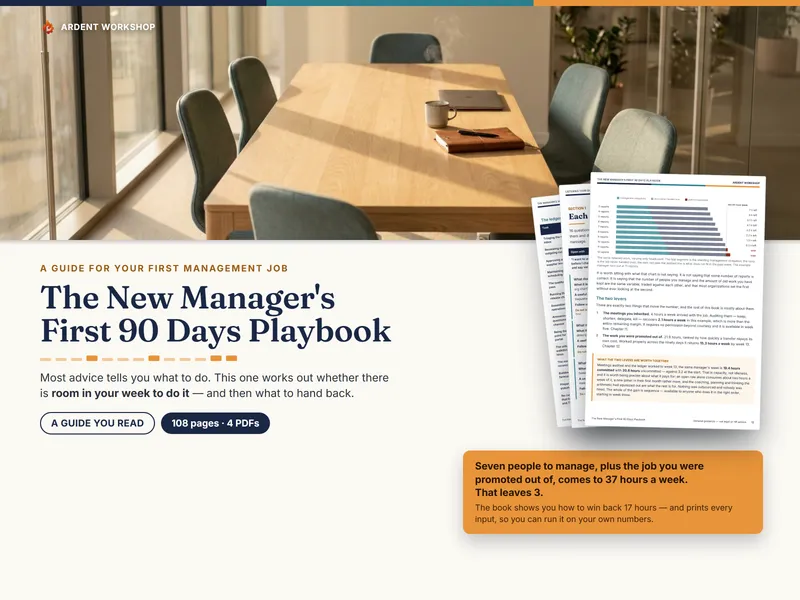
If you are new to running a team and delegation itself is the skill you are building, the new manager’s first 90 days playbook covers it alongside the rest of the transition.
Common questions about the Eisenhower matrix for managers
What does important mean in an Eisenhower matrix for managers?
For a manager, important means the task needs you specifically: your authority, your judgment, or a relationship only you hold. A task can matter a great deal to the business and still belong in Delegate, because someone else on the team can do it well.
How many tasks should a manager have in the Do box?
Few enough that your Do hours plus the Schedule hours you have booked fit inside the hours you actually have for task work this week. Count hours, not tasks: five Do tasks of half an hour are lighter than two of four hours.
Should a manager delegate a task to someone who is already busy?
Check first. Add the task’s hours to what that person already holds and compare the total with what they can take. If it pushes them over, hand it to someone with room, or move one of their existing tasks before you add a new one.
How often should a manager re-sort the Eisenhower matrix?
At least twice a week. Urgency comes from due dates, and due dates get closer every day, so a sort done on Monday is out of date by Wednesday.
The takeaway
The four boxes are the easy part of an Eisenhower matrix for managers. What makes it work on a real team is three habits the textbook grid leaves out:
- define important as “needs me”
- check both your own hours and the receiver’s before anything moves
- give every hand-off a check-in date
Do those, re-sort on Wednesday, and the Delegate box stops being where tasks go to be forgotten. It becomes the place where your team’s week gets planned.