It’s a Tuesday in July. Your one shipping-and-customer-messages person — the one who knows where the bubble mailers are hiding and which repeat customer always asks for gift wrap — mentions, a little nervously, that she’d like to take the second week of August off. Family trip. Booked months ago.
You say “of course!” because you mean it. And then, for the rest of the day, a quiet dread follows you around the studio. Who answers messages that week? Who ships the Thursday orders? What about the supply order that always lands mid-month? You’re already doing three jobs. Now you’re about to do five.
Sound familiar? If you run a shop with one, two, or three other people, a vacation request can feel less like a calendar event and more like a small emergency. But here’s the thing: the problem isn’t the vacation. It’s that your team has no coverage plan — so every absence gets improvised from scratch, usually by you.
The good news: this is fixable in one afternoon. A vacation coverage plan for a small team is a one-page map that sorts every task the absent person handles into three buckets — keep it running (with a named backup), pause it on purpose, or batch it for their return. Build it once, and every future absence is a ten-minute edit instead of a scramble.
Why Time Off Feels Impossible on a Small Team
Big companies absorb absences without noticing. When one person out of forty is at the beach, the other thirty-nine barely feel it. When one person out of three is gone, a third of your operation just left the building.
And your people feel that math too. In a 2023 Pew Research Center survey of U.S. workers (opens in new tab), 46% of workers with paid time off said they take less than they’re offered — and 43% of those said it’s because they’d feel bad about co-workers taking on extra work. On a tiny team, that guilt is completely rational. Your shipping person knows exactly who inherits her work when she’s gone: you, or the one other person who’s already stretched.
So the absence problem quietly becomes a retention problem. People who can’t take real breaks burn out, and on a small team you can’t afford to lose anyone — which is precisely why they don’t take breaks. It’s a loop, and it doesn’t break on its own.
Here’s the root cause, and it’s worth saying plainly: you don’t have a staffing problem, you have a visibility problem. The work your team does every week lives in their heads, not on paper. Nobody can cover a job that only exists in someone’s memory. That’s the same single-person dependency behind the bus factor — why your best employee is also your biggest risk — a vacation is just the friendly, scheduled version of it.
What a Vacation Coverage Plan Actually Is
A vacation coverage plan is a short, written answer to one question: what happens to each piece of this person’s work while they’re away? Not a job description, not a procedures manual — just a one-page map that says, for every recurring task: keep it running (and who does it), pause it, or batch it for their return.
That’s it. The reason it works isn’t sophistication — it’s that the decision gets made before the absence instead of during it. The scramble you dread isn’t the extra work itself; it’s making twenty small triage decisions in real time while the orders keep coming.
How to Build a Vacation Coverage Plan in an Afternoon
You need the person taking the time off, whoever will cover them, an hour or two for the sorting session (the handoff rehearsal in step 4 happens later, the week before the trip — the planning itself still fits in an afternoon), and something to write on. Here’s the walk-through.
1. List the work, not the job
Have the person going away list everything they actually do in a normal week — not their title, the tasks. “Answer customer messages twice a day.” “Print labels and ship Monday, Wednesday, Thursday.” “Reorder boxes when we’re under 50.” The goal is fifteen to twenty-five concrete items.
Two rules make this list honest:
- Include the invisible stuff. The things they do without being asked — nudging a late supplier, spotting a low-stock item — are exactly the things that fall through during an absence, because nobody else knows they exist.
- Write triggers, not vibes. “Reorder mailers when the shelf is half empty” can be covered by anyone. “Keep an eye on supplies” can’t.
2. Sort every task into three buckets
Now go through the list together and give every task one of three labels:
| Bucket | What it means | Examples from a small online shop |
|---|---|---|
| Keep it running | Stops = lost money or broken promises. Must be covered daily or near-daily. | Shipping paid orders, answering customer messages, fixing an out-of-stock listing |
| Pause it | Nothing breaks if it stops for a week. Turn it off deliberately. | New listing photography, social posts, testing a new product idea |
| Batch it | Needs doing eventually, but a one-week delay is invisible. Stack it for their return. | Filing receipts, updating the supply spreadsheet, non-urgent supplier emails |
You’ll probably be surprised by the proportions. A week of work that felt uncoverable often turns out to be four or five “keep it running” tasks and a long tail of things that can wait. You’re not covering a whole job — you’re covering a handful of tasks for five business days.
Be ruthless about the pause bucket. A paused task is a decision; a neglected task is a guilt generator. “We are not posting on social this week, on purpose” feels completely different from “we forgot social existed.”
3. Name a backup for every “keep it running” task
Every task in the first bucket gets a name next to it — a specific person, not “the team.” On a three-person crew this takes ten minutes, and it surfaces the most valuable finding of the whole exercise: the task only one person knows how to do.
When you hit one of those — and you will — you’ve found a single-person dependency, and the fix is scheduled cross-training, not heroics during the absence. Deciding whether to cross-train everyone or hire a specialist is its own question, but for vacation coverage the bar is low: the backup doesn’t need to be good at the task, just able to keep it alive for a week.
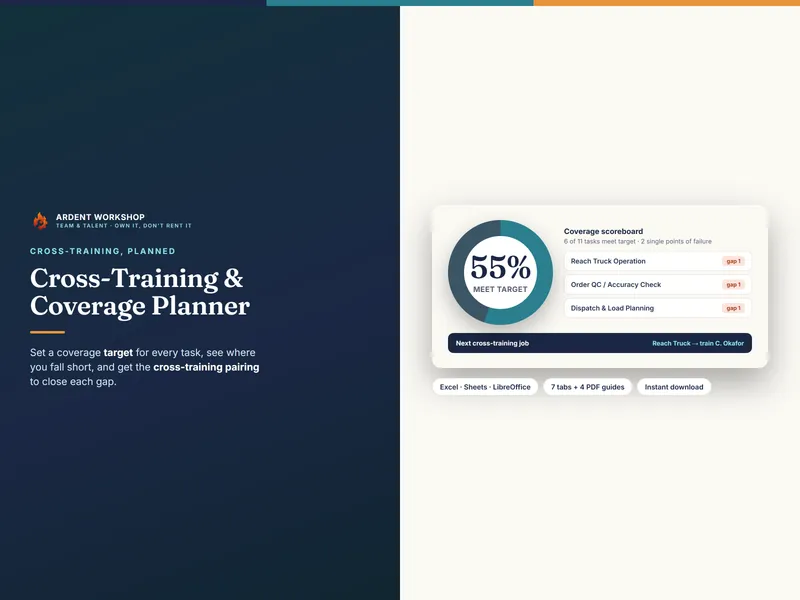
If you want this on a grid instead of a scratch pad, the Cross-Training & Coverage Planner maps every task against who can cover it and flags the one-person tasks automatically — it’s the “who can do what” half of this plan, kept up to date instead of rebuilt every time someone books a trip.
4. Do the handoff walk-through before they leave
A name on a plan isn’t coverage until the backup has actually done the task once. In the week before the absence, have the backup do each “keep it running” task while the regular person watches — not the other way around. Watching someone do a task teaches you almost nothing; doing it badly once while they’re still in the room teaches you everything.
This is thirty to sixty minutes total, and it converts your plan from theory to muscle memory. If you like giving things names, this is the difference between “I’ve seen it done” and “I can do it with notes” — the kind of skill levels a tool like the Training & ILUO Skills Matrix tracks for every task on your team.
5. Write the one-page “while I’m out” sheet
Last, the person leaving writes a single page:
- The keep-it-running tasks and their backups (from steps 2–3)
- Where things live — passwords in the password manager, label printer quirks, the shelf with the backup mailers
- The interruption threshold — the short list of situations where the team should text them (“the site is down”) versus everything else (“a customer wants a custom order — it waits”)
- Message templates — one line for “this will ship on X” and one for “we’ll answer fully on X” covers nearly all customer contact
That interruption threshold matters more than it looks. A vacation where you get texted daily isn’t a vacation, and a backup who’s afraid to decide anything will escalate everything. Writing the line down — “call me for these three things, handle everything else however you see fit” — is what actually lets someone rest.
When the Person Going on Vacation Is You
Run the exact same play on yourself — and expect worse results the first time. Owners are almost always the biggest single-person dependency in the shop, and your “keep it running” list will be longer and lumpier than anyone else’s.
A few owner-specific notes:
- Your pause bucket is bigger than you think. Growth projects, experiments, the new product line — all of it pauses. The shop only needs its heartbeat covered: orders out, customers answered, stock honest.
- Decide what your team can decide. The classic owner-absence failure isn’t a task going undone — it’s a $40 decision waiting four days for your blessing. Give your backup a real spending and refund limit in writing.
- Consider slowing the shop instead of covering everything. Extending your stated processing times for the week, or letting a made-to-order listing sleep, is a legitimate coverage decision — deliberately smaller beats accidentally broken.
Make It a System, Not a Scramble
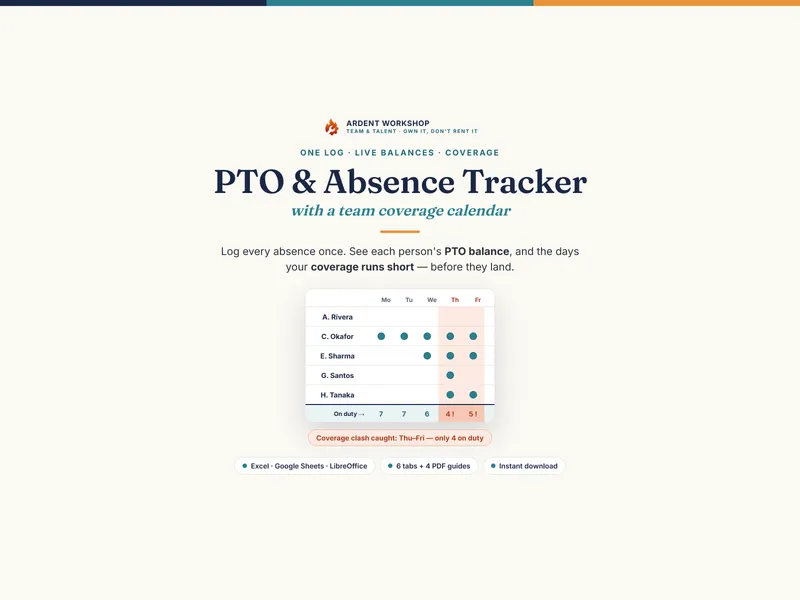
Once the plan exists, keep it alive. The buckets and backups barely change between absences — the same one-pager that covered August covers Thanksgiving with ten minutes of edits. Put time-off requests, who’s out when, and each day’s staffing on one calendar so overlaps show up in February instead of the week of. That’s precisely the job of the PTO / Absence & Coverage Tracker: every request, balance, and coverage clash on one grid, so the next “can I take a week off?” gets an immediate, confident yes.
Because that’s the real payoff. The plan saves you a chaotic week, sure. But what it actually buys is a team where people take their time off — where a vacation request produces a calendar entry instead of a guilt spiral. On a tiny team, that might be the cheapest retention tool you’ll ever build.
The takeaway: list the work, sort every task into keep it running, pause it, or batch it, name a backup for the first bucket, walk the handoff once, and write the one-pager. An afternoon of planning, and nobody’s beach week — including yours — falls on whoever’s left standing.