Most managers already hold one-to-ones. Far fewer keep a thread across them — so every meeting starts cold, action items live in whoever’s notebook, and development goals get talked about once and never tracked again. The 1:1 Meeting & Goal-Tracking Workbook is that thread: one connected file that keeps a running record of every 1:1 and every goal, for each person you manage.
It’s a workbook you own, not an app you rent. Log each meeting, and the workbook carries the loose ends forward for you — open action items stay flagged until they’re closed, goals show whether they’re keeping pace with their deadline, and one dashboard tells you who you’re overdue to meet with.
New to keeping a 1:1 record? Try the free single-report starter log — run one person’s meetings in a single tab, then upgrade here for the full team roster, carry-over, goal tracking, and the dashboard.
What does a 1:1 meeting workbook do?
A one-on-one is a short, regular conversation between a manager and one of their people — and one of the most reliable management habits there is. This workbook gives that habit a home. You keep a Team Roster of who you manage and how often you meet, add a row to the 1-on-1 Log after each meeting, capture what you agreed on the Action Items tab, and track development on the Goals tab. Everything else — the counts, the flags, the per-report view, the team dashboard — calculates from what you enter.
Action items that don’t get lost
Every action agreed in a 1:1 goes on the Action Items tab with an owner and a due date. An open item whose date has passed is flagged Overdue; one due within a week is flagged Due soon — automatically, and in color. They stay on the open list until you mark them Done, so the loop actually closes instead of quietly slipping between meetings.
Goals that show whether they’re on pace
The Goals tab tracks one row per goal per report: what it is, how success is measured, a target date, and progress. Beyond a simple percentage, it computes an on-pace check — comparing how far along the goal is against how much of the timeline has elapsed. A goal that feels fine but is 20% done with 80% of the time gone shows up as Behind, long before its deadline surprises anyone.
The whole team, at a glance
The Team Dashboard is your five-minute weekly read. For every report it shows the days since their last 1:1 and whether that’s now overdue for their cadence, how many action items are open and overdue, and how many goals are at risk — with team totals underneath. Before an individual 1:1, open the Report Snapshot, pick that person from a dropdown, and see their profile, 1:1 history, open actions, and active goals on one screen — so you walk in already knowing where you left off.
What’s inside
- Team Roster — your people, their 1:1 cadence, and a live count of meetings, open actions, and active goals each.
- 1-on-1 Log — one row per meeting: agenda, wins, challenges, a mood check-in, and your follow-ups.
- Action Items — every action, with automatic Overdue / Due-soon flags and an aging count.
- Goals — a progress bar and an on-pace check for every development goal.
- Report Snapshot — one report’s whole picture, from a dropdown.
- Team Dashboard — who’s overdue, what’s slipping, and team totals.
- How to Run 1-on-1s — a cadence guide, a 30-minute agenda, a question bank by theme, and the goal-setting method, right in the file.
- Read Me — how the tabs fit together and where to start.
- Four PDF guides — a Start Here guide, the 1:1 Playbook, a goal-setting & tracking guide, and printable prep, agenda, and action-log sheets.
Works in Excel, Google Sheets, and LibreOffice
One .xlsx that opens in Microsoft Excel and LibreOffice Calc — or, for Google Sheets, open the included one-click link and click Make a copy to drop a ready-made native version straight into your Drive, no importing and nothing to rebuild. It ships pre-loaded with a worked example — a fictional six-person team with real meetings, actions, and goals — so the method is obvious on open. Overwrite it with your own team, whether that’s one report or a dozen. It’s an instant digital download: nothing ships, and the workbook and all four PDF guides are yours the moment you check out.
Own it, don’t rent it
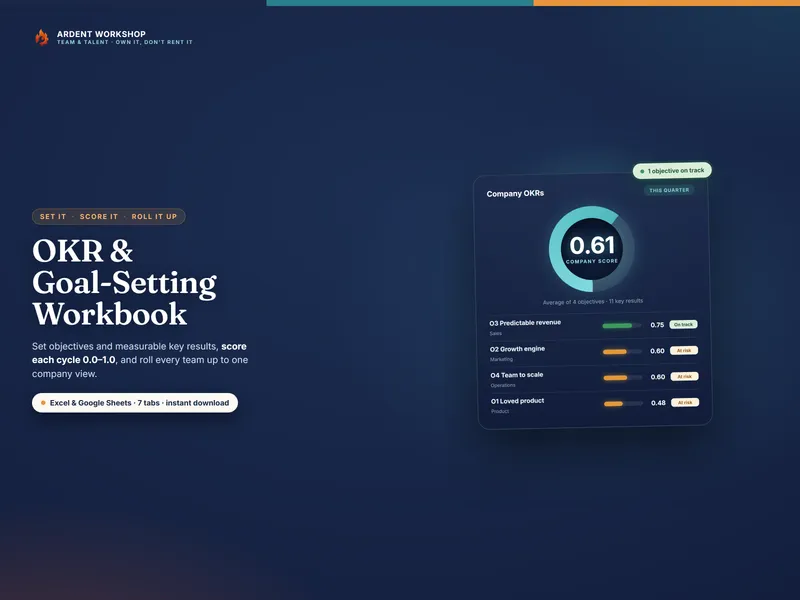
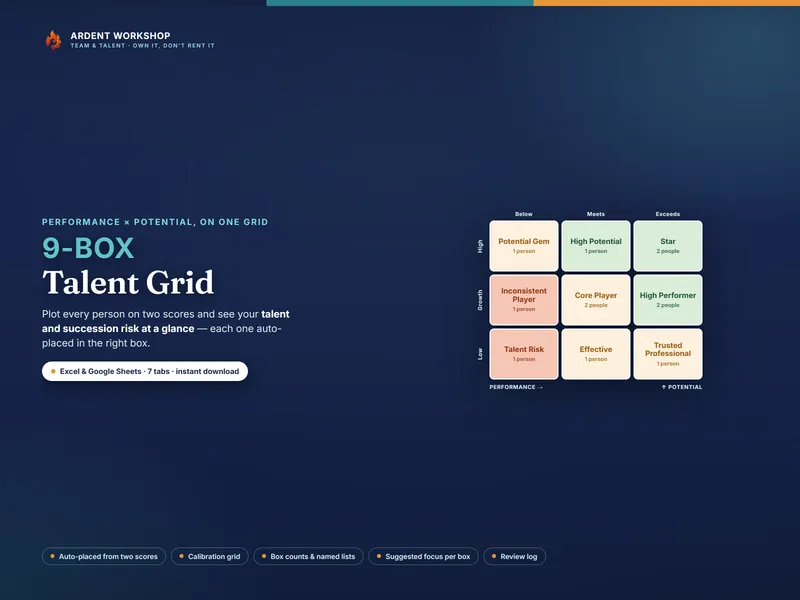
This sits between a blank spreadsheet (free, but you build and maintain every formula yourself) and a per-seat people-management platform (a recurring bill that holds your team’s notes behind a login). It’s the structure you keep: a connected, owned workbook, with no seats and no monthly fee. Set team objectives with the companion OKR & Goal-Setting Workbook, see talent and succession risk on one grid with the 9-Box Talent Grid, and find more people-ops tools in the full Ardent Workshop catalog.
What this is — and what it isn’t
The 1:1 Meeting & Goal-Tracking Workbook is a management and record-keeping template — not HR, legal, or professional advice, and not a performance-rating or disciplinary system. The example team, meetings, and goals are fictional and illustrative. A 1:1 record holds candid, personal notes about named people: keep it confidential to those who need it, store it privately, and handle it the way your own privacy policy and local employment law require. What a note or a missed goal should mean for pay, promotion, or any formal process is a human judgment for you and, where needed, your HR and legal advisors to make.