What is the Eisenhower matrix?
The Eisenhower matrix is a 2×2 grid that sorts tasks by importance and urgency. It is popularly attributed to President Dwight D. Eisenhower, and it is used today for personal to-do lists, team workloads and weekly planning. If you want one in a spreadsheet you own rather than an app you rent, the Eisenhower Matrix & Delegation Planner builds it for you, and the free Eisenhower matrix starter shows the same idea on a single tab.
You ask two questions about each task. Is it important? Does it move something you are responsible for? Is it urgent? Does it need to happen soon? The two answers cross into four quadrants.
What are the four quadrants?
- Do (important and urgent). Your own hours, this week. This is the work that cannot wait and cannot be passed on.
- Schedule (important, not urgent yet). Give it a date before it becomes a Do. This quadrant is where planning, relationship work and anything that prevents a future fire lives.
- Delegate (not important to you personally, but urgent). Hand it to someone, with an owner and a check-in date.
- Drop (not important and not urgent). Let it go on purpose. Deleting a task deliberately is a decision; letting it rot on a list is not.
A worked example
The sample week in the planner follows the same logic with a fictional team lead and six people. Its 29 open tasks sort into eight in Do, nine in Schedule, seven in Delegate and five in Drop. Seeing the counts side by side is what makes the grid useful. One rule of thumb: a week with more in Schedule than in Do is a week you are planning, not just reacting to.
How do you decide what is urgent?
It is easy to mark a task urgent because it feels urgent. That is where the matrix quietly breaks, because the feeling is loudest for whoever asked last. A more reliable rule is to measure it:
- Set an urgency window. Choose a number of days once, for example three. Two to five days is a reasonable place to start.
- Compare each due date to the window. A task due inside the window is urgent. A task that is already overdue is urgent.
- Let tasks move as dates approach. A Schedule task becomes a Do task, and a Drop task becomes a Delegate task, as its deadline enters the window. You do not retype anything; the date does the sorting.
In the planner, urgency is never typed. It is computed from each due date against the window you set once on the Setup tab, so the matrix stays honest as the week goes on.
How do you delegate properly?
Delegate is easy to do badly, because “delegating” can become telling someone and hoping. A task in this box needs three things:
- An owner. One named person, not a group.
- A due date. The date is what made the task urgent in the first place.
- A check-in date. The day you ask where it stands. Halfway between the hand-off and the deadline is a good default, so a problem surfaces while there is still time to redirect.
It also helps to see delegation per person: what each teammate holds, how many hours that is against what they can take, what is due this week, and which check-ins are overdue. The planner's Delegation Log shows exactly that, so you can see who is overloaded before you hand them more. If you are building the habit of regular hand-off conversations, the 1:1 Meeting & Goal-Tracking Workbook gives those check-ins a home, and the new manager's first 90 days playbook covers delegating as a skill. More on this in the templates for managers hub.
What are the most common mistakes?
- Everything lands in Do. A common failure. If most of your open tasks are urgent, either the urgency window is too wide, important work is never given a date and so turns into a deadline scramble, or the week is genuinely overloaded. The planner compares the share of your open tasks sitting in Do against a limit you set on Setup, so this shows up as a warning rather than a feeling.
- Ignoring capacity. A Do list can be correct and still impossible. Total the hours in Do against the hours you actually have for task work. The sample week shows 24.0 hours of Do against 20 available, which reads “Over by 4.0 h.” Something has to move, shrink or be handed off.
- Delegating without a check-in. A hand-off with no follow-up date is a wish. Overdue check-ins are the early warning.
- Never scheduling the important work. Schedule is the quadrant that keeps next month's Do list short. If it stays empty, you are only reacting.
- Sorting once. Deadlines move tasks between quadrants. A matrix filled in on Monday and never reopened is out of date by Wednesday, so review it weekly.
Spreadsheet, paper or task app?
A blank spreadsheet or a sheet of paper works for the first week, then you are re-sorting by hand. Task apps with an Eisenhower view are subscriptions, and delegation there usually means assigning a task, with no check-in log. A workbook you own sits in between: the due dates do the sorting, there is no subscription, and it works in both Excel and Google Sheets. The free Eisenhower matrix starter takes a task, an importance flag and a due date and returns the four quadrants; it does not include the hour-capacity check, the delegation log or the weekly review. Those are in the paid planner. For when a plain list is enough and when the matrix earns the extra step, see Eisenhower matrix vs to-do list.
Related concepts
The Eisenhower matrix sorts tasks. To sort people in a talent review, see the 9-box grid, which uses the same two-axis idea on performance and potential.
Templates that implement this
Templates for prioritizing and delegating
3 templates
The planner sorts tasks into the four quadrants from their due dates, logs every hand-off and checks your Do hours against the hours you have; the 1:1 workbook carries each meeting's action items forward until they are closed, and the first-90-days playbook carries a delegation ledger for a new manager.
- $4.95 Spreadsheet
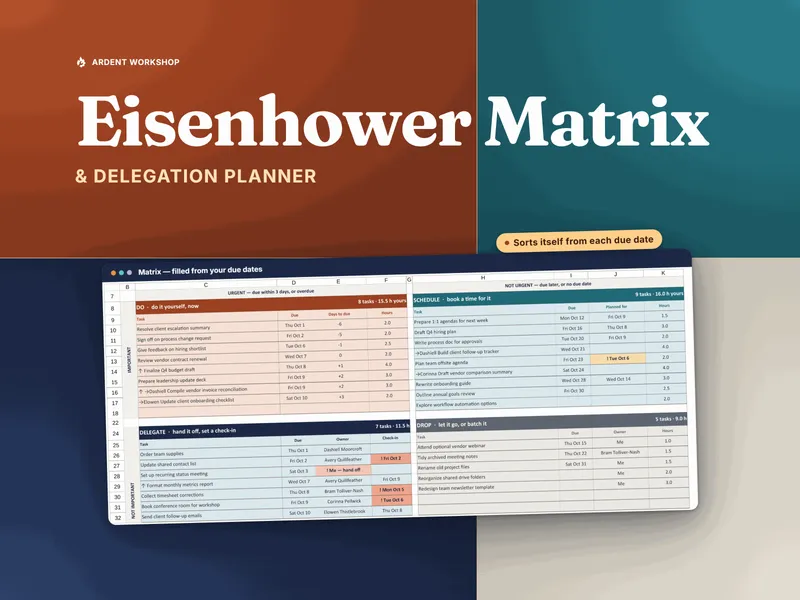
Eisenhower Matrix & Delegation Planner — Priority Matrix Template for Excel & Google Sheets
An Eisenhower matrix template for Excel & Google Sheets that works out urgency from due dates, logs every hand-off per person, and flags overdue check-ins.
Team & TalentView details - $19.95 Spreadsheet

1:1 Meeting & Goal-Tracking Workbook — One-on-One & Goal Tracker for Excel & Google Sheets
A 1:1 meeting & goal-tracking workbook for Excel & Google Sheets — log every one-on-one, carry action items forward, and track goal pace across your team.
Team & TalentView details - $16.95 PDF
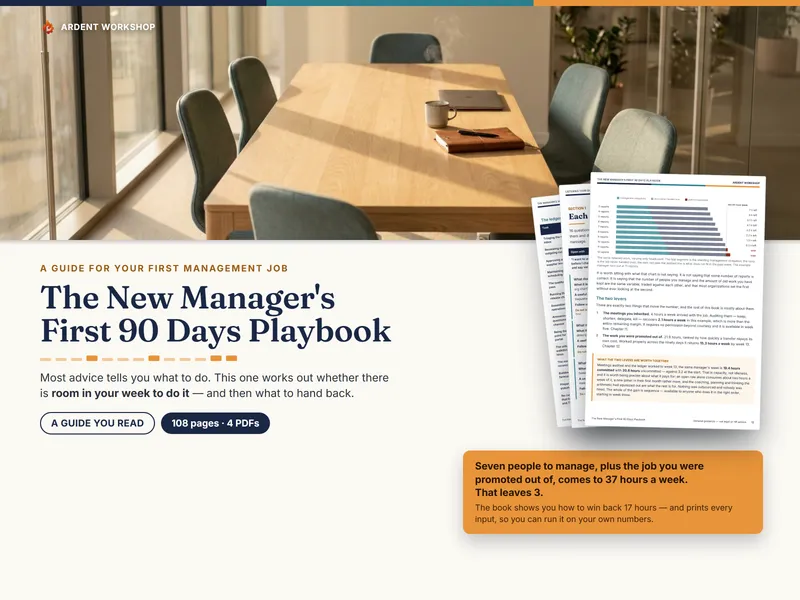
The New Manager's First 90 Days Playbook — What to Do Each Week, What to Ask, and How to Make the Job Fit the Week You Actually Have
108 pages across 4 PDFs for your first 90 days as a new manager: your week costed, 62 listening-tour questions, and a delegation ledger ranked by payback.
Team & TalentView details
Frequently asked questions
- What are the four quadrants of the Eisenhower matrix?
- Do (important and urgent), Schedule (important but not urgent yet), Delegate (urgent but not important to you personally), and Drop (neither important nor urgent). Each quadrant has one instruction: do it now, give it a date, hand it to someone with a check-in, or let it go on purpose.
- How do you decide whether a task is urgent?
- Pick an urgency window once, a number of days, and call a task urgent when its due date falls inside it. A task that is already overdue is urgent. Two to five days is a reasonable starting window; adjust it to how fast your work actually moves.
- What is the difference between Delegate and Drop?
- Both are unimportant to you personally. The difference is the clock. A Delegate task is urgent, so somebody has to do it soon and it should be handed to a named person with a check-in date. A Drop task is not urgent either, so you can let it go on purpose.
- Why does everything end up in the Do quadrant?
- Usually because urgency is being guessed instead of measured, or because important work is never given a date and so turns into a deadline scramble. Use a fixed days-to-due window for urgency, schedule important work early, and compare your Do hours against the hours you really have in the week.
- Can I make an Eisenhower matrix in Excel or Google Sheets?
- Yes. You need a task list with an importance flag and a due date, a rule that turns the due date into urgent or not urgent, and a view that groups tasks into the four quadrants. The free Eisenhower matrix starter does exactly that on one tab, and the paid planner adds capacity, a delegation log and a weekly review.
- Is the Eisenhower matrix a prioritization system or just a sorting tool?
- On its own it is a sorting tool: it tells you which kind of attention each task deserves. It becomes a prioritization habit when you review it weekly, because tasks drift between quadrants as deadlines approach and the sort has to be redone.