A kanban board isn’t really about the board — it’s about what feeds it. Most teams burn an afternoon dragging cards across columns when the cards already know where they belong. This excel kanban board template skips that ritual entirely, because the board reads from your Task List and sorts itself.
Here is the trick, and it is the whole reason the file exists: the Kanban Board sheet auto-populates from the Task List sheet. You type a task, set its status, and it shows up in the matching column without a single drag. We will not pretend that is magic — it is just a well-built formula doing the boring part for you.
The board has three columns — To Do, In Progress, and Complete — and a toggle for whether canceled work shows up at all. Each card surfaces the task name, priority, and status, so a sprint review turns into a quick scroll rather than a slide deck. You can spot WIP pileups in the middle column at a glance, which is the whole point of a kanban spreadsheet in the first place.
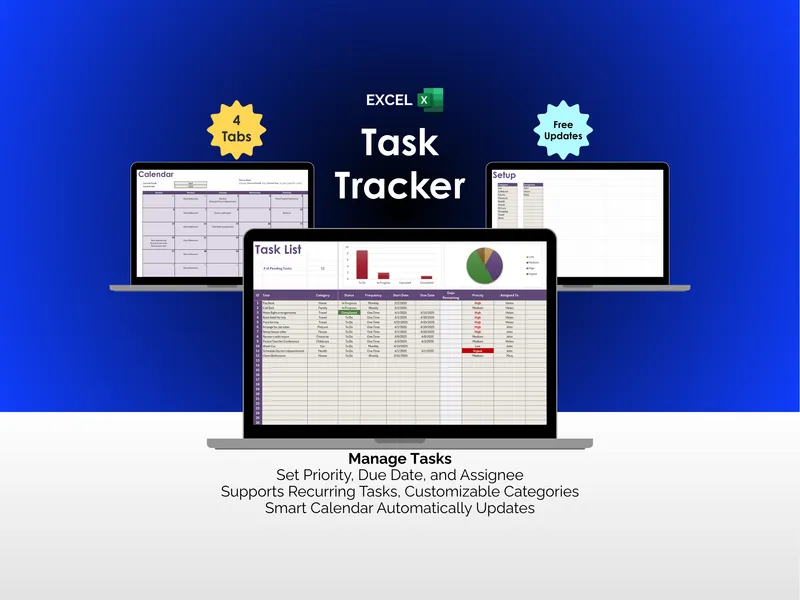
Behind the board sits a tidy Task List with fields for Category, Task, Priority, Status, Deadline, Description, Assignee, Resolution, and Notes. A pair of pie charts above the list breaks down status and category counts, so you know your backlog shape before you start triaging it. Edit a row, watch the board update — feedback loops should feel this immediate.
The header captures Project name and Last Updated, plus that handy include-canceled-tasks switch for retrospectives when you want the full picture. It is the kind of small lever that quietly saves arguments about what “done” means. Print it, screenshot it, or screen-share it on standup — the layout holds up either way.
A Google Sheets version is included in the same download, so collaborators who live in the browser can edit alongside the Excel crowd without anyone converting files. The whole template is fully editable, including column labels if your team prefers Backlog or Blocked over the defaults. Rename a status in the Task List, and the board picks up the new bucket on the next entry.
If you have ever wished a kanban tool would just let you type, this excel kanban board template does exactly that — and the auto-arranging board is the headline feature for a reason. Less ceremony, more shipping.