Both of these things produce the same artifact: a list of roles, a cost per role, a month each one starts, and a total you either can or cannot afford. The difference is not modeling power. It is everything that surrounds the model — where the actuals come from, who is allowed to change what, and who signed off. That is worth paying a subscription for at some sizes and worth almost nothing at others, so the useful question is not which tool is better. It is which set of surrounding problems you actually have.
What each one is for
- A hiring-plan template is a model. Roles, fully-loaded cost per role, start dates, month-by-month cash, and the comparison against budget. It answers “can we afford this plan, and which hire breaks it?” in a file you own and can read end to end.
- Workforce-planning software is a system of record. The same model, plus a live link to the HRIS and payroll, requisition approvals with an audit trail, per-department permissions, and reporting across a whole organization. It answers “run headcount planning continuously, for everyone, with the actuals wired in.”
If the vocabulary is new, the glossary explains what a headcount plan is and how it differs from a budget line.
What does workforce-planning software do that a spreadsheet can't?
These are real advantages, and no spreadsheet closes them by trying harder. Feature sets differ from product to product, so check any specific platform against its own documentation — but these are the capabilities the category is generally sold on.
- It reconciles to actual by itself. Connected to the HRIS and payroll, the plan sits next to real headcount and real spend without anyone retyping a number or exporting a report at month end. Plan versus actual is a view, not a chore.
- Approvals and an audit trail. Who requested the requisition, who approved it, what it was approved at, and when. If your finance function, your board, or an auditor needs that record, a spreadsheet cannot produce it credibly.
- Many editors, scoped by permission. Finance sees the whole plan; each department head sees and edits only their own slice; no one overwrites anyone. That is genuinely hard to do with a file.
- It updates itself when a req is filled. The plan knows a role closed and moves it out of pipeline into actual. A spreadsheet only knows what someone last typed into it.
- It scales past a few hundred people. At some point a plan has too many rows, too many editors, and too many downstream systems for a file to be a sensible container. Where exactly that point falls depends on your business, but it is real and you will feel it.
When is a hiring-plan template better than software?
- One payment, not a bill that grows with headcount. The category is commonly billed per employee per month, frequently with an annual minimum — so the cost of the tool scales with precisely the number you bought it to control. An owned file costs what it costs, once.
- No implementation project. There is no rollout, no data mapping, no admin to appoint. You open it, enter your rates and your roles, and it computes. The first useful answer arrives the same afternoon.
- Every assumption is visible and editable. You can click a number and read the formula that produced it, then change the assumption and watch what moves. Hosted tools vary in how much of their cost logic they expose — some let you inspect it, some present it as a setting you pick from — and in a planning conversation, being able to show your work is the whole game.
- It travels. A file goes to your accountant, your bank, or a board member as an attachment. No seat provisioned, no guest account, no screenshot of a dashboard.
- At small scale the modeling is not the bottleneck. When you are planning tens of hires rather than thousands, loaded cost, monthly phasing, scenarios, and runway are all arithmetic a well-built workbook does completely — and the reconciliation gap it leaves you is a short monthly comparison, not a structural problem.
- You keep it. Cancel a subscription and the live plan goes with it. Nothing cancels a file.
The templates for HR teams hub collects the rest of the set.
Does either one model fully-loaded cost properly?
This is the thing to check before you pay for either, because the shortcut is available to both. That shortcut is multiplying salary by one of the common rule-of-thumb factors — 1.25x, 1.3x — and applying it to every role. It is wrong in two opposite directions at the same time.
- Some employer taxes stop. In the US, Social Security contributions stop at an annual wage cap, federal unemployment tax applies only to the first $7,000 of each employee's wages, and state unemployment applies up to a base the state sets, at a rate assigned to your specific business. Because those three stop, the employer-tax share of a hire falls as pay rises.
- Some costs do not scale at all. The employer share of health cover and per-employee payroll administration fees are flat dollars per person. They land identically on a junior hire and a senior one, which means they weigh far more heavily as a percentage of a junior salary.
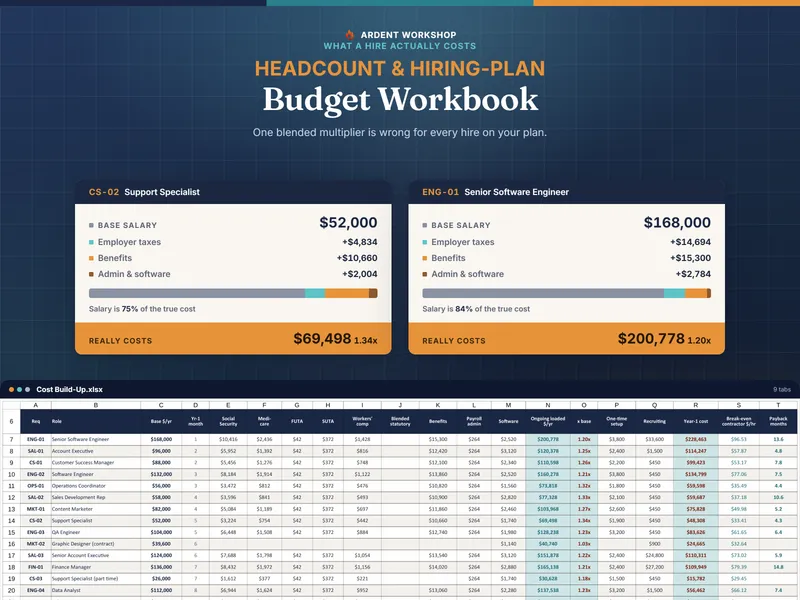
Put those together and the true loaded multiplier is meaningfully higher on a modest salary than on a large one. A flat factor overstates the senior hire and understates the junior one, which is backwards from how plans are often argued. Whichever tool you choose, insist that it builds the number up line by line from rates you can set yourself — including the wage bases, which are set annually and, for state unemployment, per state and per employer.
Two IRS pages carry the federal numbers you need to check a tool against: Topic no. 751, Social Security and Medicare withholding rates, which gives the Social Security wage base limit that the Social Security Administration also republishes each year, and Topic no. 759, Form 940 and federal unemployment tax. The state half — your unemployment wage base and the rate assigned to your business — arrives on the notice your state workforce agency sends you.
Side by side: which one fits your company?
| What matters | Hiring-plan template (owned workbook) | Workforce-planning software |
|---|---|---|
| What it costs | One payment, then nothing | Commonly per employee per month, often with an annual minimum |
| Who can edit it | Whoever holds the file — one or two planners in practice | Many people at once, scoped by permission |
| Reconciles to actual | You compare it to payroll yourself, monthly | Automatically, via HRIS and payroll integration |
| Approvals | However you already approve things | Built-in workflow with an audit trail |
| Fully-loaded cost | Itemized and editable — if the workbook is built properly | Usually itemized, though how much logic you can inspect varies |
| Survives cancellation | Yes — the file is yours | You keep the export, not the model |
| Setup time | Typically an afternoon | Typically an implementation, plus integration work |
| Who it fits | Roughly 5 to 200 people, planning tens of hires | Several hundred people and up, planning continuously |
The size bands in the “Who it fits” row are our own rule of thumb, not an established boundary — plenty of 300-person companies plan happily in a file and plenty of 80-person ones need the approval trail. Treat them as a starting point and check them against the signals below.
When should you switch to workforce-planning software?
There is a real line, and it is worth naming plainly rather than pretending a spreadsheet is forever. Move up when any of these become true:
- Plan-versus-actual reconciliation has to be automatic — because the manual comparison is now late, wrong, or nobody's job.
- Requisition approvals need an audit trail someone outside the team will read.
- Several departments need to edit the same plan simultaneously, each seeing only their own slice.
- You are past a few hundred employees, where a file stops being the right container for the data regardless of how good the formulas are.
None of those are about the math. They are about coordination, control, and scale — which is precisely what a subscription is selling.
Is it a mistake to buy workforce-planning software too early?
The mistake is not moving up. The mistake is moving up early — signing an annual per-employee contract to plan a dozen hires, when the part you will actually use is a model you could own outright, and the parts you are paying for are problems you do not have yet. Move when the business outgrows the tool, not before. If you are weighing owned structure against free downloads, the free vs paid templates comparison covers that choice, and Excel vs Google Sheets covers where to keep the file.
Get the headcount plan template
Whichever stack you land on, the planning is the same work: cost each hire honestly, put it in a month, and see whether the year holds.
Free, to try the shape of it: the Quarterly Headcount Planner sketches one quarter of hiring, no signup. It applies the flat 1.3x rule of thumb rather than an itemized build-up, and says so on the tab.
$24.95, one payment: the Headcount & Hiring-Plan Budget Workbook computes a loaded multiplier per hire from your own employer tax rates and their wage bases, phases 18 months of cash from each real start date, holds a backfill reserve for the attrition a growth plan assumes away, runs three scenarios with months of runway, and names the first month the plan goes over budget. For Excel and Google Sheets, and it keeps working after any subscription you ever cancel.
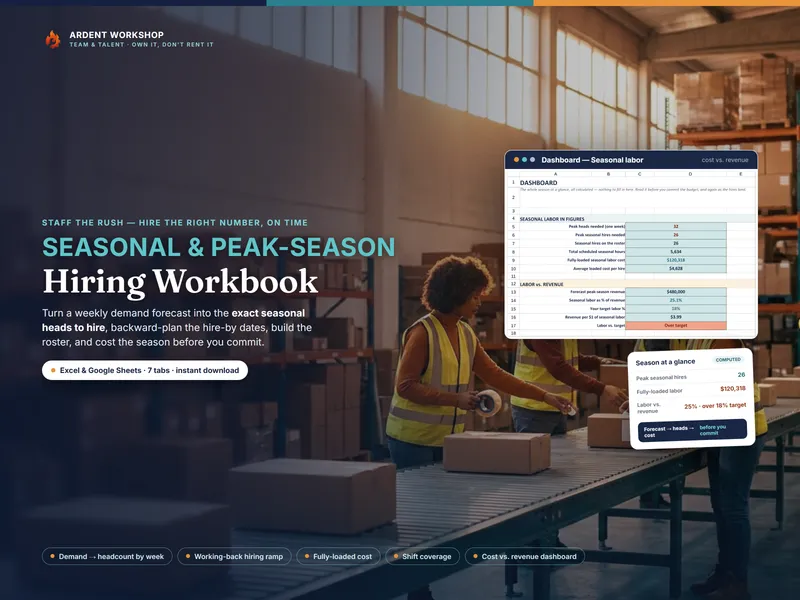
Own the model; rent the system only when the system is the thing you actually need. Two neighboring questions, if this one is settled: capacity-planning spreadsheet vs resource software asks whether you need the hires at all, and seasonal staffing template vs scheduling software covers the temporary version of the same ramp.
Frequently asked questions
- What's the difference between a hiring-plan template and workforce-planning software?
- A hiring-plan template is a file you own that lists the roles you intend to hire, costs each one fully loaded, phases the spend across the months from each start date, and compares the total against the budget you were given. Workforce-planning software does that same modeling inside a hosted platform that typically also connects to your HRIS and payroll, routes requisitions through an approval workflow, keeps an audit trail, and lets finance and every department head edit their own slice at once — though feature sets vary from product to product, so check any specific platform against its own documentation. One is a focused model you buy once and keep; the other is a system of record you rent, usually billed per employee per month. The modeling is comparable at small scale — the reconciliation, permissions, and approvals are what you are actually paying the subscription for.
- Can a spreadsheet replace headcount-planning software?
- For the planning itself, yes: deciding which roles to open, what each one truly costs, when the cash lands, and whether the year fits the budget is arithmetic a well-built workbook does completely. What it cannot do is watch your HRIS and update itself when a requisition gets filled, record who approved which req and when, or let eight people edit simultaneously with each seeing only their own department. If plan-versus-actual has to reconcile automatically and approvals need an audit trail, software earns the subscription. If one or two people own the plan and re-run it quarterly, the workbook is the right size of tool.
- How is a hiring-plan template priced compared with workforce-planning software?
- An owned workbook is a single payment — you keep the file, work in it offline, and pay nothing monthly. The workforce-planning category is commonly billed per employee per month, often with an annual minimum and a contract term, which means the bill grows with the exact number you are trying to plan and control. That trade is worth making when live reconciliation across hundreds of people is the job. It is a strange trade when you are planning tens of hires and the plan changes four times a year.
- Does a hiring-plan template model fully-loaded cost accurately?
- It can, and the honest test is whether it itemizes rather than multiplying salary by a flat factor. Some US employer payroll taxes stop at a wage base while benefit and admin costs are flat dollars per person, so the true loaded multiplier is higher on a modest salary than a large one and a single flat factor is wrong in both directions at once. Any tool worth using, spreadsheet or subscription, builds the number up line by line from rates you can set yourself. Social Security stops at an annual wage cap, federal unemployment tax applies only to the first $7,000 of each employee's wages, and state unemployment stops at a base the state sets — all of which are set annually, so verify them with the IRS and your own state rate notice rather than trusting whatever a tool ships with.
- What happens to the plan if we cancel the subscription?
- In a hosted platform the plan lives in the vendor's system; when the contract ends you keep whatever you exported, in whatever shape the export produced, and the live model stops being yours to run. A file you own is not affected by anything but your own decisions — it opens next year, on a laptop with no login, and can be attached to an email to your accountant, your bank, or a board member without anyone provisioning a seat. That portability is a real part of what an owned model is worth, not a consolation prize.