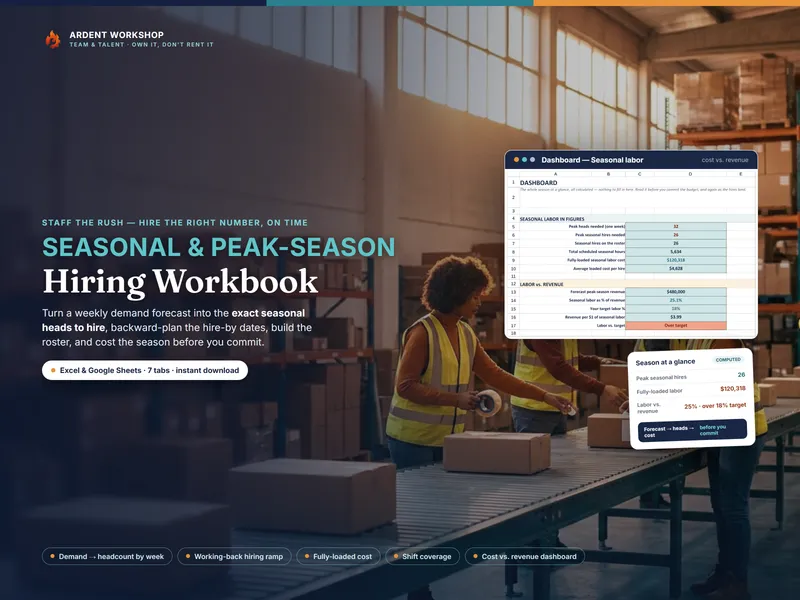
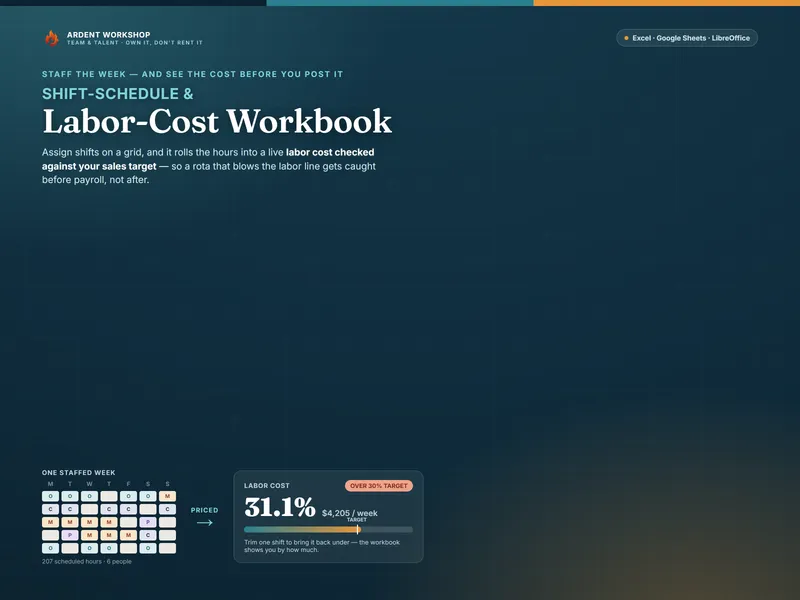
This isn't really template-versus-platform. Sizing and costing a seasonal hire is one job that scheduling software mostly doesn't do at all — it starts once people are already hired. The mistake is reaching for a per-seat scheduler to answer a question it was never built for: how many seasonal staff do we need, and by when?
What each one is for
- A seasonal staffing template is a planning tool. Forecast demand and it sizes the seasonal heads to add; work the ramp backward from opening day for the post-jobs and hire-by dates; build the roster with each hire's fully-loaded cost; and measure labor against the revenue it supports. It answers “how many, by when, and at what cost?” in a file you own.
- Scheduling software is an operations platform. A live shift schedule employees check on their phones, shift swaps, time clocks, and staff messaging across a whole workforce — sold per employee. It answers “run the shifts, continuously, for everyone,” at a price to match.
A full explanation of seasonal staffing is in the glossary.
When an owned template is exactly right
- You're deciding a seasonal hire — how many people the peak needs.
- You need the hiring calendar timed backward from a fixed opening day.
- You want the crew's fully-loaded cost against the season's revenue.
- You ramp for a peak once or twice a year, not year-round.
- You'd rather own the file once than rent a platform per employee.
At this stage a workbook beats a scheduler outright for the planning question. The free Seasonal Headcount Estimator is a no-signup taste of the sizing, and the tools for HR & people teams hub collects the rest.
The signals you may want scheduling software too
- A standing workforce needs a live schedule. Dozens of employees checking shifts, swapping them, and needing everyone's view to update instantly, every day of the year.
- You need time clocks and payroll integration. Actual hours flowing automatically into payroll, not entered by hand.
- Compliance and communication at scale. Break rules, predictive-scheduling laws, and staff messaging across many locations.
- You run shifts continuously. The scheduling is the day-to-day job, not a once-a-season plan.
Even then, the two don't compete — they hand off. The workbook plans and costs the seasonal hire; the scheduler runs the shifts once the people are on. The workbook is the plan; the platform is the day-to-day. Most operations need the plan first, and many never need more than that.
Frequently asked questions
- What's the difference between a seasonal staffing template and scheduling software?
- A seasonal staffing template is a workbook you own that plans the hire itself — it sizes the headcount from a demand forecast, works the post-jobs and hire-by dates backward from your opening day, builds the temp roster with a fully-loaded cost, and totals labor against revenue. Workforce scheduling software is a hosted platform that runs the ongoing shift schedule for a whole workforce in real time — publishing rosters, swapping shifts, clocking hours, and messaging staff — sold as a per-seat or per-employee subscription. One plans the seasonal hire before it happens; the other runs the day-to-day shifts once people are on. For sizing and costing a peak-season crew, the template does the job directly, without the platform.
- Can a spreadsheet replace scheduling software for seasonal hiring?
- For the planning question — how many seasonal staff, in which roles, hired by when, and at what cost — an owned staffing workbook does it completely, and does the part scheduling apps mostly skip: the demand-to-headcount sizing and the working-back hiring ramp. What a spreadsheet doesn't do is publish a live shift schedule that dozens of employees check on their phones, handle real-time shift swaps, or clock actual hours. If your problem is running the shifts of a large standing workforce every day, scheduling software earns its keep; if your problem is deciding and costing the seasonal hire, the workbook is the right-sized tool — and many operations use the workbook to plan the peak, then a scheduler to run it.
- How much does a seasonal staffing template cost vs scheduling software?
- An owned seasonal staffing workbook is a single low one-time cost — you keep the file, reuse it every peak, and pay nothing monthly. Workforce scheduling software is typically a recurring per-employee subscription, so the bill scales with headcount and recurs whether or not you're in season. That recurring cost pays off for a large, year-round workforce that needs live scheduling; paying per seat to plan a hire you make once or twice a year is renting far more system than the job needs.
- Is our staffing and applicant data private in a spreadsheet?
- A file you own is as private as the controls you put around it, and the data never leaves your hands — no vendor account, no third-party cloud, no seat you must keep paying to retain access to your own numbers. A staffing plan holds candidate and employee details, so keep the file to those who need it and handle applicant and employee data the way the law and your privacy policy require. Owning the file simply keeps that entirely under your control.