Sources checked September 28, 2026.
The framing that actually helps is own it, don't rent it. An app is good at the present tense: who is bringing dinner Thursday, has anyone heard from Mom today, here is a photo from the visit. A binder is good at the past and future tense: what has actually been happening over three months, what is due next, and what nobody has picked up.
What each one is genuinely better at
- An app is better at the moment. Push notifications, a shared calendar the whole circle sees update live, a feed for a wide group of friends and relatives, and — with the better ones — reminders that reach a phone. If your family's problem is that people forget who is doing Thursday, an app with suitable reminders may help.
- A binder is better at the picture. Because it holds every contact in one dated log, it can count things nobody in the family would volunteer: how many days since anyone visited rather than phoned, which of the last eight weeks had calls only, which of the fifteen areas of care have nobody's name on them, which area has an owner but no backup, and which sibling owns the most — and quietly backs up the most.
- A binder is better at handing over. A limited parent snapshot can go into a hospital bag or to an authorized aide. Keep it away from casual visitors. An app may also support printable exports; test the handover method before it is needed.
- A binder is better at outliving the crisis. Caregiving records are most valuable years after you start them — at an assessment, an appointment, or a conversation with a care manager who asks what has actually been happening.
The three questions that decide it
- Who pays, and per what? Ask whether sharing with additional caregivers costs extra, and whether the reports are on the paid tier. Four people in three cities is the normal shape of long-distance caregiving; a per-seat model works against exactly the thing you are trying to do.
- What can you export, and in what format? If the answer is "a PDF of the feed" or nothing at all, you are renting. Ask before you start, not after two years of entries.
- What does it store that you would not want stored? A record built to be shared should hold no credentials at all. If a tool encourages you to store portal logins or full member numbers, that is a larger surface than the job needs.
HHS explains that personal-device and app health data often falls outside HIPAA protection. Keep passwords out of the log, but also restrict access to the health details themselves. A Google Sheets copy is cloud-hosted; a downloaded file needs secure devices and backups. Ask the older adult who may see what; a family relationship alone does not assign decision-making authority.
What "computing the gaps" actually means
This is the part a shared calendar cannot do, so it is worth being concrete. Give each person in the care circle a check-in cadence and log every contact — yours, your brother's, the aide's note, the care manager's report — with how the contact happened. From that one log:
- Days since anyone visited in person is counted separately from days since anyone made contact at all. Those two numbers being far apart can prompt a useful conversation about coverage, but does not by itself establish a safety problem or a care need.
- An eight-week coverage map shows calls against visits, week by week, so "everyone spoke to her, nobody saw her" reads as a pattern rather than a feeling.
- Every area of care gets a next-due date from the cadence you set, and flags itself Overdue, Never done, or — the one that matters — Needs an owner.
- Owned areas and backup duty are counted per person, which is the conversation most families are avoiding.
These counts describe the entries in the workbook, not the person’s clinical condition. Agree check-in and medication schedules with the people providing care. Do not wait for a dashboard flag or a scheduled review when help is needed.
Using both, sensibly
Plenty of families run an app for the group chat and the calendar, and keep the record in a file they own. If you do that, agree one rule: the log is the source of truth, and contacts are logged promptly. Add late entries with both the contact date and entry date rather than discarding them. Reconcile differences with the original notes.
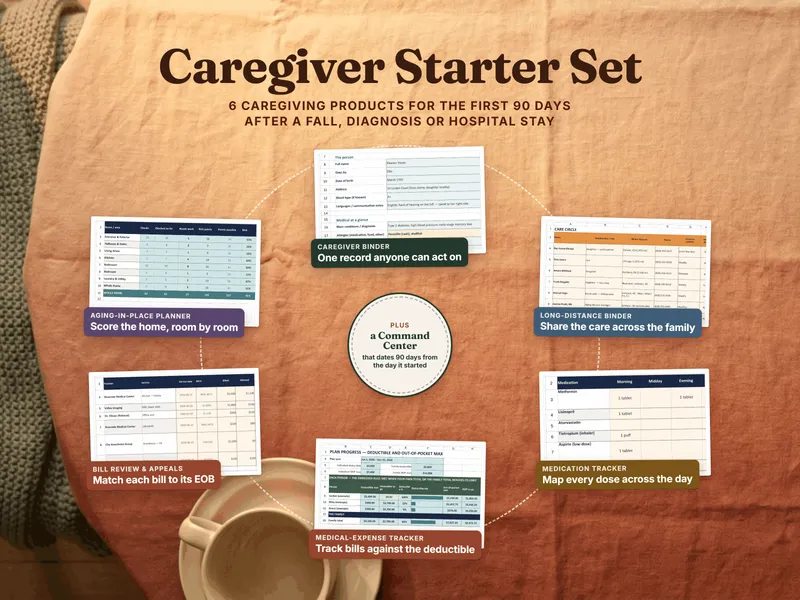
You can start free with the Long-Distance Care Contact Sheet — the point person, the local helpers, and every provider in one place you can print and share, no signup — and move up to the full Long-Distance Caregiving Coordination Binder when you want the gaps counted for you.
Record-keeping and coordination tools for a family — not medical, legal, or financial advice, and not a substitute for a parent's doctors, an attorney, or a licensed care manager. Compare any app's current pricing, sharing limits, export options, and privacy terms yourself before you commit; they change.
Frequently asked questions
- Is a coordination binder or a caregiving app better for managing a parent's care from another city?
- They solve different halves. A caregiving coordination app is built to move information between people in the moment — a shared calendar, a task list, a group feed, push notifications when someone posts an update. A binder is built to hold the record over time and to compute from it: how many days since anyone visited in person rather than phoned, which of the last eight weeks were calls only, which areas of care nobody owns, which sibling is carrying the most. Families often use both. A downloaded binder can remain available after an app subscription ends if you maintain backups and compatible software.
- What happens to my parent's information if a caregiving app shuts down?
- Check the service’s export, cancellation and account-recovery terms before entering records. Keep a usable backup and test that the people who need it can access it. A downloaded workbook or printed copy can reduce dependence on a particular app, but cloud copies, compatible software and physical storage still need maintenance.
- Do caregiving apps charge for each family member?
- Pricing varies: check sharing limits, paid reports and any per-person charges. The workbook has no per-seat template charge for sharing within its license, but the spreadsheet or cloud service may have its own costs. Share only with the people who need the relevant information and with the older adult’s consent or appropriate authority.
- Can a binder actually replace the reminders and notifications an app sends?
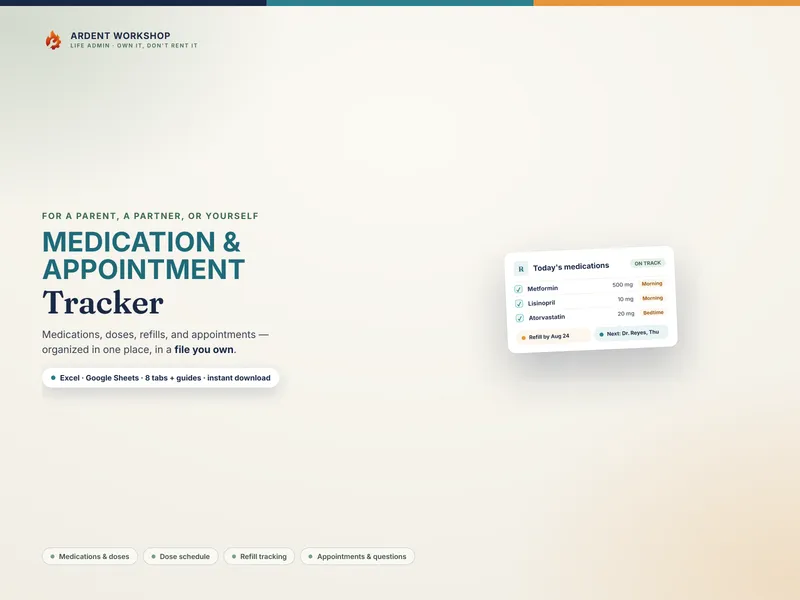
- No, and it should not pretend to. An app can buzz a phone; a spreadsheet cannot. What a binder does instead is make the gaps visible when you look — a computed next-due date on every area of care, flags for Overdue, Never done, and Needs an owner, and refill dates that read Past due once they have gone. If push notifications are what your family needs, use an app for that and keep the record in a file you own.
- Is it safe to share a caregiving binder with an aide or a neighbor?
- Share a limited, role-appropriate copy with the older adult’s consent or appropriate authority. Leaving out passwords and identifying numbers does not make care details non-sensitive. A neighbor helping with meals may need contacts and dietary instructions, not the entire health record. Check recipient permissions and remove access when the role ends.