What goes in a side-effect log
The log works because every entry holds the same few fields. At minimum:
- The date: one line per day, so gaps are visible too.
- The symptom: named the same way each time, from a short list you choose up front.
- A rating on a simple scale: for example 0 to 3, where 0 is none and 3 is severe.
- What else changed that day: a new dose, a missed or held dose, or a change in eating or drinking. This is the context a prescriber needs to read the rating.
- A short note: anything that doesn't fit a number, in a few words.
The log is general to any medication. One example is a side-effect log kept for a GLP-1 (glucagon-like peptide-1) prescription: the person records each dose as taken, missed or held, rates a handful of symptoms each day, and notes their intake, so that the weeks line up with the dose they were on.
Why a consistent scale matters
A rating is only useful if it means the same thing every day. If a 2 in the first week means "noticeable" and a 2 in the sixth week means "I stayed in bed," the pattern is noise. Write down what each number means once, in your own words, and keep it. Keep the symptom list short too: a few symptoms rated daily beats a long list rated when you remember.
How a weekly roll-up shows the pattern
Daily entries are the raw material; the weekly total is what you read. Adding up each symptom's ratings by week, and putting the dose in force beside each week, lets you see which weeks had higher ratings and what had changed going into them. That is a fact about your own record. What it means is a question for your prescriber, not a conclusion to draw yourself.
Bringing it to an appointment
Appointments are short. Bring the period since your last visit as one page: doses taken, late, missed or held; any dose changes with their dates; the days a symptom was rated high; and your own questions, written down while you remembered them. If a symptom gets worse between visits, contact your prescriber or pharmacist, and seek urgent care for severe symptoms. Your medication's FDA Medication Guide and prescribing label list its known side effects. To set up your own log, see what to record between GLP-1 appointments.
Own the log, don't rent it
A side-effect log is a record of your own health history, so it is worth keeping in a file you control, on your own computer or in your own Google account, rather than in a service you rent. The GLP-1 Tracker & Peptide Log is a one-time-purchase Excel and Google Sheets workbook that lines up each week's dose in force against that week's side-effect totals and puts any date range on a one-page Visit Summary. To try the habit first, the free dose and side-effect log is a single tab for one medication, pre-filled with an example.
A note on what this is
A side-effect log records what happened; it does not suggest doses, judge whether a symptom is expected, or replace your prescriber or pharmacist. This page is general information, not medical advice.
Templates that implement this
Keep your side-effect log in a file you own
3 templates
A workbook that records doses, daily symptom ratings, intake and supply side by side, with a one-page summary for your next visit.
- $9.95 Spreadsheet
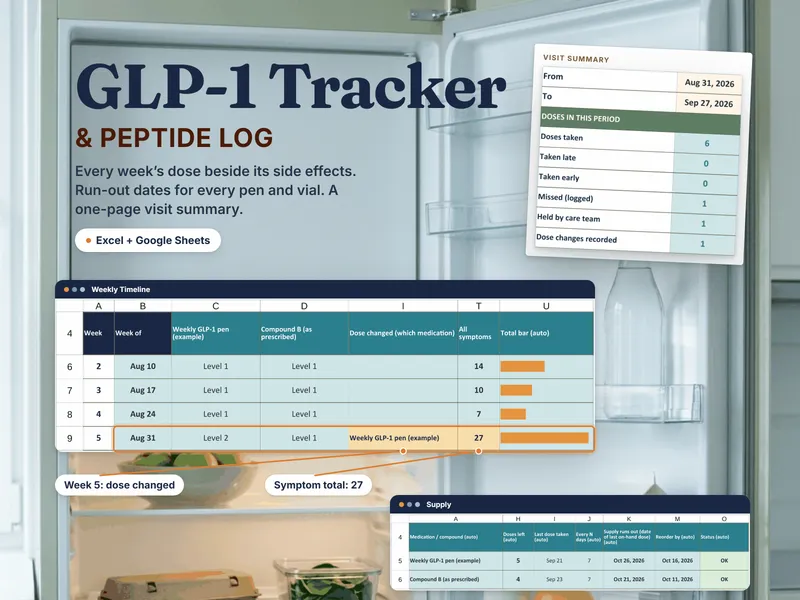
GLP-1 Tracker & Peptide Log - Dose Log, Side Effect Tracker & Supply Run-Out Dates (Excel + Sheets)
A GLP-1 tracker spreadsheet for Excel and Google Sheets: each week's dose beside its side effects, and the date each pen or vial runs out.
Life AdminView details - $18.95 Spreadsheet
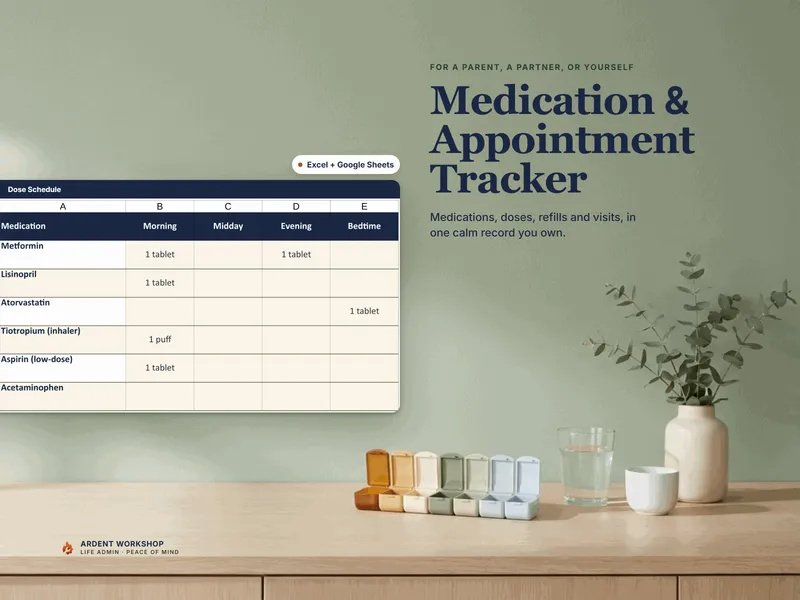
Medication & Appointment Tracker — Medication List, Dose Schedule, Refill & Appointment Organizer (Excel + Google Sheets)
A medication and appointment tracker to organize medications, doses, refills, and upcoming appointments in one file you own (Excel + Google Sheets).
Life AdminView details - $12.95 Spreadsheet

Blood-Sugar / Diabetes Log — Glucose Tracker with Auto In-Range Flags, A1C Trend & Doctor Summary (Excel + Google Sheets)
A downloadable Excel and Google Sheets recordkeeping template for logging glucose readings, tracking A1C records and preparing a summary for appointments. This is a digital spreadsheet, not medication or a medical device. Targets are entered by the user with their care team.
Life AdminView details
Frequently asked questions
- What is a side-effect log?
- A side-effect log is a dated record of the symptoms you notice while taking a medication, kept so you can show your prescriber what happened and when. Each entry has a date, the symptom, a rating on a simple scale, and a note of anything else that changed that day, such as a new dose, a missed dose, or a change in eating or drinking.
- How do I rate side effects in a log?
- Pick one short scale and use it every time. A common choice is 0 for none, 1 for mild, 2 for moderate and 3 for hard to get through the day, defined in your own words once so a rating means the same thing in week one and week ten. The number is not a diagnosis; it just makes days comparable.
- What should I do if a symptom gets worse?
- Contact your prescriber or pharmacist, and seek urgent care for severe symptoms. A log is a record to bring to that conversation, not a way to decide what to do on your own.
- How do I bring a side-effect log to an appointment?
- Roll the daily entries up by week so the pattern is visible, note the dates of any dose changes or missed doses beside them, and add the questions you want to ask. A one-page summary for the period since your last visit is easier to read in a short appointment than a stack of daily notes.