The honest framing is "own it, don't rent it." A manufacturer's app can be genuinely handy for registering a new appliance and pulling its exact warranty terms. But the record at the center of it all — what's still covered across your whole home, what's been repaired, what upkeep is due — is something you want to own, in one place, not lease across a dozen brand accounts.
The positioning: a drawer of receipts → a warranty log → a manufacturer's app
Most homes start with scattered facts — a receipt in a drawer, a warranty card that got recycled, a serial number nobody wrote down. From there, the two ways to get organized sit at opposite ends. A home warranty log is the structured middle ground: real organization, every brand together, on a file you keep. A manufacturer's app is the hosted, single-brand option: convenient for that maker's products, but on someone else's server and limited to their catalog.
Warranty log vs manufacturer's app, side by side
| Consideration | Home warranty log (owned) | Manufacturer's app (hosted) |
|---|---|---|
| Covers every brand | Yes — one file for the whole home | Usually just that maker's products |
| You own it | Yes — a spreadsheet on your own drive | Usually no — records sit on the company's servers |
| Cost | One-time purchase, keep forever | Usually free, but tied to an account |
| If the app is discontinued or you stop using it | You still have the file | Access and history can be lost |
| Repairs & service history | Logged alongside the warranty, with a running total | Rarely — apps focus on registration, not repair history |
| Seasonal maintenance | Built in — a pre-loaded schedule by season | Not usually part of a warranty app |
| Registers the product with the maker | No — do that separately with the manufacturer | Yes — that's its main job |
| Works offline / on paper | Yes — opens in Excel, Sheets, or prints to a page | Usually needs the app and a connection |
When a manufacturer's app makes sense
Use the maker's app for what it's good at: registering a new appliance. Registration is often what activates certain warranty terms and lets the manufacturer reach you about recalls, so it's worth doing. What the app can't do well is show you your whole home at once, or keep the repair history and upkeep beside the coverage. Register with the maker, then copy the essentials into a log you keep.
When a warranty log is the better fit
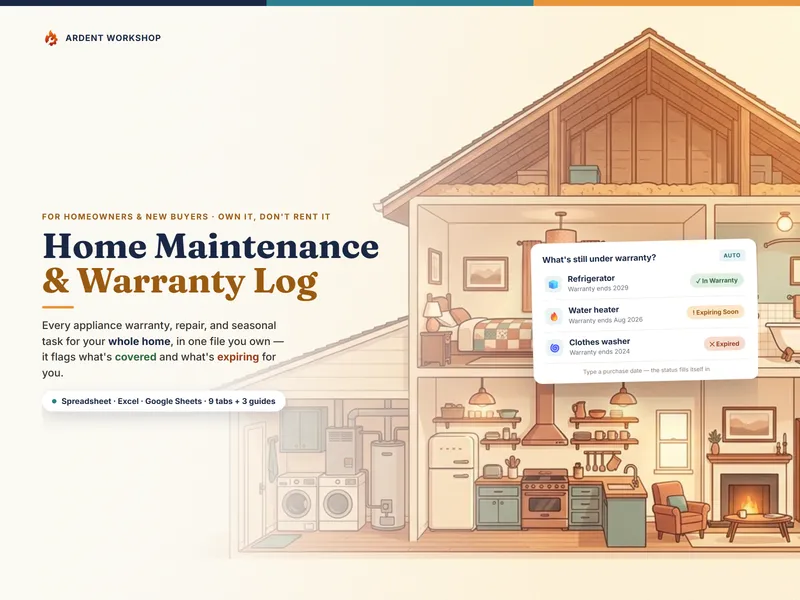
For the record you actually scan — "is this still covered?" — the log wins for most homes. It holds every brand in one view, calculates the warranty status so you don't do the math, keeps the repair history and seasonal maintenance alongside it, costs nothing to keep, prints to a page, and can't be discontinued. If you build one thing, build the owned record; keep using the maker's apps for registration.
The whole-home angle
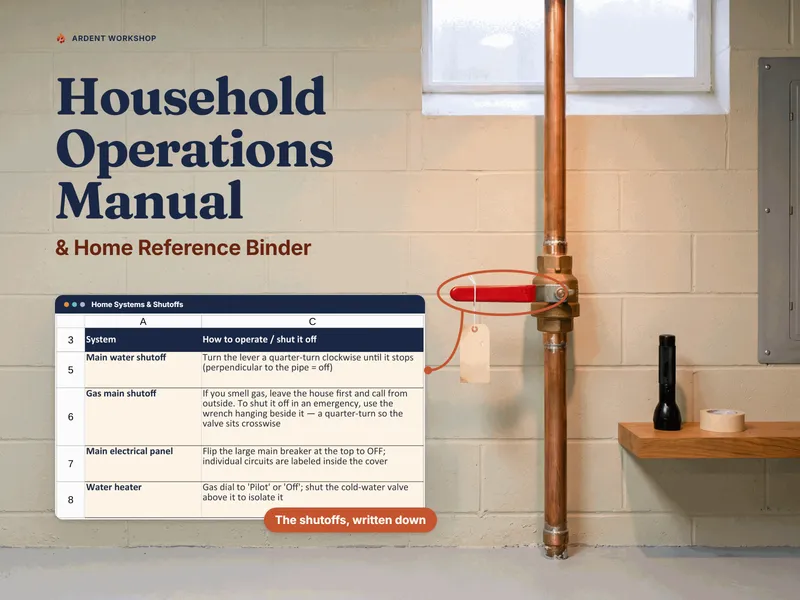
The deeper reason to own the file is that a home isn't one appliance — it's a fridge, a furnace, a water heater, a washer, a roof, each from a different maker, each with its own coverage and its own service history. No single manufacturer's app can see across all of them. A home warranty log is built for exactly that: one place where the whole home's coverage, repairs, and upkeep sit together, so nothing lapses in a brand account you forgot you had.
Where to start with a warranty log
Try the free Appliance & Warranty List to see the core of it — list your appliances and it fills in each warranty's end date — then add the repair log, the seasonal schedule, and the replacement planner with the full Home Maintenance & Warranty Log. This is a record-organizing approach, not legal, financial, or insurance advice, and not a guarantee of coverage; always confirm terms with the manufacturer or your policy. Not affiliated with or endorsed by any appliance manufacturer or app.
Frequently asked questions
- Is a warranty log or a manufacturer's app better for tracking appliance warranties?
- It depends on how many brands you own. A manufacturer's app is convenient for that one company's products — it may pre-fill the model and warranty terms when you register. But a home has appliances from many makers, so an app-per-brand leaves your coverage scattered across several accounts. A warranty log is one file that holds every appliance, system, repair, and the seasonal upkeep together, and it's a file you own — it still works if you switch brands, stop using an app, or the service shuts down. Many people register with the maker's app and keep the log as the single place they can actually scan what's covered.
- What happens to my warranty records if a manufacturer's app shuts down or changes?
- That's the core risk of a hosted app: your records live on the company's servers, and if the app is discontinued, changes its terms, or you stop using it, your history can go with it — and export options vary. A warranty log is a spreadsheet you keep on your own drive or Google account. No one can retire it or lock it behind an account, and it opens in Excel, Google Sheets, or LibreOffice for as long as you keep the file.
- Does a warranty log replace registering a product with the manufacturer?
- No — do both. Registering with the manufacturer is often what activates certain warranty terms and lets them reach you about recalls, so it's worth doing. The warranty log is the separate, brand-agnostic record you keep for yourself: every appliance in one place, the status calculated so you can see what's still covered, and the repair history and seasonal upkeep alongside it. Registration is with the maker; the log is yours.
- How does a warranty log know when a warranty expires?
- From two things you enter: the purchase date and the warranty length in months. A spreadsheet log adds the length to the purchase date to get the end date, then compares that to today's date to set a status — in warranty, expiring soon, or expired. Because it recalculates every time you open the file, an item moves from covered to expired on its own; you never have to recheck anything by hand. This is a record-keeping convenience, not a guarantee — always confirm the actual terms with the manufacturer or your policy.