The honest framing is "own it, don't rent it." A co-parenting app can be genuinely good at the coordination half — both of you seeing the same message thread, a notification the moment something changes. But the numbers at the center of shared parenting — who paid what, who owes whom, and how the nights actually split — are something you want to own, not lease.
The positioning: scattered texts and receipts → spreadsheet → co-parenting app
Co-parenting records often start scattered: a running text thread about who covered the orthodontist, a receipt photo nobody follows up on, overnights kept in one parent's head. The two ways out sit at opposite ends. A spreadsheet is the structured middle ground — the split, the balance and the overnight count, on a file you keep. A co-parenting app is the heavier, usually-rented option: live messaging and a shared calendar, but on someone else's server and frequently behind a recurring bill.
Spreadsheet vs co-parenting app, side by side
| Consideration | Spreadsheet (owned) | Co-parenting app (hosted) |
|---|---|---|
| You own it | Yes — a file on your own drive or a printed page | Usually no — access depends on an active account |
| Cost | One-time purchase, keep forever | Often a recurring fee, sometimes billed per parent — check the app's own pricing page |
| If the service ends or you stop paying | You still have the file | Access can be lost for both parents at once |
| Expense split arithmetic | Yes — a different agreed percentage per category, overridable per child, resolved the same way every row | Varies by app — check whether it supports a split per category and per child |
| Running who-owes-whom balance | Yes — every share and every payment, partial or on account, netted into one figure | Varies by app; some track a balance, others just log individual expenses |
| Overnight / parenting-time tracking | Yes — scheduled vs actual, by parent, without relying on memory | Varies by app; often a shared calendar rather than a scheduled-vs-actual count |
| Live messaging both parents can see | No — pair it with whatever channel you already use | Yes, and this is what apps are genuinely best at |
| Automatic notifications | No — nothing pings you | Yes — a nudge when an expense, message or schedule change lands |
| Shared, synced calendar | No — copy it into a calendar you already use | Yes, on every phone that has the app |
| Works offline / on paper | Yes — print it for a handover or a meeting | Usually needs a connection and a login |
| Where the data lives | Your drive or your own Google account | Usually the company's servers |
What a co-parenting app is genuinely better at
It's worth being straight about this, because the answer isn't "always use a spreadsheet."
- Live messaging both parents can see. One thread, in one place, instead of texts and emails that only one of you can find later.
- Automatic notifications. A spreadsheet can't tap you on the shoulder. If a message or a schedule change needs to reach someone right now, that's the app's job.
- A shared, synced calendar. If double-booked pickups or missed handovers are the actual problem, a calendar both phones see solves it far better than any file.
- Starting from zero. If the current system is texts, memory and goodwill, an app's structure alone can be worth adopting before any spreadsheet enters the picture.
What a spreadsheet is genuinely better at
- The arithmetic. A different agreed split per category, overridable per child, resolved the same way on every row, with the rule that applied shown beside each expense.
- One running balance. Every share and every payment, partial or on account, netted into a single who-owes-whom figure instead of mental math done under pressure.
- Overnights, honestly counted. Scheduled vs actual, by parent, without depending on either of you remembering correctly months later.
- Owning the record. No app account, no subscription, no export anxiety — and it still opens next year, and the year after.
The practical answer for many co-parents: use both
Put messaging and the live schedule in whatever channel you already use for real-time coordination. Put the split, the balance and the overnight count in a file you own. The app (or the shared calendar or text thread you may already use) answers "what's happening this weekend, and who said what." The file answers "who owes whom right now, and how did we actually split the nights this year."
Where to start
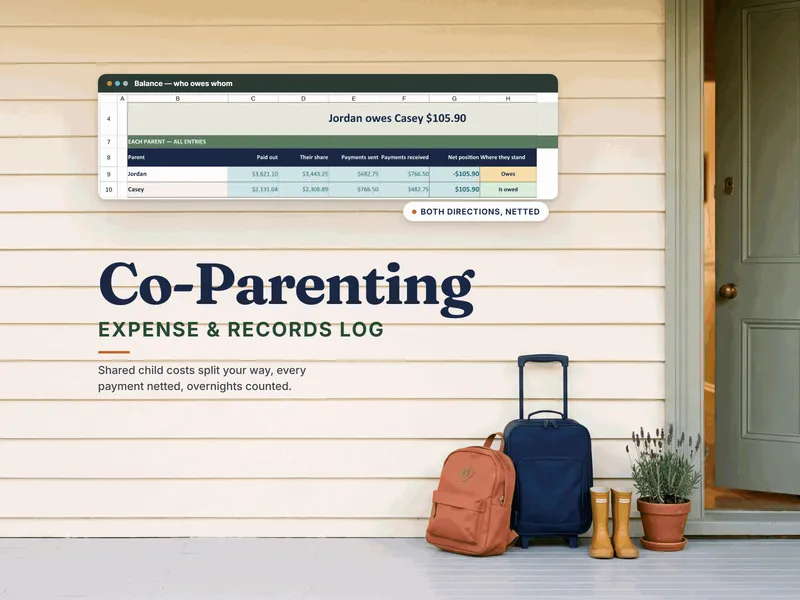
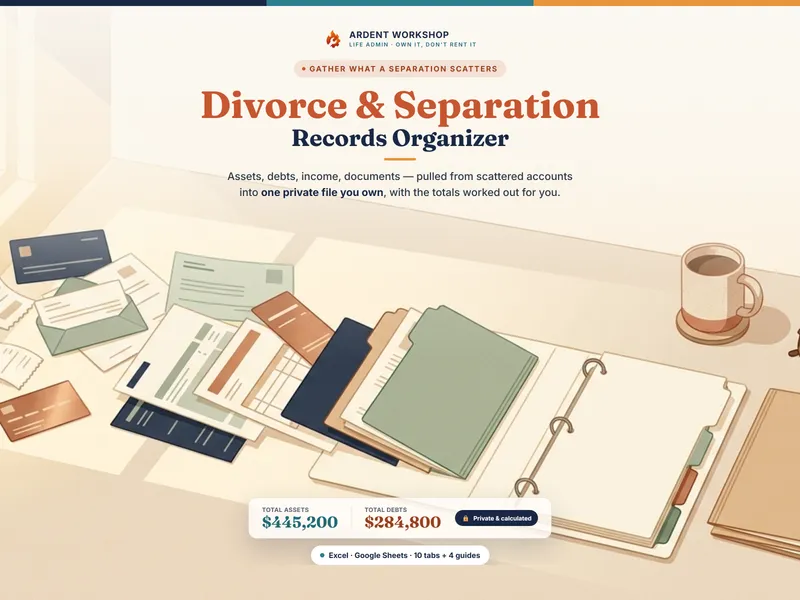
Try the free Co-Parenting Shared Expense Ledger — one tab, a single agreed split, and a running balance, pre-filled with a worked example. When you need the per-category split table with per-child overrides, a full year of overnights, a holiday rotation, and a communication log and records index, the Co-Parenting Expense & Records Log is built around exactly that — a file both households can open, with no app account and no renewal. If you're also organizing the wider separation, the Divorce & Separation Records Organizer covers the assets, debts and documents side, and organizing your records for a separation walks through the method.
Not sure which costs plans commonly treat as add-ons? See what counts as an extraordinary expense. Everything for co-parents in one place: templates for co-parents.
Frequently asked questions
- Is a spreadsheet or a co-parenting app better for shared expenses and records?
- They solve different halves of the job. A co-parenting app is a hosted service built for live coordination — messaging both parents can see, notifications, a shared calendar — usually for a subscription. A spreadsheet is a file you keep, built for the numbers: the split you agreed on, every payment netted into one running balance, and overnights counted the same way every month. One workable approach is to combine the two — the app for real-time coordination, a file you own for the figures and the paper trail.
- What happens to my co-parenting records if the app I use shuts down or a subscription lapses?
- That's the main risk of renting the record. A subscription co-parenting app keeps the expense history, message log and schedule on the company's servers; if the service shuts down, changes its terms, or a subscription lapses, access can go with it for both parents at once. A spreadsheet is a file you keep: a downloaded .xlsx on your own drive needs no service at all, and a Google Sheets copy lives in your own Google account rather than behind an app subscription — neither depends on an app company staying in business or a payment staying current.
- Can a spreadsheet split shared child expenses the way a co-parenting app does?
- For the arithmetic, yes, and often with more control. A well-built workbook can apply a different agreed percentage per expense category, override it per child, and net every payment — including partial or on-account ones — into a single running balance. What it can't do is notify the other parent the moment you log something, or hold a live message thread; that coordination layer is the app's job, not the spreadsheet's.
- Do I still need a co-parenting app if I keep a spreadsheet for expenses and records?
- Often, yes, and that's fine. A spreadsheet has no messaging, sends no automatic notifications, and keeps no independent record of what either of you said — if any of that matters in your situation, an app (or at least a shared messaging thread) is doing a job the file was never built for. What the spreadsheet is for is the numbers: the split, the balance, the overnights, recorded and totaled the same way every time, in a file that's still there next year whether or not the subscription is.