Ardent Workshop sells the coverage workbook linked here. This comparison uses its declared workflow and publicly documented software features; it is not a hands-on vendor test or an exhaustive market survey. Vendor documentation checked September 28, 2026. Features and access can vary by plan and configuration.
What each one is for
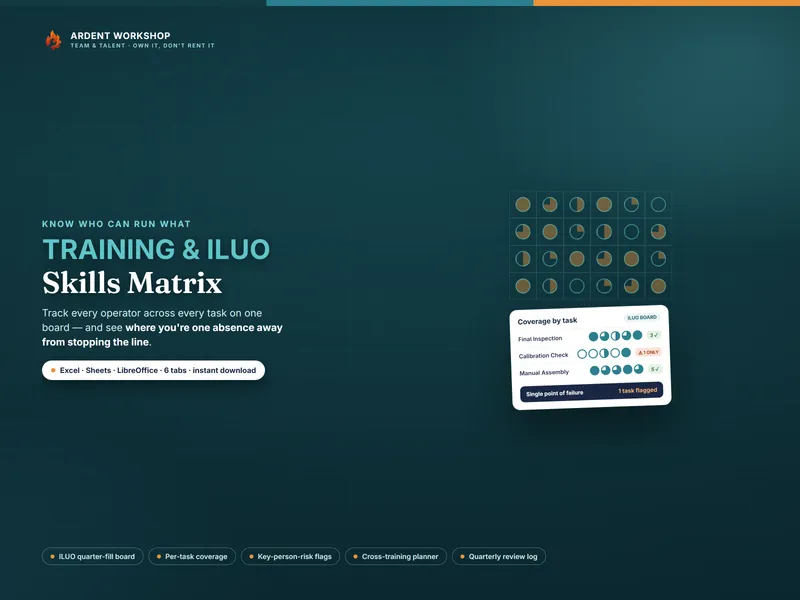
- The Ardent cross-training workbook plans capability. It records who can run each task, counts coverage, flags the single points of failure, and turns the gaps into a trainer-and-trainee plan. It answers "who can do what, where are we exposed, and who do we train next."
- Scheduling software plans the calendar. Rotas, shift swaps, availability, time-off, and often clock-in. It answers "who is working when."
Being on Tuesday's schedule and being able to run the task are separate questions, but one system may address both. For example, Deputy's training documentation describes training records, expiry information, and area requirements used to recommend employees for shifts. Managers can override a training warning, so a recommendation is not an absolute qualification lock. This demonstrates overlap; it does not establish that every platform offers the same training-planning workflow. A full explanation of cross-training is in the glossary.
When a cross-training matrix is exactly right
- Your problem is capability — too few people can run key tasks, so the rota is hard to fill no matter how you arrange it.
- You need to see coverage and single points of failure across a team or shift.
- You want to plan cross-training deliberately, with a target and a pairing per gap.
- You'd rather own the file than rent a platform per seat.
- You — and a handful of leads — maintain it, not a dedicated workforce-management team.
A workbook can fit this situation when a lead can keep it accurate and act on the gaps. Check your existing platform before adding a second record. The free Coverage Checker is a no-signup taste that flags your single points of failure, and the templates for HR & team leads hub collects the rest.
The signals you also want scheduling software
- Building the rota is the daily grind. Many people, many shifts, constant swaps — and it's eating a manager's week.
- You need availability and time-off handled. Requests, approvals, and conflicts, chased by the system.
- You track hours and clock-ins. Time and attendance tied to the schedule for payroll.
- Staff self-serve their shifts. People pick up, swap, and check the rota on their phones.
Prefer the platform if it already handles the necessary capability records and training workflow as well as shifts. If you keep both, choose an owner and update process so the records do not disagree. Neither a matrix score nor a software flag substitutes for assessing competence.
Side by side
| What matters | Ardent coverage workbook | What to verify in a scheduling platform |
|---|---|---|
| Answers | Who can run each task | Shift planning plus any capability and training workflows you need |
| Cost | One-time product price; allow for software and maintenance time | Actual plan or quote, user charges, minimums, add-ons, and setup |
| Coverage & key-person risk | Built in — counts and flags per task | Qualification records, coverage targets, and any risk or gap reporting |
| Cross-training plan | The whole point — targets, gaps, pairings | Training actions, assignees, deadlines, and progress tracking; depth varies |
| Rota & shift swaps | None — it's a capability record | Publishing, employee access, swaps, and approval rules in your plan |
| Time & attendance | Not tracked | Clock-in, timesheet approval, and payroll integration availability |
| Access and history | Use file or cloud-storage permissions; maintain version and backup practices | Role-based access, change history, exports, and retention controls |
| Reminders and integrations | Leads follow up and update the workbook; no automatic scheduler synchronization | Expiry alerts, training reminders, and supported connections to existing tools |
| Setup and ongoing work | Enter skills and targets, assess people, and maintain training actions | Import records, configure rules, train users, and maintain data quality |
| Best for | Building coverage on a team or line | Running rotas at scale |
Start with the constraint you actually have
If too few people can perform a task, plan how to develop or obtain that capability and verify the result. If qualified people are available but shift administration is failing, scheduling software may be the first useful purchase. If both are problems, test whether one platform can support both before maintaining two systems. These are selection criteria, not findings from a comparative performance test.
Try the coverage workflow
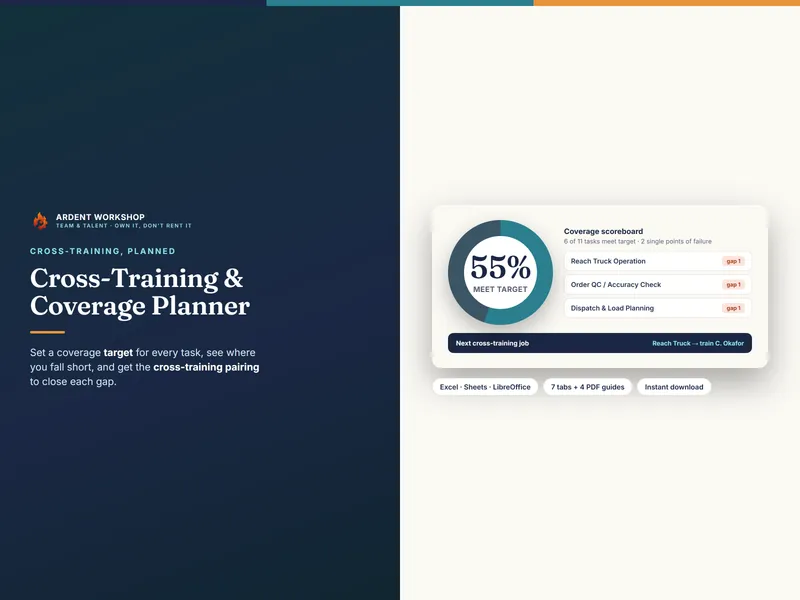
Whatever you use to publish the rota, you first need a fast, honest way to see who can run what — and to close the gaps. The Cross-Training & Coverage Planner sets a coverage target for every task, shows the live gap against it, and suggests a trainer-and-trainee pairing for each gap — one owned file for Excel, Google Sheets, and LibreOffice. Use it if that workflow fills a gap in your current tools; otherwise keep the capability record where your team already maintains it.
Frequently asked questions
- What's the difference between a cross-training matrix and scheduling software?
- A cross-training matrix records task capability, coverage targets, and training actions. Scheduling software organizes shifts and availability, and some products also manage training records or qualifications. The capabilities overlap: check the specific product and plan for gap analysis, training assignments, expiry reminders, and scheduling controls before deciding whether a separate matrix is useful.
- Can a spreadsheet replace workforce scheduling software?
- The Ardent coverage workbook can help a lead review task coverage and plan training, but it does not publish employee rotas, process shift swaps, or collect clock-ins. If those are the workflows you need, evaluate scheduling software. For a team mainly needing a maintained capability record, a workbook may be sufficient; it still depends on accurate assessments and people carrying out the training.
- Do I need both a coverage matrix and a scheduler?
- Not necessarily. First check whether your existing system covers both your scheduling and training-planning needs. Use a separate matrix only if it fills a real gap and you can keep the records consistent. Start with whichever problem is most urgent: missing capability, scheduling administration, or both. There is no required purchase order.
- How much does a coverage matrix cost vs scheduling software?
- The Ardent workbook has a one-time purchase price shown on its product page. Include any spreadsheet-software costs and time spent maintaining it. For a scheduling platform, compare the actual plan or quote, including user counts, minimum charges, training features, integrations, setup, and support. This page does not estimate a vendor price or claim measured savings.