This is less template-versus-app than it looks, because a solo or small studio can have a wording problem before it has a workflow problem. The costly mistake is paying a monthly fee for e-signature and automation while still sending a generic contract you have never read closely, and a model release that does not cover how you actually use the images.
What each one is for
- Contract and release templates are the words. A session agreement, a model release, a property release, a print release and a usage license, each written for a kind of work. They answer “what exactly are we agreeing to, and what may I do with these images?”
- A tracking workbook is the memory. It records which documents each booking needs, which are signed, when the gallery is due and when an archive should be purged, so nothing depends on you remembering across a busy season.
- A studio-management app is the machinery. Apps in this category typically bundle a client portal, e-signature, workflow automations, invoicing and scheduling into one recurring subscription. They answer “how do I send, sign, remind and track this without doing it by hand?”
Of the apps themselves, contract and e-signature tools, booking CRMs and all-in-one studio platforms each cover a different slice. For many studios, what an app adds is the sending and signing, not the wording inside.
When owned templates and a tracker are exactly right
- You book a manageable number of sessions and can send a PDF yourself.
- You shoot more than one kind of work and need clauses that match each.
- You want to read and own every clause rather than accept an app's default.
- You want models, properties and prints covered, not only the main agreement.
- You would rather keep the files than depend on an account to find them.
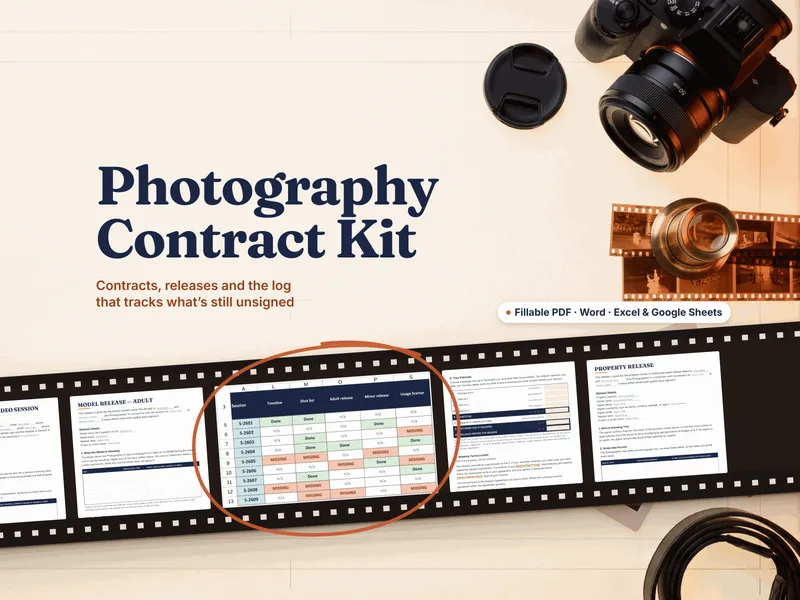
At this stage the paperwork itself does the work, and the Photography Client & Contract Kit is built for it: contracts, releases and a log of what each booking still needs signed. The free Model Release + Session Prep Starter is a no-signup way to see the quality of the documents before you buy anything.
If the terms are new, start with what a model release is and what a print release is; for the order to send everything in, see what to send a client before a photo session. For the money-and-booking side of the same decision, see spreadsheet vs studio software. The photography hub collects the rest.
The signals you may want an app
- Volume makes manual sending the bottleneck. Many bookings a week, each needing a link, a signature and follow-up.
- Clients expect a portal. One place to sign, pay, pick a time and view a gallery.
- You want automatic reminders. Unsigned contracts and unpaid invoices nudged without you.
- You have a team. Several shooters or an assistant working from the same client records.
Even then, the app only carries the wording you give it. The templates are the thinking; the app is the plumbing.
Side by side
| What matters | Owned templates + tracker | Studio-management app (subscription) |
|---|---|---|
| What it is | Documents you fill in, plus a workbook that tracks them | A hosted system that sends, signs, reminds & tracks |
| Cost shape | One purchase, no recurring bill | Recurring subscription |
| If you stop paying | You keep every file | Access to hosted records may end with the account |
| Who decides the wording | You, with genre-matched clauses and the decision behind each named | Often the app's default or a template library, editable by you |
| Releases & licensing | Model, property and print releases and a usage license are separate documents | Varies by app; check which release and license templates it includes |
| E-signature & sending | None built in: you send the PDF or Word file yourself | Built in: send a link, client signs in a browser |
| Automatic reminders & portal | No: the tracker shows what is outstanding, you chase it | Typically yes |
| Data ownership | Files on your own computer or drive; you keep them if you stop paying for anything | Hosted in the vendor's system |
| Best for | A solo or small studio that wants owned, genre-matched paperwork | High booking volume, a team, or clients who expect a portal |
The honest middle ground
If you book a handful of sessions a week, what you need most is paperwork you understand and a reliable way to know what is still unsigned. A subscription app is the right call once sending, signing and chasing become the actual job, and a busy studio can reach that point. Buying the app first just adds a monthly bill on top of a contract you still have to write. Some studios also use both: owned documents as the source of the wording, pasted into whatever app handles delivery. Either way, state law shapes what a contract or release must say and how it holds up, so a local attorney should review the final wording.
Own the paperwork either way
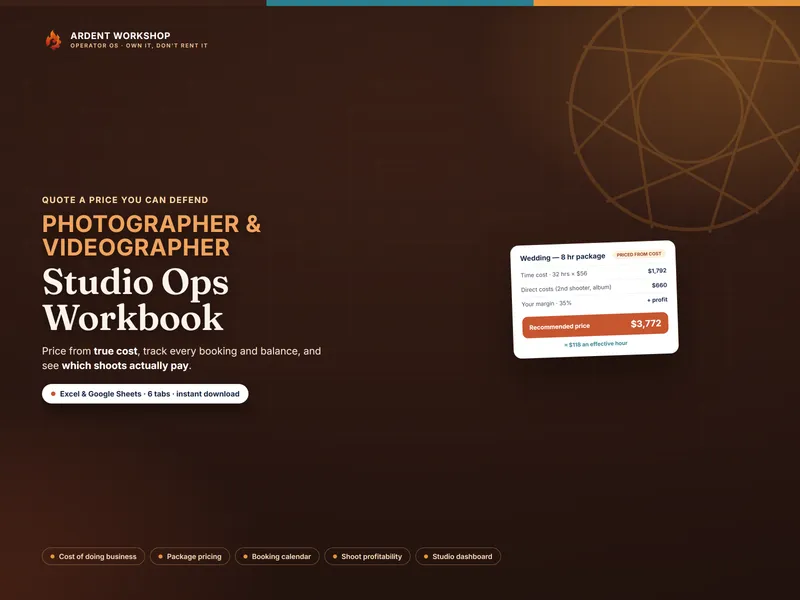
Whichever stack you are on or headed toward, the documents still have to say something specific for your kind of work. Start with the free Model Release + Session Prep Starter: an adult model release as a fillable and print PDF, a one-page client session-prep guide and a filled-in example, no signup. When you are ready for the full set, the Photography Client & Contract Kit gives you genre-matched contracts for wedding and event; newborn, family and portrait; real estate and architecture; and commercial and video work, adult and minor model releases, a property release, a print release and a usage license with a calculating fee, beside the client prep guide and a message bank. That is 20 documents, each as a fillable PDF, print PDF and Word file, plus a 9-tab Session Paperwork & Release Log workbook for Excel and Google Sheets that computes which documents each booking still needs signed, when its gallery is due and when its archive should be purged. For pricing your packages, see the Photographer / Videographer Studio Ops Workbook. Files you own, with no app account to keep paying for. Own the paperwork first; add an app only when sending and chasing it becomes the actual job.
Frequently asked questions
- What's the difference between contract templates and a studio-management app?
- Contract templates are documents: the wording of your session agreement, releases and licenses, which you fill in, own outright and edit whenever you like. A studio-management app is a subscription system that wraps a much wider job around those documents: a client portal, e-signature, automated workflows, invoicing and scheduling. One is the words you stand behind; the other is the machinery that sends them out and collects signatures. For a solo or small studio, the words and a simple way to track what is still unsigned are usually the whole problem.
- Can contract templates replace a studio-management app?
- For deciding what your agreements and releases say, and knowing which ones each booking still needs signed, yes. For sending a contract link, collecting a signature in the client's browser and firing automatic reminders, no: a template set does not send or e-sign anything. If you book a high volume of sessions and the manual back-and-forth is the bottleneck, an app earns its recurring cost. If your bookings are a few a week, the paperwork itself is the job and owned files cover it.
- Do I still need a lawyer if I use templates or an app?
- Yes, either way. What a contract, model release or property release must say, and how enforceable it is, varies by state, and neither a template nor an app can make that determination for your location. Have a local attorney review your final wording. What a good template changes is what you bring to that review: genre-specific clauses and releases where every decision is visible, rather than a generic form borrowed from another photographer.
- What do I keep if I stop paying for an app?
- It depends on the app, so check its terms and export options before you commit. The general shape of the trade is that hosted contracts, client records and signed copies live in the vendor's system, and your access to them is tied to the account. Owned files sit on your own computer or drive and do not stop working if you stop paying, because there is nothing to stop paying for. The PDF, Word and Excel files need no login; a Google Sheets copy lives in your own Google account.