Plenty of photographers and videographers can quote their lens lineup from memory — but couldn’t tell you what an hour of their work actually costs to deliver. That one number is the floor under every package you sell, and it’s the difference between a price that pays you and one that quietly funds everyone but you.
The Photographer / Videographer Studio Ops Workbook turns a calendar of bookings and a feeling about your prices into one operating picture: what your time really costs, what each package should cost, and whether each shoot actually paid. It’s a six-tab workbook for Excel, Google Sheets, and LibreOffice, plus four PDF guides and printable studio sheets — built for portrait, wedding, brand, and video shooters running the business by hand.
What an hour of your work actually costs
The Cost of Doing Business tab is the flagship. Enter a year of overhead — gear depreciation, insurance, editing software, your studio, marketing — the salary you want to draw, and the hours you can realistically bill (be honest — it’s usually fewer than it feels; often 800 to 1,200 a year, not 2,000). It returns your break-even and your all-in cost per hour: the rate every working hour must earn before you make a dime. Every other tab leans on that number.
Price every package up from real cost
The Package Pricing tab builds each offering’s price from the ground up. Enter the shoot, editing, and prep hours and the direct costs (second shooter, album, travel), set the margin you want, and it returns a recommended price and the effective hourly rate you’d actually earn. Compare that hourly across packages and the truth comes out: the mini session with the tidy sticker price often earns the least per hour, while the editing-heavy package has to charge more even for “the same amount of time.”
Never lose track of a deposit or a balance
The Booking Calendar keeps every shoot, its agreed price, the deposit, and the outstanding balance in one place, with due dates and a status dropdown. The balance calculates for you, so you always know what’s booked, what’s paid, and what’s still owed — and you collect the wedding balance before the wedding, not after.
See which shoots actually paid
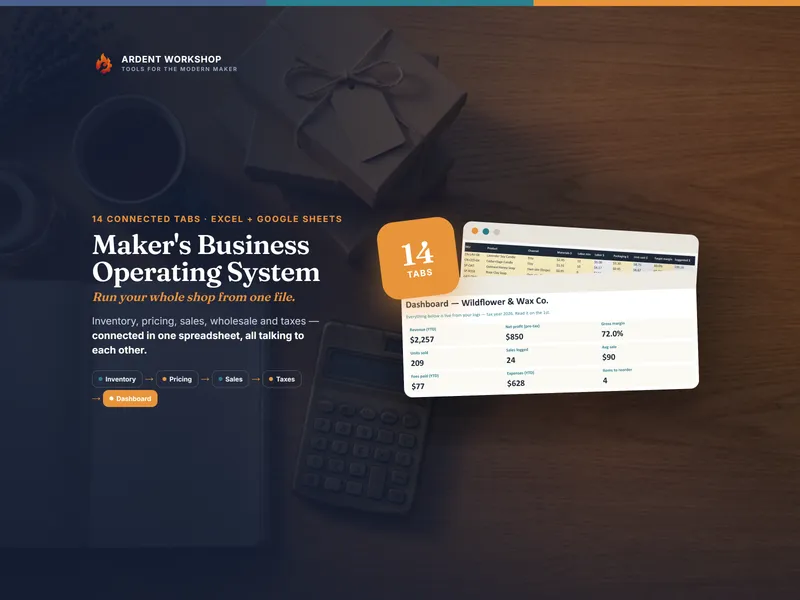
The Shoot Profitability tab puts your real hours and real cost against the revenue, shoot by shoot, and shows the profit and the effective hourly on each one. The Dashboard rolls it all up: revenue booked, deposits collected, balances outstanding, profit, average margin, and the gap between your effective hourly and your cost per hour — the dollars you actually keep on every hour worked.
Own it, don’t rent it
This is a file you own, not a monthly app you rent. Buy once, keep it forever, and run it your way — no per-shoot fees, no subscription, no account. It sits right between a blank spreadsheet (free, but you build it all yourself) and pricey studio-management software (overkill and locked-in): the structure you need, in a file that’s yours.
Prefer Google Sheets? Your download includes a one-click “Make a copy” link to a native Google Sheet — every dropdown, formula, and format already set up and tested. No import, no fuss. Or use the .xlsx in Excel or LibreOffice. Same workbook, your choice.
Try it free first
Want a taste before you buy? The free Session & Package Pricing Calculator lets you price a single package from your shoot costs, editing hours, and target margin — a real slice of the full workbook, no signup.
When the studio outgrows a spreadsheet
A spreadsheet is a great place to learn your numbers and a hard place to run a growing studio. When the bookings, galleries, and second shooters outgrow a folder of files, Ardent Seller (opens in new tab) is the living version of this workbook — your shoots, clients, costs, and payments tracked in one place, with profit computed for you across the whole operation. There’s a free plan to start, on the same own-it ethic.
A business reference, not licensed tax, accounting, or legal advice. Every figure in the examples is illustrative — your gear, rates, hours, and market are yours to enter. Sales-tax, contract, model-release, and licensing rules vary by jurisdiction; confirm your own. Created with AI assistance under Ardent Workshop’s creative direction, then reviewed and edited.