A photography contract protects the shoot only if it fits the shoot. A newborn session signing wedding terms, a brand shoot with no model release for the people in frame, a real estate listing photographed on a property nobody signed off, a gallery promised “in a few weeks” with no date on paper — each of those is a contract that existed and did not help.
The Photography Client & Contract Kit is the 20 documents a photo or video studio works from — a session agreement with four genre clause sets, the core releases, a usage license, a pricing guide template and the client-facing pages around them — plus the Session Paperwork & Release Log, a workbook that tells you which of those documents each booking still needs signed and when its gallery is due.
A photography contract template that fits the genre
The Photography & Video Session Agreement covers what every booking shares: coverage, add-ons and travel, fees, the retainer and balance, gallery delivery, copyright and the client’s license, portfolio use, cancellation and rescheduling, and liability. Then it attaches one of four genre clause sets:
- Wedding & Event — coverage hours and overtime, meals and breaks, guest phones and cameras, family formals, a second shooter, video coverage
- Newborn, Family & Portrait — baby-led pacing, safety, illness and rescheduling, siblings and pets, selection and editing
- Real Estate & Architecture — who authorizes access, property readiness, twilight, drone and video add-ons, the listing-use license, occupants’ privacy
- Commercial & Video Production — the creative brief and deliverables, revisions and approval, talent and locations, footage, music and audio, the usage license, a kill fee
The workbook’s Doc Matrix maps each genre to its clause set, and the Checklist tab marks the one each booking needs, so the right clauses go out with the agreement.
Model release, property release, print release
A session can need more than one signature. The kit includes a Model Release — Adult, a Model Release — Minor signed by a parent or guardian, a Property Release for private locations, and a Print Release that tells clients what they may do with the images they receive. For commercial work, the Usage License & Fee Schedule sets out exactly which media, term and territory the client is buying.
Try the free version first: the Free Model Release + Session Prep Starter is this kit’s adult model release, as a fillable and a print PDF, plus a one-page client prep guide, with both shown filled in for an invented session. No signup.
The log that knows what is still unsigned
The Session Paperwork & Release Log (Excel, LibreOffice and a one-click Google Sheets copy) is what keeps twenty documents from becoming twenty loose files. Its key tabs:
- Sessions — one row per booking. Pick the genre and answer five booking options (minors, private property, second shooter, commercial use, outdoor), and it counts the documents needed, done and still missing, names the next one to chase, and sets a status: COMPLETE, OPEN, URGENT, or SHOT UNSIGNED when the shoot has already happened.
- Checklist — every booking against all 17 per-session documents, marked Done, n/a or MISSING from what you have logged.
- Paperwork Log — one row per signature or send. Documents that need a signature only count once they come back signed or returned; the prep guide and timeline count once sent.
- Gallery and archive dates (on Sessions) — gallery due = session date + your promised turnaround, archive purge = delivery + your retention, each flagged before it slips.
- License Rates and License Quote — your own rate card (7 usage categories with illustrative starting rates you replace) and three side-by-side quotes, so you can show a client what two years worldwide costs against one year in the US.
- Dashboard — what needs you this week, with the shot-but-unsigned sessions at the top.
It has room for 250 sessions and 2,000 Paperwork Log rows, and it opens filled in with 12 fictional sample sessions so you can see every tab working before you type.
A pricing guide template, without anyone else’s prices
Document 20 is a fillable, client-facing Pricing Guide & Package Menu: three package rows, add-ons, what every package includes, booking terms in brief, and an estimate that works out the subtotal, the retainer due at booking and the balance before the session. It ships with no prices. You set them; the page presents them clearly and does the arithmetic.
Everything a client sees, from inquiry to archive
The rest of the kit covers the client experience around the contract: a Client Questionnaire, a How to Prepare session guide, a Wedding & Event Timeline Worksheet, a Shot List & Must-Haves, a Weather, Illness & Reschedule Addendum, a Gallery Delivery & Archive Policy, a Second Shooter & Assistant Agreement, a Client Message Bank of ready replies, and a Signed-Document Log for anyone who prefers paper.
A 6-page router lists 36 client moments, from the first inquiry to the archive email, and names the document for each. The 32-page Start Here guide explains every document — what it does, the clause never to delete, what to check before you send it — and lists the clauses that vary by state.
Fillable PDF, print and Word — all white-label
Every document ships three ways: a fillable PDF you click and type into, a print PDF with ruled blanks for pen and paper at the session, and an editable Word file you can rewrite and brand. None carries Ardent Workshop branding, so they go out under your studio’s name. The fee ledgers on the Session Agreement and Usage License and the Pricing Guide estimate calculate in Adobe Acrobat Reader and some desktop readers; browser and phone viewers show plain boxes, which is why the arithmetic is printed beside every derived line.
Where it sits on the shelf
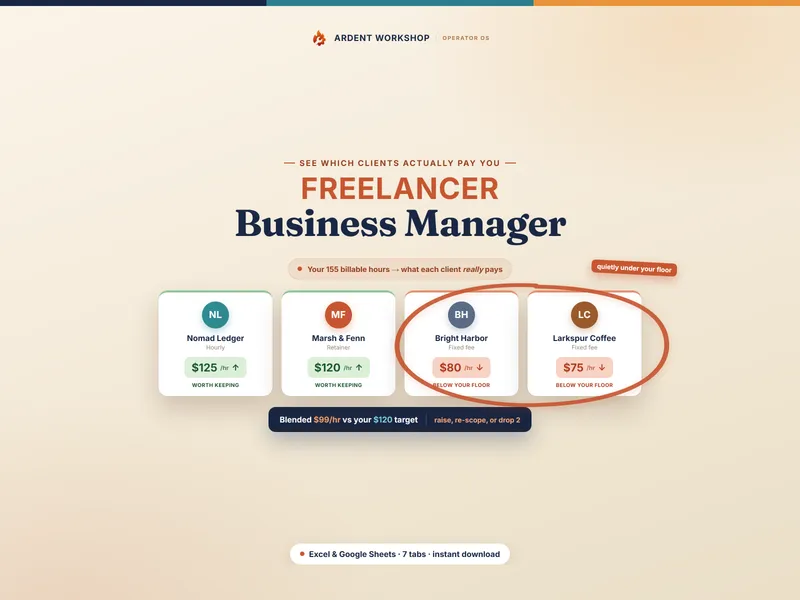
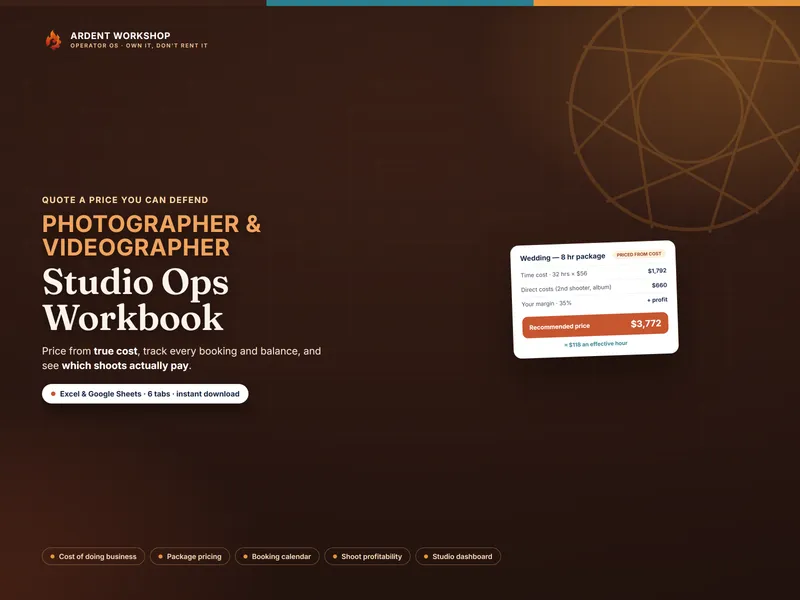
This kit handles the paper between you and your client. To price packages from true cost, track bookings and balances, and see which shoots actually pay, the Photographer / Videographer Studio Ops Workbook is the companion. Freelancers juggling clients across more than photography may prefer the Freelancer Business Manager.
Ardent Seller (opens in new tab), our living operations app for small-business sellers — customers, work and sales in one place, with a free plan to start — is the step up when you outgrow a file.
Instant digital download. Nothing ships. The files are yours to keep and use in your own business — no subscription, no account, and nothing to be discontinued out from under you.
Created with AI assistance under Ardent Workshop’s creative direction, then reviewed and edited before release.