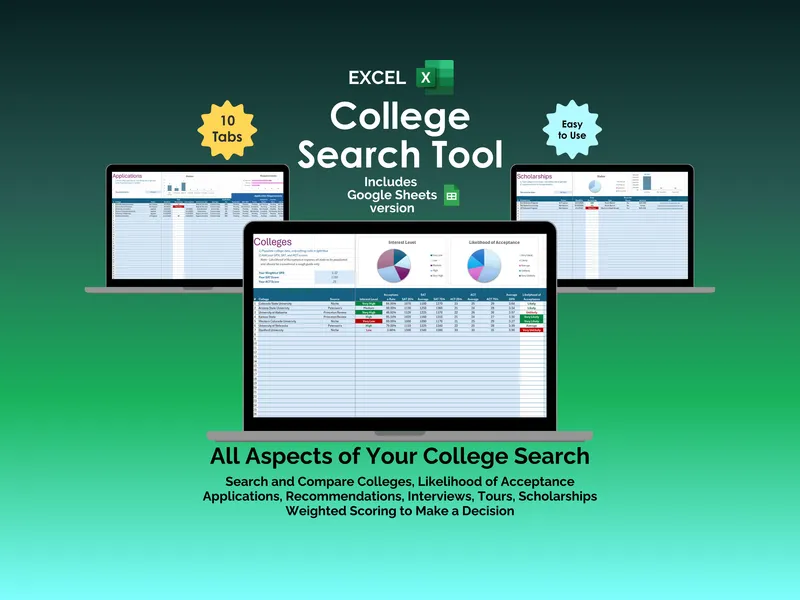
College research isn’t the bottleneck. Tracking what you’ve already researched is. This google sheets college search tool collapses ten browser tabs, three sticky notes, and a Notes app full of deadlines into one spreadsheet. Ten tabs, one decision, zero guesswork.
Start on the Search tab. It ships pre-loaded with 10+ college search engines — Princeton Review, Peterson’s, Niche, College Board, US News & World Report — alongside Last Checked dates, Days Since Checked counters, and a Profile Completed column. Set a Threshold to Warn value and the google sheets college search tool flags any source you have not revisited recently.
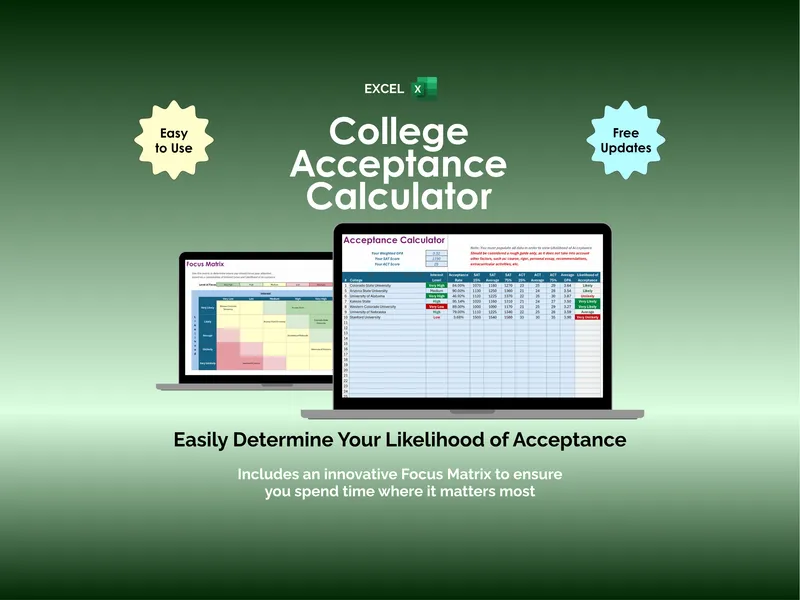
The Colleges tab handles side-by-side comparison across tuition, acceptance rate, and location. The headline feature is the Likelihood of Acceptance calculator: enter your GPA and test scores, and each school gets an estimated chance based on its admissions criteria. Interest Level and Likelihood of Acceptance pie charts surface the spread instantly. You stop guessing which schools are reach, match, or safety.
Applications tracks College, Status, Deadline, Days Remaining, Application Type, Fee, and a full Application Requirements grid covering essays, transcripts, and test scores. A Status bar chart shows progress across every school. A Requirements chart shows what is still outstanding. The Threshold to Warn cell warns you before any deadline lands inside your danger zone.
Recommendations logs every letter you have requested with College, Status, Deadline, Days Remaining, Type (Teacher, Counselor, or Peer), Person, Subject, and Notes. Status and Types pie charts keep coordination clean when Mr. Robertson is writing for American Literature and Ms. Gonzalez is covering Spanish. Nothing falls through.
Tours and Interviews each get their own section with Status, When, Days Remaining, Address, Contact Phone, Contact Email, and Notes. A Next Tour and Next Interview indicator pulls the soonest event to the top of the sheet. You arrive at the University of Alabama visit with the address and a phone number, not a scramble through your inbox.
The Scholarships tab organizes funding opportunities by Status, Deadline, Days Remaining, Type (Need-Based, Merit-Based, or Both), Requires Essays, Amount, and URL. A Status pie chart and an Amount bar chart show you exactly how much money is in play and where you stand on each application. Submitted, In Progress, Not Started — all visible at once.
When acceptance letters arrive, the Decision tab runs your options through a weighted scoring system. You define the Decision Factors and weights — Cost, Academics, Sports, School Size, Culture, Campus, Location, Activities, Reputation — then rate each school across each factor. The Top Contenders section ranks finalists with Winning Factors, Losing Factors, and a final Score. This is the differentiator: every other college research spreadsheet stops at “track my apps.” This one tells you where to go.
The file includes both the Google Sheets and Excel versions. No apps, no subscriptions, no login. It lives in your Google Drive, opens on any device, and shares with a parent or counselor through a single link.