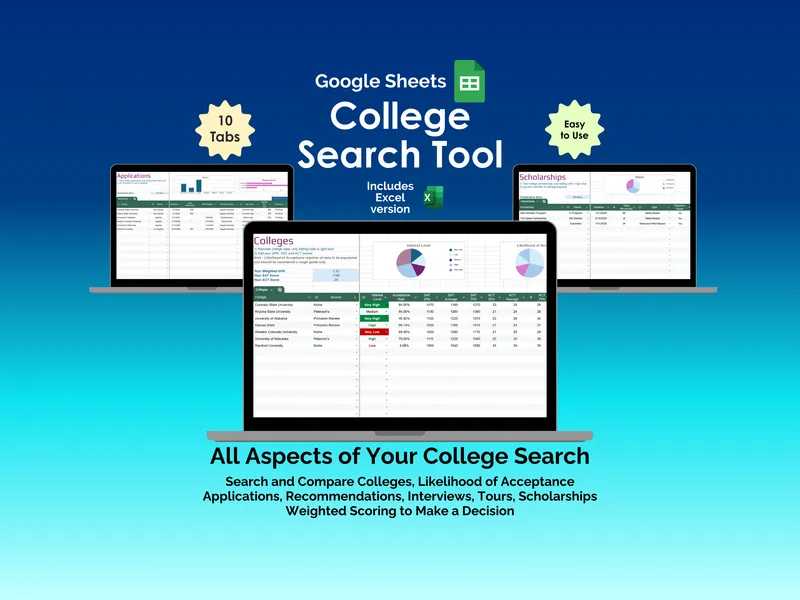
Ever caught yourself chasing a recommendation letter and realizing, three days late, that an application deadline already slipped past? That is exactly the chaos this excel college search tool was built to end. You get ten linked tabs that hold every moving piece of your search in one file, so nothing falls through the cracks while you are juggling junior year (or senior year panic).
The pain usually starts before you even apply — too many sites, no memory of which ones you actually finished. The Search tab fixes that by listing 10+ engines like Princeton Review, Peterson’s, Niche, College Board, and US News & World Report, each with a Last Checked date, Days Since Checked counter, and Profile Completed flag. You set a Threshold to Warn (say, 30 days), and this excel college search tool turns the row red the moment a source goes stale, so you stop revisiting the same three sites and ignoring the rest.
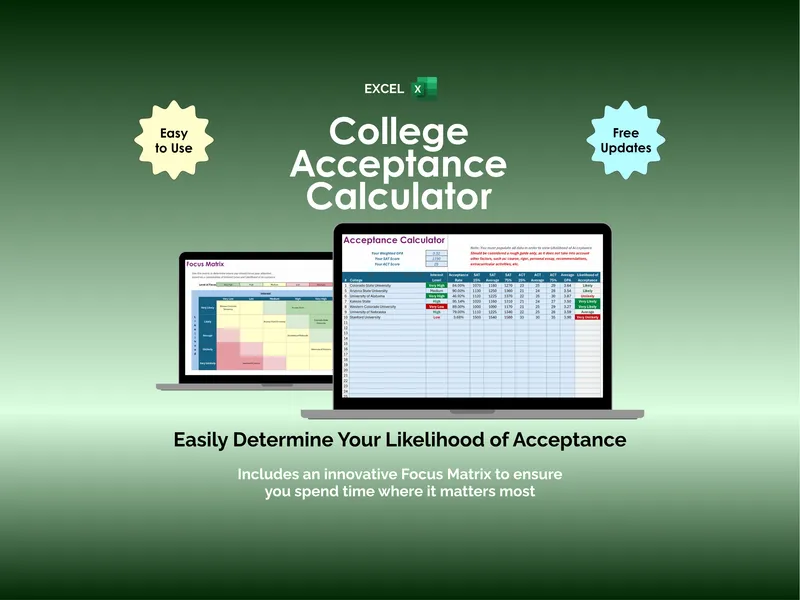
Comparing schools by gut feel is how you end up applying to the wrong list. The Colleges tab gives you a side-by-side compare across tuition, acceptance rate, location, and more, with two pie charts — Interest Level and Likelihood of Acceptance — that visualize your real shortlist. Enter your GPA and test scores once, and the likelihood of acceptance calculator scores each school against its admissions criteria so you can balance reaches, targets, and safeties (instead of guessing).
Application deadlines are the single most stressful piece, because each school wants something slightly different. The Applications tab tracks deadline, application type, fee, and every requirement (essays, transcripts, test scores) with a Status bar chart and a Requirements chart so you can see at a glance what’s still pending. A threshold warning catches anything close to slipping — useful when you are deep in a Common App essay and lose track of the calendar.
Recommendation letters are the part nobody wants to chase. The Recommendations tab tracks who you asked (Teacher, Counselor, or Peer), the subject they’re covering, the deadline, Days Remaining, and current status — with Status and Types pie charts so you can see the balance of voices in your file. You will know exactly when to send a polite nudge instead of awkwardly guessing.
Campus visits and admissions interviews need their own brain. Tours and Interviews each get a dedicated tab with status, date, address, and contact information, plus a Next Event indicator so you walk in prepared instead of pulling up directions in the parking lot. It is the small detail that keeps a two-hour drive from going sideways.
Funding is where most college comparison spreadsheet setups fall apart, because scholarships have wildly different shapes. The Scholarships tab handles Need-Based, Merit-Based, and combined awards with deadlines, amounts, requirements, an Essay flag, status, and a direct URL for each one. A Status pie chart and an amount bar chart show your funding pipeline at a glance, with a threshold warning before any deadline runs out.
When the acceptances finally roll in, picking blind is its own kind of regret. The Decision tab runs your finalists through a weighted scoring system across Cost, Academics, Sports, School Size, Campus, Location, Activities, Reputation, and Admissions — you set the weights, you rate each college, and a Top Contenders section surfaces the Winning Factors and Losing Factors behind each final score. That way your choice is grounded in data, not the school that happened to have the sunniest tour day.
What makes this excel college search tool different is that it actually belongs to you — no subscriptions, no accounts, no cloud login, and a Google Sheets version is included in the same purchase. Open the file, fill it in, and have the whole search (search engines, colleges, applications, recommendations, tours, interviews, scholarships, decision) sitting in one place that opens offline. If you would rather track all of this in one spreadsheet you control than in eight different browser tabs, this is the one.