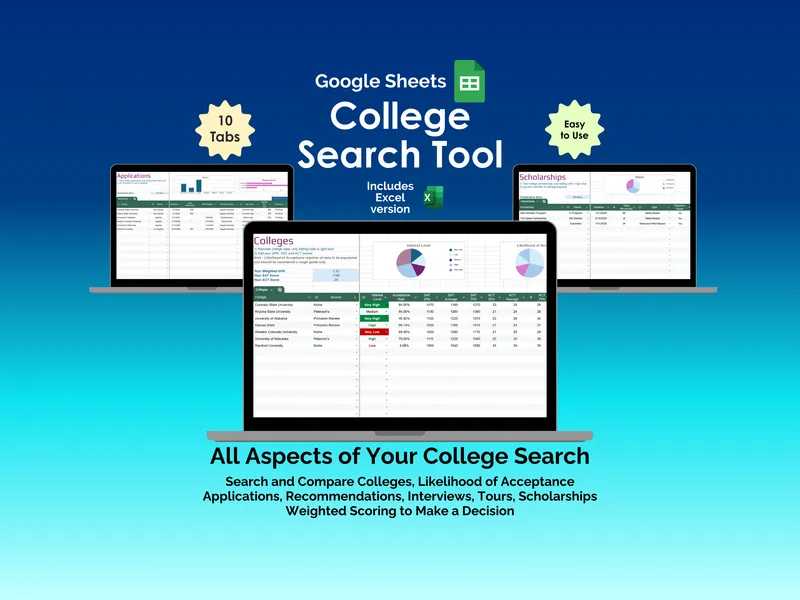
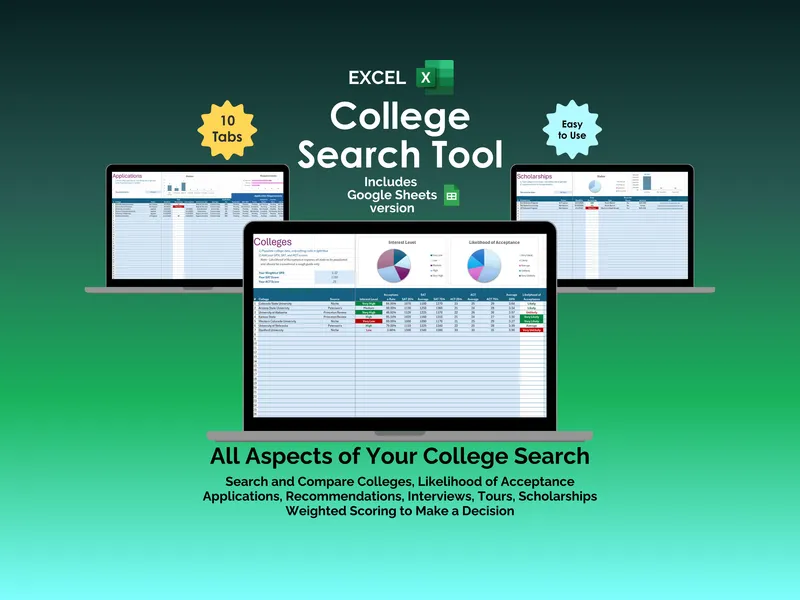
Compare your actual GPA and test scores against every school on the shortlist before the December panic starts — not after. Most students and parents stack reach schools and safeties by feel, then panic in December when the math finally catches up. This college acceptance calculator excel replaces that guesswork with a workbook that takes your weighted GPA, SAT score, and ACT score and runs them against each school’s published admission stats.
The headline feature is the personalized Likelihood of Acceptance calculation. You enter your GPA and test scores once at the top of the Calculator tab, then drop in up to 100 colleges alongside their acceptance rate, SAT 25th and 75th percentiles, ACT 25th and 75th percentiles, and average GPA. The college acceptance odds spreadsheet weighs your profile against those four data points per school and outputs a likelihood label — from Very Unlikely to Very Likely — for every row.
That likelihood column is the load-bearing piece. It turns a vague feeling about Stanford University or Arizona State University into a specific, side-by-side comparison you can defend at the kitchen table. Update one cell — a retake bumps your ACT, a senior-year transcript nudges your GPA — and every school’s likelihood recalculates on the spot.
The Interest Level ranking sits next to the likelihood column so you can mark each college Very Low through Very High. This is the input your family argues about anyway, now captured next to the math instead of separately. The Focus Matrix tab then plots all your schools on a 5×5 grid of Interest against Likelihood, color-coded so high-interest, high-likelihood schools land in the green zone and low-interest, low-likelihood ones get flagged red.
The workbook is fully editable Excel, so you can rename categories, adjust weighting, or extend the list past the 100-row default. Free updates are included if the methodology changes, and the layout is built to be readable by a high school junior, not just a spreadsheet hobbyist.
The reason the college acceptance calculator excel works as a planning tool — and not just another GPA checker — is that the Likelihood of Acceptance number flows directly into the Focus Matrix. You stop debating whether to tour a school three states away and start seeing, in one glance, which applications deserve essay hours and which ones are quietly wasting them.