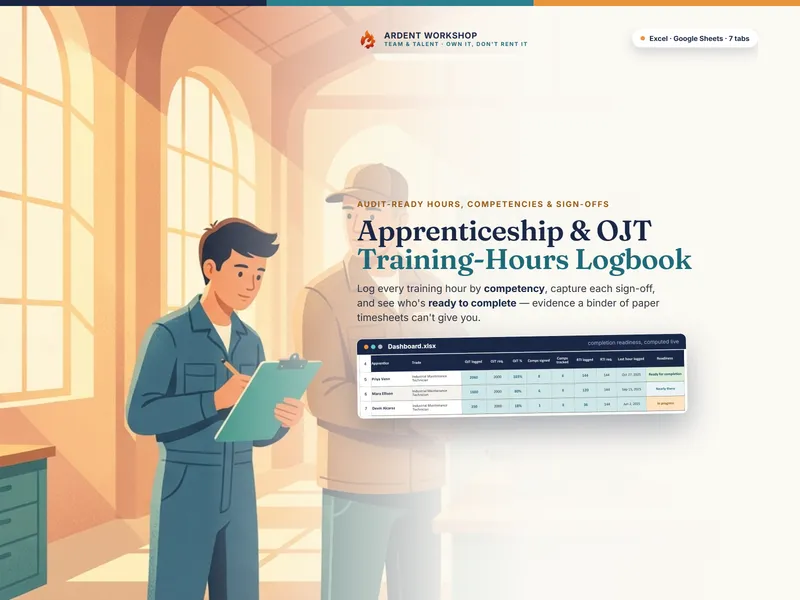
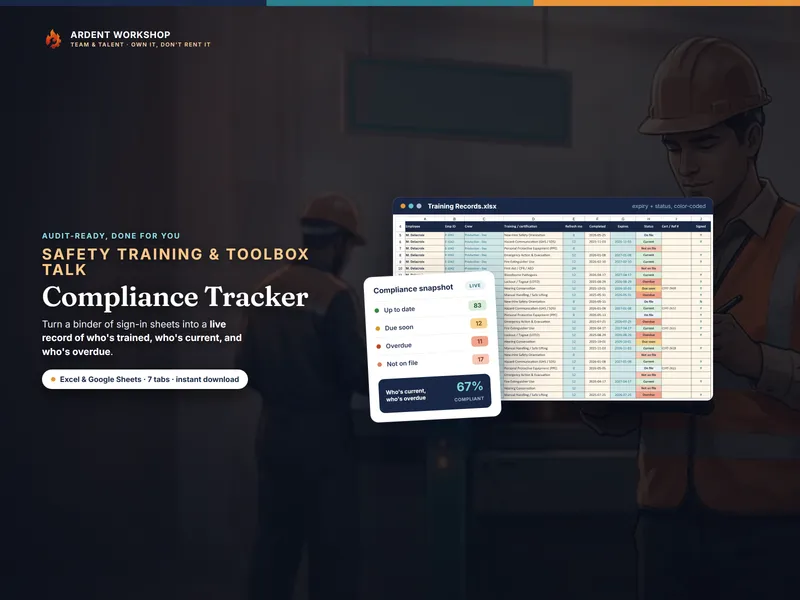
The honest framing is "own it, don't rent it." Apprenticeship-management software can be genuinely powerful — role-based logins for every mentor, direct e-filing with a registration agency, automated reminders across a large cohort. Those are real capabilities, and for a big multi-employer program they can be worth the subscription. But the record at the center of an apprenticeship — the hours, the competencies, and the sign-offs behind each apprentice — is sensitive, long-lived evidence a sponsor may need to produce years later. For a small program, that's something worth owning in a file you keep, not leasing on a platform you don't control.
The positioning: a blank spreadsheet → an owned workbook → management software
Most small programs start with the record scattered — hours on loose timesheets, sign-offs in a binder, completion status in one supervisor's head. The two ways to get organized sit at opposite ends. A blank spreadsheet is free, but you build every formula, competency rollup, and readiness flag yourself. Apprenticeship-management software is the heavier, usually-rented option: more automation and agency integration, but on the vendor's server and behind a recurring per-seat bill. An owned hours logbook is the structured middle ground — real competency rollups, sign-off tracking, and a readiness dashboard, on a file you keep.
Apprenticeship hours spreadsheet vs. management software, side by side
| Consideration | Hours logbook (owned) | Apprenticeship-management software (hosted) |
|---|---|---|
| You own it | Yes — a file on your own drive or Google account | Usually no — access depends on an active subscription |
| Cost | One-time purchase, keep forever | Recurring, often per-seat or per-apprentice monthly fee |
| If the service ends or you stop paying | You still have the file and the full training record | Access can be lost, along with years of sign-off history |
| Where your training records live | Your drive or Google account | The vendor's servers, under their privacy policy |
| OJT hours logged by competency | Yes — each block tied to a competency and mentor | Yes, varies by platform |
| Mentor / supervisor sign-offs | Yes — signer and date recorded, per hour block and per competency | Yes, usually |
| Completion-readiness rollup | Yes — OJT + RTI hours + sign-offs → a per-apprentice flag | Yes, usually |
| Direct e-filing with a registration agency | No — you export and file yourself | Sometimes built in (a real advantage for large programs) |
| A login for every mentor | Best for one or a few record-keepers | Built for many concurrent users |
| Works offline / on paper | Yes — print the hours and sign-off sheets | Usually no — needs the platform and a connection |
When apprenticeship-management software makes sense
If your program is large or growing, registers apprentices across many employers, needs role-based logins for dozens of mentors, or e-files directly with a registration agency, a dedicated platform can earn its cost. Some sponsors run a platform for the agency integration and keep an owned workbook as the durable, exportable record. The two aren't mutually exclusive — just don't let a rented platform be the only copy of a training record you may need to produce long after a subscription lapses.
When an owned hours logbook is the better fit
For most small programs the owned file is the safer, cheaper foundation. It logs hours by competency, captures the sign-offs, tracks the classroom hours, and flags who's ready to complete; it's a one-time cost you keep; it prints for a paper trail; and it can't be taken away by a lapsed payment. Your apprentices' records stay private and permanent because they live where you decide. If you build one thing, build the owned record — then add a platform later if you outgrow it.
Where to start
Try the free single-apprentice hours log to log one apprentice's OJT hours, then run the whole program with the Apprenticeship / OJT Training-Hours Logbook — a 7-tab file you own, with a competency framework, an OJT hours log, an RTI log, per-competency progress with sign-offs, and a completion-readiness dashboard, that works in Excel, Google Sheets, and LibreOffice with a one-click Google Sheets copy. This is a record-keeping template — not legal, compliance, or registration advice, and not a guarantee of compliance or registration. Not affiliated with or endorsed by the U.S. Department of Labor, any state apprenticeship agency, or any Registered Apprenticeship program, or any apprenticeship-management software.
Frequently asked questions
- Is an apprenticeship hours spreadsheet or apprenticeship-management software better?
- It depends on the size of your program. Apprenticeship-management software is a hosted platform — usually a per-seat or per-apprentice monthly subscription — that tracks hours, competencies, and sign-offs on the vendor's servers. An apprenticeship hours spreadsheet is a workbook you own that logs OJT hours by competency, captures mentor and supervisor sign-offs, tracks the related classroom (RTI) hours, and rolls each apprentice up to a completion-readiness view — for a one-time cost. For a sponsor running a handful of apprentices, or a shop foreman documenting OJT for a small cohort, the owned workbook produces the same audit evidence without a recurring bill or your program's records on someone else's server. A large program registering hundreds of apprentices across many employers, with agency e-filing and role-based logins, may outgrow a spreadsheet — that's where a platform earns its cost.
- What happens to our training records if we stop paying for the software?
- That's the core risk of renting the record. A subscription platform holds your apprentices' hours, competencies, and sign-off history on its servers; if you stop paying, the vendor changes terms, or the service shuts down, your access — and sometimes years of training evidence — can go with it. A workbook you own is an .xlsx or a Google Sheet on your own drive; a lapsed subscription can't lock it, and the record an auditor may ask for years later stays intact. Whatever you choose, keep your own export of the training record.
- Can a spreadsheet really produce audit-ready apprenticeship evidence?
- Yes — that's the whole point of a structured hours logbook. The Apprenticeship / OJT Training-Hours Logbook logs each block of OJT hours against the competency it built and the mentor who trained it, records who signed each off and when, sums the hours per competency against the required total, and flags each apprentice Ready for completion, Nearly there, or In progress from OJT hours, RTI hours, and sign-offs. That's the same documentation a management platform produces — in a file you own. What a spreadsheet won't do is e-file directly with a registration agency or give every mentor their own login; if you need those, that's the line where a platform makes sense.
- Does the workbook keep my program compliant or registered?
- No — and no tool should let you assume it does. A hours logbook helps you organize and prove your evidence; it does not register your program, guarantee compliance, or replace your registration agency's forms and process. Your sponsor's and your agency's own required hours, competencies, and submission process govern. Ardent Workshop is not affiliated with or endorsed by the U.S. Department of Labor, any state apprenticeship agency, or any Registered Apprenticeship program. Use the workbook to keep the evidence in order; follow your agency's rules to close out a completion.