The framing that helps is own it, don't rent it. A downloaded file does not depend on a service staying available or on keeping a subscription going, and you can open it long after the wedding. That does not make it the right tool for every task, and this page tries to be fair about which tasks belong to which.
Want to try the math first? The free Wedding Guest-Count Budget Calculator is one tab: type a guest count, and per-guest lines times that count plus fixed costs are set against your ceiling.
| Job | Better tool |
|---|---|
| Guest website | App |
| Collecting RSVPs from guests | App |
| Shared checklist on a phone | App |
| Reminders sent to your phone | App |
| Guest count linked to the budget | Spreadsheet |
| Vendor quotes priced the way each vendor priced them | Spreadsheet |
| What is due each month, per contributor | Spreadsheet |
When an app is the better choice
- A guest website. A page where guests find the date, the location, the schedule and the registry is exactly what a hosted service is for. A spreadsheet cannot give guests a page.
- Collecting RSVPs. Letting guests answer themselves, and having the answers arrive on their own, saves you from chasing replies by text. A spreadsheet only holds what you type into it.
- Sharing on the go. A checklist, a vendor contact list or a seating note that you and your partner can both open on a phone, with changes showing up for each of you, is what a good app does well. Walking a venue with a phone in hand is an app moment.
- Reminders. If you need a nudge that reaches your phone, an app can send one. A spreadsheet file does not send one by itself.
When an owned spreadsheet is the better choice
- Linked money math. In a spreadsheet, the guest count feeds the per-guest lines, the per-table lines step with whole tables, and fixed costs stay fixed, all in one place. Change the head count and every dependent figure follows. In the Wedding Planning Workbook, the head count can be taken on the basis you choose: Invited, Expected or Confirmed.
- Your own quotes. Vendors quote in their own ways: a price per person with a minimum, a price per table, a flat package. A spreadsheet lets you enter each one the way the vendor priced it, with tax and service included, and follow each line through four stages from estimate to payment: Planned, Latest quote, Contracted and Paid. If a quote increase takes you over your ceiling, the workbook flags it, and when a single quote alone does it, names that quote.
- Months per contributor. When several people are paying, the useful question is not the grand total but what is due in which month and from whom. The workbook's Cash by Month tab covers 24 months, in total and per contributor, and flags the peak month and any month where payments bunch. The Contributions tab covers up to six contributors: pledged, received, and the first month each one runs short.
- The file stays yours. There is no Ardent Workshop account and no subscription. Keep it on your computer, or use the Google Sheets copy if you prefer, which needs a Google account.
Why the average cost per guest misleads
This is the clearest case of something a checklist cannot do. It is tempting to divide the total by the guest count and use the result to decide what a cut would save. The trouble is that the total includes fixed costs, and fixed costs do not shrink when a guest does. Here is an illustration with made-up numbers.
- A made-up forecast total of $30,000 over 100 guests is a $300 average.
- Suppose $150 per guest is the part that moves with the count, and everything else is fixed.
- The average says cutting 10 guests saves $3,000. The real figure is 10 x $150 = $1,500.
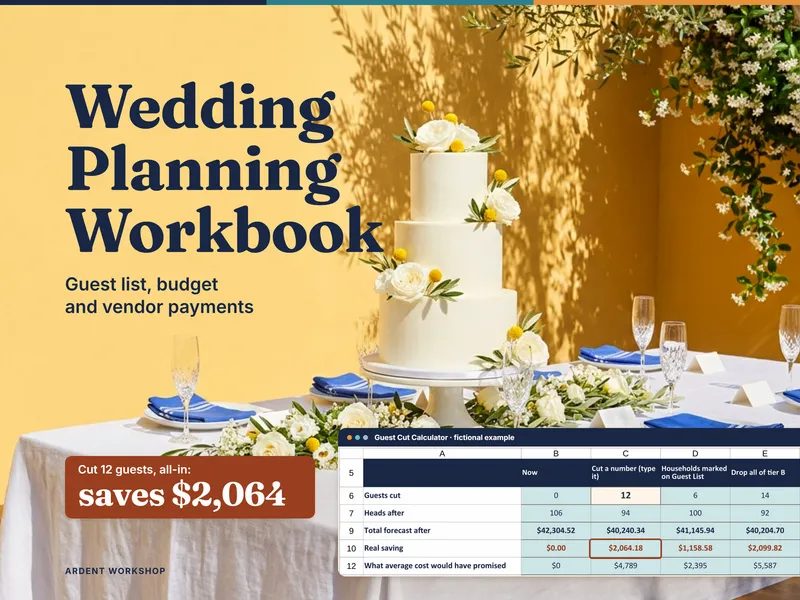
Whether an item is truly per-guest, per-table or fixed depends on how that vendor quotes it, so decide from your own quote, not from a guess. The workbook's Guest Cut Calculator states what cutting a number of guests saves, honoring vendor minimums and whole tables, beside what the average would have promised. The worked cost-per-guest tutorial gives this same $30,000 budget a per-table line, so the cut also drops one $120 table and saves $1,620.
Payments are where the two ideas meet
A vendor payment schedule is the dated list of what you owe each vendor. The workbook's Vendor Payments tab holds deposit, milestone and final balance rows with due dates and overdue or upcoming flags. A final balance is worked out from that line's forecast all-in less your other payments. On per-guest and per-table lines, that means it moves with the guest count until you pay it. That is the sort of dependency that is easy to build in a spreadsheet and hard to see in a list.
Using both, sensibly
A workable split: let an app be the face your guests see, with the website, the RSVPs and the phone-friendly checklist, and keep the money in a file you own. When responses come in, copy the replies into the guest rows. Decide which place is the source of truth for each fact, and update that one first.
When you want quotes, payments and contributors tracked together, the full Wedding Planning Workbook covers that. If the venue is still undecided, the Wedding Venue Decision Helper comes first.
A planning and record-keeping tool, not financial, legal or tax advice. The dollar figures on this page are made-up illustrations; your real numbers come from your own quotes and contracts. Compare any app's current features, pricing and privacy terms yourself before you commit; they change.
Frequently asked questions
- Is a wedding planning spreadsheet or a wedding planning app better?
- It depends on the job. A wedding planning app is a hosted service, and it is usually the better choice for a guest website, collecting RSVPs from guests, and checking a list on your phone while you walk a venue. A spreadsheet is the better choice when you want the money math linked together: guest count feeding per-guest costs, your own vendor quotes, and a month-by-month view of what each contributor owes. You may want both, with the app facing guests and the spreadsheet holding the numbers.
- Can a spreadsheet collect RSVPs from guests?
- Not in a way you would want to hand to guests. An app can give guests a page to respond on and collect their answers for you. A spreadsheet holds what you type into it. If you collect responses elsewhere, you can copy the results into the guest rows, and the workbook will count heads on whichever basis you choose: Invited, Expected or Confirmed.
- Why does cutting guests save less than the average cost per guest suggests?
- Because the average includes fixed costs, and fixed costs do not shrink when a guest does. With made-up numbers: a $30,000 forecast over 100 guests is a $300 average. If only $150 per guest moves with the count and everything else is fixed, cutting 10 guests saves $1,500, not the $3,000 the average implies. If part of that budget is priced per table, a dropped table adds a little to the saving. Which of your own lines are per-guest, per-table or fixed depends on how each vendor quotes it.
- Do I need an account or a subscription to use the workbook?
- There is no Ardent Workshop account and no subscription. You download the file and it is yours. The Google Sheets copy needs a Google account, because Google hosts Sheets; the Excel file does not need one. Either way, you decide where it is stored and who gets a copy.
- Can I use an app and the workbook together?
- Yes, and it is a sensible split. Let the app handle the guest website, RSVPs and quick sharing. Keep the quotes, contracted amounts, payment dates and contributions in the workbook, and copy guests' replies into the guest rows as they come in. Pick one place as the source of truth for each fact so the two never disagree.