Score the venue, don’t just chase the prettiest tour
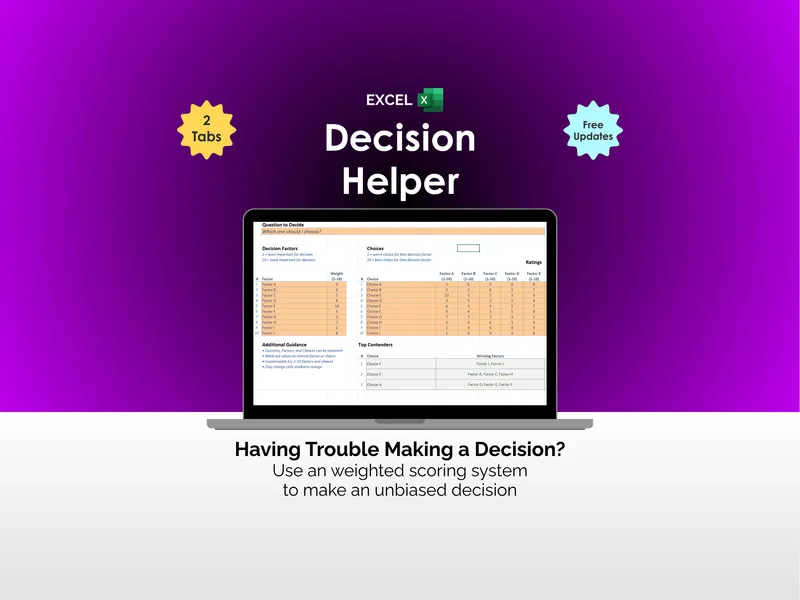
The venue is usually the biggest, most emotional line in the whole wedding budget, and it almost always gets decided under pressure — a date someone else might book first, a coordinator who needs a deposit to hold it, and a tour so beautiful it drowns out the price and the fine print. The Wedding-Venue Decision Helper gets the decision out of your heads and onto one page, so the two of you can score it with clear heads instead of agonizing over it.
It’s a weighted scorecard built as a workbook you own. You set a weight for each thing that matters to you — cost and value, guest capacity, location and travel, food and drink, dates and terms, the vendor rules, the look you want, and logistics — then rate each venue from 1 to 5. The workbook returns a single weighted score per venue and ranks them, so the strongest overall fit rises to the top instead of the venue that gave the best tour.
Why a weighted score beats a gut feeling
A favorite-venue gut feeling treats every impression as equal. It isn’t. A short drive for your guests might matter far more to you than a slightly lower price — so this tool lets you weight it that way, and the math follows. The venue you fall for on the tour, the one that costs the least, and the one that actually fits your whole wedding are often three different venues, and a stunning photo gallery is very good at hiding that. Scoring the decision makes the trade-offs visible, in numbers you set yourselves.
See the all-in cost, not just the rental fee
A rental fee alone is a poor way to compare venues. The built-in All-In Cost Calculator folds the whole picture into one comparable number — it takes your guest count, multiplies food and drink per guest, adds the rental fee, required rentals and add-ons, the service charge, gratuity, and taxes, then subtracts any discount. The result is each venue’s all-in cost and a cost per guest: a far fairer basis for comparison than the headline rental fee. A low rental fee with a steep per-guest minimum and a long list of required rentals can come out more expensive than a higher fee that includes the tables, chairs, linens, and a coordinator — better to learn that here than on the final invoice.
Compare, rank, and book with confidence
- Compare up to four venues side by side on the criteria you choose and weight.
- Rank them automatically by a weighted score on a clean 1–5 scale.
- Turn each quote into one number with the All-In Cost Calculator, so price is compared on equal terms.
- See the price of fit — the Results tab shows the best-fit venue next to the cheapest one and names the gap between them as a real dollar figure.
- Settle the debate — when one of you loves the look and the other is watching the budget, two sets of weights turn the argument into a conversation.
- Confirm before you commit — your low ratings on your high-weight criteria are exactly what to ask about before you sign.
What’s inside
A 7-tab workbook (.xlsx) plus three PDF guides:
- Decision Scorecard — set a weight per criterion, rate each venue 1–5; the weighted score and ranking fill in automatically.
- All-In Cost Calculator — each quote folded into one comparable all-in cost and a cost per guest.
- Venue Facts — every venue’s details (style, capacity, distance to hotels, catering, vendor rules, end time) side by side.
- Results & Ranking — venues ranked by score, with the best-fit/cheapest gap named in dollars.
- How to Score — the 1–5 scale, the eight criteria, and how to set your weights.
- Notes & Questions — your open questions, what to confirm before booking, and your final decision and its reasons.
- Read Me — how the tabs fit together, and where to start.
- Three PDF guides — a Start Here guide, a Scoring & Weighting guide with a fully worked example, and a Touring & Questions checklist with a printable scorecard.
Works in Excel, Google Sheets, and LibreOffice
Use the .xlsx in Microsoft Excel or LibreOffice Calc, or open the included one-click link and choose Make a copy for a ready-made native Google Sheets version in your own Drive — no importing, nothing to set up. It comes pre-loaded with three fictional example venues so you can see the method working before you enter your own.
Try it free first
Want to feel the method before you buy? The free Wedding-Venue Web Scorer weighs two venues across the five core criteria — cost, capacity, location, food and drink, and the look — right in your browser, no sign-up. When you’re weighing more than two venues, want your own criteria, or want to keep the file, the workbook is the full version.
Own it, don’t rent it
This sits between a blank spreadsheet (free, but you build everything) and a subscription wedding-planning app (overkill and a recurring bill). It’s the structure you keep: a connected, owned workbook for the choices worth getting right — and you can reuse it for the caterer, the photographer, and the next big decision, too.
Who it’s for
Any couple choosing a wedding venue — two finalists against each other, or three or four contenders fresh off a weekend of tours. Couples touring on a deadline who want to slow a deposit-pressured decision down. Couples who disagree about budget versus beauty and want a fair way to talk it through.
A decision-making and planning template — not financial, legal, or contractual advice. A weighted score is a tool for thinking, not a verdict you have to obey: it’s there to inform your decision and slow down a deposit-pressured one, never to make the call for you. Always read the venue contract yourself. The three example venues and all their numbers are fictional. The decision, and the day, stay yours.