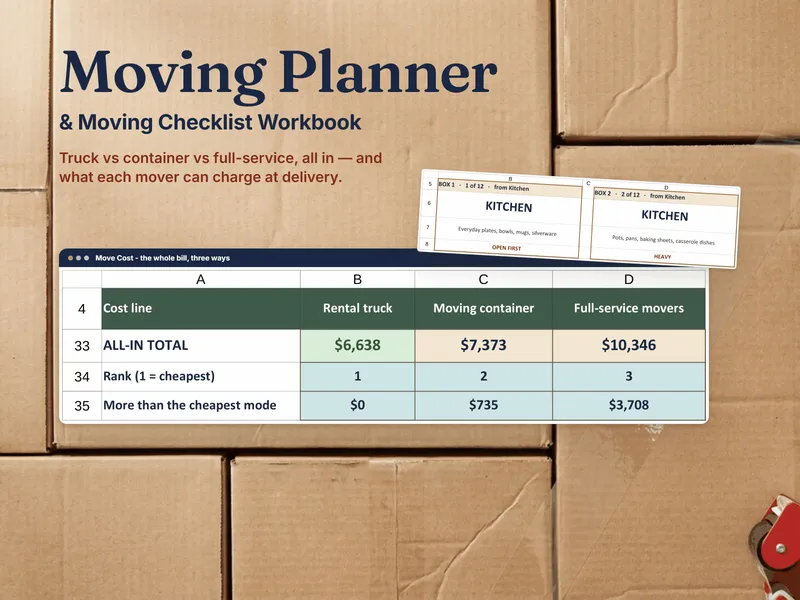
Every move produces the same problem at the other end: a wall of identical brown boxes, no way to tell which one has the phone chargers, and no way to know if the box with grandma’s dishes is even on the truck. A numbered system fixes both — a box number that ties to one line in an inventory list, and labels on at least two sides and the top so the number is readable no matter how it’s stacked. The Moving Planner & Moving Checklist Workbook builds this as a Boxes inventory tab that feeds a printable Labels tab: number a box once, and it appears on both automatically. Here’s the method by hand, one step at a time.
Step 1 — Number every box and log it in one list
Start a list before you pack the first box: box number, room it’s packed from, destination room in the new place, and what’s inside. As you seal each box, write its number on it and add a row to the list — not the other way around, so the list is never behind the boxes.
| Box # | From | Room count | To (new place) | Contents | Flags |
|---|---|---|---|---|---|
| 1 | Kitchen | 1 of 2 | Kitchen | Pots, pans, cutting boards | — |
| 2 | Kitchen | 2 of 2 | Kitchen | Coffee maker, mugs, filters | Open-first, Fragile |
| 3 | Bathroom | 1 of 1 | Hall bathroom | Towels, toiletries, first-aid kit | Open-first |
| 4 | Bedroom (Sam) | 1 of 1 | Bedroom 2 | Bedding, pillows, lamp | Open-first |
| 5 | Living room | 1 of 1 | Living room | Picture frames, small lamp | Fragile |
| 6 | Office | 1 of 1 | Office | Desk lamp, cables, printer paper | — |
Notice the destination room isn’t always the same name as the room it left — a move is also a chance for a box to land somewhere better than where it started, and writing the new room down now is what lets movers or helpers put it there directly instead of stacking everything in the garage to sort later.
Step 2 — Count boxes per room so a missing one is obvious
Once a room’s boxes are packed, count them and write that count on every box from that room: box 3 of 7, kitchen. That single number does the job a whole inventory audit would otherwise take — at the new place, count the kitchen boxes as they come off the truck, and if you’re at 6 of 7 when the truck is empty, you know immediately, while there’s still a truck to search and a driveway to check, instead of discovering it three weeks later when you go looking for the box that never turns up.
Step 3 — Flag open-first and fragile boxes
Before you tape a box shut, decide whether it needs either flag:
- Open-first — you’ll want this inside the first hour: bedding, a shower curtain and towels, phone chargers, basic tools, a change of clothes, snacks, medications.
- Fragile — anything breakable: dishes, glassware, framed photos, electronics.
Write both flags on the box in a spot that isn’t covered when it’s stacked, and add them as a column in your list — a box that’s both open-first and fragile (the coffee maker, say) needs to be handled and placed with both rules in mind, not just the first one you happen to remember.
Step 4 — Label every box on more than one side
One label on top is not enough — boxes get turned sideways on a dolly, slid into a truck facing the wall, and stacked three deep. Write the box number, destination room, and any flags on at least two sides and the top, so whichever way a box lands, someone can read where it goes without moving it first. This is also what makes Step 2’s count workable at speed: a mover carrying a box in each hand needs the number visible without setting anything down.
Step 5 — Load so open-first boxes come off first
Loading order is the payoff for all the flagging: open-first boxes go onto the truck last, closest to the door, so they’re physically the first ones off at the other end — you’re not digging through a truck to find the box with the toothbrushes on the first night. Fragile boxes go on top of sturdier ones, never underneath anything that can shift and crush them, and heavy boxes go on the bottom of a stack regardless of what else is going on. A short run sheet — which boxes come off first, and in what order — turns unloading into a checklist instead of a guess.
From labeled boxes to a full moving plan
Numbering and labeling solves the box problem. The rest of a move — a countdown of tasks with due dates, comparing a rental truck, a container, and full-service movers, and tracking the utility and address changes so nothing lapses at either end — is what the Moving Planner & Moving Checklist Workbook is built for: log a box once and it drives both the printable label and the inventory list, open-first boxes are called out on the moving-day run sheet automatically, and you keep the file — no partner-funded moving app between you and your new address.
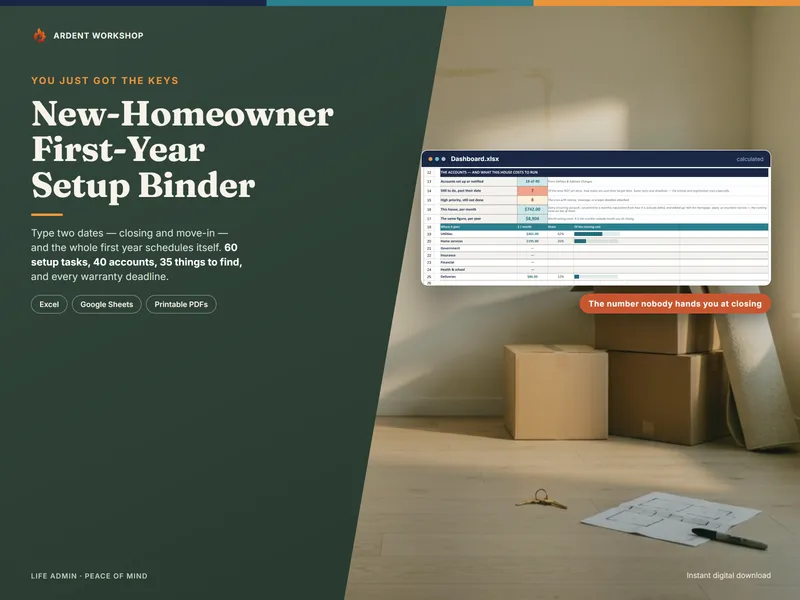
Start free with the Moving Week Countdown checklist and box-label sheet, or read managing a parent’s downsizing move if the move you’re labeling boxes for isn’t your own. Once you’re in the new place, the New-Homeowner Move-In & First-Year Setup Binder picks up where unpacking ends — account transfers, warranty registration deadlines, and what the house costs to run.