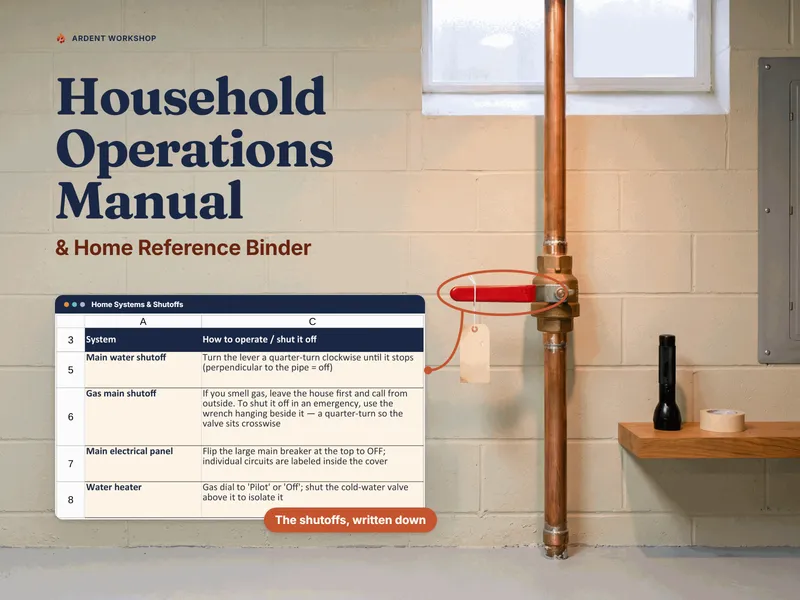
You get the keys, and then you get the avalanche. Utilities to transfer. An address to change in forty places, several of which carry actual deadlines. A home warranty nobody explained, on a clock that probably started before you closed. And a building full of things whose location only the previous owner knows — starting with the main water shutoff, which you will need to find exactly once, in the dark, in a hurry.
Most people run that year out of a browser with eleven tabs open and a printed checklist from the moving company. By month three, both are gone.
This is the alternative: one workbook you own, where two dates run everything.
Type two dates, and the first year schedules itself
At the top of the Setup Timeline there are two cells: your closing date and your move-in day. Type your real dates over the placeholders and every due date in the file recalculates — on that tab, on Utilities & Address Changes, on the warranty index, and on the maintenance calendar.
They are two dates because they are frequently not the same day, and the gap matters. You own the house from closing — that is when the utilities should start, because an unheated house in February is a burst-pipe claim on your policy. Move-in day is when your own clock starts, and it is what the setup tasks, the address changes, and the first maintenance cycles count from.
Every one of the 60 tasks carries two things: a Counts from value — Closing or Move-in — and a Day number, how many days from that date it sits, negative for before. Utilities & Address Changes works the same way. That is why the binder holds two dates rather than one: if you close six weeks before you move, the walkthrough, the wire transfer, and the utility start have to stay attached to the closing, while the mail forward, the license address, and the maintenance cycles belong to the move. Both columns are yours; change either and that row’s due date moves.
Lead times, not one shared deadline
The reason a move checklist stops working around week two is almost always the same: every item on it is due at once. Half the list flips from fine to late on a single Tuesday, it sequences nothing, and you stop looking at it.
Each of the 40 accounts here gets the lead time it actually needs. Internet installation wants four weeks, because the appointment is the bottleneck. Homeowners insurance wants six, because the lender will not fund without it. A driver’s license address is not a lead time at all — it is a legal deadline that starts after you move, and it is one of the few items on the list with a real penalty.
Each row also carries what to have ready and why it matters, so you are not googling from the hold queue.
The number nobody hands you at closing
Each recurring account takes an amount and a billing frequency — the water bill quarterly, the insurance premium yearly, the internet monthly. The binder converts each one to a monthly equivalent, totals them, and splits the total by category. One line on the Dashboard: what this house costs to run, per month and per year.
That number does not exist anywhere else. The mortgage, the taxes, and the insurance escrow are on your closing disclosure. The electricity, gas, water, sewer, trash, internet, the softener lease, the security monitoring, and the four subscriptions tied to the house are on no document you have ever been given. In the binder’s own worked example, the full set of recurring accounts adds up to $742 a month.
Learn the house before you unpack it
There is a short window, roughly the first week, when the rooms are still empty enough to walk around in and the seller is still answering messages. Almost everything genuinely urgent in this binder is urgent for that reason and no other.
Learn the House is 35 curated items to find and write down — the same 35 the First-Week Walkthrough guide covers, in the same order — with two columns that matter: where it is, written so a stranger could follow it, and write this down, for the number, size, or date you will want and not remember. Seventeen are marked critical — not the most expensive things in the house, but the things you might need to find with water coming through a ceiling. The Dashboard counts those separately.
It records where things are and where documents live. It never holds an account number, a policy number, an alarm code, or a login — because a house binder gets emailed to a partner, opened on a shared laptop, and printed for a contractor.
The paperwork that expires quietly
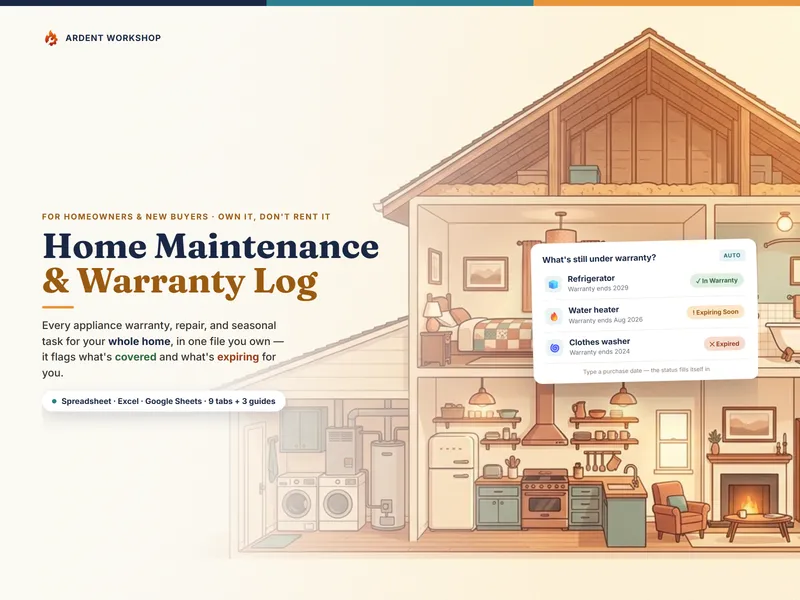
Give a row in the Closing & Warranty Index a start date and a term and it computes the expiry, the status (Active, Expires soon, Expired, No expiry), and the registration deadline.
It is worth being precise about that last one, because the internet is not. For a basic manufacturer warranty in the United States, failing to return the registration card generally does not void your coverage — what a manufacturer asks for at claim time is proof of purchase, not a returned card. The federal rule goes further only for warranties designated full (16 CFR 700.7); most appliance warranties are limited, so the protection there rests on manufacturer practice rather than on the statute. Registering is still worth it for the recall notices and the purchase date on file. Where registration genuinely bites is everywhere else: extended service plans, promotional term extensions (the “register within 90 days for a ten-year parts warranty” offers on furnaces and water heaters), contractor workmanship warranties, and transferable structural warranties. Several of those are worth a great deal and all of them have short windows that land in exactly the weeks when you are moving. Fill the column in where a form is genuinely required, and the Dashboard reports two counts: registrations still open, and windows already missed.
There is a second trap the worked example is built to show. A home warranty included in the sale frequently runs from when the seller bought it — often at listing, months before your closing — so “a year of coverage” can have four months left on it. Put the real start date in and the binder tells you when it actually ends.
A calendar that does not die in March
Printed first-year checklists all die the same way: they are a list of dates, the dates pass, and by spring the paper is a record of a month you already lived.
First-Year Maintenance is built differently. Every job carries a cadence — monthly through every ten years — and an editable cadence table turns that into days. With no Last done date, the first occurrence is scheduled one interval after your move-in day. Once there is one, the next due date is computed forward in whole intervals and lands on the first occurrence at or after today, so a job skipped for two cycles reads Overdue rather than quietly rescheduling itself into next year.
Enter the date you did it, and the next one moves. That is the whole mechanism, and it is why this tab is still correct in year four.
What the first year actually costs
Not the down payment, not closing costs, not the renovation you are planning. Rekeying the locks, and a ladder, and a year of filters, and the regrading the inspector flagged, and two smoke detectors that turned out to be from 2013.
The Setup Budget & Spend tab is that list, pre-loaded, phased across the year, and prioritized bluntly: Safety, Urgent, Should do, Nice to have. Above it sit four figures — your budget, the planned total, what you have spent, and still to buy at planned prices — because a budget looks healthy right up to the month the remaining two-thirds of the list arrives.
Pre-filled, so you can see it working
Seven tabs open on a clearly fictional worked example: a household three weeks into a house with a 2011 water heater, a north side that needs regrading, and two smoke detectors old enough to replace. Every flag, every rollup, and every bar is live before you type anything. Then you clear it and put in your own.
Own it, don’t rent it
There is a quiet reason to keep this in a workbook you own rather than an app. The file is yours. It holds where the shutoffs are, what is under warranty, what the house costs to run, and everything you have learned about a building you will probably own for years. It can go to a partner, a house-sitter, or the next owner without anybody being invited to an account. It cannot be locked behind a login or a lapsed subscription, and it will not vanish if a company shuts down.
Not ready for the full binder? The free New-Home Move-In Checklist is a printable one-pager of the week-one transfers and address changes, with where each account lives.
Product-specific fine print
A setup and records workbook — not legal, tax, financial, real-estate, insurance, or construction advice, and not an inspection. Deadlines for driver’s licenses, vehicle registration, voter registration, homestead exemptions, and property-tax appeals vary by state and county and change; this file gives you the row and the reminder, and tells you to confirm the date with the agency itself. Warranty terms, registration windows, and whether a warranty transfers to a new owner are set by each manufacturer and contract. Detector counts and placement are set by local code. Maintenance cadences are sensible defaults for a typical single-family house, not a manufacturer’s instruction — where a manual disagrees, the manual wins. Every cost figure in the file is an illustrative placeholder to overwrite, not a quote.