Why “we do the training” isn’t enough
Most crews genuinely do their safety training. The problem an audit exposes isn’t the training — it’s the record. When an inspector asks whether a specific person is current on a specific certification, “we cover that” is not an answer; a dated record with a signature is. Documenting safety training well means being able to answer four questions instantly: what’s required, who’s done it, when it expires, and where the proof is.
This is a record-keeping method, not compliance advice. It won’t tell you what training the law requires of your workplace — that’s for your own program, regulator, and insurer to define. What it does is give you a defensible, audit-ready way to record and present the training you do.
Step 1 — List the trainings each role requires
Start with a catalog, not a pile of certificates. Write down every training and certification your work requires — hazard communication, lockout/tagout, fall protection, confined space, respiratory protection, forklift and lift operation, first aid, hearing conservation — and note who each applies to. Some apply to everyone; some only to forklift operators, work-at-height crews, or designated first-aiders. Confirm what’s actually required against the regulations that apply to your workplace before you rely on the list.
Step 2 — Set the refresher cadence for each
A certification isn’t done forever. For every training, record how long it stays current before it has to be redone: annual for most refreshers, often two years for first-aid cards, three years for forklift evaluations, and one-time for things like new-hire orientation. This interval is the single input that makes expiry automatic — get it right and the record tracks itself. These are common cadences to start from; confirm each against your own program, regulator, insurer, and equipment manufacturer.
Step 3 — Record every completion with its date
Now the records themselves: one row per person per training, with the completion date, the certificate or reference number, and whether the signed acknowledgment is on file. The discipline that keeps this true is small — enter a completion when it happens, not in an annual scramble the week before an audit.
Step 4 — Track expiry and status
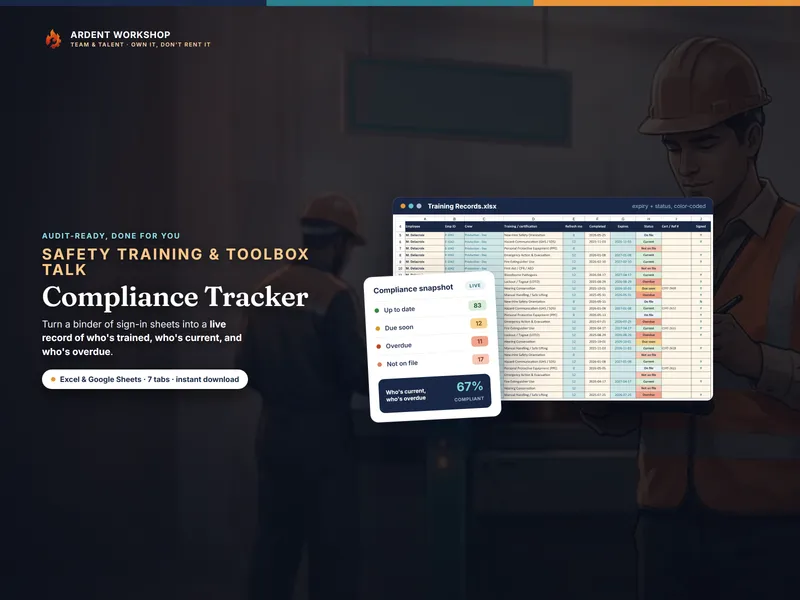
Add the refresher interval to each completion date and you have the exact day the training lapses. Then rate each record against today: current (refreshed and in date), due soon (expiry approaching), overdue (past expiry — retrain now), or not on file (no completion recorded, a gap to close). Color-coding the status turns a wall of dates into a picture you can read across a room.
Step 5 — Log toolbox talks and keep the signed sheets
Formal training is half the record; the daily habit is the other half. Log every toolbox talk — the date, topic, crew, presenter, and how many attended — and file the signed attendance sheet with it. The signatures are the evidence; the log is the index that makes them findable. A red mark against an unsigned talk is your reminder to collect the signatures before that talk counts as documented.
Step 6 — Read the compliance picture
With records and talks in place, roll it all up. Compliance by crew and by employee, refreshers coming due in the next 30, 60, and 90 days, and the overdue and not-on-file counts that are — already sorted by risk — your to-do list. Work the overdue items on your highest-hazard tasks first, then close the gaps, then catch the crews falling behind on talks.
Step 7 — Freeze a snapshot for the audit
When the audit or the monthly report comes, set the as-of date to that day and export or print the dashboard. The counts hold to that date, and the signed sheets and certificates behind them are the evidence the record points to. That’s the whole trick: a catalog you trust, records you keep current, talks you log, and a compliance view that tells you the truth on demand.
Do it in a workbook you own
You can build all of this in a blank spreadsheet — or start from one made for the job. The Safety-Training & Toolbox-Talk Compliance Tracker ships with the catalog, computes expiry and status for you, logs toolbox talks, and rolls it all up into an audit-ready dashboard — one owned file for Excel, Google Sheets, and LibreOffice. Or start free with the toolbox-talk log and add training tracking when you’re ready.