This is not really binder-versus-app. They do overlapping but different jobs, and the real mistake is neither: it is having nothing written down at all and starting the comparison by shopping for software. A shop with no procedures does not have a tooling problem. It has an afternoon of writing to do, and the tool it needs for that is a page.
What each one is for
- A binder documents the method. One page per repeated task — purpose, trigger, owner, steps, the quality check — printed and posted where the work happens. It answers "how is this done here?"
- A process app administers it. The same documents, stored online and turned into assignable runs: this checklist, to this person, by this date, with a record that it was completed. It answers "was it done, by whom, and on the current version?"
Documenting a method and administering it are separate problems, which is why plenty of shops end up doing both — and why buying the second before solving the first produces an empty app.
When a binder is exactly right
- The same two or three people do the work, and they are in the building.
- The moment of doubt happens at the bench, with dirty hands and a phone across the room.
- Nobody is auditing your completion records, and nothing hinges on proving a run happened.
- You would rather own the files than rent a platform per seat.
- You maintain the procedures yourself, rather than a dedicated operations person.
At this stage a printed page beats software outright, for a reason that has nothing to do with features: a procedure laminated beside the machine is consulted whenever there is any doubt, and a procedure two taps into an app is consulted on the first day and then remembered from memory. The free one-page SOP template is a no-signup taste of the format, and the templates for makers hub collects the rest.
The signals you also want an app
- You need to prove a specific run happened. Not that the procedure exists — that this batch, on this date, was done to it.
- People work across shifts or sites. A wall is a poor distribution mechanism once the wall is somewhere else.
- Version drift is actually biting. Somebody has followed a superseded printout, and telling everyone is no longer a conversation.
- Tasks need assigning and chasing. Recurring work with owners and due dates that somebody has to follow up.
- Access needs to be controlled. Some procedures should not be editable, or visible, to everyone who can reach the binder.
Even then, the app stores and administers the procedures — it does not write them. The content problem is the same either way, and it is the part that takes the time.
Side by side
| What matters | Owned SOP binder | Process app |
|---|---|---|
| Cost | One-time — you keep the files | Ongoing subscription, usually per user |
| At the bench | On the wall, readable in ten seconds | Needs a device, an account, and clean hands |
| Assigning & tracking runs | Not its job — no completion record | The whole point — owners, due dates, history |
| Version control | Manual — a revision log and a reprint | Usually enforced — everyone opens the current one |
| Photographs in a procedure | Printed in, and reprinted when they change | Uploaded, and swapped centrally |
| Works with no power or signal | Yes — it is paper | Varies — some offer an offline mode |
| Data ownership | Files on your own drive, forever | Hosted by the vendor; check the export path |
| Best for | Documenting how a small shop runs | Administering procedures across a team |
The honest middle ground
Many shops end up with both, and the sequence matters: write the procedures first, in something you own, and add software once assignment and audit trails are genuinely the job. Done the other way round, the subscription starts on day one and the procedures still are not written — because the app was never the thing standing in the way.
Whichever way you go, the failure mode is the same and it is not technological. Procedures written once and never revised go stale wherever they live, in a binder and in an app alike — a page reviewed once a year is, by the arithmetic alone, half a year out of date on the day you read it. The habit that prevents it — change the page the day the work changes, and record who was told — is yours to keep either way.
Write them down first
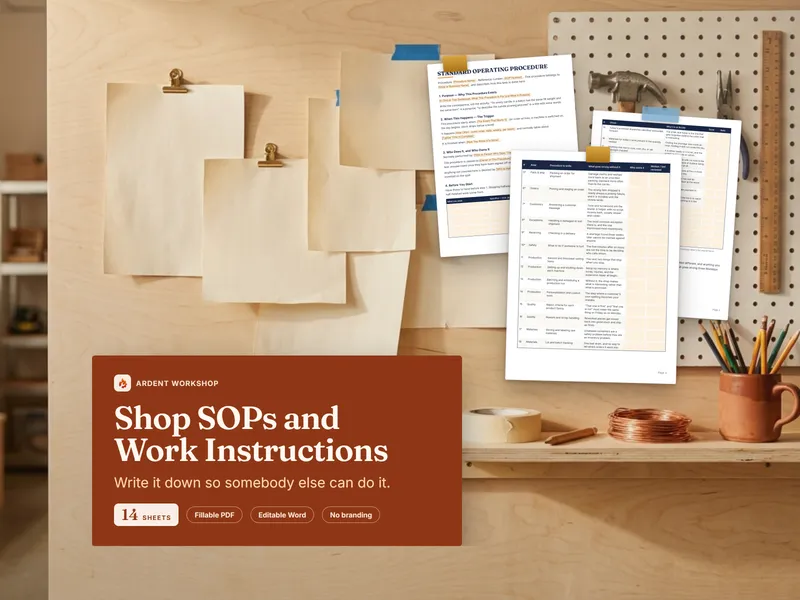
The Shop SOP & Work-Instruction Template Pack is fourteen fillable sheets, one of which is the part that actually stops people: a register naming thirty-six procedures a small production shop runs on, ten of them starred as the ones to write before anyone else works a shift. It comes as fillable PDF and editable Word, unbranded, so each sheet becomes your shop's own document. Own the method; rent a platform only when administering it becomes a job of its own. See what an SOP is and what a work instruction adds in the glossary, or write your first one.
Frequently asked questions
- What is the difference between an SOP binder and a process app?
- An SOP binder is a set of written procedure documents you own — printed, posted where the work happens, and edited in whatever word processor you already have. A process app is subscription software that stores procedures online and can run them as assignable, trackable checklists, with versioning, permissions, and a record of who completed which run. The binder documents the method; the app additionally administers it. A shop where the same two or three people do the work usually needs the first; a shop assigning and auditing dozens of runs a week starts to need the second.
- Is a binder of printed SOPs good enough for a small shop?
- For most shops of a handful of people, yes — and it beats an app on the thing that most decides whether procedures get used at all, which is being reachable in ten seconds with dirty hands. The moment of doubt happens at the bench, not at a screen. What a binder cannot do is prove a specific run was completed, enforce that everyone is on the current version, or notify anybody. If those become the job, that is the signal to add software.
- How much does a process app cost compared with a template pack?
- Process and SOP apps are commonly priced per user per month, though flat tiers exist, so the cost usually scales with headcount and continues for as long as you use them. A template pack is a single one-time purchase you keep and can edit forever. The subscription earns its keep when you genuinely need assignment, tracking, and enforced versioning across a team; paying monthly per seat to store a dozen documents two people read is renting far more platform than the job needs.
- What happens to my procedures if I stop paying for a process app?
- That depends entirely on the vendor's export options, and it is worth checking before you commit rather than after. Many offer some form of export, but what survives it varies, and formatting, attached photographs, and revision history are the parts most likely to be lost. A binder has no such question attached to it: the files sit on your own drive in ordinary document formats, and nothing stops working the month you decide to cut costs.