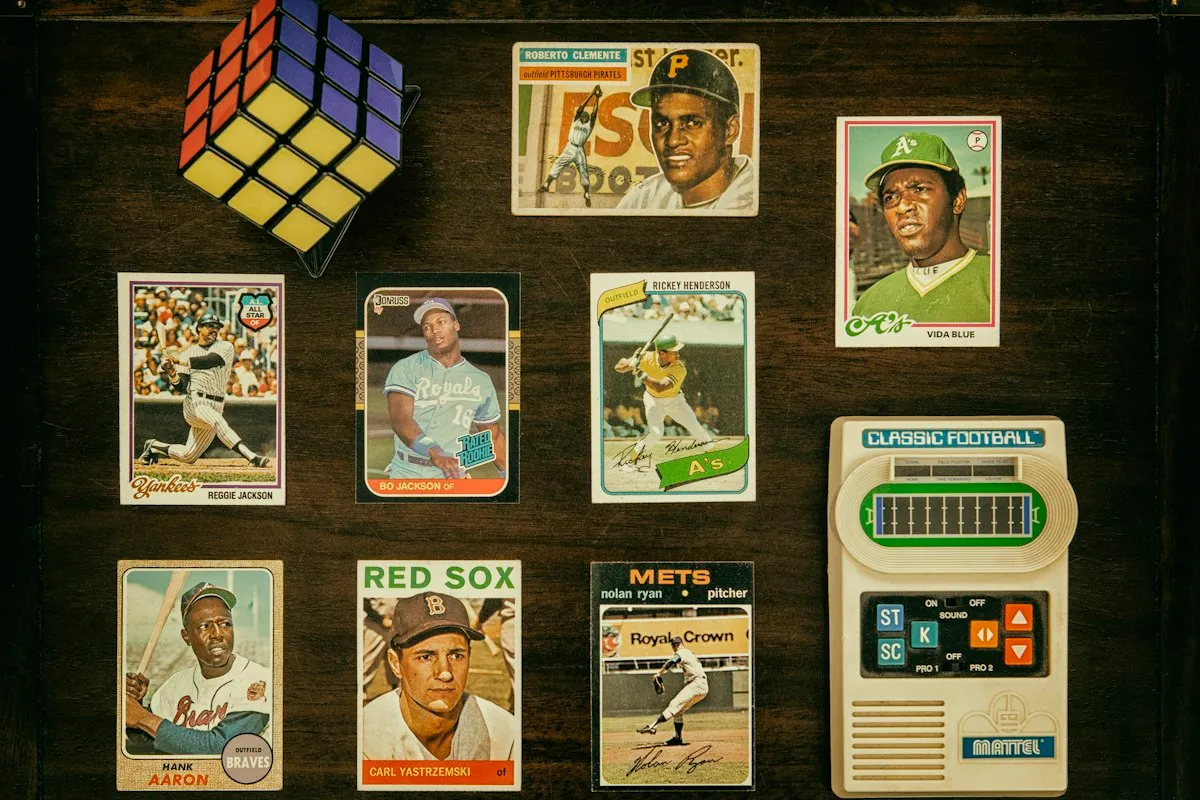
Two questions decide whether a card collection makes money or quietly loses it: is this card worth grading, and what did it actually cost me? A checklist answers neither. A scanner app will put a number on your cards, but it is an estimate you cannot open up, and the record lives on somebody else’s terms.
This is the third thing. The Trading Card Game & Sports Card Collection Tracker is a 12-tab workbook for Excel, Google Sheets and LibreOffice that holds a mixed collection of trading card game (TCG) cards and sports cards, and does the arithmetic that actually decides something — a grading break-even engine and a true net cost basis, in one file you own.
Should I grade this card, or sell it raw?
The Grade or Sell Raw tab is a break-even engine, not a rule of thumb. Put in what the raw card comps at, pick a grading company, a service tier and the grade you expect. It works out what the slab would be worth, subtracts the grading fee you set and both legs of shipping, and returns two things a blank spreadsheet leaves you to work out for yourself:
- the edge — how much better or worse off grading leaves you, in money; and
- the break-even raw price — the comp a card has to clear before grading can pay at all, at that grade, with that grader, on that tier.
Then it says which to do, in plain words. When the grade and the grading company you picked cannot beat the raw card at any price, the break-even column reads “No floor - never pays” and the verdict reads “Grading cannot pay - sell it raw” — and knowing that before you pack the box is the whole point.
Every premium and every fee behind that math is a cell on the Setup tab, shipped as a starting point rather than a market standard. When your corner of the hobby says otherwise, you change the number.
What did the card really cost me?
It would be easy to subtract one price from another and call that profit. This one builds a net cost basis instead: what you paid, plus shipping in, plus anything already spent grading it — and, for a card that came out of a bulk buy, its share of the lot.
The Lot Allocator is what makes that honest. Log the bulk box once, tag the cards you pulled out of it, and it splits the lot’s whole cost across them by relative value, then reconciles so you can see the cent that did not land anywhere. A card you paid nothing for individually still carries a real basis — which is the only way a bulk-box pull can show a truthful profit.
One thing the tab tells you itself: the split is live arithmetic, not a stamp. Re-value any card in a lot and every basis in that lot re-weights, including on cards you have already sold. Value a lot once, properly, and leave it.
Sold cards leave your portfolio value and move into realized profit, so the two are never added together.
Set completion, for any game and any set
Type the set name and how many cards count as complete for you — base set, master set, a player run, whatever you are chasing. The Set Completion tab counts owned, duplicates, missing and percentage against that target.
There is no licensed card database anywhere in the file, which is exactly why a Pokémon or Magic set, a Japanese promo, a regional parallel and a 1980s baseball run all work in the same workbook, and why no set list here can go out of date.
Values that are yours, and dated
There is no live price feed. That is deliberate. Every value you look up gets its own dated row with where it came from and what kind of number it is — a recent sold comp, a marketplace last sale, a shop quote. Nothing is overwritten.
The workbook uses the newest one, shows what has moved since the previous snapshot, stamps the Dashboard with the date the collection was valued as of, and counts how many cards are running on a number older than the staleness you set. In six months you can still see what a figure rested on.
The rest of the workbook
- My Cards — one row per card, with a product type of raw, slab, sealed or lot. Raw cards take a condition; slabs take a grader, a grade and a cert number. Room for 400 cards.
- Trade Board — a swap priced from both sides, your cards at your values and theirs at theirs, with a verdict and what the trade does to your cost basis.
- Wishlist & Grails — what you are chasing, the most you will pay, and a check against what you already own.
- Grading Guide and Set & Rarity Reference — nine grade rungs and 21 rarity terms, in the file rather than only in a PDF.
- Dashboard — the whole collection read back to you, split by game and sport, by product type, by grade band and graded against raw.
Own it, don’t rent it
No account, no subscription, nothing to renew. It is one of the trackers for the things you love, and like the rest of them it opens on a worked example so nothing is blank, it works offline in Excel and LibreOffice Calc, and the Google Sheets version is a real published Sheet you copy in one click — not the spreadsheet imported into one, so every dropdown and every formula arrives intact.
Want to see how it feels first? The free card collection starter is a one-tab taste of the full workbook — a row per card, raw or slab or sealed or lot, with what you paid, what it is worth now and the difference between them, plus four running totals along the top. No email, no signup. It subtracts what you typed from what you typed and stops there: whether a card is worth grading, what a card out of a bulk lot really cost you, set completion and a dated value history are what the full tracker adds.