Skip Navigation

Spreadsheet

Pet Care & Records Binder — Vaccination, Vet History, Medication & Sitter Handoff Tracker (Excel + Google Sheets)

Every pet's records in one spreadsheet you own — and it works out what each animal is actually due, then assembles the sitter handoff for you to print.

Click to enlarge the image / Click × or press ESC to close

What you'll love

  • A Care Schedule that works out what is actually due, not just what already happened. Type when something was last done and how often it repeats; it computes the next due date, counts the days, and flags every line Overdue, Due Soon, Not done yet or OK. The warning window scales with the interval, so a monthly preventative never sits permanently amber the way a flat 30-day rule would leave it
  • A Care Dashboard that puts the whole household on one screen, a row per pet — overdue and upcoming counts, the next thing each animal needs, vaccination status, medications to refill, and what you have spent this year. Up to ten pets. Underneath it, a pooled queue ranks the next eight care items from across every pet in date order, so you can also just read down the list
  • A Sitter Handoff Sheet that fills itself in. Pick a pet from one dropdown and the identity, microchip number, feeding schedule, current medications with doses and times, your vet, the 24-hour emergency clinic and the live vaccination status all arrive by cross-sheet lookup
  • A veterinary treatment authorization with a spend cap you set, on that same page. A caregiver who is not the owner generally cannot authorize veterinary treatment on their own, and a clinic that cannot reach you has no direction on payment. It is a practical handover note rather than a legal document, and a clinic may still call to confirm — but it is what turns a stall at the front desk into a decision
  • A Vaccination Record built for what a boarding kennel commonly asks for — date given, what it is valid for, the clinic, the lot number off the certificate. This tab runs its own warning window — a flat 45 days, wider than anything the Care Schedule uses — because a boarding facility may want a certificate still valid on the last night of a stay, not just the first. Confirm what your boarding facility asks for. A computed column watches the Care Schedule for the same date, so the two tabs cannot quietly disagree
  • A Cost of Care rollup: per pet, per category, this year and per month, against a budget you set. Per month divides by the months elapsed rather than by twelve, so an early-year figure is not flattered — one full year leaves you a real number to compare against
  • Milestones & Gotcha Days — the adoption date on the Pet Register computes how long you have had them. The Care Dashboard carries every pet's next Gotcha Day, and the milestones tab works out their age on the day of every first
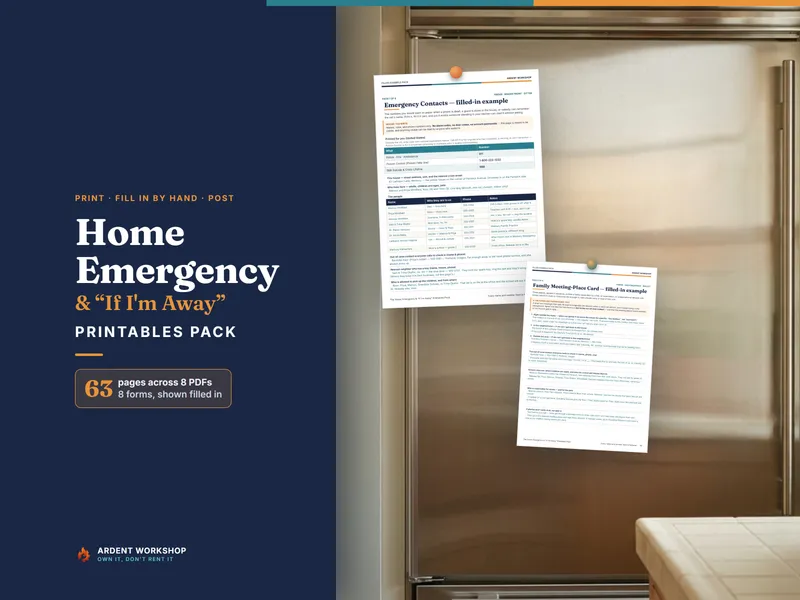
  • Three PDF guides. A Start Here guide, and the 22-page Pet Records Playbook — what a complete record holds, what boarding and emergency clinics ask for, the microchip registration gap, and the first hour of a missing pet. Then 13 print-and-fill pages, including a lost-pet flyer and cut-out wallet cards
  • A 15-tab workbook that works in Excel, Google Sheets and LibreOffice, plus a one-click native Google Sheets copy — evergreen, instant download, a file you own

Everything you know about your animals is already written down somewhere. A vaccination certificate in a drawer. A discharge sheet folded into a bag. A dose on a bottle in the cupboard. The feeding routine in your head, and nowhere else.

All of it is a record of what already happened. None of it tells you what’s next — and none of it is any use at all to the person holding your keys while you’re away.

The Pet Care & Records Binder is one spreadsheet that fixes both: 15 tabs for Excel, Google Sheets or LibreOffice, plus three PDF guides, holding every animal in the house — and working out what each one is due next.

It works out what every pet is actually due

Give it two things — when something was last done, and how often it repeats — and it does the rest. The next due date, the days remaining, and a status word: Overdue, Due Soon, Not done yet, or OK.

Then the Care Dashboard puts the whole household on one screen, a row per pet. Which animal needs something. What it is. When. How much you’ve spent on each of them this year. Underneath it, a single queue pools the next eight care items from across every pet and sorts them by date, so you can stop asking “how is each one doing” and just read down the list.

The warning window scales with the interval, which sounds like a detail and isn’t. A flat thirty-day rule leaves a monthly flea preventative permanently amber — and once a color always means “warning,” you stop seeing it. So a monthly item warns about a week ahead, a quarterly one about three weeks, and anything half-yearly or longer gets the full thirty days.

The sitter handoff sheet fills itself in

Pick a pet from one dropdown at the top of the page. Everything below it arrives on its own: the name, the breed, the age, the markings, the microchip number and who it’s registered with, the temperament and the warnings a stranger genuinely needs. The feeding schedule, meal by meal, with amounts and add-ins and what treats are allowed — up to four meals on the printed page. Current medications with the dose, how often, and when — up to six of them. Your regular vet and a 24-hour emergency hospital, both matched by their role on your contacts tab and printed by name. And the live vaccination status: current, nothing recorded yet, one or more expired, or due soon — and on due soon, a prompt to check the date still covers the whole stay.

Print it. Sign it. Hand it over with the key.

The vet treatment authorization a sitter needs

At the bottom of that page is a veterinary treatment authorization with a spend cap you set yourself.

This is the part that matters and the part that gets forgotten. A caregiver who isn’t the owner generally can’t authorize veterinary treatment on their own, and a clinic that can’t reach you has no direction on how — or whether — it’s going to be paid. Put those two together and an ordinary emergency stalls at the front desk over a question nobody in the room can answer.

Name an amount you’re comfortable with. Name a second contact who can decide if you’re unreachable. Sign it. It’s a practical handover note rather than a legal document, and a clinic may still call to confirm — but it turns “we can’t do anything until we find the owner” into “go ahead.”

What each animal actually costs you

Log a line when you pay for something and the Cost of Care tab totals it — per pet, per category, for the year, and per month, against a budget you set. Eight categories, separated on purpose: the routine spending you can plan for, and the spending you can’t.

“Per month” divides by the months that have actually elapsed rather than by twelve, so a January figure isn’t flattered and a December one isn’t alarming. Give it one full calendar year and you’ll have the number nobody has when the insurance question comes up.

Gotcha Days, birthdays and the milestones nobody writes down

The Pet Register carries the adoption date — the Gotcha Day — alongside the birthday, and works out how long you’ve had them. The Care Dashboard carries every pet’s next Gotcha Day, and the Milestones tab shows the next one in the house. That tab also holds the firsts, with their age on the day computed for you, because that’s the detail nobody writes down and everybody later wishes they had.

The same file that flags an overdue booster also remembers the day they came home.

Own it, don’t rent it

A blank spreadsheet asks you to build all of this yourself. A pet app asks you to keep paying, and can be discontinued or acquired or repriced while your animals’ whole history sits inside it.

This is the file in between. The structure is already built, the arithmetic is already done, and there’s nothing to renew. It opens in Excel, Google Sheets and LibreOffice, and the Google Sheets version is a real Sheet you copy with one click — not an .xlsx you have to import and hope survives the trip.

Download it once. Keep it for as long as your animals need it.

The free pet sitter sheet, and what the binder adds

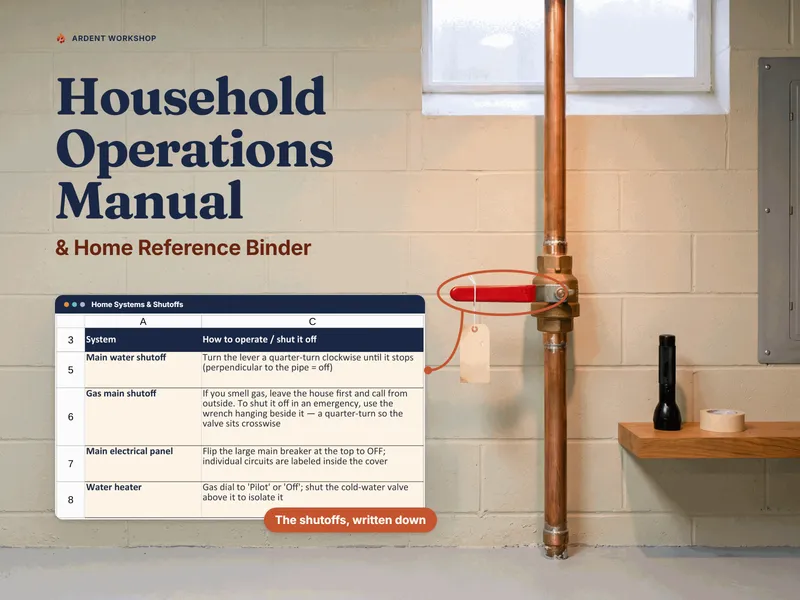
The free Pet Sitter Sheet is the handoff page on its own — printable, no signup, one dog or cat per copy. You fill it in by hand before every trip. The Pet Care & Records Binder is the version that fills it in for you, from records you already keep, for every animal in the house. And the Household Operations Manual & Home Reference Binder does the same job for the home your animals live in.

A record you keep — not veterinary advice

The Pet Care & Records Binder is a record-keeping tool, not veterinary, legal or financial advice. Every example in it is illustrative — your veterinarian sets your pets’ actual schedules, doses and intervals, and state and local law sets the rabies requirement where you live. This file stores what you were told; it doesn’t decide it.
See it in action

Play

Built to last

  • Intuitive and straightforward design
  • Employs software best practices
  • Delivered as one spreadsheet that works in Microsoft Excel, Google Sheets, and LibreOffice Calc
  • Free updates — send us a message to be notified of updates when they are available
  • Completely customizable — add rows and columns, rename headings, and adjust formulas

In the download

This digital product is delivered as a zip file containing the following items:

  • 01 — The Pet Care & Records Binder (.xlsx, 15 tabs) — pre-filled with a clearly fictional worked example across three pets; opens in Excel, Google Sheets or LibreOffice
  • One-click Google Sheets copy — a ready-made native version with the due-date formulas, the handoff sheet's lookups and the color flagging already set up and tested, no import needed (a clickable 'Make a copy' link in the bundle)
  • 00 — Start Here Guide (PDF, 11 pages): why the Pet Register comes first, how the due engine decides what is overdue, how the handoff sheet assembles itself, and the five-minute habit that keeps it true
  • 02 — The Pet Records Playbook (PDF, 22 pages): what a complete pet record holds, the care that repeats and why intervals differ, what boarding actually checks, the microchip gap, handing your animal to someone else, what a clinic asks at intake, what care costs, travel paperwork, and the first hour of a missing pet
  • 03 — Printable Pages (PDF, 13 pages): pet profile, sitter handoff, veterinary treatment authorization, vaccination record, medication schedule, vet visit log, cut-out emergency cards, a lost-pet flyer, and a Gotcha Day page
  • READ-ME-FIRST.txt — what is in the download, which file to open first, the 'Make a copy' link for the Google Sheets version, and the license

Compatibility & terms

Unless otherwise specified, this digital product is delivered as a spreadsheet (an .xlsx file) designed to work in Microsoft Excel, Google Sheets, and LibreOffice Calc . It is not guaranteed to work in any other application.

This digital product is copyrighted. It is intended for personal use only. It is strictly prohibited to reproduce, resell or share this product, in part or in full, with or without modifications. No refunds, exchanges, or cancellations. Given this is a digital product, no physical product will be delivered.

Why a workbook

Most tools force a choice between a blank spreadsheet you build from scratch and a monthly app that's overkill. Ardent Workshop is the rung in between — structure you own.

  1. Blank spreadsheet

    Free, but you build and maintain every formula, tab and layout yourself.

    • Free
    • Infinite setup
    • No structure
  2. You are here

    Ardent Workshop

    Owned, structured, connected workbooks — a one-time price, yours to keep.

    • One-time price
    • Structured & connected
    • Yours to own
  3. Generic SaaS app

    Powerful, but overkill, rented and locked-in — built for someone bigger than you.

    • Monthly rent
    • Overkill
    • Lock-in

Ready to start

Instant download · Free lifetime updates · Personal use license

$19.95 USD
Buy now

Pairs well with

From the Guides

Hand-picked reading on how to actually use a tool like this.