The Hire & Onboard Kit is four spreadsheets for Excel, Google Sheets and LibreOffice: an applicant tracker, an interview scorecard and question bank, a 30-60-90 onboarding plan — and a fourth, sold only inside this kit, that turns a candidate’s interview scores into their first ninety days.
Hiring a person takes three jobs, and it is easy to end up doing all three in different places: a pipeline somewhere, interview notes somewhere else, and an onboarding plan written from the job description in the new hire’s first week. The Hire & Onboard Kit is those three jobs in three complete workbooks — plus a fourth that does the thing none of them can do alone.
The one thing nothing else does
By the time you sign an offer, you know more about that person’s strengths and gaps than you ever will again from the outside. Then nothing carries it forward, because none of the three file types is built to. The scorecard goes in a folder. The onboarding plan gets written from the job ad. The one thing you actually learned is the one thing the first ninety days ignores.
Mark a candidate as Hire on the Candidate Slate and the Offer to Day 1 tab reads their two lowest-scoring competencies straight off the Candidate Slate, then writes six named goals — a 30, a 60 and a 90-day objective for each — out of a curated library of 24. Every one of them names a condition you can actually check.
They are development areas, not doubts. You hired this person. A ninety-day plan that only lists what someone is already good at is a plan that wastes ninety days.
Try the free version first
The Interview-to-Onboarding Goal Library is the same 24 goals, free and ungated. It tells you what to write once you already know which two competencies to look up — the kit is what does the looking up, off the candidate’s own scorecard.
What is and isn’t connected
The four workbooks are separate files, and they are not linked to each other — nothing here silently reaches into another spreadsheet. What the Hiring Command Center does is compute the handoff itself, then tell you the exact tab and cell in each component workbook where the result belongs, and how many rows it holds. No hunting, and no surprises about what is updating what.
Where the time is going, and what the hire cost
Counting how many candidates sit at each stage tells you how busy a stage is. It tells you nothing about which one is slow.
Type one as-of date and five stage targets on the Setup tab, and the Requisition & Pipeline tab measures every stage of every open role against them and names whichever is furthest over. In the worked example (fictional throughout), the Senior Support Engineer took 56 days from opening the role to the new starter’s first day, and the bottleneck was Interviewing.
And because the Interview Loop tab knows who sat in which interview, for how long, and across how many candidates, it can price the hire — 8.8 interviewer hours at your loaded rate, plus advertising, is $1,235 in the worked example. That is your figure, from your own loop, not an industry average that may have nothing to do with how you hire.
The three workbooks you’d otherwise buy separately
Each is a complete product with its own guides, its own printables and its own one-click Google Sheets copy. Nothing here is a sample.
1. Open the role — Job Applicant Tracker
Who applied, where they came from, and whose turn it is to act. Eight tabs, room for 200 candidates, and a live dashboard. Open it the day you post the role, not after twenty applications have arrived.
2. Interview the slate — Structured-Interview Scorecard & Question Bank
One column per candidate, the same eight weighted competencies down every one of them, 100+ questions to draw from, and guidance on fair and legal interviewing. Score against the role rather than against each other, and the slate ranks itself.
3. Land the first 90 days — Onboarding / 30-60-90 Plan Workbook
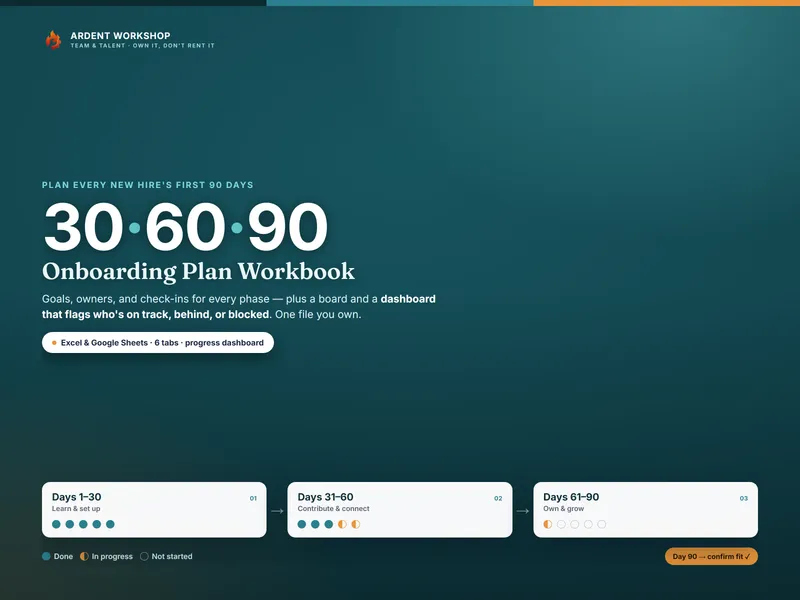
What the person has to be able to do by day 30, day 60 and day 90 — not a checklist of laptops and badges. Goals, owners, what done looks like, check-ins, and a tracker for the whole cohort.
Own it, don’t rent it
Hiring software is usually priced per seat, per month, for a pipeline you might use twice a year — and your records live inside someone else’s account. This is four workbooks and twenty guide and printable PDFs, downloaded once. They open in Excel, in Google Sheets and in LibreOffice, they still open in ten years, and there is nothing locked — every formula is visible and yours to change.
It arrives as a single zip: the four workbooks as .xlsx files, the guides and printables as PDFs, and a read-me in every folder. The Google Sheets copies are one-click “Make a copy” links, so there is nothing to import.
Bought separately the three workbooks are $59.85. The kit is $39, and the Hiring Command Center is not sold on its own at any price.
Not legal or employment advice
Everything in the kit is illustrative and is not legal or employment advice. Hiring is regulated differently in every jurisdiction — check your own obligations before you rely on any of it. Every person, company and score in the worked example is fictional.